
Android开发笔记(二)布局管理器
LinearLayout
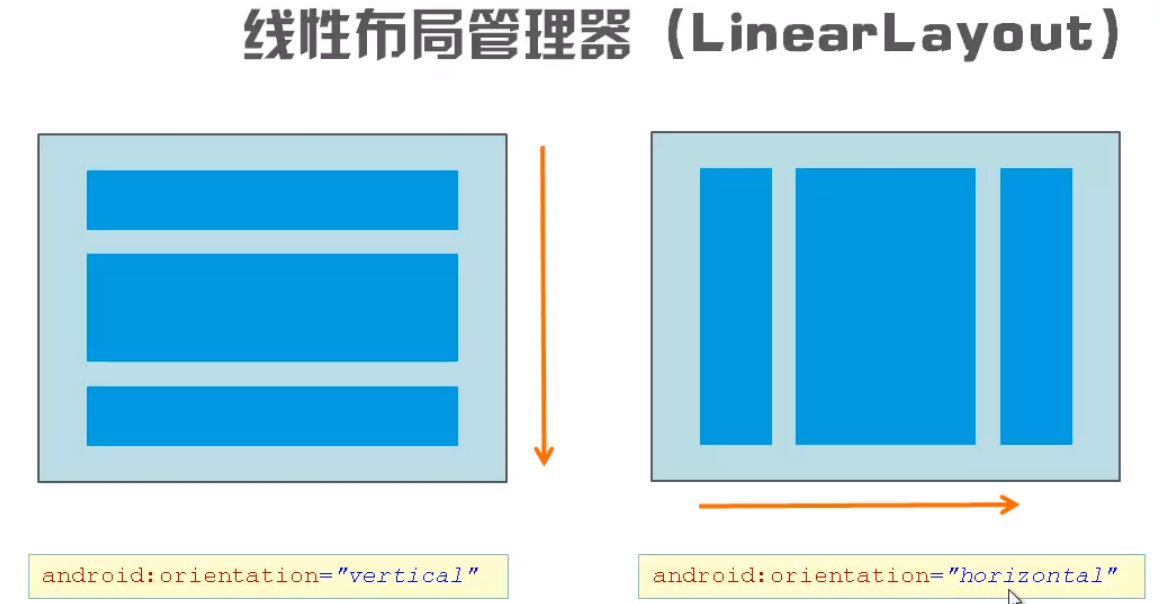
~主要属性
orientation 方向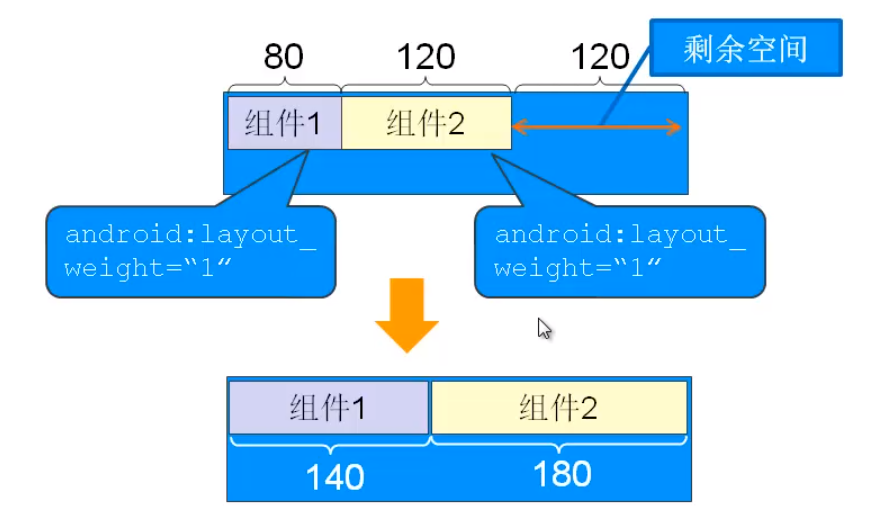
android:orientation="vertical"
android:gravity="center_horizontal|bottom"
android:layout_weight="1" // 剩余空间分配占比,用weight标识,不写为0
xmlns:android="http://schemas.android.com/apk/res/android"
xmlns:android:安卓命名空间
http://schemas.android.com/apk/res/android:属性值为固定的写法
xmlns:tools="http://schemas.android.com/tools"
xmlns:tools:定义工具命名空间 如果将xmlns:tools:删除就不能出现tool的属性 、xmlns:tools为属性 ,http://schemas.android.com/tools为属性值
这两个都是布局管理器的属性,
android:layout_width="match_parent"
android:layout_height="match_parent"
layout:布局 所以根据英文 布局宽度 布局高度
tools:context="mingrisoft.com.MainActivity"
用于指向这个布局的activity的,不会被打包到app文件中,不用可以删除
context:上下文 ,背景,环境
android:gravity="center"
子组件的摆放方式
wrap_content :包裹其自身
layout_below:布局在下方 layout_alignRight:布局右对齐 layout_toLeftOf 布局到左边的
线性布局管理器 layout_weight 见demo
paddingBottom:底内边距
foreground:前景 前景不设置显示位置就会覆盖全部
-
TableLayout
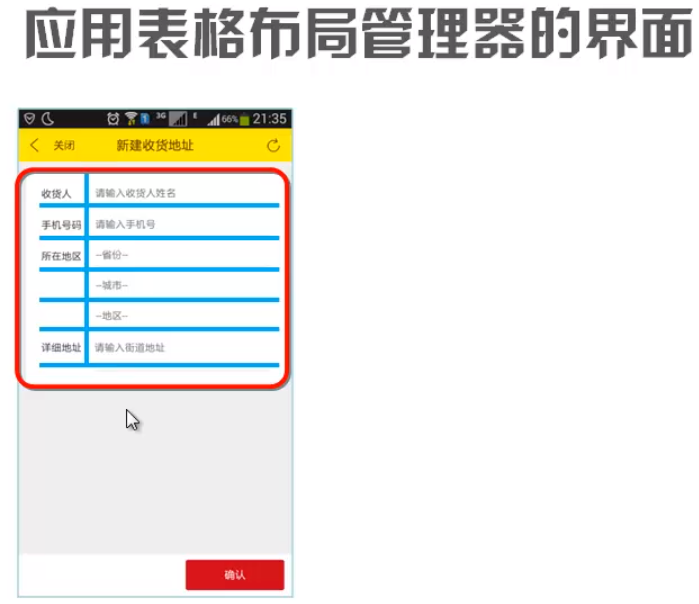
android:collapseColumns="0,2" // 需要隐藏的列
android:stretchColumns="1" // 可以被拉伸的列
android:shrinkColumns="2" // 可以被收缩的列
 <TableRow>...</TableRow> // 一个行内含有的东西,不写就直接用组件添加一行
-
FrameLayout
![]()
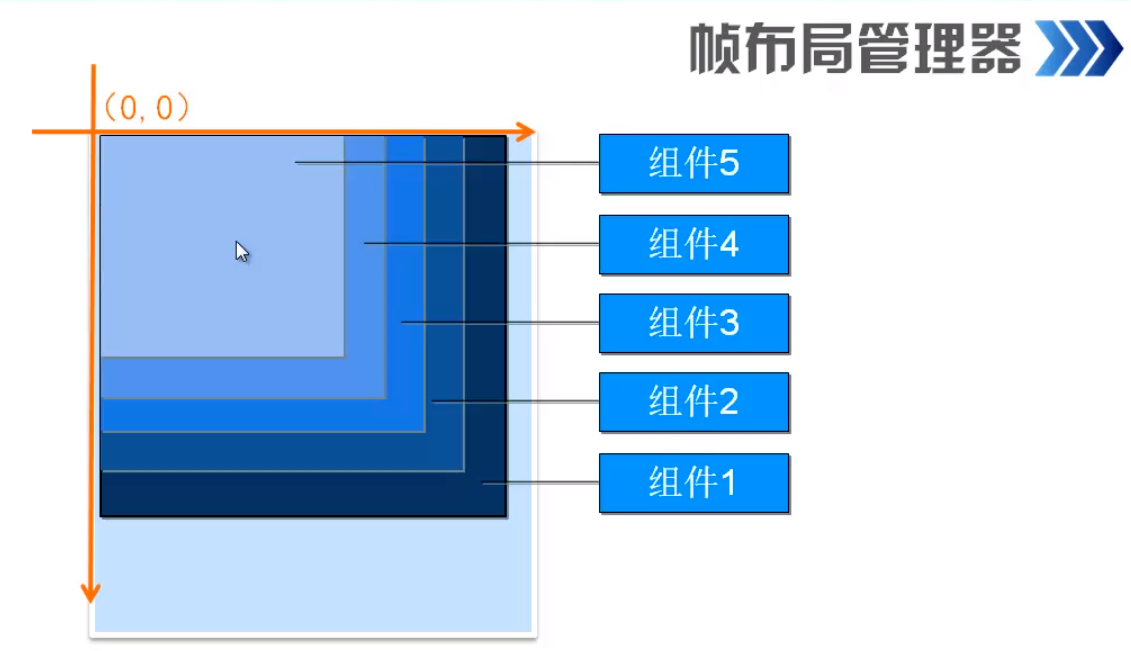
显示层叠内容,或者可拖动内容
- 主要属性
  android:foreground="@mipmap/ic_launcher" //前景,最前面显示的图片,不会被覆盖
    android:foregroundGravity="right|bottom" //前景图片位置设置

 浙公网安备 33010602011771号