

PyQt5 QComboBox 选择框文本居中
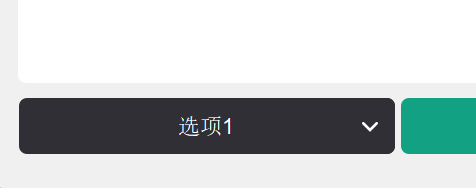
查找了许多教程,很多都是说的“下拉选项”居中,“已选中选项”的居中 有看到重构的方法,但是可能是因为版本不对或者其他原因没能生效,多次尝试后整理方法如下(依旧使用重构的方法)
class CenteredComboBox(QComboBox):
    def paintEvent(self, event):
        painter = QStylePainter(self)
        option = QStyleOptionComboBox()
        self.initStyleOption(option)

        # 绘制控件框架
        painter.drawComplexControl(QStyle.CC_ComboBox,  option)

        # 手动居中文本
        text_rect = self.style().subControlRect(
            QStyle.CC_ComboBox, option, QStyle.SC_ComboBoxEditField)
        text_rect.adjust(25,  0, 0, 0)
        painter.drawText(text_rect, Qt.AlignCenter, self.currentText())

#这里原本是select_combo = QComboBox(),重构类后使用重构后类名创建
select_combo  = CenteredComboBox()
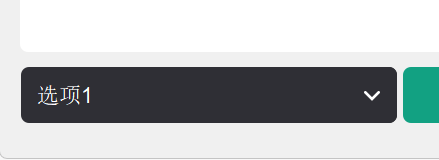
重构前:
重构后:

 浙公网安备 33010602011771号