关于IDEA Spring Boot项目中修改theameleaf模板中html立即生效的问题
1、选中
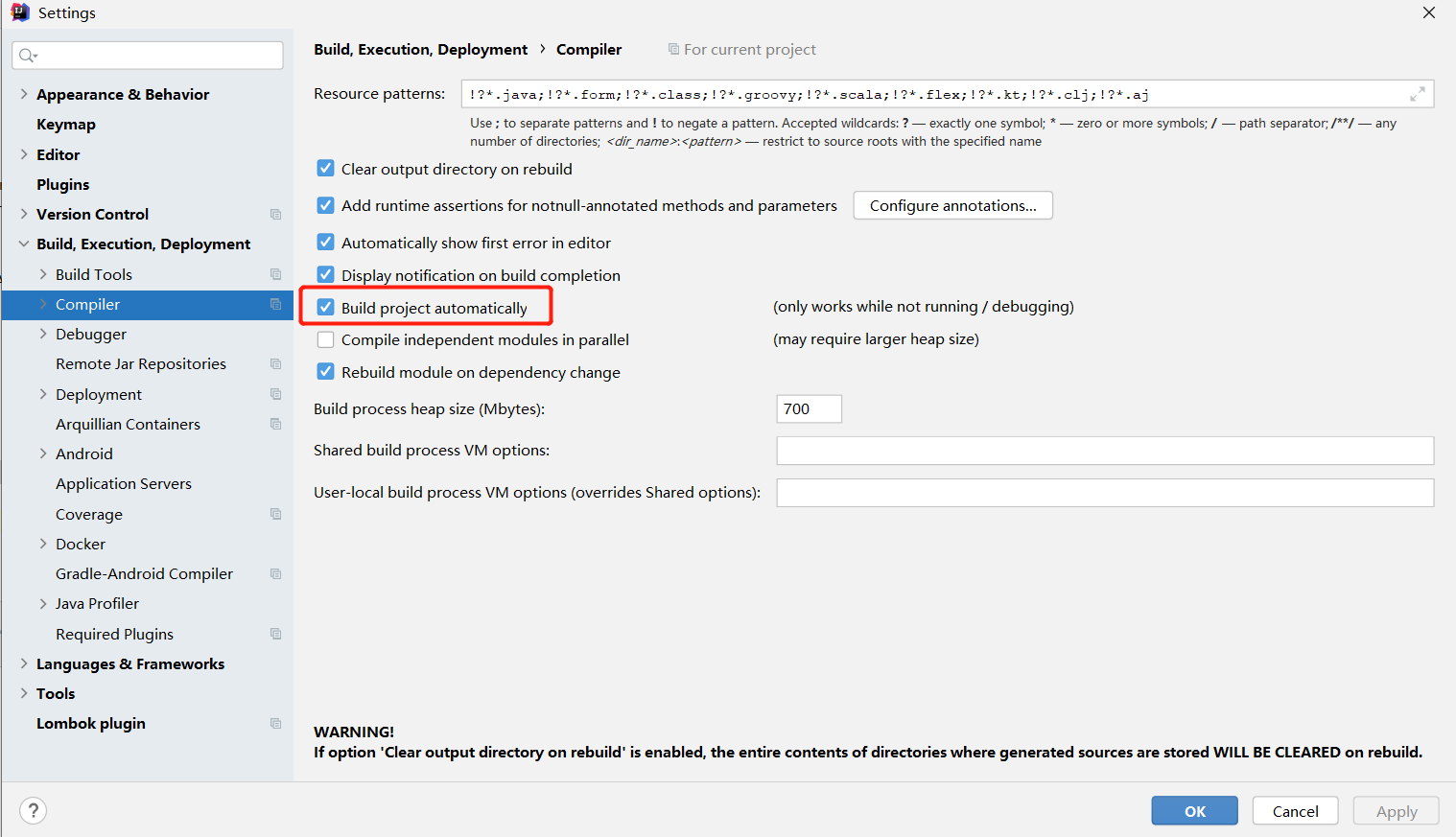
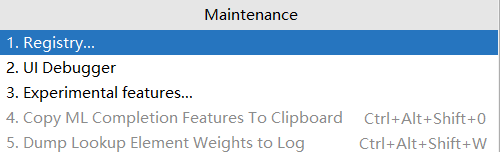
2、使用快捷键Ctrl+Shift+Alt+/
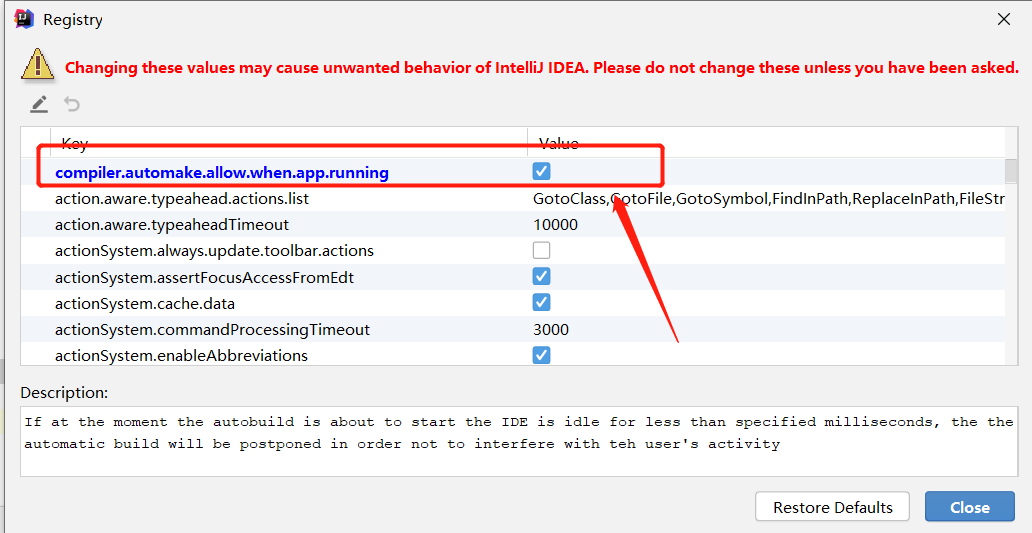
在弹出的选项框里选择“Registry...”选择之后在弹出的多选框里找到
compiler.automake.allow.when.app.running并勾选上
然后再勾选如下:
3、yaml文件
关闭theameleaf的缓存,默认是开启的!
spring:
  thymeleaf:
    cache: false
compiler.automake.allow.when.app.running并勾选上
spring:
thymeleaf:
cache: false

 浙公网安备 33010602011771号