
jq时间控件
代码&资源文件: jq时间控件.rar
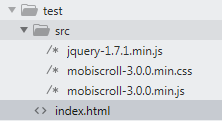
1、文件
2、html
//引入资源文件
<link rel="stylesheet" type="text/css" href="./src/mobiscroll-3.0.0.min.css">
<script type="text/javascript" src="./src/jquery-1.7.1.min.js"></script>
<script type="text/javascript" src="./src/mobiscroll-3.0.0.min.js"></script>
<div>
<input style="width: 180px; background-color: #ffffff;" placeholder="" value="" id="start-time">
<span class="pull-left" style="height: 34px; line-height: 34px;"> - </span>
<input style="width: 180px; background-color: #ffffff;" placeholder="" value="" id="end-time">
</div>
<script type="text/javascript">
$(function(){
var now = new Date(),
minDate = new Date(now.getFullYear() - 20, now.getMonth(), now.getDate()),
maxDate = new Date(now.getFullYear() + 20, now.getMonth(), now.getDate());
mobiscroll.datetime('#start-time,#end-time', {
theme: 'mobiscroll',
lang: 'zh',
display: 'center',
min: minDate,
max: maxDate
});
});
</script>
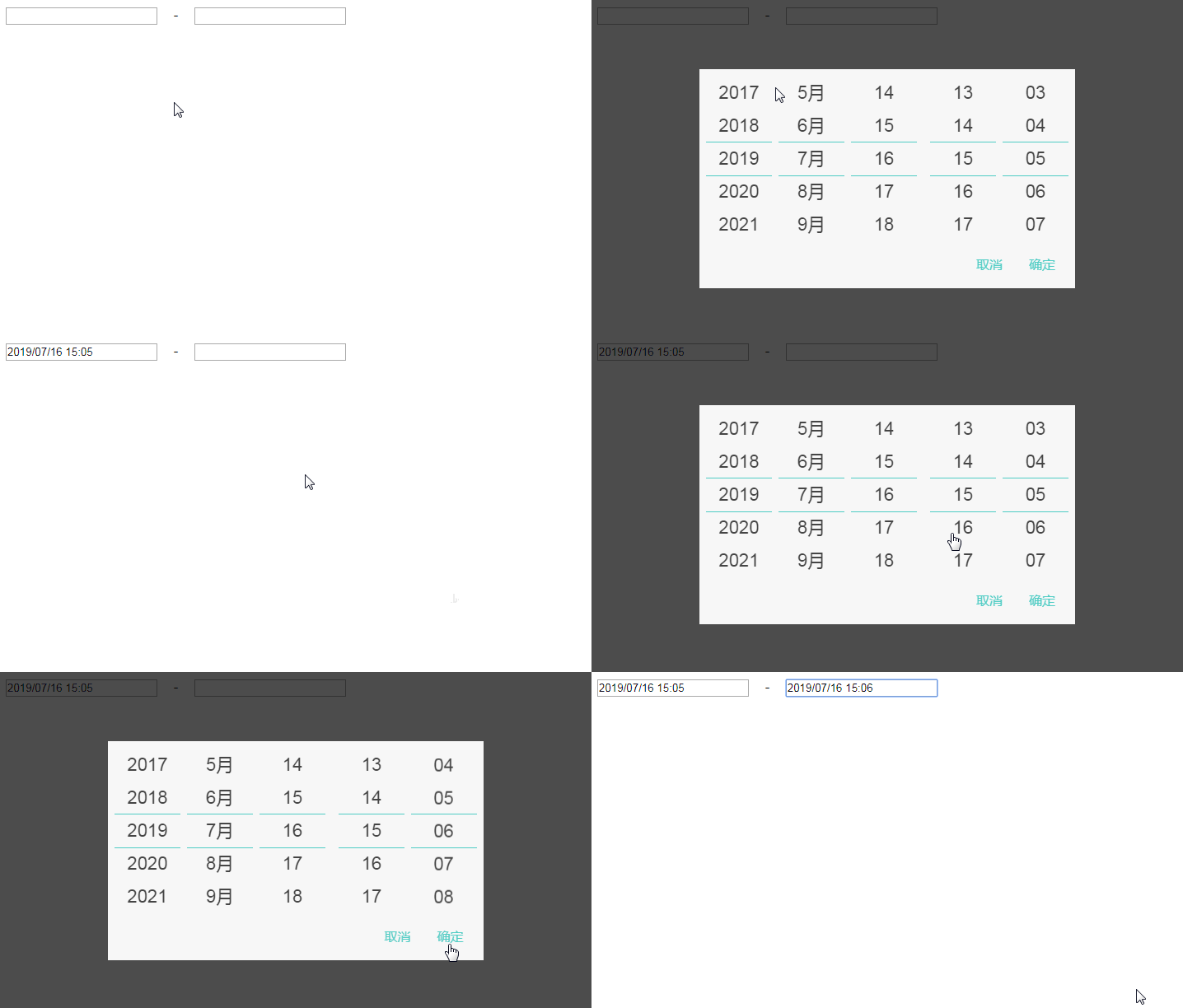
3、效果

 浙公网安备 33010602011771号