Vue Router简单使用
0.什么是路由
Vue路由就是指vue-router,其中router是指根据url分配到对应的处理程序,所以说路由就是用来解析URL以及调用对应的控制器并返回从视图对象中提取好的网页代码给web服务器,最终返回给客户端。
1.下载vue-router
npm install vue-router --save2.相关API
1.VueRouter(): 用于创建路由器的构建函数
new VueRouter({
// 多个配置项
})
2.路由配置
import VueRouter from 'vue-router'


Vue.use(VueRouter)


routes: [
{ // 一般路由
path: '/对应路径',
component: 对应组件名
},
{ // 自动跳转路由
path: '/',
redirect: '/about'
}
]
3.注册路由器
import router from './router'

new Vue({
router
})
4.使用路由组件标签
//1. <router-link>: 用来生成路由链接
<router-link to="/xxx">Go to XXX</router-link>
//2. <router-view>: 用来显示当前路由组件界面
<router-view></router-view>
3.小例子
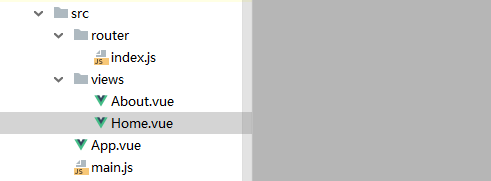
1. 定义路由组件(组件包名为view或者pages)
About组件
<template>
  <div>
    <h2>About</h2>
    <input type="text">
  </div>
</template>

<script>
  export default {
    name: "About"
  }
</script>

<style scoped>

</style>
Home组件
<template>
  <div>
  <h2>Home</h2>
</div>
</template>

<script>
  export default {
    name: "Home"
  }
</script>

<style scoped>

</style>
2.注册路由
index.js
import Vue from 'vue'
import VueRouter from 'vue-router'
import About from  '../views/About'
import Home from '../views/Home'

Vue.use(VueRouter)

export default new VueRouter({
  routes: [
    {
      path:'/about',   //path后面的/代表根路径
      component:About
    },{
      path:'/home',
      component:Home,
    },{
      path:'/',
      redirect:'about'
    }
  ]
})
3.使用路由
App.vue
<template>
  <div>
    <div class="row">
      <div class="col-xs-offset-2 col-xs-8">
        <div class="page-header"><h2>Router Test</h2></div>
      </div>
    </div>

    <div class="row">
      <div class="col-xs-2 col-xs-offset-2">
        <div class="list-group">
          <!--生成路由链接-->
          <router-link to="/about" class="list-group-item">About</router-link>
          <router-link to="/home" class="list-group-item">Home</router-link>
        </div>
      </div>
      <div class="col-xs-6">
        <div class="panel">
          <div class="panel-body">
            <router-view></router-view>
          </div>
        </div>
      </div>
    </div>
  </div>
</template>

<script>

  export default {

  }
</script>

<style scoped>

</style>
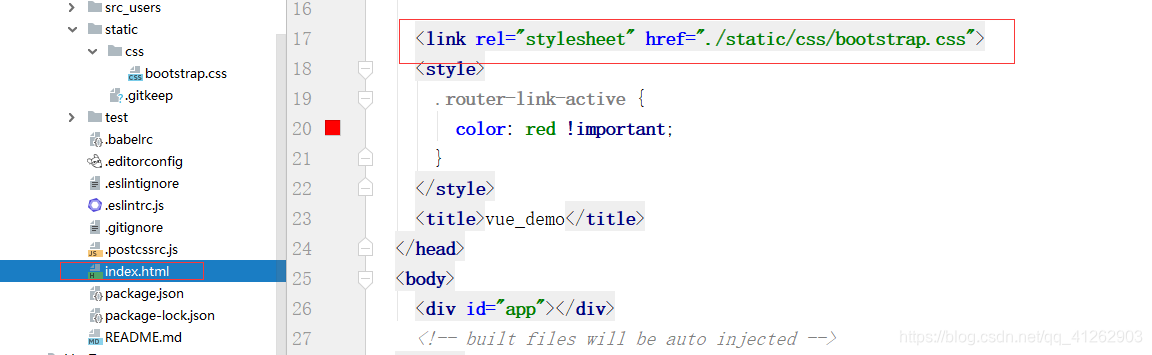
index.html中引入bootstrap.css
main.js
/*
入口JS
 */
import Vue from 'vue'
import App from './App.vue'
import router from './router'

/* eslint-disable no-new */
new Vue({  //配置对象的属性名都是一些确定的属性名,不能随便修改
  el: '#app',
  components: {App}, // 映射组件标签
  template: '<App/>', // 指定需要渲染到页面的模板
  router
})
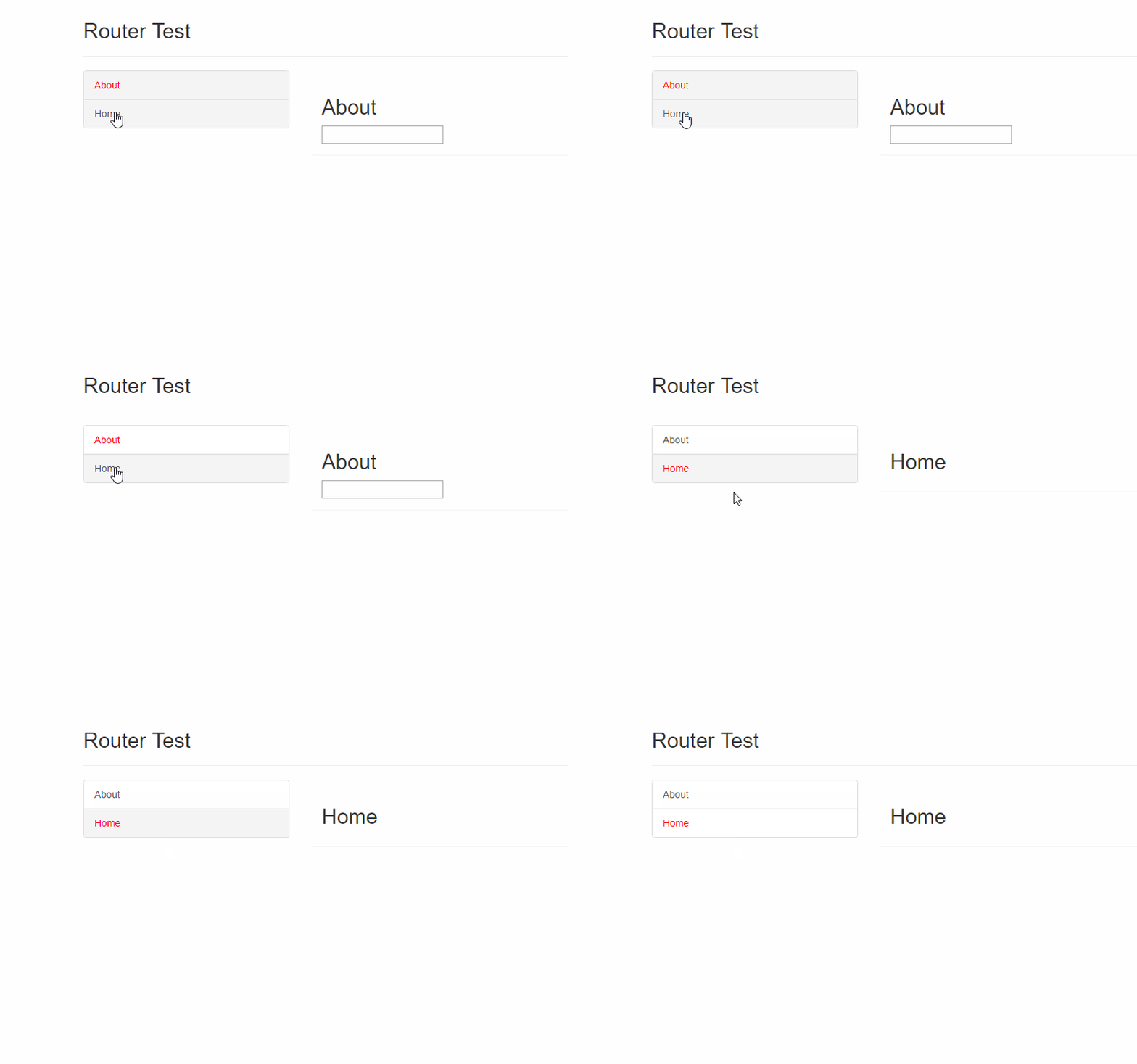
效果
下一篇:Vue Router嵌套使用

 浙公网安备 33010602011771号