【windows】github打不开解决方法
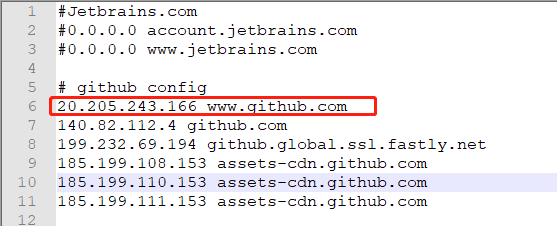
C:\Windows\System32\drivers\etc文件夹下的host文件添加配置
# github config
140.82.112.4 github.com
#199.232.69.194 github.global.ssl.fastly.net
#185.199.108.153 assets-cdn.github.com
#185.199.110.153 assets-cdn.github.com
#185.199.111.153 assets-cdn.github.com
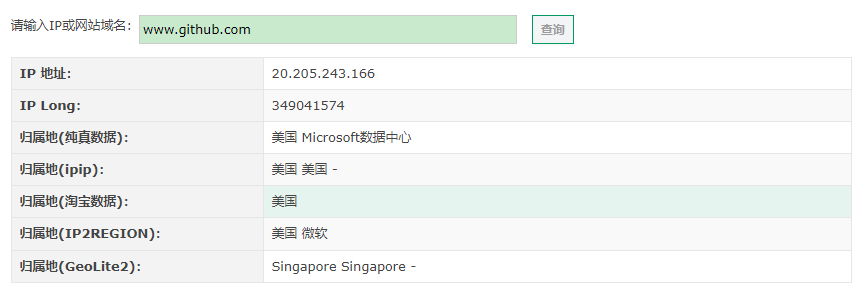
IP域名查询:https://tool.lu/ip/
C:\Windows\System32\drivers\etc文件夹下 host文件中添加域名映射
-------------------------------------------------------------------------------------
如果万事开头难 那请结局一定圆满 @ Phoenixy
-------------------------------------------------------------------------------------
 浙公网安备 33010602011771号