
EF数据迁移的一些坑
本文以常用关系数据库Mysql为例。
- 常用数据迁移命令如下
-
添加Migrations文件夹,并生成类文件Configuration.cs。
Enable-Migrations -EnableAutomaticMigrations -
输入迁移名称
Add-Migration Member -
更新到数据库
Update-Database -
生成迁移文件对应的sql语句
Script-Migration例如:
Script-Migration -From migrationName1 -To migrationName2 -Context ContextName -
删除最后一次迁移
remove-migration
- 通过Nuget安装插件
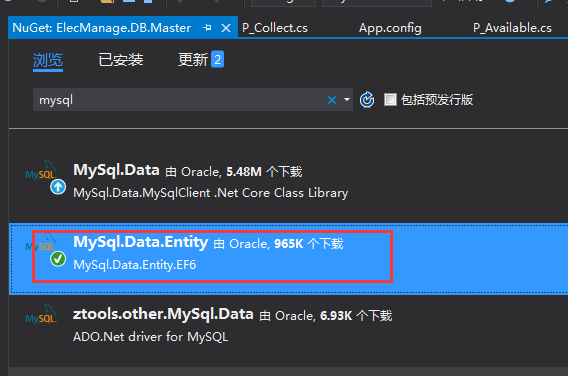
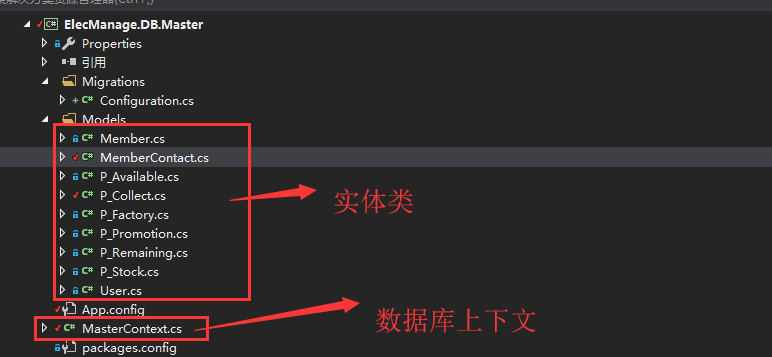
- 在类库中创建EF实体类和数据库上下文
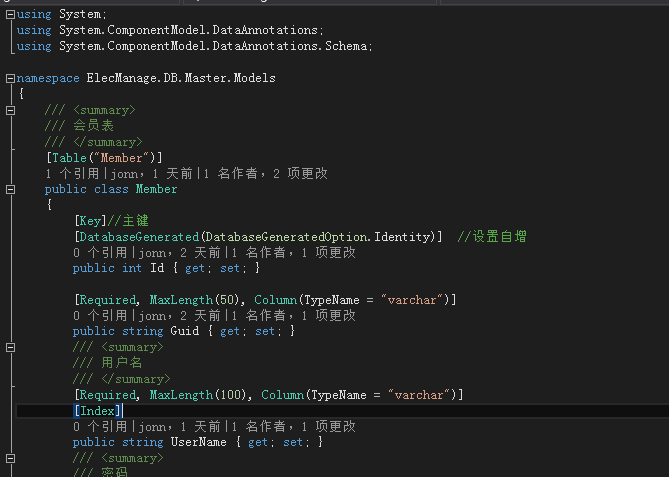
- 通过数据注解映射数据表
- 选择指定类库,通过程序包管理控制台执行命令
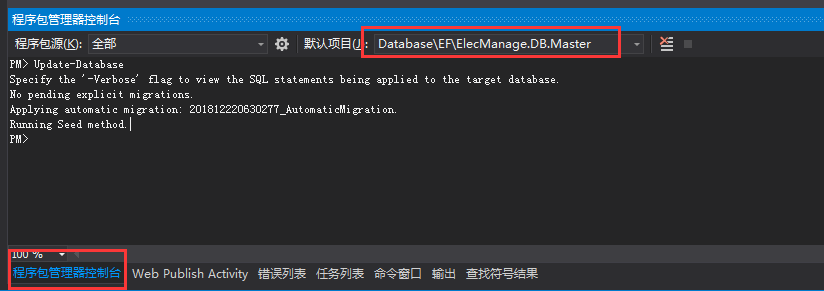
- 通过命令
Enable-Migrations -EnableAutomaticMigrations生成数据迁移文件

-
通过命令
Update-Database更新实体到数据库 -
实体更新后数据库中会增加一张数据迁移表
常见错误
- 错误:
No connection string named 'MasterContext' could be found in the application config file.
解决办法:
- 配置文件应包含configSections、providers、DbProviderFactories三个节点,且Version和PublicKeyToken应保持一致。
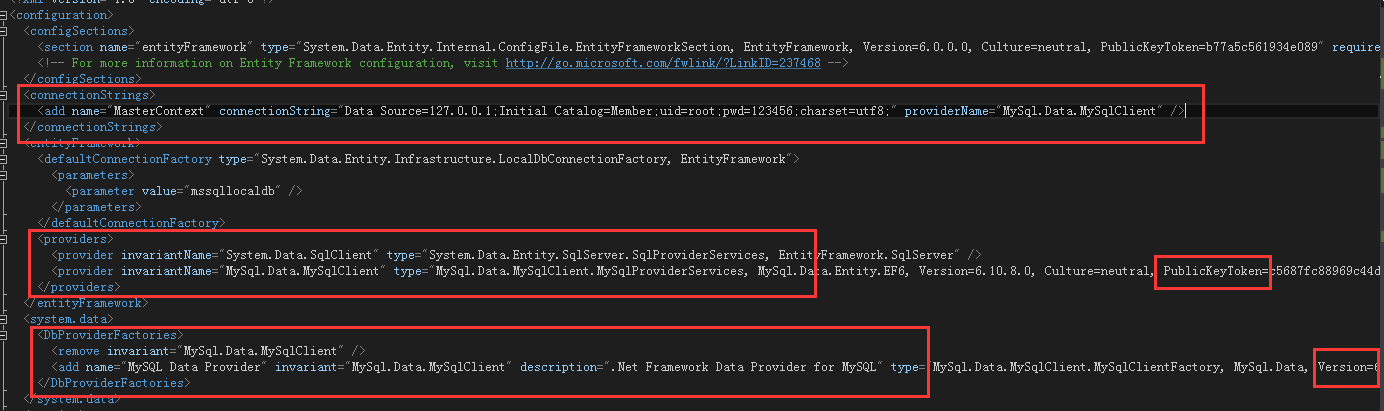
- 数据迁移使用的配置文件是当期启动项目的配置文件,所以应将当前类库设置为启动项
- 错误:
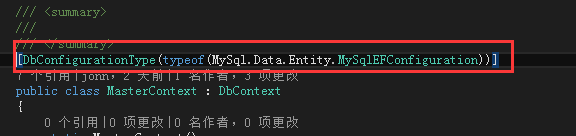
No MigrationSqlGenerator found for provider 'MySql.Data.MySqlClient'. Use the SetSqlGenerator method in the target migrations configuration class to register additional SQL generators.

解决办法:数据库上下文中添加[DbConfigurationType(typeof(MySql.Data.Entity.MySqlEFConfiguration))] (针对Mysql数据库)

 浙公网安备 33010602011771号