windows下redis安装
1,redis官方下载地址:https://redis.io/download,redis 64位下载地址:https://github.com/ServiceStack/redis-windows,本人测试使用的是redis-64.3.0.503版本。
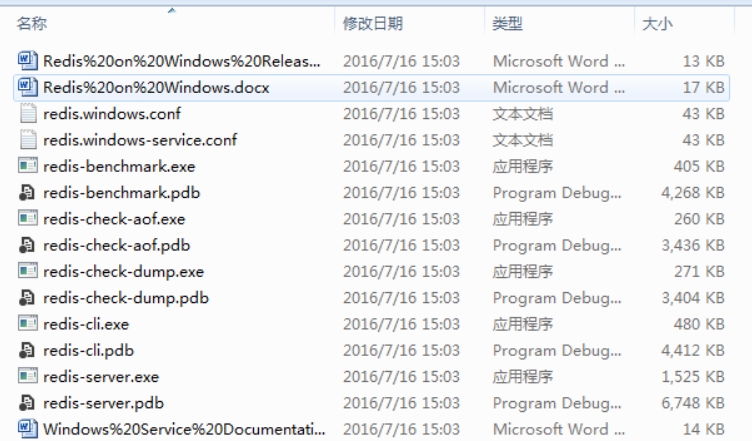
2,解压redis-64.3.0.503.zip,解压后的文件结构如下:
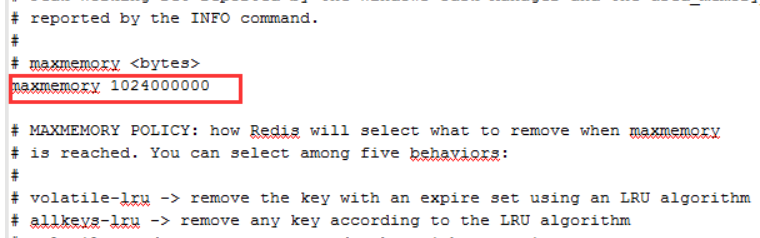
3,修改redis.windows.conf文件,设置maxmemory 大小
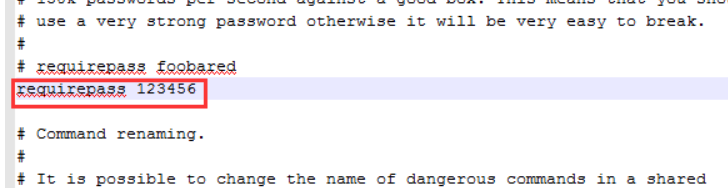
设置redis密码
4,启动redis:
redis-server.exe redis.windows.conf
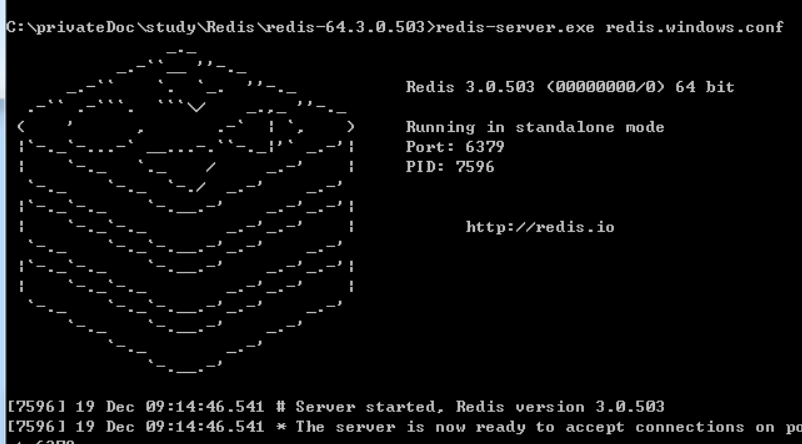
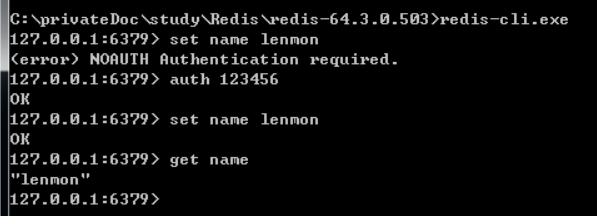
测试,成功安装:
5,将redis加入到windows的服务中(service和loglevel前都是两个-)
redis-server –service-install redis.windows.conf –loglevel verbose
---------------------
作者:嘿lemon
来源:CSDN
原文:https://blog.csdn.net/u012343297/article/details/78839063
版权声明:本文为博主原创文章,转载请附上博文链接!
posted on 2019-04-09 22:08 PerfectData 阅读(77) 评论(0) 收藏 举报


 浙公网安备 33010602011771号