


pycharm多行注释颜色、字体大小设置
- 单行注释颜色设置
Preferences --> Editor --> Corlor Scheme --> Python -- Line Comment
- 多行注释颜色设置:
1)修改函数内部代码块说明颜色
Preferences --> Editor --> Corlor Scheme --> Python --Docstring --> Text
如果灰显,不能编辑颜色,去掉这个继承性的勾选
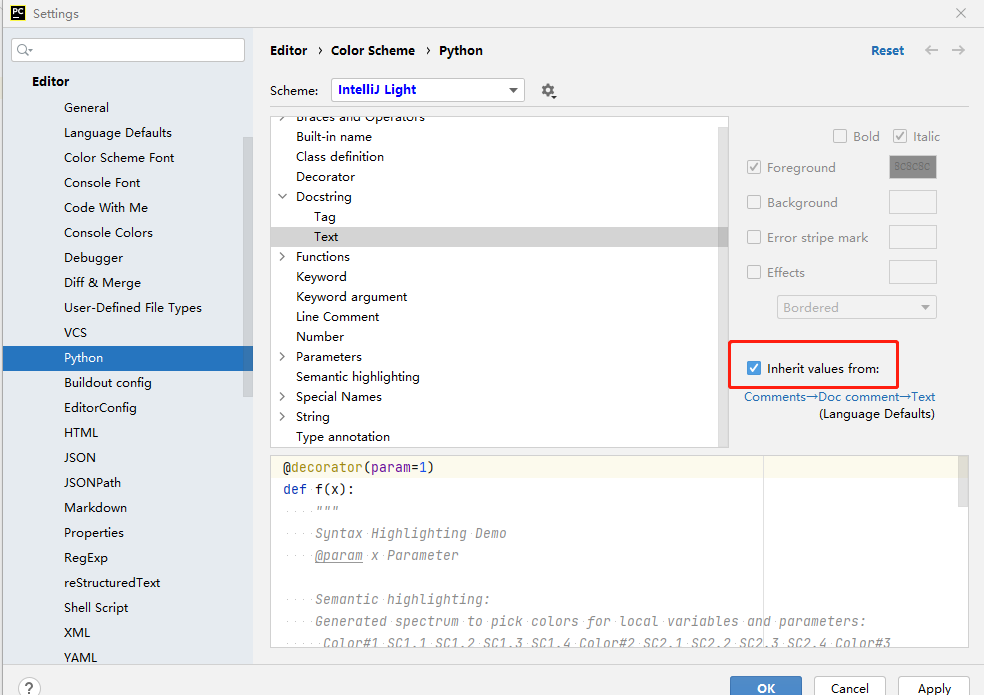
2)修改多行注释颜色
Preferences --> Editor --> Corlor Scheme --> Python --String --> Text
(没想到是修改字符串的颜色)
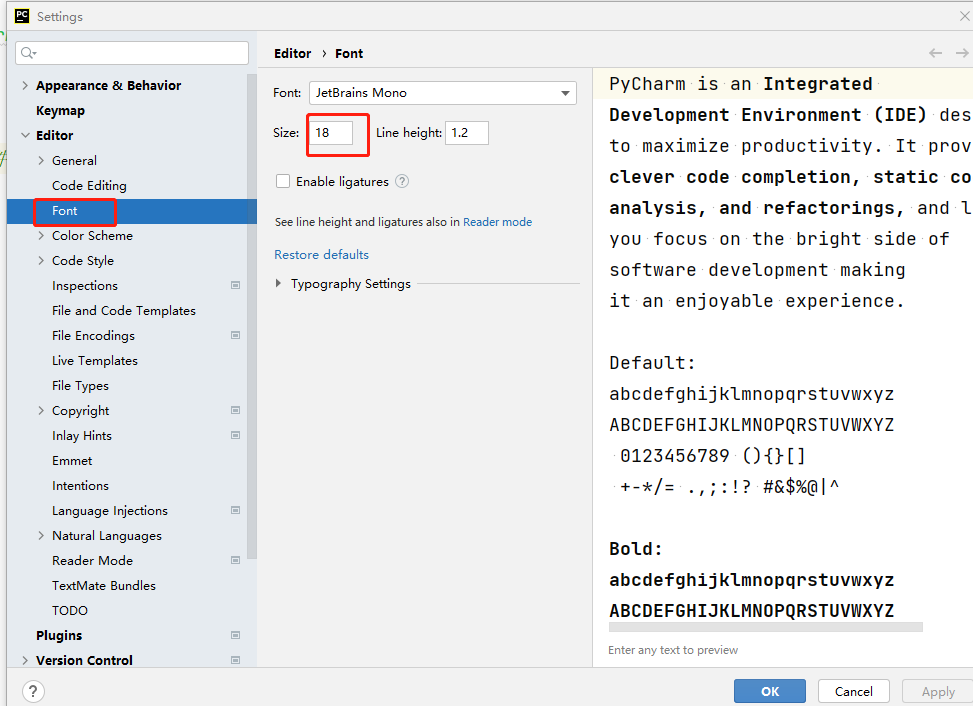
- 修改字体大小
![]()
转自https://www.jianshu.com/p/2b3e8e4e2c5d

 浙公网安备 33010602011771号