
01Windos和Linx下运行redis
前言
总结一下Redis
1.Windows启动Redis服务器
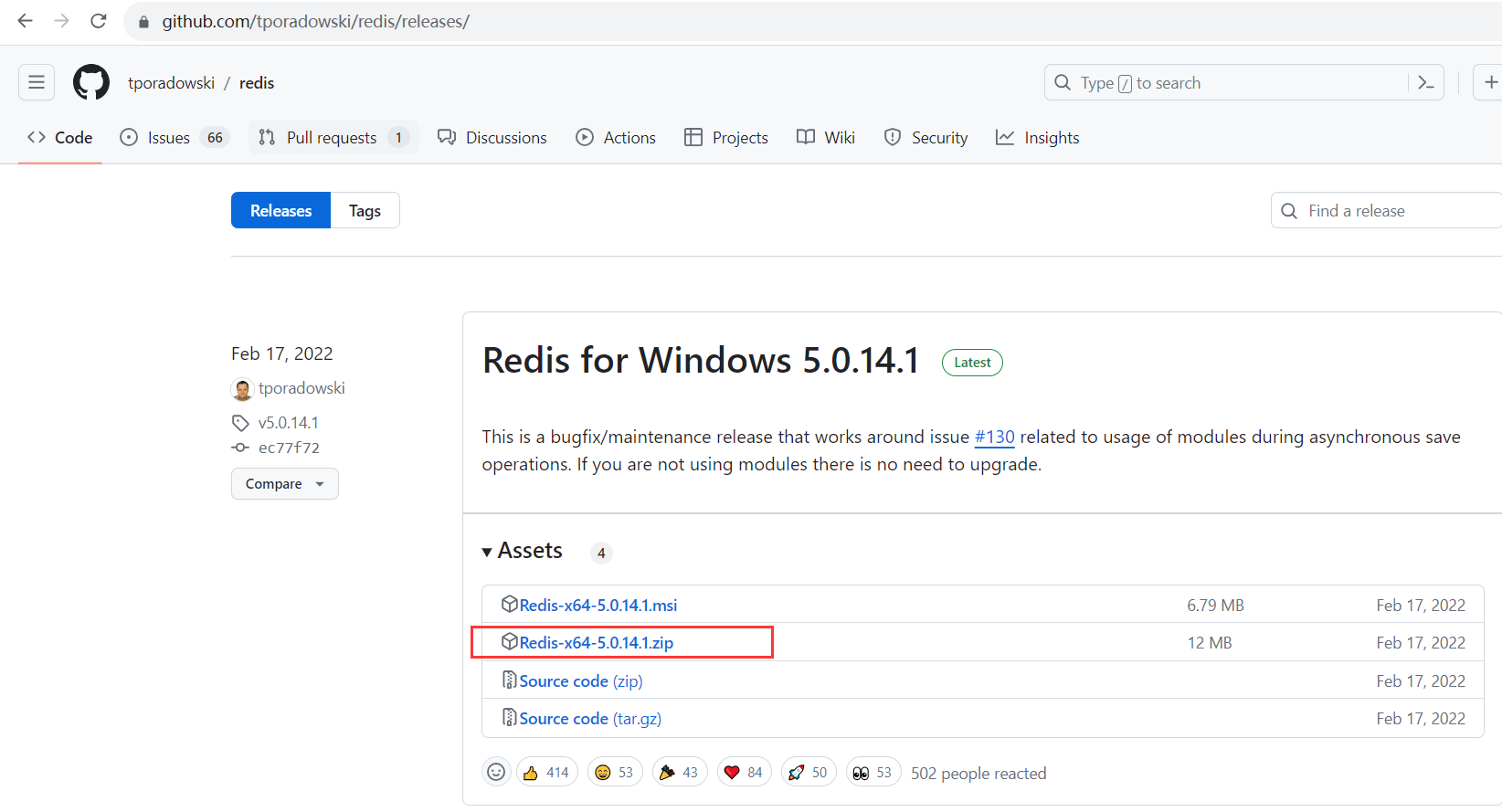
Redis下载地址:https://github.com/tporadowski/redis/releases/
Redis客户端下载地址:https://redisdesktop.com/download
下载
双击运行redis-server.exe

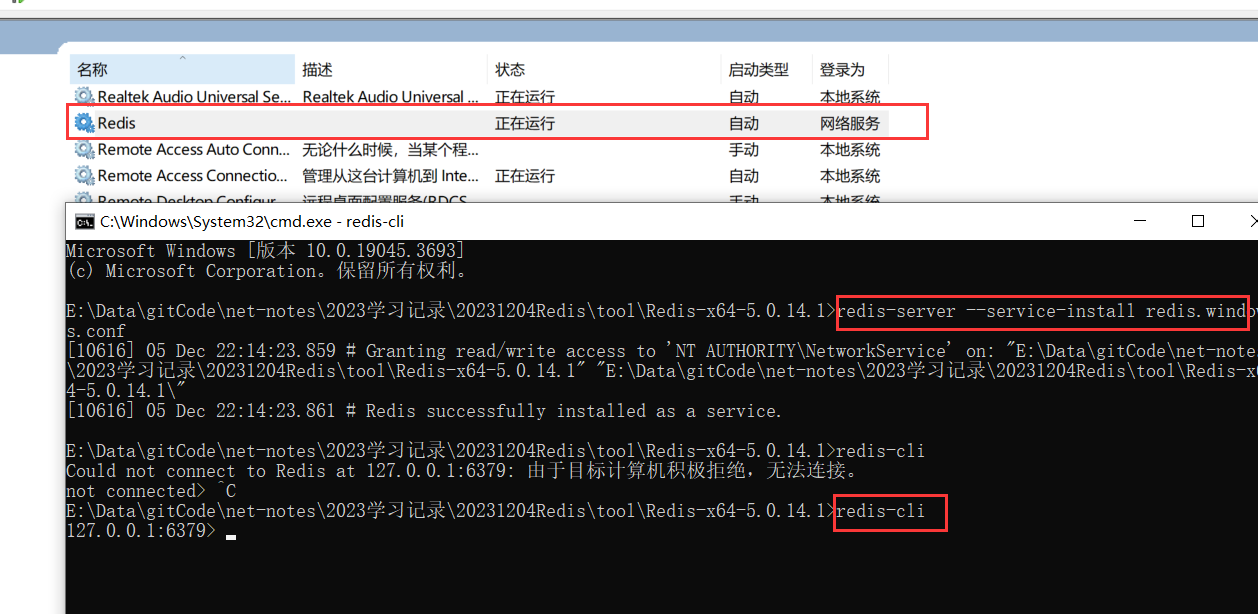
cmd进入redis安装目录
# 安装为服务
redis-server --service-install redis.windows.conf
# 启动服务
redis-server --service-start
# 停止服务
redis-server --service-stop
# 卸载服务
redis-server --service-uninstall
2.Docker安装Redis
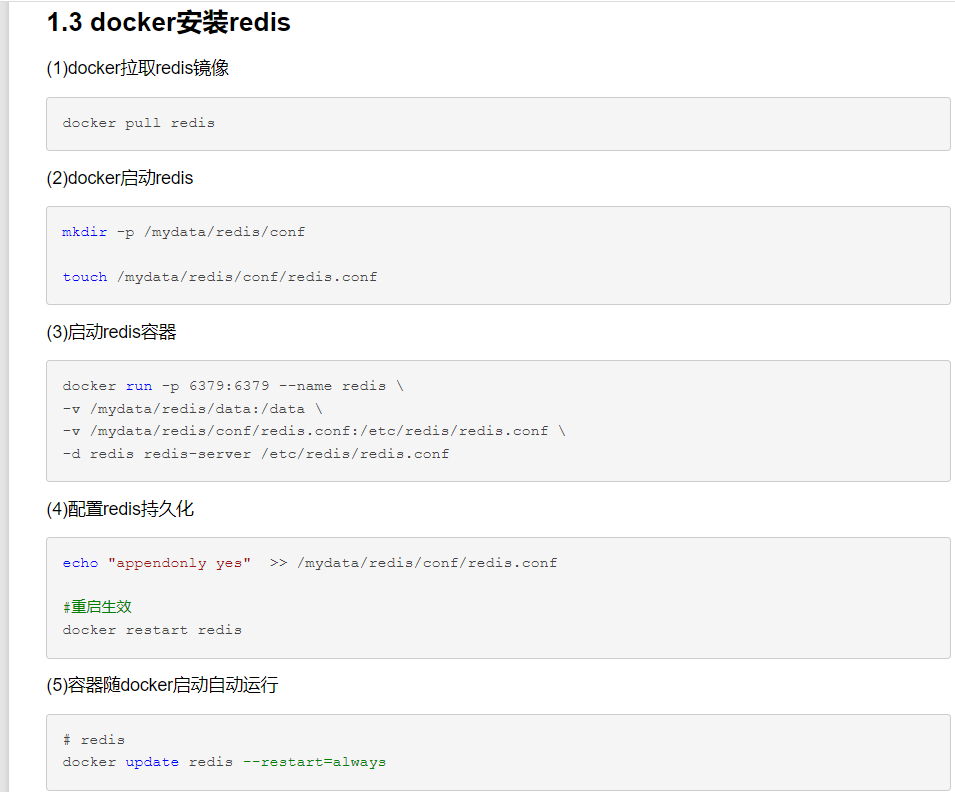
地址:https://www.cnblogs.com/pengboke/p/16128011.html
之前写过,先安装Docker再安装Redis

 浙公网安备 33010602011771号