
遇到的问题
1. Mac pycharm 运行文件 左下角提示 error=2, no such file or director
https://blog.csdn.net/subian1261/article/details/120716738
删除 .idea 文件夹,在Pycharm 上设置 Edit configure- 本地默认Python版本,python 10. 然后重新启动 pyvcharm 就可以解决掉。
2. allure command not found.
(1) . pip install allure-behave==2.9.41
(2) 如果要运行 allure 命令还需要额外装 allure-commandline, 并且配置环境变量: https://www.cnblogs.com/wwwwtt/p/16395293.html
a. 进入如下路径下载allure-commandline,I use: allure-2.19.0 package.
https://repo.maven.apache.org/maven2/io/qameta/allure/allure-commandline/
b. 下载完成后,进入下载目录,并解压。
c. 选中allure-2.13.8文件,位置: /Users/用户名/Downloads
d、 打开vim ~/.bash_profile,配置环境变量:输入如下内容,用户名修改为自己的用户名,allure-xxx选择自己下载的版本
|
1
2
|
#Setting PATH for allureexport PATH="/Users/用户名/Downloads/allure-2.13.8/bin:${PATH}" |
e、使环境变量生效: source .bash_profile
f、验证: allure --version,能显示版本,说明环境变量配置成功
g: 生成allure report
右键Run shell script > 打开Terminal 运行:allure generate , 提示:Report successfully generated to allure-report > 运行 allure serve, 此时浏览器会自动跳转到 Allure 报告页面
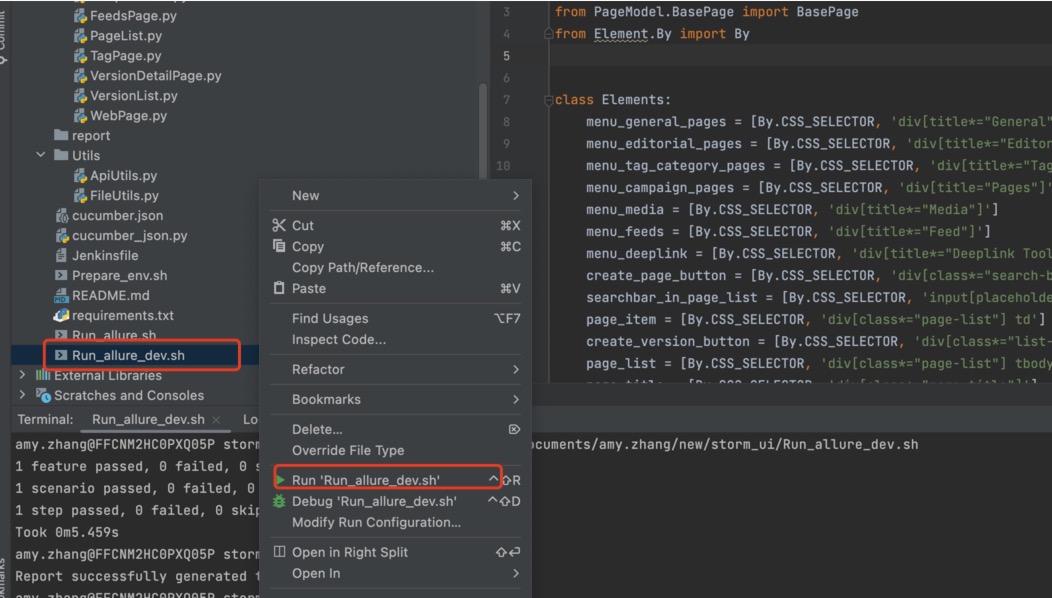
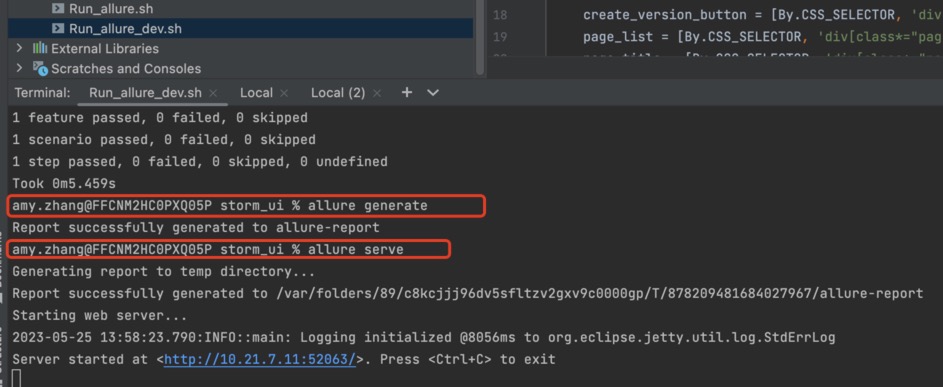
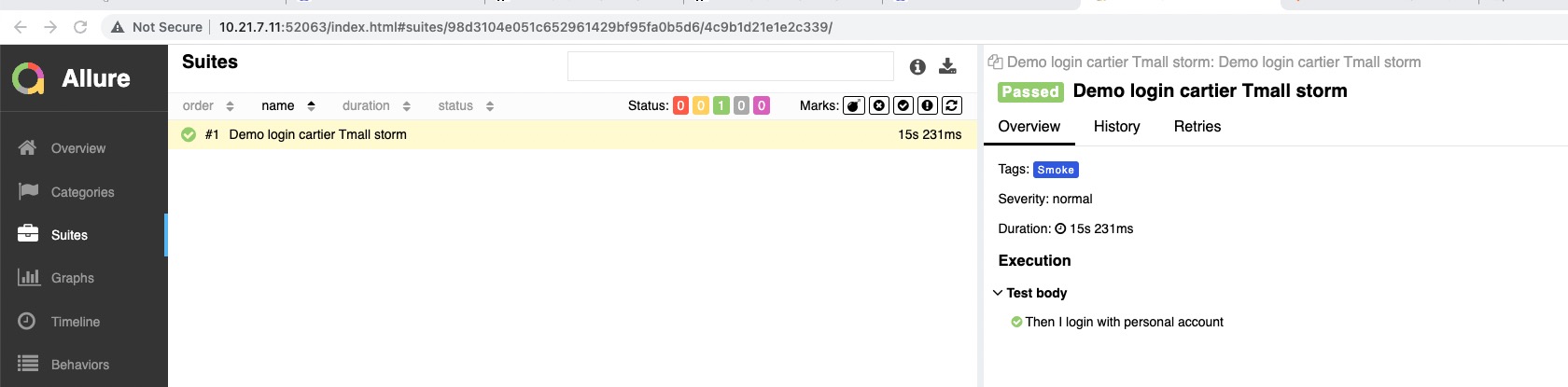
3. jenkins上 consule Output 报错:“Started by user unknown or anonymousRunning as SYSTEM”--正常应该是 Started by user AmyZhang
没有登录jenkins引起的。。。
4. linux server 创建虚拟地址, 和安装 python package
/usr/local/python3/bin/python3 -m venv /home/local/FARFETCH/amy.zhang/venv
激活虚拟python路径:
source /home/local/FARFETCH/amy.zhang/venv/bin/activate
pip3 install behave==1.2.6
要查看 /home/local/FARFETCH/amy.zhang/venv/bin文件夹有没有 behave这个二进制文件生成,如果没有的话 脚本会报 “behave command line not found”
# python3 -m pip install --upgrade pip && pip3 install -r requirements.txt --ignore-installed --no-cache-dir && behave -f html-pretty -o behave-report.html
#python3 -m pip install --upgrade pip && pip3 install -r requirements.txt --ignore-installed --no-cache-dir
5. linux:chrome,chrome driver
wget https://dl.google.com/linux/direct/google-chrome-stable_current_x86_64.rpm
sudo yum localinstall google-chrome-stable_current_x86_64.rpm
yum info google-chrome-stable
6. 我看了下 25应该没什么问题 应该是你本地的pip 缓存的问题 你下次pip install时候 加上--no-cache-dir 试试
sunny, 这两天 装 APPIUMCORE, 一直报错, 前端时间都是好的。 Using cached https://artifacts-we1.farfetch.net/artifactory/api/pypi/pypi-stable/appiumcore/0.0.25/appiumcore-0.0.25-py3-none-any.whl (15 kB)
ERROR: THESE PACKAGES DO NOT MATCH THE HASHES FROM THE REQUIREMENTS FILE. If you have updated the package versions, please update the hashes. Otherwise, examine the package contents carefully; someone may have tampered with them.
APPIUMCORE from https://artifacts-we1.farfetch.net/artifactory/api/pypi/pypi-stable/appiumcore/0.0.25/appiumcore-0.0.25-py3-none-any.whl#sha256=5d6efff9b34877267d1815ff6b83bb84805f9824a045c18988fe21473697c7c5:
Expected sha256 5d6efff9b34877267d1815ff6b83bb84805f9824a045c18988fe21473697c7c5
Got c1b6ffcfe4a70d9f975c3723cf4548a5b4ec781624c6ff9533c192de6c3b3d04
APPIUMCORE==0.0.23 是这个版本号吗
我看了下 25应该没什么问题 应该是你本地的pip 缓存的问题 你下次pip install时候 加上--no-cache-dir 试试
7. if
self.__app_driver = SeleniumDriver.Chrome(ChromeDriverManager().install(), **browser_args,options=None)
http://drg1-dev-infrastructure-docker-qa-1.afftech.info:10240/job/StormUIAutomation/124/console
HOOK-ERROR in before_all: WebDriverException: Message: unknown error: Chrome failed to start: exited abnormally.
  (unknown error: DevToolsActivePort file doesn't exist)
if
self.__app_driver = SeleniumDriver.Chrome(ChromeDriverManager().install(), **browser_args,options=options)
http://drg1-dev-infrastructure-docker-qa-1.afftech.info:10240/job/StormUIAutomation/125/console

 浙公网安备 33010602011771号