
zabbix安装
本次安装将使用apt和源码编译两种方式来安装
规划
zabbix版本: 4.0 LTS
主机:
| 主机类型 | IP地址 | Linux系统版本 |
|---|---|---|
| zabbix server | 172.31.1.10 | Ubuntu 18.04 |
| mysql master | 172.31.1.15 | Ubuntu 18.04 |
系统环境
最小化安装操作系统,然后安装常用依赖包
apt install -y iproute2 ntpdate tcpdump telnet traceroute       \
               nfs-kernel-server nfs-common lrzsz tree openssl  \
               libssl-dev libpcre3 libpcre3-dev zlib1g-dev      \
               ntpdate tcpdump telnet traceroute gcc            \
               openssh-server lrzsz tree openssl libssl-dev     \
               libpcre3 libpcre3-dev zlib1g-dev ntpdate tcpdump \
               telnet traceroute iotop unzip zip
编译安装
安装zabbix依赖软件包
编译安装的zabbix会有很多依赖相关的问题,可以先行安装如下一些软件包
apt-get install -y apache2 apache2-bin apache2-data apache2-utils \
                   fontconfig-config fonts-dejavu-core fping      \
                   libapache2-mod-php libapache2-mod-php7.2       \
                   libapr1 libaprutil1 libaprutil1-dbd-sqlite3    \
                   libaprutil1-ldap libfontconfig1 libgd3         \
                   libiksemel3 libjbig0 libjpeg-turbo8 libjpeg8   \
                   liblua5.2-0 libodbc1 libopenipmi0 libsensors4  \
                   libsnmp-base libsnmp30 libsodium23 libssh2-1   \
                   libtiff5 libwebp6 libxpm4 php-bcmath           \
                   php-common php-gd php-ldap php-mbstring        \
                   php-mysql php-xml php7.2-bcmath php7.2-cli     \
                   php7.2-common php7.2-gd php7.2-json            \
                   php7.2-ldap php7.2-mbstring php7.2-mysql       \
                   php7.2-opcache php7.2-readline php7.2-xml      \
                   snmpd ssl-cert ttf-dejavu-core                 \
                   libmysqlclient-dev libxml2-dev libxml2 snmp    \
                   libsnmp-dev libevent-dev openjdk-8-jdk curl    \
                   libcurl4-openssl-dev
下载源码包并解压
cd /usr/local/src
wget https://cdn.zabbix.com/zabbix/sources/stable/4.0/zabbix-4.0.35.tar.gz

root@zabbix-master:/usr/local/src# tar xf zabbix-4.0.35.tar.gz
root@zabbix-master:/usr/local/src# cd zabbix-4.0.35/

root@zabbix-master:/usr/local/src# groupadd -g 1001 zabbix
root@zabbix-master:/usr/local/src# useradd -u 1001 -g 1001 zabbix
root@zabbix-master:/usr/local/src# id zabbix
编译zabbix
./configure --prefix=/apps/zabbix_server   \
            --enable-server --enable-agent \
            --with-mysql --with-net-snmp   \
            --with-libcurl                 \
            --with-libxml2                 \
            --enable-java


make install
创建数据库
安装数据库
apt install mysql-server mysql-client -y
创建数据库和账号并赋予访问zabbix数据库的权限
mysql -uroot
create database zabbix_server character set utf8 collate utf8_bin;
grant all privileges on zabbix_server.* to zabbix@'172.31.%' identified by 'zabbix123';
quit;
验证数据库
因为我是将zabbix和数据库服务器分开的,所以需要在zabbix server服务器上进行验证,如果是在同一台主机就在本机用zabbix账号验证
mysql -uzabbix -pzabbix123 -h172.31.1.15
mysql: [Warning] Using a password on the command line interface can be insecure.
Welcome to the MySQL monitor.  Commands end with ; or \g.
Your MySQL connection id is 4405
Server version: 5.7.36-0ubuntu0.18.04.1 (Ubuntu)

Copyright (c) 2000, 2021, Oracle and/or its affiliates.

Oracle is a registered trademark of Oracle Corporation and/or its
affiliates. Other names may be trademarks of their respective
owners.

Type 'help;' or '\h' for help. Type '\c' to clear the current input statement.

mysql> show databases;
+--------------------+
| Database           |
+--------------------+
| information_schema |
| zabbix_server      |
+--------------------+
2 rows in set (0.00 sec)

mysql> quit
Bye
可以看到zabbix_server数据库
导入数据
数据在源码包中
cd /usr/local/src/zabbix-4.0.35/database/mysql
mysql -uzabbix -pzabbix123 zabbix_server < schema.sql
# 下面步骤当创建Zabbix proxy数据库时不需要执行
mysql -uzabbix -pzabbix123 zabbix_server < images.sql
mysql -uzabbix -pzabbix123 zabbix_server < data.sql
验证
mysql -uzabbix -pzabbix123 -h172.31.1.15
mysql> use zabbix_server;
Reading table information for completion of table and column names
You can turn off this feature to get a quicker startup with -A

Database changed
mysql> show tables;
+----------------------------+
| Tables_in_zabbix_server    |
+----------------------------+
| acknowledges               |
| actions                    |
| alerts                     |
| application_discovery      |
| application_prototype      |
| application_template       |
| applications               |
| auditlog                   |
| auditlog_details           |
| autoreg_host               |
| conditions                 |
| config                     |
| corr_condition             |
| corr_condition_group       |
| corr_condition_tag         |
| corr_condition_tagpair     |
| corr_condition_tagvalue    |
| corr_operation             |
| correlation                |
| dashboard                  |
| dashboard_user             |
| dashboard_usrgrp           |
| dbversion                  |
| dchecks                    |
| dhosts                     |
| drules                     |
| dservices                  |
| escalations                |
| event_recovery             |
| event_suppress             |
| event_tag                  |
| events                     |
| expressions                |
| functions                  |
| globalmacro                |
| globalvars                 |
| graph_discovery            |
| graph_theme                |
| graphs                     |
| graphs_items               |
| group_discovery            |
| group_prototype            |
| history                    |
| history_log                |
| history_str                |
| history_text               |
| history_uint               |
| host_discovery             |
| host_inventory             |
| hostmacro                  |
| hosts                      |
| hosts_groups               |
| hosts_templates            |
| housekeeper                |
| hstgrp                     |
| httpstep                   |
| httpstep_field             |
| httpstepitem               |
| httptest                   |
| httptest_field             |
| httptestitem               |
| icon_map                   |
| icon_mapping               |
| ids                        |
| images                     |
| interface                  |
| interface_discovery        |
| item_application_prototype |
| item_condition             |
| item_discovery             |
| item_preproc               |
| items                      |
| items_applications         |
| maintenance_tag            |
| maintenances               |
| maintenances_groups        |
| maintenances_hosts         |
| maintenances_windows       |
| mappings                   |
| media                      |
| media_type                 |
| opcommand                  |
| opcommand_grp              |
| opcommand_hst              |
| opconditions               |
| operations                 |
| opgroup                    |
| opinventory                |
| opmessage                  |
| opmessage_grp              |
| opmessage_usr              |
| optemplate                 |
| problem                    |
| problem_tag                |
| profiles                   |
| proxy_autoreg_host         |
| proxy_dhistory             |
| proxy_history              |
| regexps                    |
| rights                     |
| screen_user                |
| screen_usrgrp              |
| screens                    |
| screens_items              |
| scripts                    |
| service_alarms             |
| services                   |
| services_links             |
| services_times             |
| sessions                   |
| slides                     |
| slideshow_user             |
| slideshow_usrgrp           |
| slideshows                 |
| sysmap_element_trigger     |
| sysmap_element_url         |
| sysmap_shape               |
| sysmap_url                 |
| sysmap_user                |
| sysmap_usrgrp              |
| sysmaps                    |
| sysmaps_elements           |
| sysmaps_link_triggers      |
| sysmaps_links              |
| tag_filter                 |
| task                       |
| task_acknowledge           |
| task_check_now             |
| task_close_problem         |
| task_remote_command        |
| task_remote_command_result |
| timeperiods                |
| trends                     |
| trends_uint                |
| trigger_depends            |
| trigger_discovery          |
| trigger_tag                |
| triggers                   |
| users                      |
| users_groups               |
| usrgrp                     |
| valuemaps                  |
| widget                     |
| widget_field               |
+----------------------------+
144 rows in set (0.01 sec)

mysql> quit
Bye
配置zabbix server服务
编译zabbix server配置文件
grep '^[a-Z]' etc/zabbix_server.conf
LogFile=/tmp/zabbix_server.log
PidFile=/run/zabbix/zabbix_server.pid
DBHost=172.31.1.15
DBName=zabbix_server
DBUser=zabbix
DBPassword=zabbix123
DBPort=3306
Timeout=4
LogSlowQueries=3000
创建启动文件
我是在另一台服务器上通过apt安装了一个zabbix后直接从这里拷贝的启动文件到编译安装这台服务器上
/lib/systemd/system/zabbix-server.service
cat /lib/systemd/system/zabbix-server.service
[Unit]
Description=Zabbix Server
After=syslog.target
After=network.target

[Service]
Environment="CONFFILE=/apps/zabbix_server/etc/zabbix_server.conf"
EnvironmentFile=-/etc/default/zabbix-server
Type=forking
Restart=on-failure
PIDFile=/run/zabbix/zabbix_server.pid
KillMode=control-group
ExecStart=/apps/zabbix_server/sbin/zabbix_server -c $CONFFILE
ExecStop=/bin/kill -SIGTERM $MAINPID
RestartSec=10s
TimeoutSec=infinity

[Install]
WantedBy=multi-user.target
/lib/systemd/system/zabbix-agent.service
这个文件后面也需要,所以一并做了
cat /lib/systemd/system/zabbix-agent.service
[Unit]
Description=Zabbix Agent
After=syslog.target
After=network.target

[Service]
Environment="CONFFILE=/apps/zabbix_server/etc/zabbix_agentd.conf"
EnvironmentFile=-/etc/default/zabbix-agent
Type=forking
Restart=on-failure
PIDFile=/run/zabbix/zabbix_agentd.pid
KillMode=control-group
ExecStart=/apps/zabbix_server/sbin/zabbix_agentd -c $CONFFILE
ExecStop=/bin/kill -SIGTERM $MAINPID
RestartSec=10s
User=zabbix
Group=zabbix

[Install]
WantedBy=multi-user.target
创建pid目录
mkdir /run/zabbix
chown zabbix:zabbix /run/zabbix
其实可以直接放到
/tmp目录下,这样就不需要执行这一步了
配置web界面
拷贝web界面程序
mkdir /var/www/html/zabbix
cd /usr/local/src/zabbix-4.0.35/frontends/php/
cp -a . /var/www/html/zabbix
启动zabbix
systemctl start zabbix_server
浏览器中输入http://zabbix_server IP/zabbix进入配置页面

点击下一步
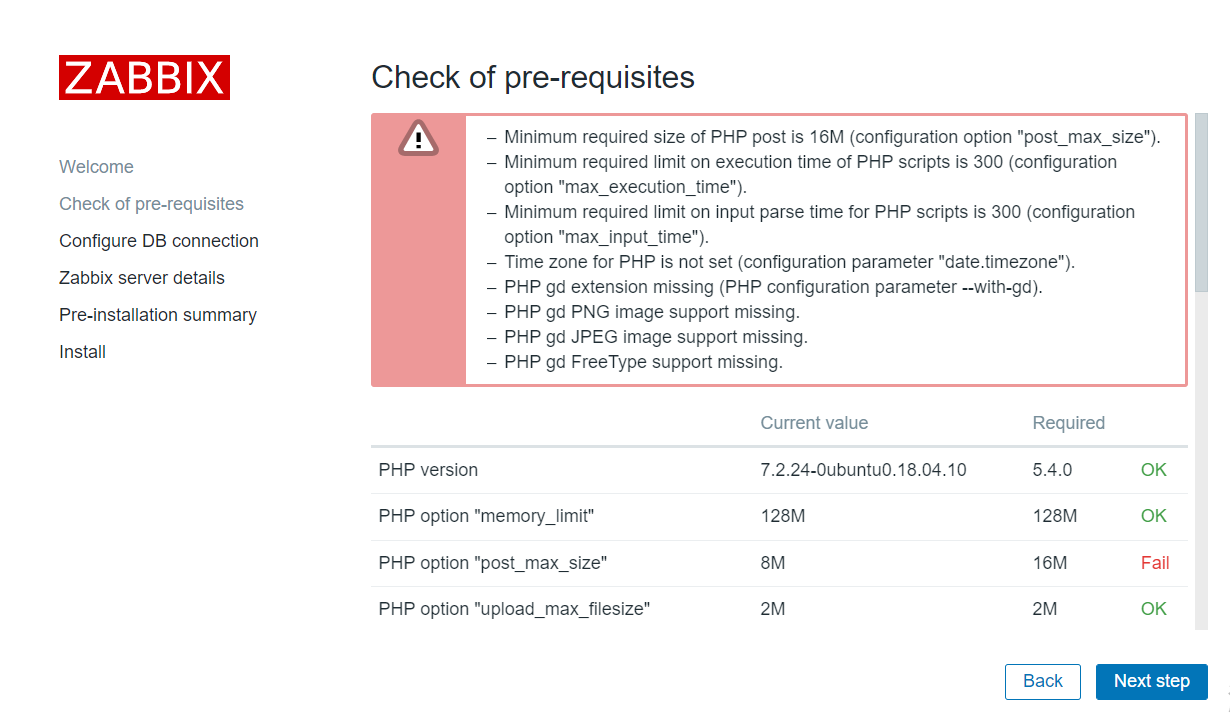
这一步会有许多的报错,我们需要到/etc/php/7.2/apache2/php.ini这个文件中,根据图中的提示,对应fail项的Current value值改为Required中的值,并重启apache
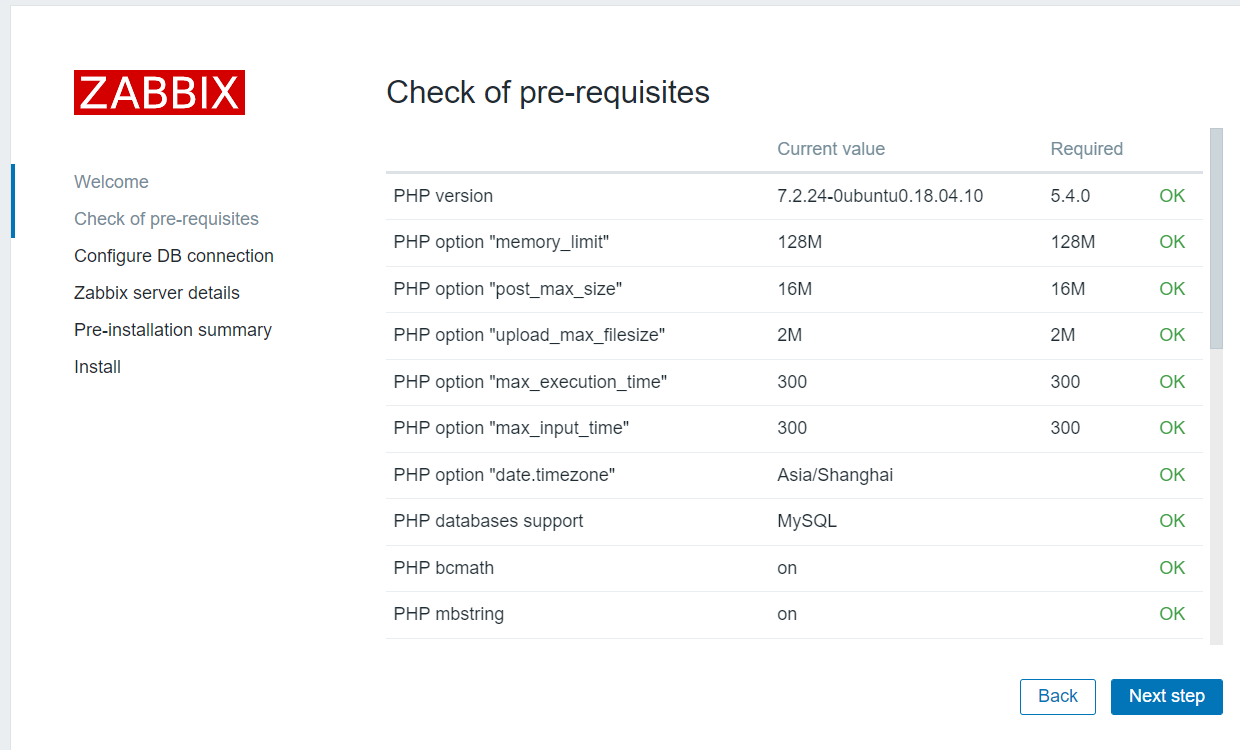
重启后刷新此页面,当所有都变成OK以后选择下一步
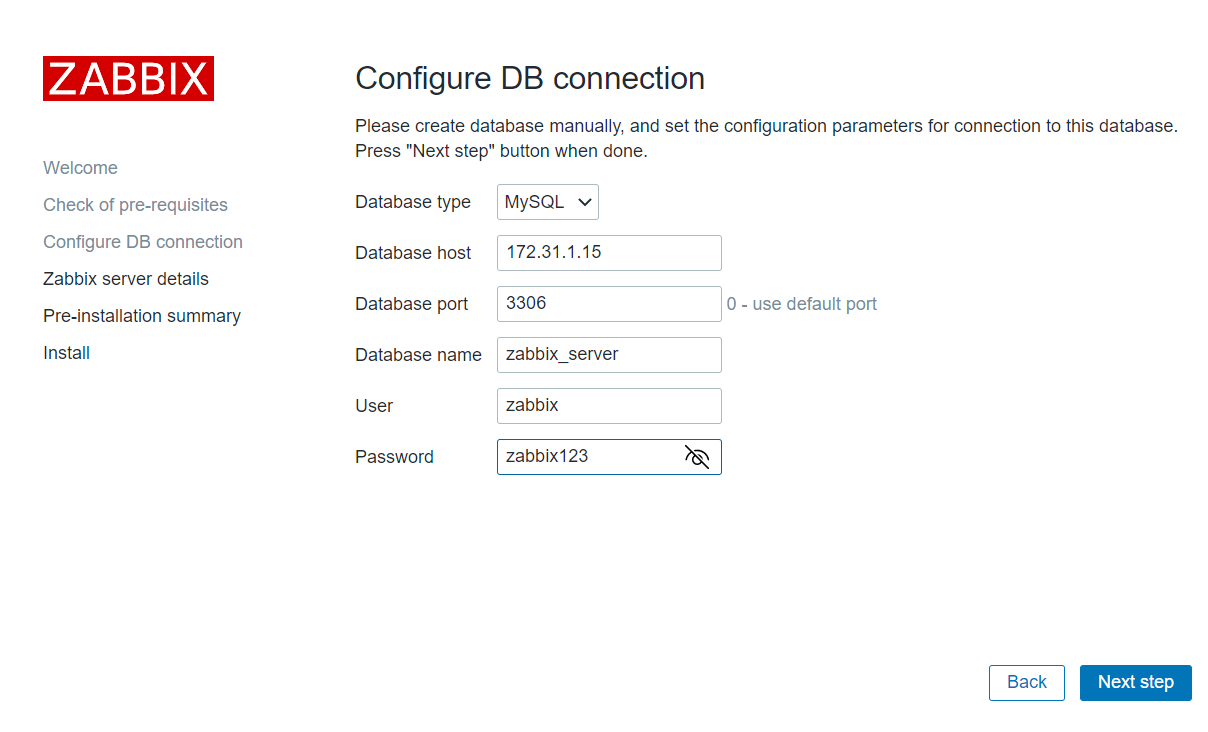
填写mysql相关信息,然后下一步
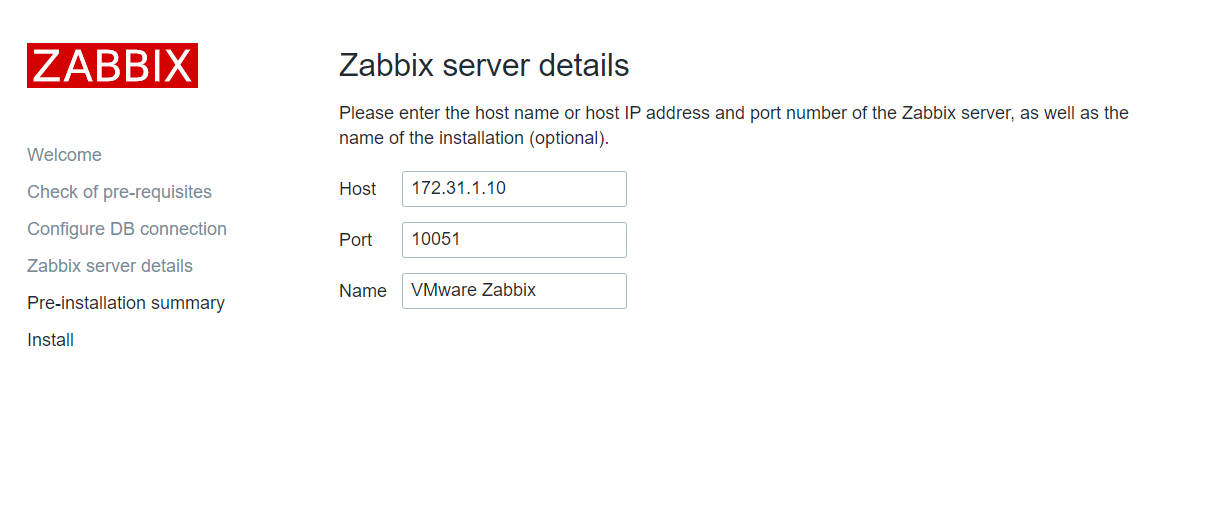
填写zabbix server相关信息,根据自己的情况填写,然后下一步
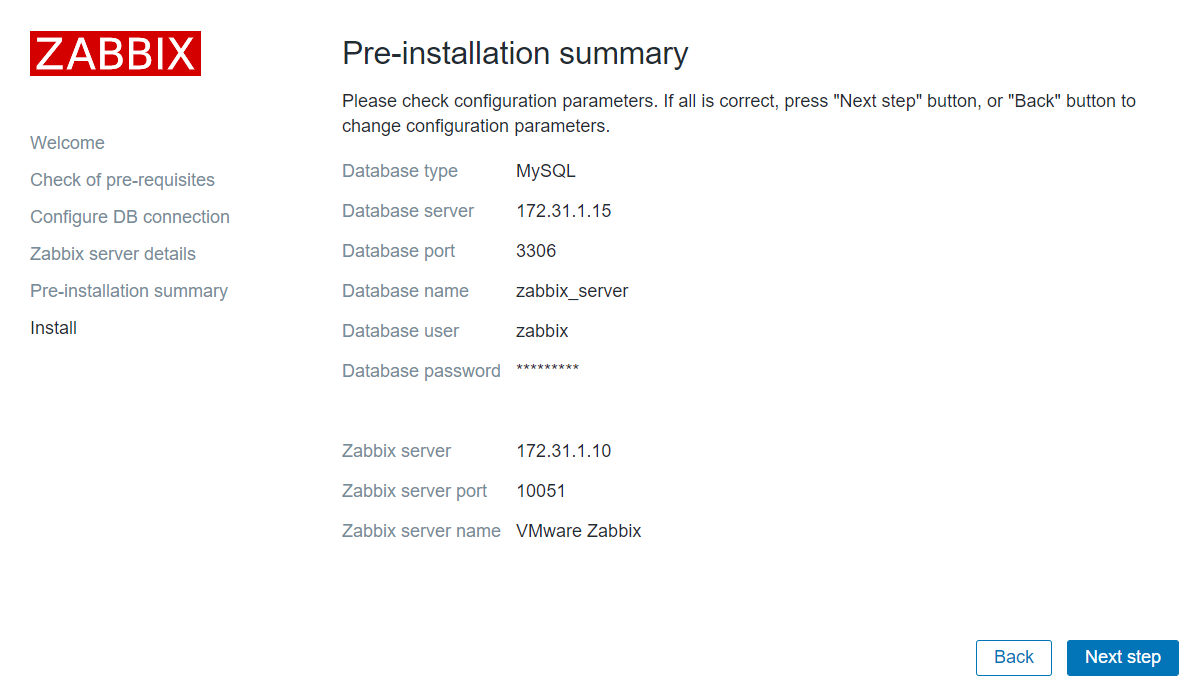
信息展示页面,确认自己填写的信息是否有问题,有问题还可以回退进行更改,没有就下一步
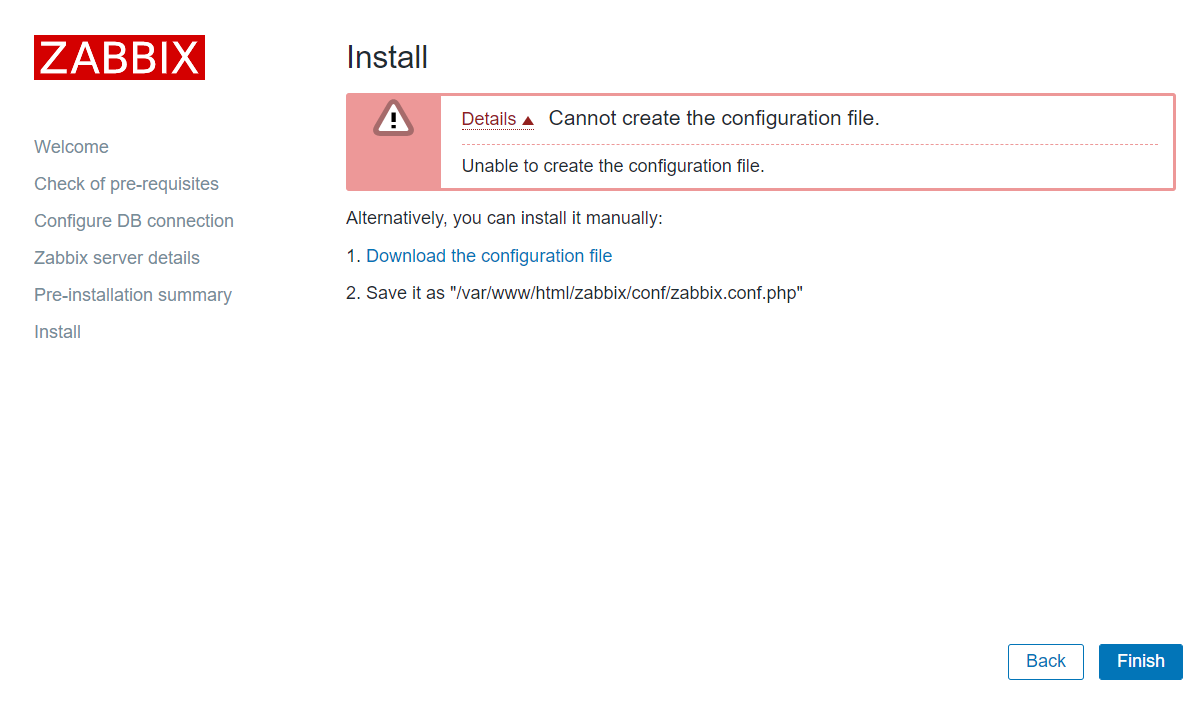
编译安装的zabbix不会自动生成/var/www/html/zabbix/conf/zabbix.conf.php文件,需要点击Download the configuration file下载zabbix.conf.php文件,然后拷贝到zabbix server服务器的/var/www/html/zabbix/conf/目录中
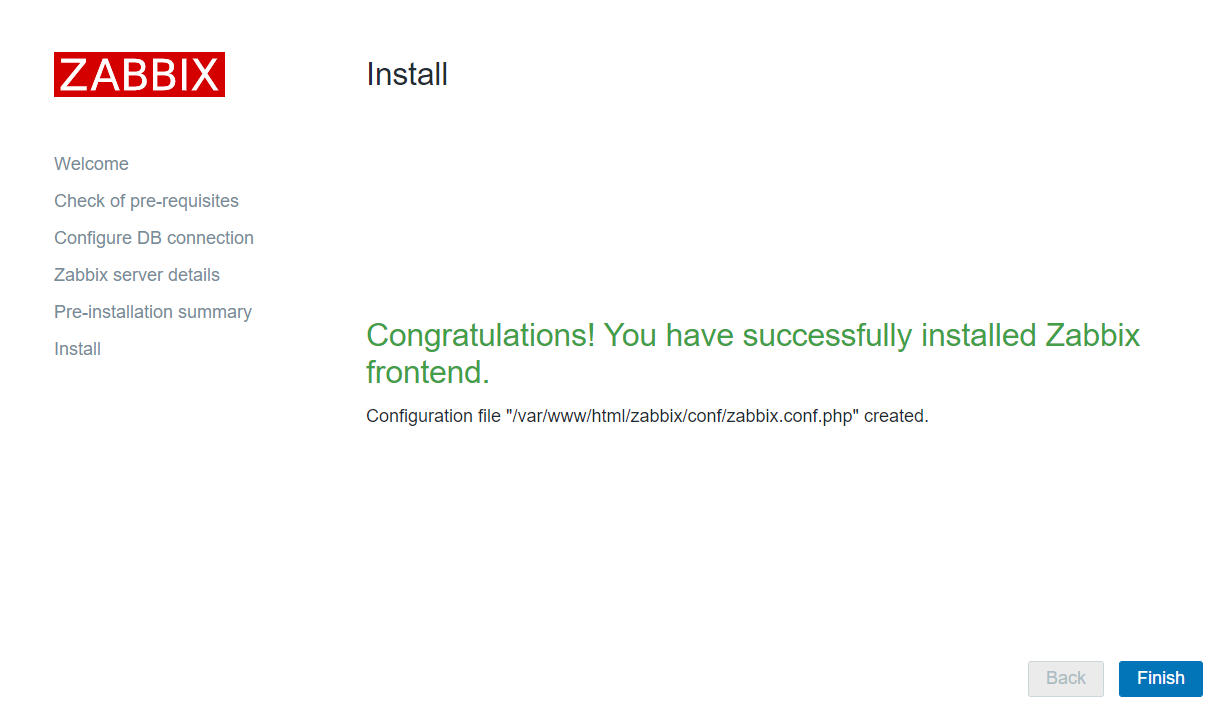
拷贝完成后从新刷新此页面,结果如下图一样则代表配置完成了,点击finish完成安装
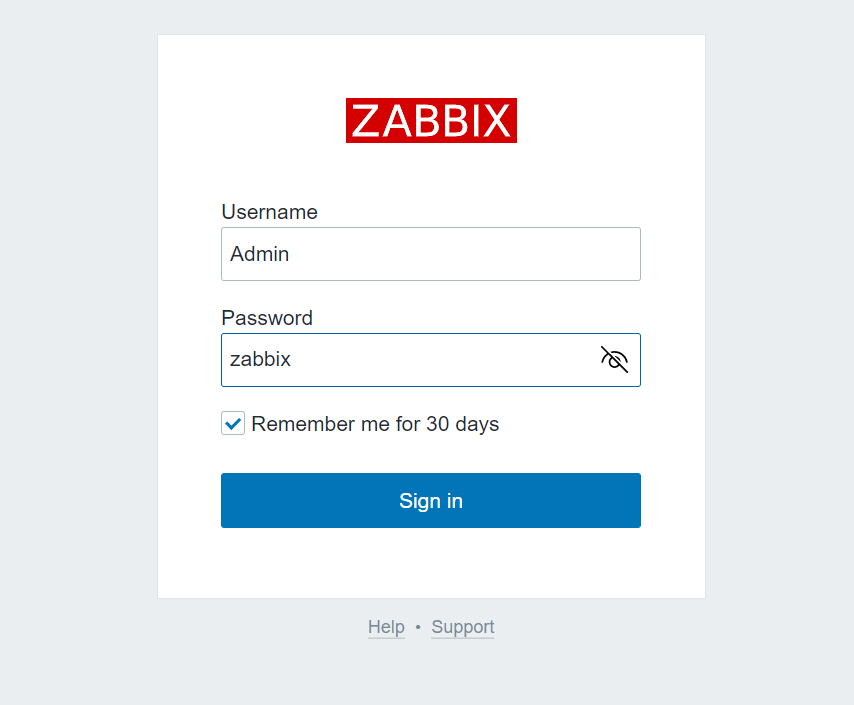
输入默认账号密码进行登录
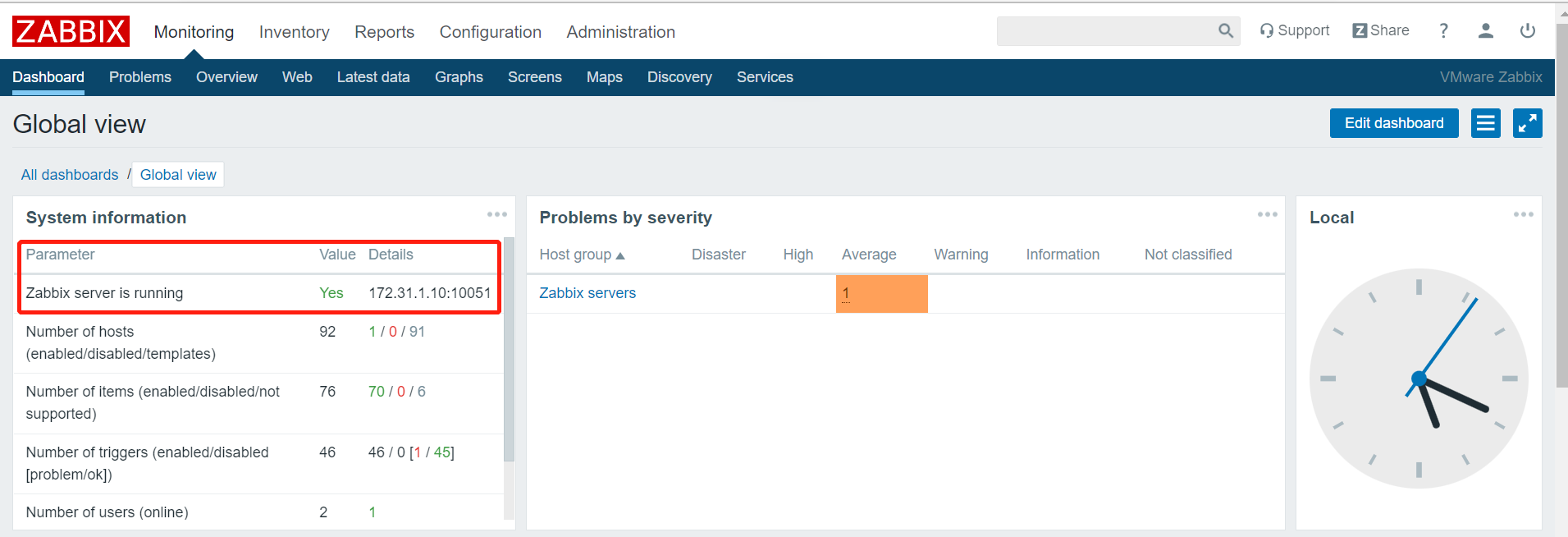
Zabbix server is running 选项显示yes则代表运行成功

 浙公网安备 33010602011771号