
.netcore在浏览器中读取项目文件夹
Configure 添加代码如下:
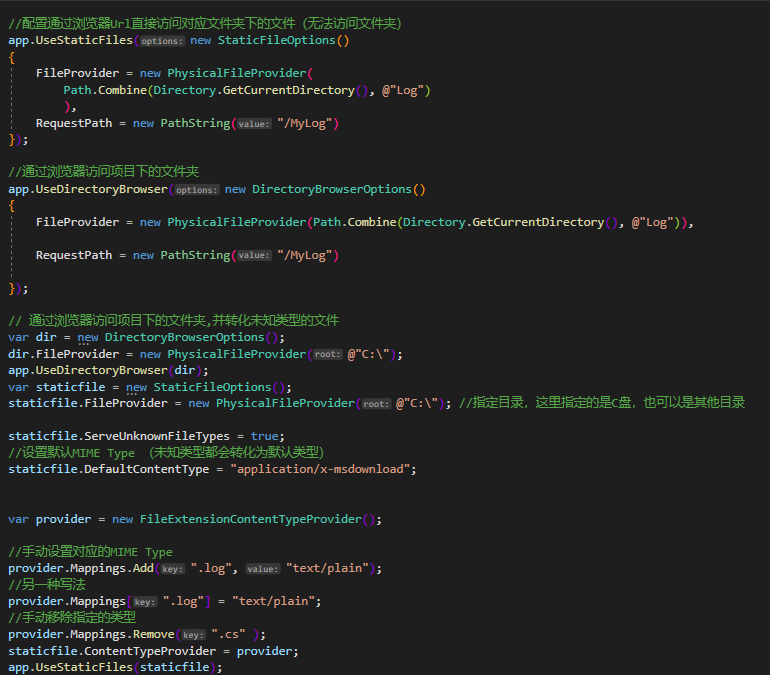
/配置通过浏览器Url直接访问对应文件夹下的文件(无法访问文件夹)
            app.UseStaticFiles(new StaticFileOptions()
            {
                FileProvider = new PhysicalFileProvider(
                    Path.Combine(Directory.GetCurrentDirectory(), @"Log")
                    ),
                RequestPath = new PathString("/MyLog")
            });

            //通过浏览器访问项目下的文件夹
            app.UseDirectoryBrowser(new DirectoryBrowserOptions()
            {
                FileProvider = new PhysicalFileProvider(Path.Combine(Directory.GetCurrentDirectory(), @"Log")),

                RequestPath = new PathString("/MyLog")

            });

            // 通过浏览器访问项目下的文件夹,并转化未知类型的文件
            var dir = new DirectoryBrowserOptions();
            dir.FileProvider = new PhysicalFileProvider(@"C:\");
            app.UseDirectoryBrowser(dir);
            var staticfile = new StaticFileOptions();
            staticfile.FileProvider = new PhysicalFileProvider(@"C:\"); //指定目录,这里指定的是C盘,也可以是其他目录

            staticfile.ServeUnknownFileTypes = true;
            //设置默认MIME Type (未知类型都会转化为默认类型)
            staticfile.DefaultContentType = "application/x-msdownload";


            var provider = new FileExtensionContentTypeProvider();

            //手动设置对应的MIME Type
            provider.Mappings.Add(".log", "text/plain");
            //另一种写法
            provider.Mappings[".log"] = "text/plain";
            //手动移除指定的类型
            provider.Mappings.Remove(".cs" );
            staticfile.ContentTypeProvider = provider;
            app.UseStaticFiles(staticfile);
ConfigureServices添加代码如下:
services.AddDirectoryBrowser();

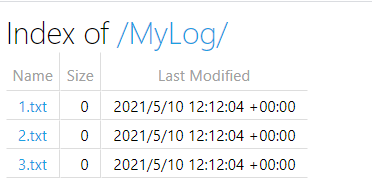
访问对应的Url
http://localhost:13387/MyLog/
结果

 浙公网安备 33010602011771号