
WampServer配置
phpmyadmin初始密码帐户:root密码为空
一、WampServer 一直为橙色
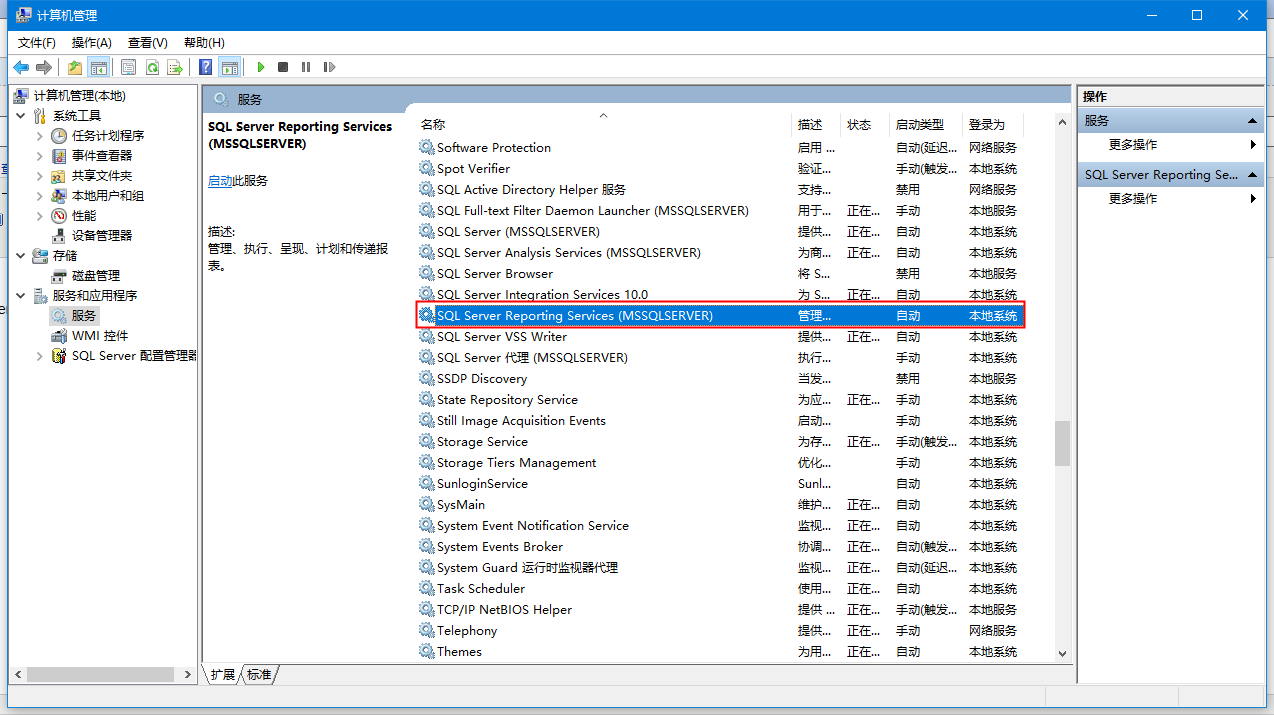
1、计算机管理中找到 SQL Server Reporting Services 将它停止
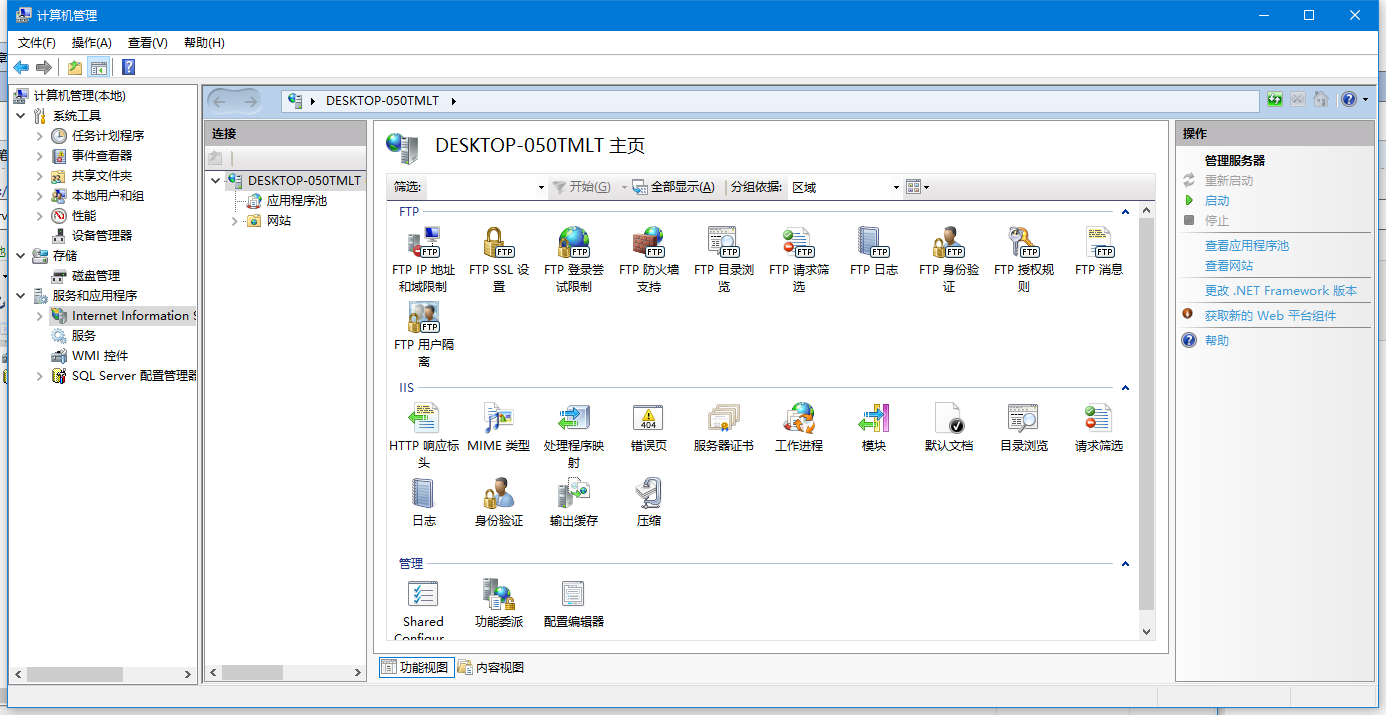
2、在右边的操作中找到管理服务器选项,选择停止 (打开Internet Information Services步骤如下)
①控制面板\所有控制面板项\程序和功能 ==》点击左边启动或关闭window功能 ==》在internet information Services 打勾
②控制面板\所有控制面板项\管理工具 》打开Internet Information Services (IIS)管理器
二、默认浏览器设置
①打开安装目录文件D:\wamp64\wampmanager.conf
②修改默认浏览器地址 navigator ="C:/Program Files (x86)/Google/Chrome/Application/chrome.exe"
三、www目录修改
①打开wampserver的安装目录、打开“script”文件夹、打开里面的config.inc.php、找到“$wwwDir = $c_installDir.'/www';”、把其中的www改为指定目录。
②打开Apache中的http.conf文件、查找“DocumentRoot”、修改后面的路径、再查找“<Directory "C:/www">”、改www为指定目录。
③将Apache的配置文件httpd.conf中的Include conf/extre/httpd-vhosts.conf改为#Include conf/extre/httpd-vhosts.conf。
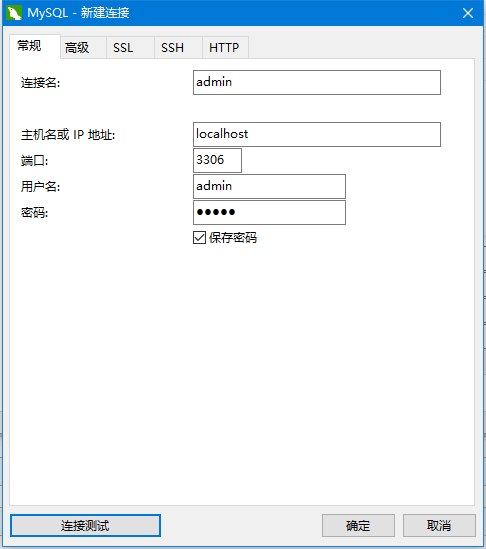
四、链接Navicat Premium
①创建数据库
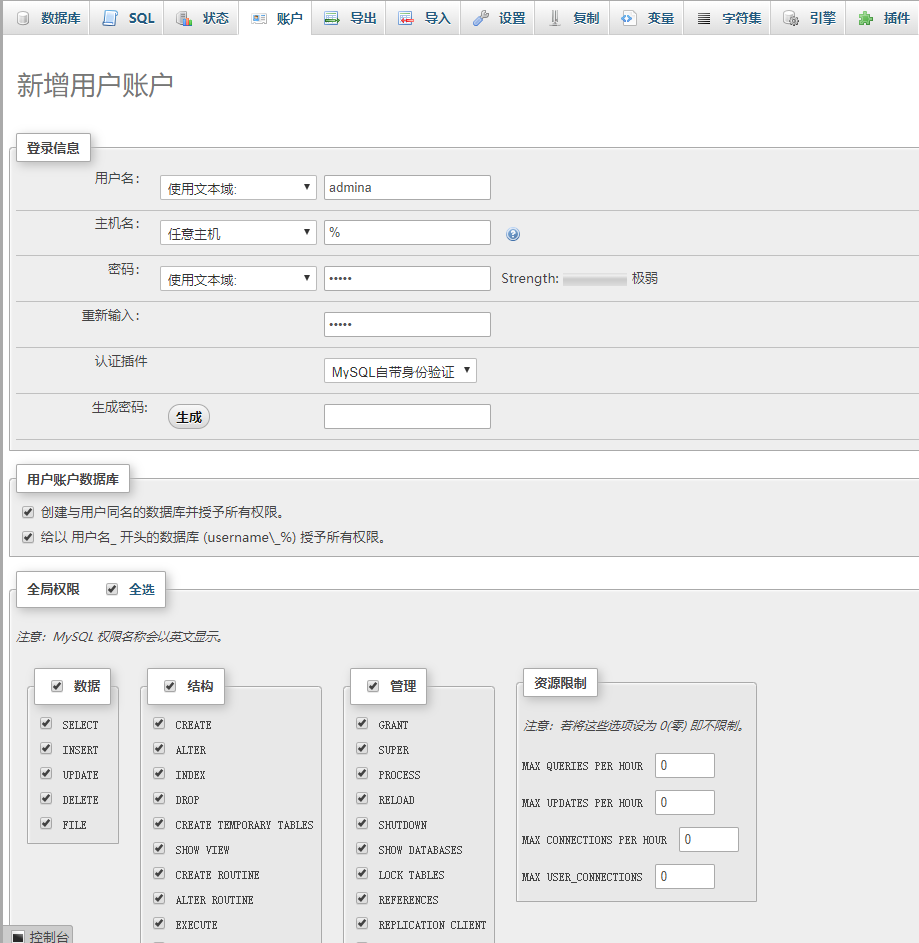
②连接数据库
五、中文乱码
①header("Content-Type: text/html; charset=utf-8");
②mysqli_query($conn, "set names 'utf8'");

 浙公网安备 33010602011771号