
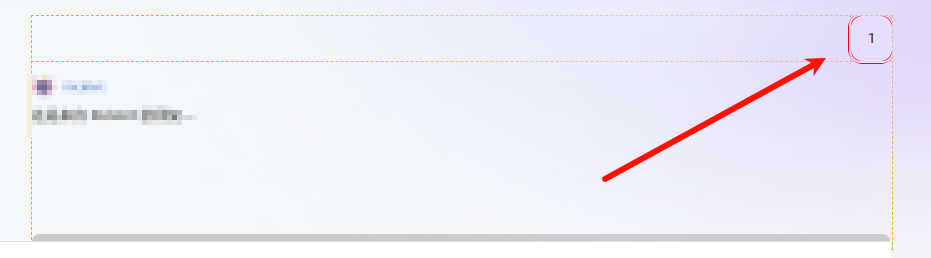
网页出现异常横向滚动条
测试代码
(function analyzeDeepOverflow(selector) {
    const root = document.querySelector(selector);
    if (!root) return console.error("未找到指定的起始容器");

    console.log(`%c开始递归分析容器: ${selector}`, "color: #2196F3; font-weight: bold; font-size: 14px;");

    const results = [];

    function findTheCulprit(el, depth = 0) {
        // scrollWidth > clientWidth 是判断一个元素内容是否溢出的核心指标
        const hasHorizontalScroll = el.scrollWidth > el.clientWidth;
        const hasVerticalScroll = el.scrollHeight > el.clientHeight;

        if (hasHorizontalScroll || hasVerticalScroll) {
            const style = window.getComputedStyle(el);
            results.push({
                element: el,
                depth: depth,
                reason: {
                    scrollWidth: el.scrollWidth,
                    clientWidth: el.clientWidth,
                    overflow: style.overflowX,
                    display: style.display
                }
            });

            // 打印带缩进的日志,方便观察层级
            const indent = "  ".repeat(depth);
            console.log(
                `${indent}🚩 [发现溢出] 层级:${depth} | 元素:`, el,
                `\n${indent}   内容宽度: ${el.scrollWidth}px > 设定宽度: ${el.clientWidth}px | overflowX: ${style.overflowX}`
            );

            // 递归检查子元素
            Array.from(el.children).forEach(child => findTheCulprit(child, depth + 1));
        }
    }

    findTheCulprit(root);

    if (results.length > 0) {
        const leaf = results[results.length - 1];
        console.log("%c\n分析完成:", "font-weight: bold; color: #f44336;");
        console.log("最深层的溢出源头是:", leaf.element);
        console.log("建议操作:检查该元素的 width, white-space: nowrap, 或子元素的固定宽度。");

        // 视觉标记:最后那个真正的源头用红色加粗,中间路径用橙色
        results.forEach((item, index) => {
            const isLast = index === results.length - 1;
            item.element.style.outline = isLast ? "3px solid red" : "1px dashed orange";
            if (isLast) {
                item.element.scrollIntoView({ behavior: 'smooth', block: 'center' });
            }
        });
    } else {
        console.log("%c该容器及其子级未发现内容溢出。请检查是否是父级的 flex-shrink 或 margin 导致的。", "color: green;");
    }
})("#app > div > div.main-container > section > div > div > div.chat-container > div");
使用方法
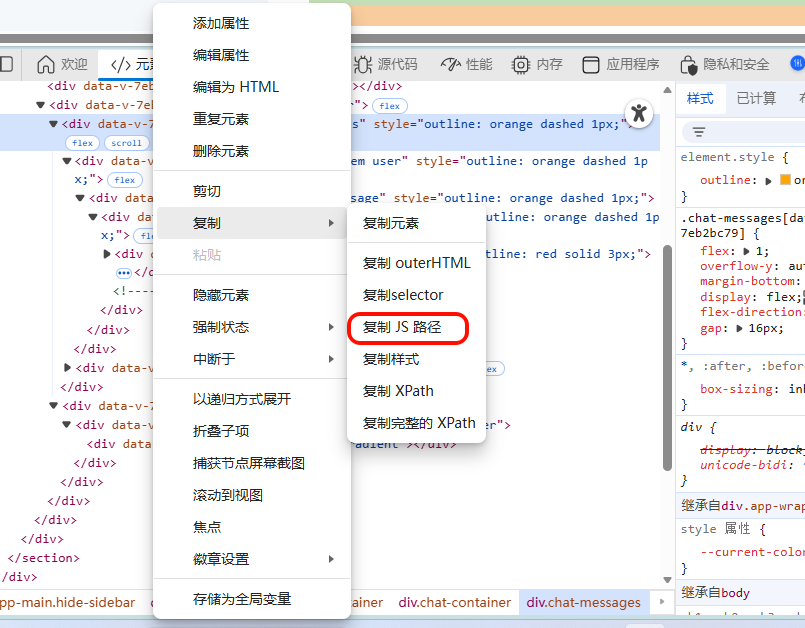
打开开发者工具,在控制台上粘贴上述代码片段,右键滚动容器,复制js路径,粘贴到上面代码中的参数位置,比如当前页面是"#app > div > div.main-container > section > div > div > div.chat-container > div"

 浙公网安备 33010602011771号