
python连接hive (安装impyla)的采坑之旅
WIN10系统,想用python3.7.2连接hive,使用impyla。
impyla是专门针对python连接impyla的数据库,可以连接后台hive以及kudu,查询速度比之前常用的hiveserver快很多,而且连接便捷。
在此记录安装impyla的各种坑。
在此记录安装impyla的各种坑。
安装
pip install impyla==0.14.1
pip install pure_sasl==0.5.1
pip install thriftpy==0.3.9
pip install thrift-sasl==0.2.1
pip install thrift
pip install bitarray
此时报错:
error: Microsoft Visual C++ 14.0 is required. Get it with "Microsoft Visual C++ Build Tools": http://landinghub.visualstudio.com/visual-cpp-build-tools
error: Microsoft Visual C++ 14.0 is required. Get it with "Microsoft Visual C++ Build Tools": http://landinghub.visualstudio.com/visual-cpp-build-tools
此错误需要安装Visual Studio
安装地址:
安装地址:
链接:https://pan.baidu.com/s/1JKwftNKZo81q6Dw4NicpBQ
提取码:qsia
安装完之后需要打开visual Studio试运行一下
然后在cmd下继续安装
又报错:
error: command’C:\Program Files (x86)\Microsoft Visual Studio 14.0\VC\BIN\cl.exe’ failed with exit status 2
安装的sasl版本不适用问题,我是python3.7.2 WIN10系统64,需要的sasl版本是0.2.1
python中第三方库whl文件下载地址: https://www.lfd.uci.edu/~gohlke/pythonlibs/
重新下载sasl,sasl‑0.2.1‑cp37‑cp37m‑win_amd64.whl
重新安装:pip install sasl‑0.2.1‑cp37‑cp37m‑win_amd64.whl
重新下载sasl,sasl‑0.2.1‑cp37‑cp37m‑win_amd64.whl
重新安装:pip install sasl‑0.2.1‑cp37‑cp37m‑win_amd64.whl
如果报错:'TSocket' object has no attribute 'isOpen'
则是thrift-sasl的版本太高了(0.3.0),故将thrift-sasl的版本降级到0.2.1
pip install thrift-sasl==0.2.1
则是thrift-sasl的版本太高了(0.3.0),故将thrift-sasl的版本降级到0.2.1
pip install thrift-sasl==0.2.1
安装成功了,测试连接hive
|
1
2
3
4
5
6
7
|
from impala.dbapi import connectconn = connect(host='*',port = 10000,auth_mechanism='PLAIN')cur=conn.cursor()cur.execute('SHOW databases;')print(cur.fetchall())cur.close()conn.close() |
报错:ThriftPy does not support generating module with path in protocol 'c'
主要是源码在解析url的时候出现错误,解决方法如下:
修改windows端中的parser 代码,笔者代码位置如下: C:\ProgramData\Anaconda2\Lib\site-packages\thriftpy\parser
修改其中的488行为如下情况:
#if url_scheme == '':
if len(url_scheme) <= 1:
然后重新运行即可。
主要是源码在解析url的时候出现错误,解决方法如下:
修改windows端中的parser 代码,笔者代码位置如下: C:\ProgramData\Anaconda2\Lib\site-packages\thriftpy\parser
修改其中的488行为如下情况:
#if url_scheme == '':
if len(url_scheme) <= 1:
然后重新运行即可。
报错:thriftpy.transport.TTransportException: TTransportException(message="Could not start SASL: b'Error in sasl_client_start (-4) SASL(-4): no mechanism available: Unable to find a callback: 2'", type=1)
其中,authMechanism的值取决于hive-site.xml里的配置
<name>hive.server2.authentication</name>
<value>NOSASL</value>
默认为NONE,另外还可以为’NOSASL’, ‘PLAIN’, ‘KERBEROS’, ‘LDAP’.
<name>hive.server2.authentication</name>
<value>NOSASL</value>
默认为NONE,另外还可以为’NOSASL’, ‘PLAIN’, ‘KERBEROS’, ‘LDAP’.
了解导auth_mechanism 这个参数的取值可以是:’NOSASL’, ‘PLAIN’, ‘KERBEROS’, ‘LDAP’.
需要查看hive的配置文件hive-site.xml里面的取值,于是找到对应文件:
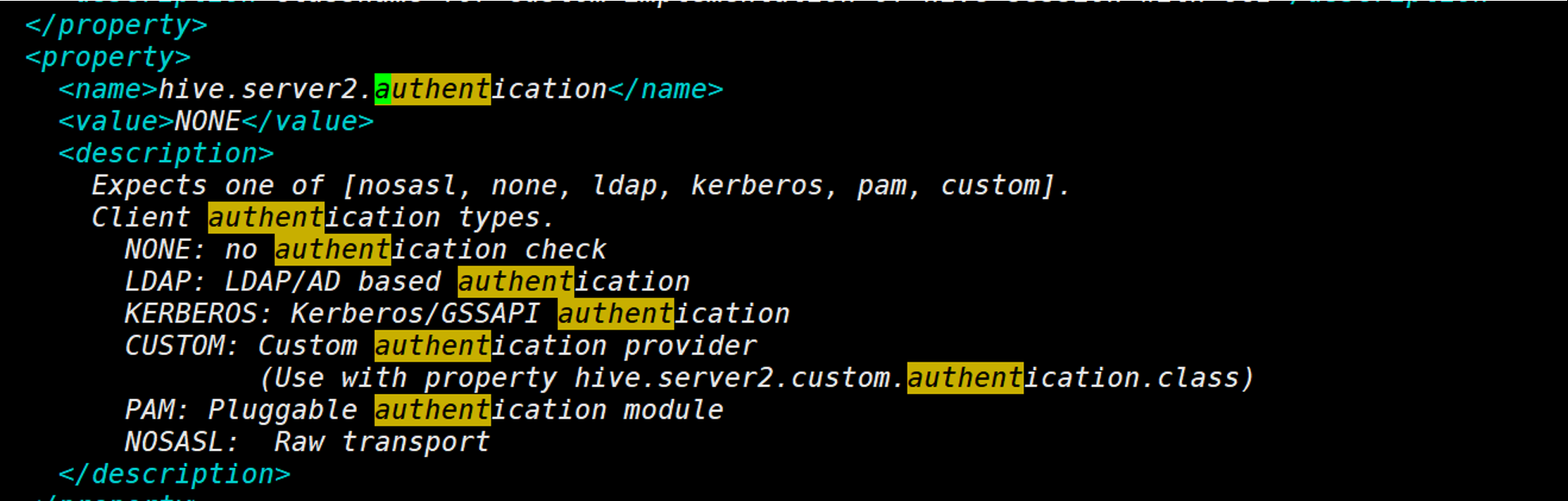
取值为NONE,修改测试里的参数:
|
1
2
3
4
5
6
7
|
from impala.dbapi import connectconn = connect(host='*',port = 10000,auth_mechanism='NONE')cur=conn.cursor()cur.execute('SHOW databases;')print(cur.fetchall())cur.close()conn.close() |
但是依然报错:
impala.error.NotSupportedError: Unsupported authentication mechanism: NONE
impala.error.NotSupportedError: Unsupported authentication mechanism: NONE
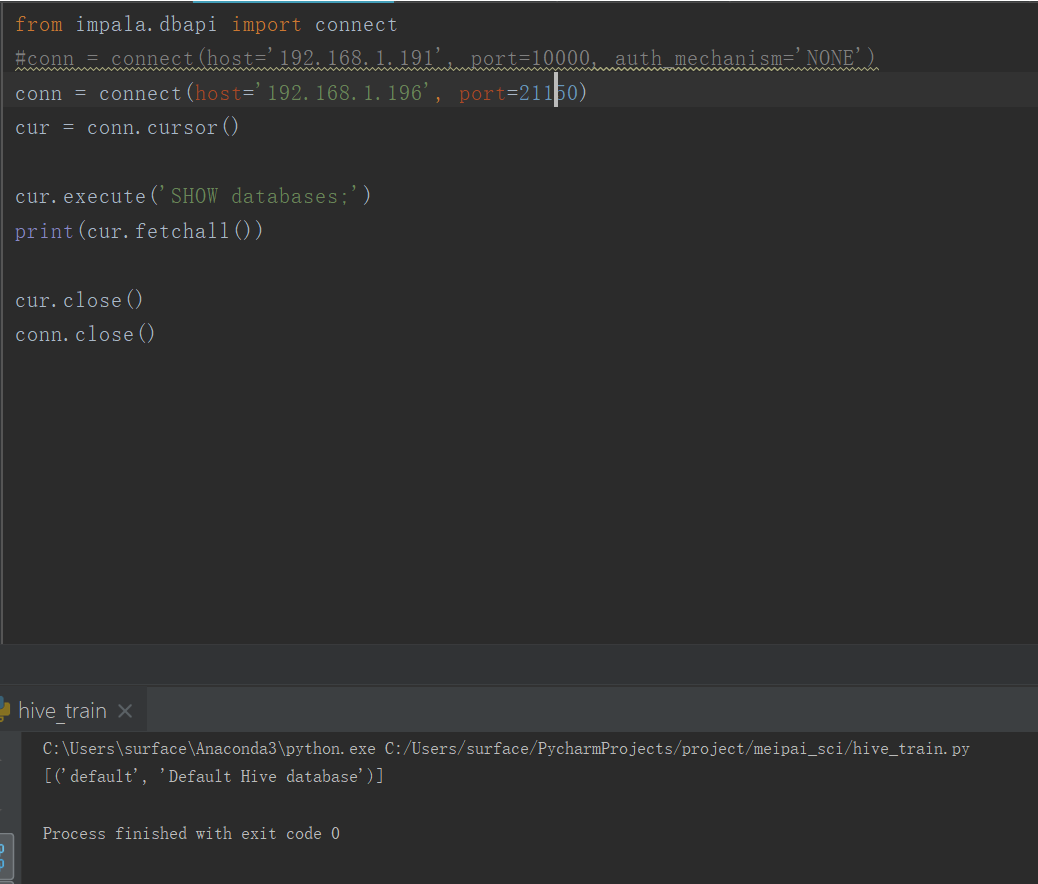
此错误在网上查了很多,都没有详细的说法,它说得是身份有限制,猜想会不会是后台的有权限限制,所以找到了后台开发,得到答案确实是有限制的!
因为此处连接的是后台的impala,但是对于impala后台链接需要身份验证以及权限说明,所以导致无法链接,于是改变了IP地址:
对我安装很有帮助的文档:
https://www.cnblogs.com/snailgirl/p/13647713.html
https://www.cnblogs.com/free-easy0000/p/9638982.html

 浙公网安备 33010602011771号