

使用idea创建springMVC项目helloworld成功运行,请求之后页面404,idea的控制台没有报错
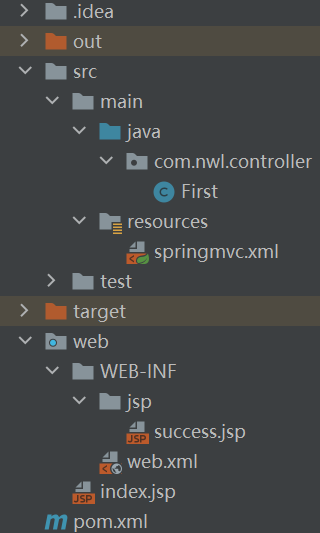
web.xml
<?xml version="1.0" encoding="UTF-8"?>
<web-app xmlns="http://xmlns.jcp.org/xml/ns/javaee"
         xmlns:xsi="http://www.w3.org/2001/XMLSchema-instance"
         xsi:schemaLocation="http://xmlns.jcp.org/xml/ns/javaee http://xmlns.jcp.org/xml/ns/javaee/web-app_4_0.xsd"
         version="4.0">
    <servlet>
        <servlet-name>springDispatcherServlet</servlet-name>
        <servlet-class>org.springframework.web.servlet.DispatcherServlet</servlet-class>
        <init-param>
            <param-name>contextConfigLocation</param-name>
            <param-value>classpath:springmvc.xml</param-value>
        </init-param>
        <load-on-startup>1</load-on-startup>
    </servlet>
    <servlet-mapping>
        <servlet-name>springDispatcherServlet</servlet-name>
        <url-pattern>/</url-pattern>
    </servlet-mapping>
</web-app>
springmvc.xml
<?xml version="1.0" encoding="UTF-8"?>
<beans xmlns="http://www.springframework.org/schema/beans"
       xmlns:xsi="http://www.w3.org/2001/XMLSchema-instance"
       xmlns:context="http://www.springframework.org/schema/context"
       xmlns:aop="http://www.springframework.org/schema/aop"
       xsi:schemaLocation="http://www.springframework.org/schema/beans
       http://www.springframework.org/schema/beans/spring-beans.xsd
       http://www.springframework.org/schema/context
       http://www.springframework.org/schema/context/spring-context.xsd
       http://www.springframework.org/schema/aop
       http://www.springframework.org/schema/aop/spring-aop.xsd">
    <!--开启注解扫描-->
    <context:component-scan base-package="com.nwl"></context:component-scan>

    <mvc:annotation-driven></mvc:annotation-driven>
</beans>
index.jsp
<%@ page contentType="text/html;charset=UTF-8" language="java" %>
<html>
  <head>
    <title>$Title$</title>
  </head>
  <body>
  <a href="/hello">helloworld</a>
  $END$
  </body>
</html>
success.jsp
<%@ page contentType="text/html;charset=UTF-8" language="java" %>
<html>
<head>
    <title>Title</title>
</head>
<body>
成功!
</body>
</html>
First.java
@Controller
public class First {
    @RequestMapping("/hello")
    public String hello(){
        System.out.println("收到请求");
        return "/WEB-INF/jsp/success.jsp";
    }
}
解决方法
如果代码没有问题的话,有两处需要配置
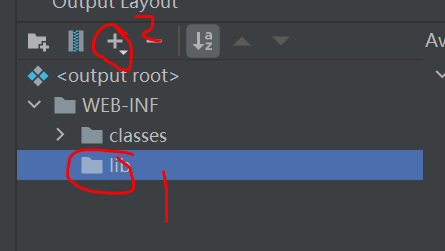
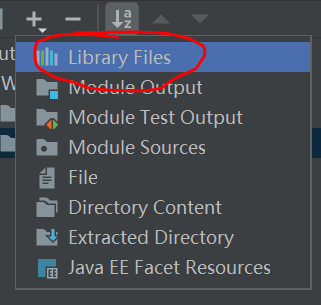
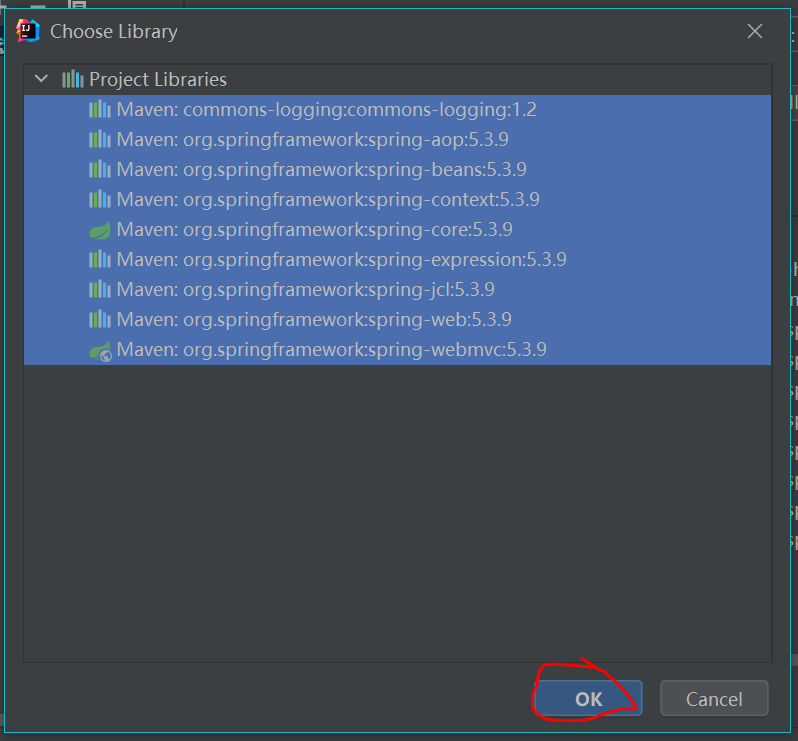
打开file-Project Structure-Artifacts点击当前项目,然后点击WEB-INF,在WEB-INF目录下添加一个lib目录,点击lib目录,点击上边的加号,再点击Library Files,选中所有要用的jar包,点击OK,最后点击Apply然后OK就行了
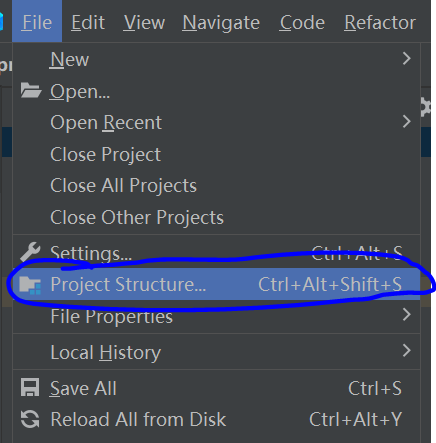
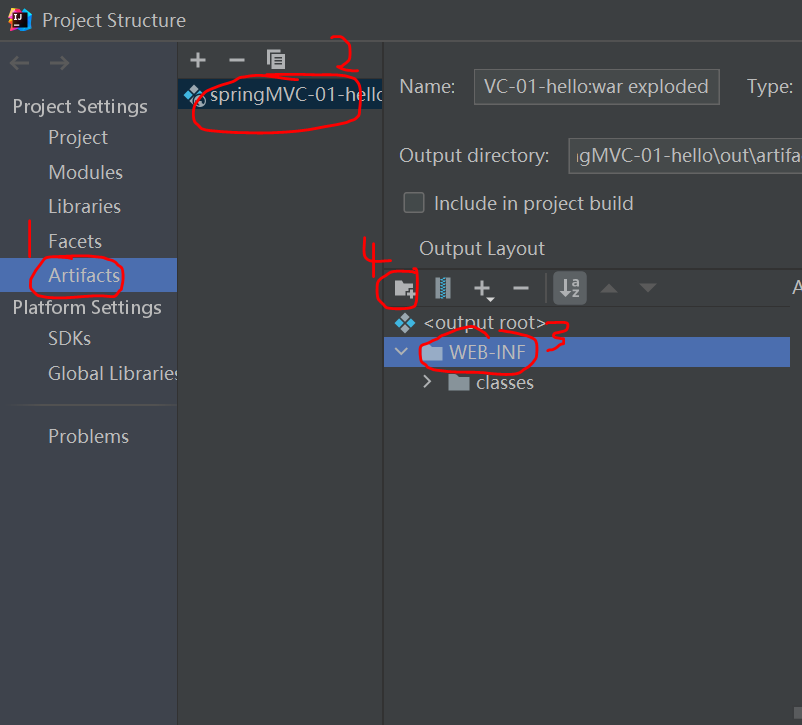
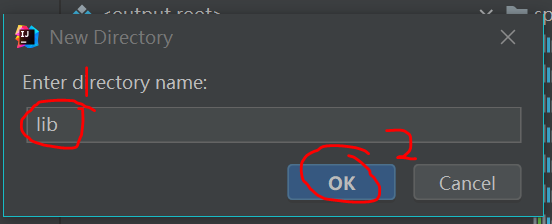
然后打开tomcat的Edits Configurations,点击当前用的tomcat,点击Deployment,把Application Context位置的内容改成"/"
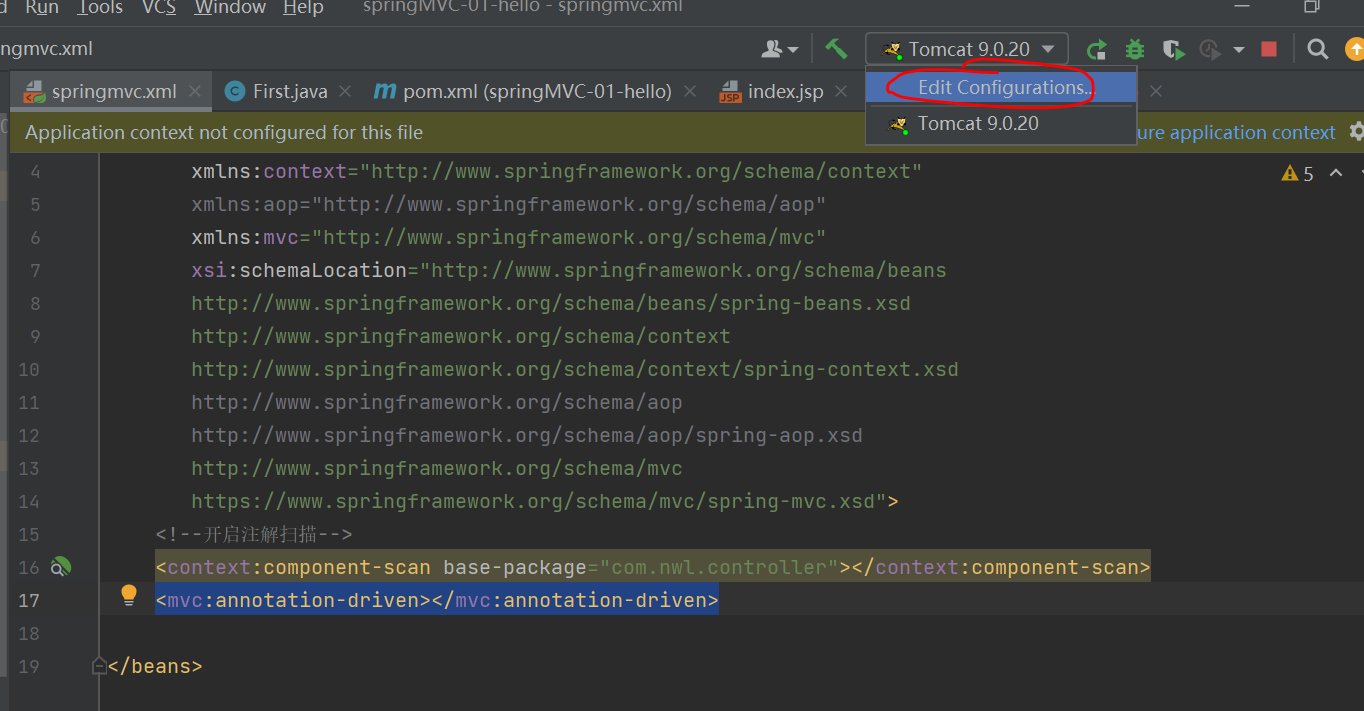
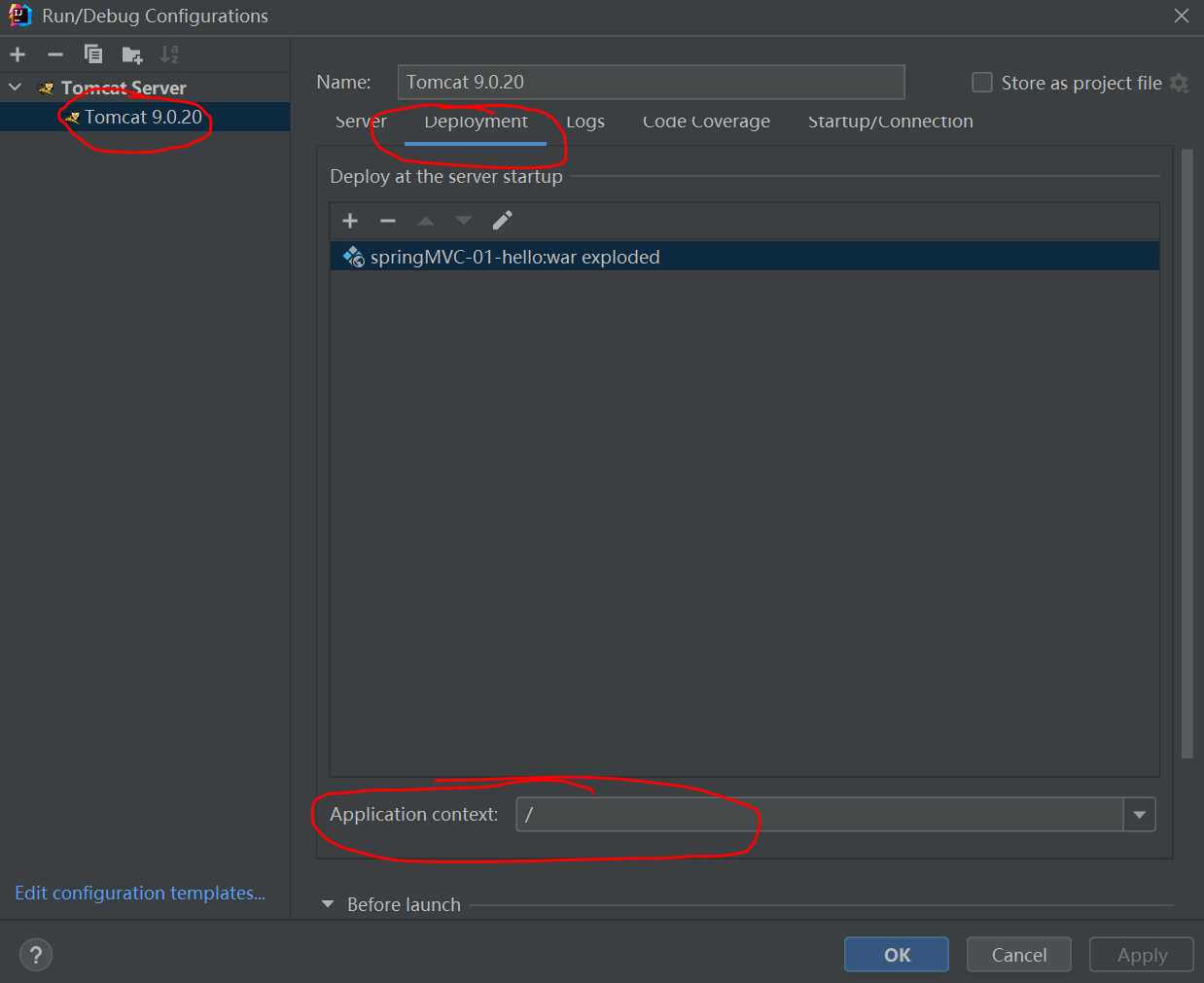
这两个地方改完之后就不会报404了

 浙公网安备 33010602011771号