

缓冲流读取文件时出现中文乱码
        Scanner scanner=new Scanner(System.in);
        File file=new File("C:\\Users\\Administrator\\Desktop","t1.txt");
        String n=null;
        char[] b=new char[3];
        try {
            FileReader in=new FileReader(file);
            BufferedReader br=new BufferedReader(in);
            while((n=br.readLine())!=null){
                System.out.println(n);
            }
        } catch (FileNotFoundException e) {
            e.printStackTrace();
        } catch (IOException e) {
            e.printStackTrace();
        }
缓冲流读取文件时出现中文乱码,网上搜到可能是由于电脑本身的txt文件的编码是ANSI,而IDEA的默认编码是UTF-8。
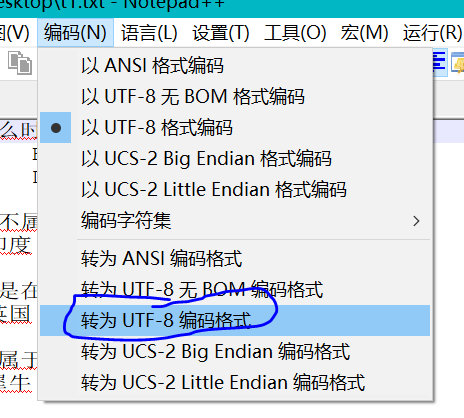
把txt文件的编码格式改为UTF-8之后就没有乱码了
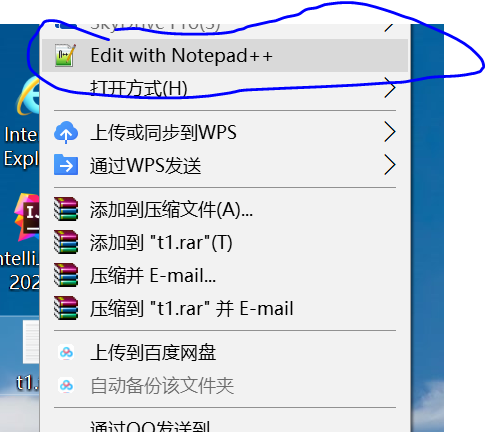
用Notepad++打开文件
点击 编码->转为UTF-8编码格式

 浙公网安备 33010602011771号