Linux开启服务器审计,报错ConditionKernelCommandLine=!audit=0 was not met解决方法
Linux开启服务器审计,报错ConditionKernelCommandLine=!audit=0 was not met解决方法
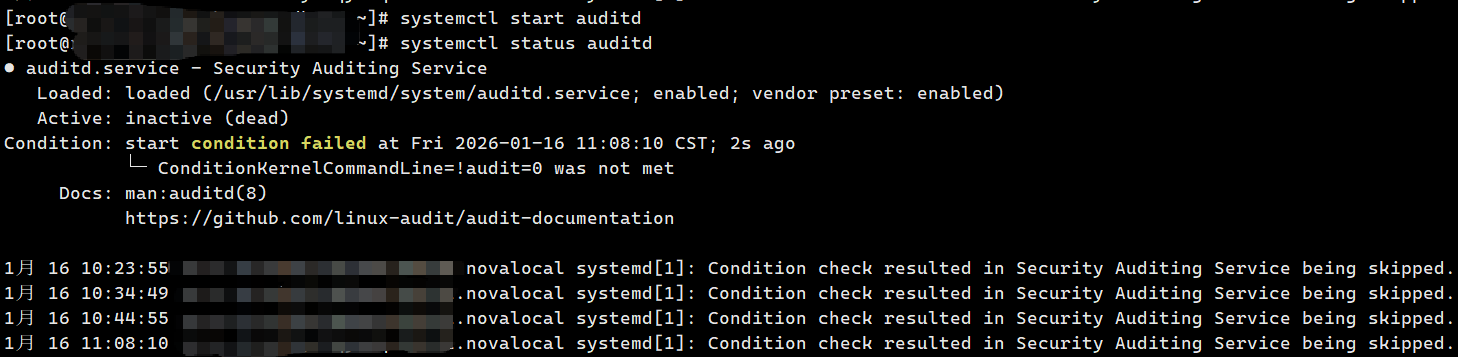
问题:启动systemctl start auditd命令报错,报错ConditionKernelCommandLine=!audit=0 was not met
环境:国产银河麒麟系统V10
解决 auditd 因内核参数audit=0启动失败的核心步骤
auditd.service 的启动条件ConditionKernelCommandLine=!audit=0要求内核参数中不能有audit=0,若内核参数包含audit=0,服务会被跳过启动,这是auditd 启动失败的核心原因。
1、验证当前内核参数
# 查看内核参数,确认是否包含audit=0
cat /proc/cmdline
# 输出示例(包含audit=0即为问题点):
# BOOT_IMAGE=/vmlinuz-5.10.0-ky10.x86_64 root=/dev/mapper/kylin-root ro rhgb quiet audit=0
2、移除内核参数audit=0(推荐用 grubby 工具,更安全)
# 安装grubby(麒麟系统若未安装,离线环境需提前准备包,在线环境执行以下命令)
yum install grubby -y
# 移除所有内核的audit=0参数
grubby --update-kernel=ALL --remove-args="audit=0"
# 可选:若需要强制开启audit,可添加audit=1参数(二选一,移除即可)
# grubby --update-kernel=ALL --add-args="audit=1"

我这里使用第二种方法无此参数,所以直接用命令grubby --update-kernel=ALL --remove-args="audit=0"解决
3、重启系统reboot
4、验证内核参数已移除
# 重启后再次查看,确认无audit=0
cat /proc/cmdline

# 查看auditd服务,如无启动开启自启并启动
systemctl status auditd
systemctl start auditd
systemctl enable auditd
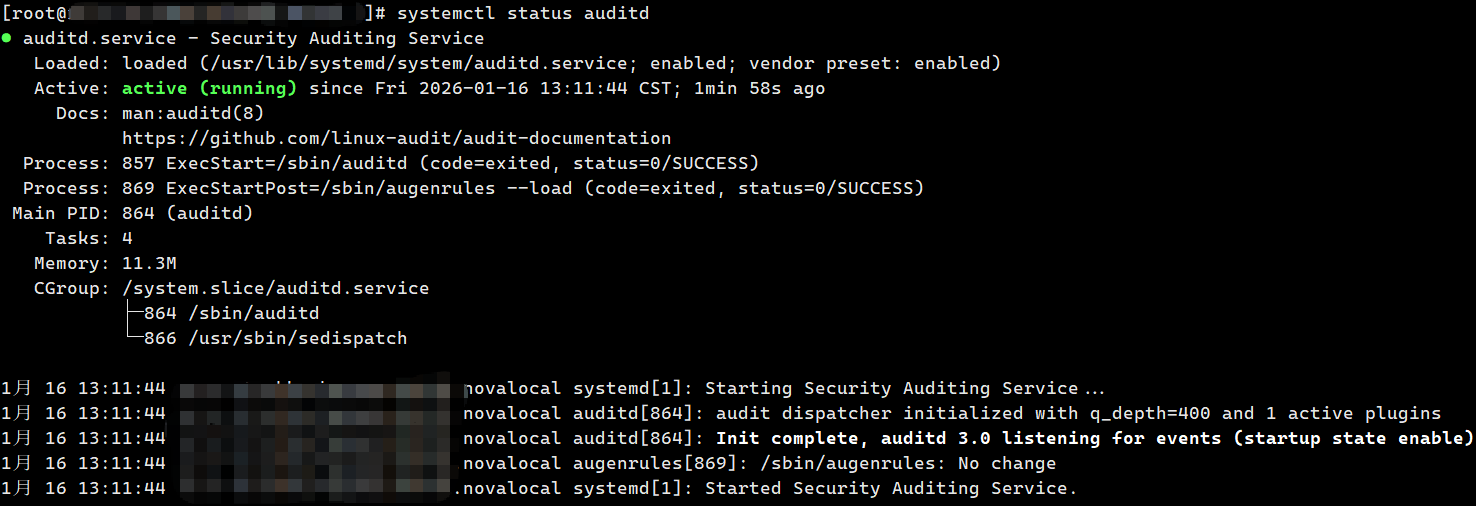
问题解决

 浙公网安备 33010602011771号