

WSL安装
WSL提供了一个微软开发的Linux兼容内核接口(不包含Linux代码),来自Ubuntu的用户模式二进制文件在其上运行。
安装过程:
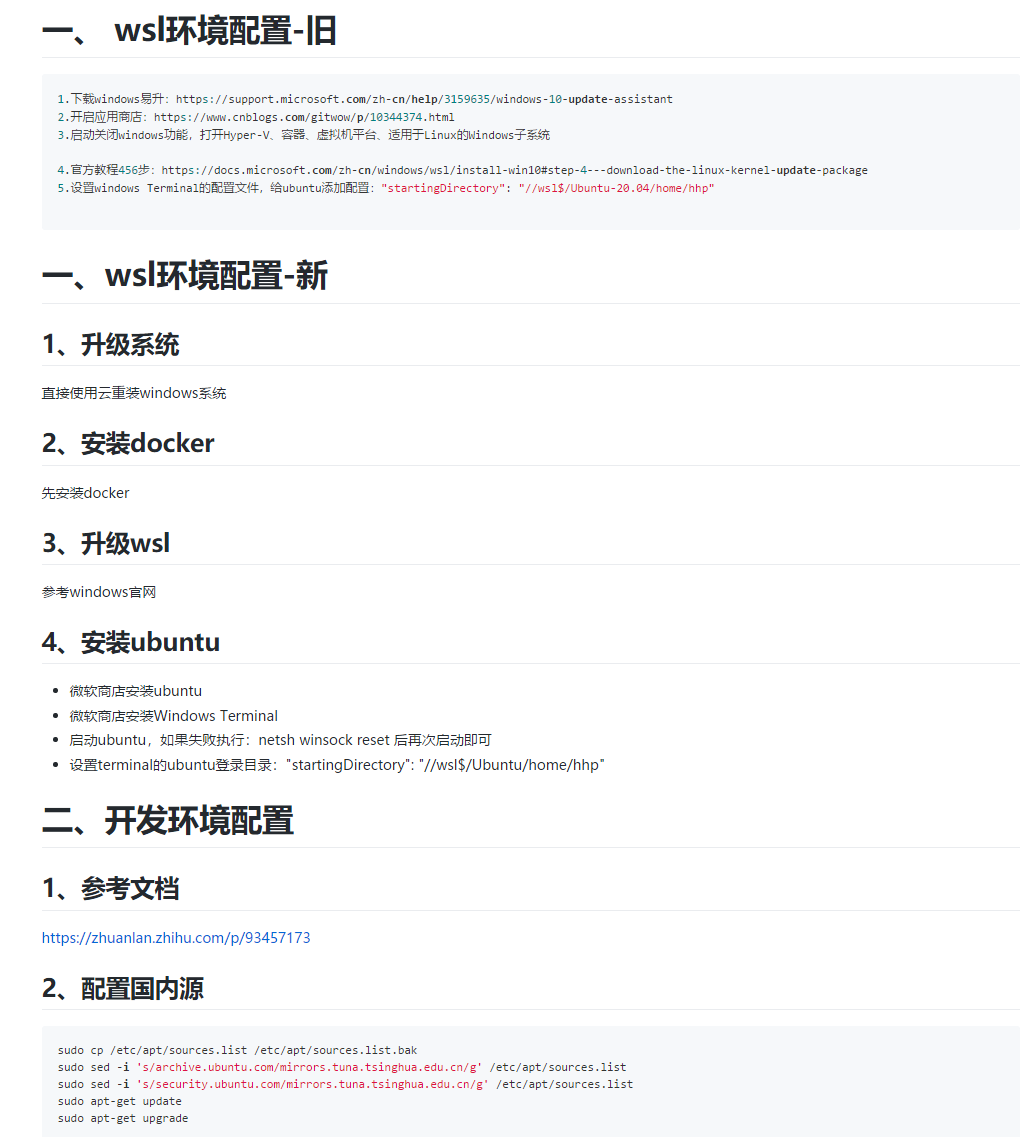
1.下载windows易升:
https://support.microsoft.com/zh-cn/help/3159635/windows-10-update-assistant
2.开启应用商店:
https://www.cnblogs.com/gitwow/p/10344374.html
3.启动关闭windows功能,打开Hyper-V、容器、虚拟机平台、适用于Linux的Windows子系统
4.官方教程456步:
https://docs.microsoft.com/zh-cn/windows/wsl/install-win10#step-4---download-the-linux-kernel-update-package
5.设置windows Terminal的配置文件,给ubuntu添加配置:"startingDirectory": "//wsl$/Ubuntu-20.04/home/用户名"
# 安装中文支持
sudo apt-get install -y language-pack-zh-hans
# 设置默认语言
sudo update-locale LANG=zh_CN.UTF-8
sudo cp /etc/apt/sources.list /etc/apt/sources.list.bak
sudo sed -i 's/
archive.ubuntu.com/mirrors.tuna.tsinghua.edu.cn/g' /etc/apt/sources.list
sudo sed -i 's/
security.ubuntu.com/mirrors.tuna.tsinghua.edu.cn/g' /etc/apt/sources.list
sudo apt-get update
sudo apt-get upgrade
WSL 2下使用windows环境的docker。需要修改docker desktop设置
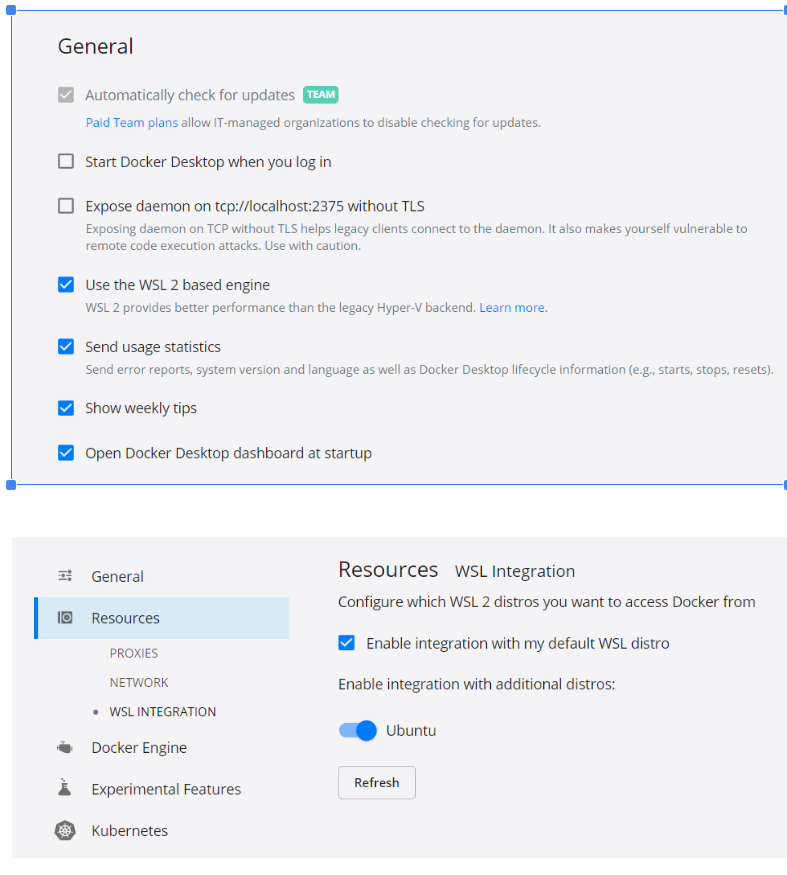
前提:在windows商店下载(需要将windows系统升级)


 浙公网安备 33010602011771号