
【Webpack】自动热更
1.下载两个插件
npm i webpack-dev-server -D
npm i html-webpack-plugin -D
2. webpack-dev-serve的使用
将package.json的脚本改成webpack serve即可
  "scripts": {
    "dev": "webpack serve"
  }
注意:webpack5可能将启动项目目录改在了public上需要在webpack.config.js中设置devServer的static为'./'
const path = require('path');

module.exports = {
    mode:"development",
    entry:"./src/index.js",
    output:{
        path:path.join(__dirname,'dist'),
        filename:'bundle.js',
    },
    devServer:{
        static:"./"
    }
}
3.html-webpack-plugin的使用
为了解决根目录下没有index.html的问题,我们用该插件将index.html文件拷贝到根目录
而且在页面内会自动嵌入打包好的js脚本
const path = require('path');

const HtmlWebapckPlugin = require('html-webpack-plugin');
const htmlWebpackPlugin  = new HtmlWebapckPlugin({
    template:"./src/index.html",
    filename:"./index.html"
});

module.exports = {
    mode:"development",
    entry:"./src/index.js",
    output:{
        path:path.join(__dirname,'dist'),
        filename:'bundle.js',
    },
    devServer:{
        static:"./"
    },
    plugins:[htmlWebpackPlugin]
}
4.测试
npm run dev
打开localhost:8080
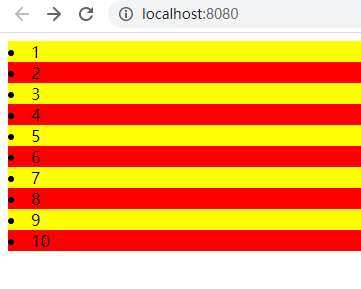
修改index.js里的color
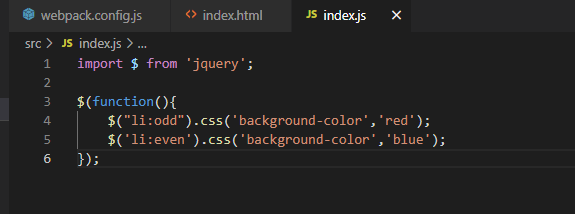
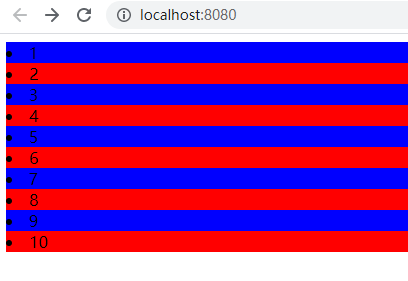
保存后效果如下

 浙公网安备 33010602011771号