
把内容转换成二维码(js)
使用js生成二维码生成 - 有手就行
QRCode.js 是一个用于生成二维码的 JavaScript 库。主要是通过获取 DOM 的标签,再通过 HTML5 Canvas 绘制而成,不依赖任何库。
支持该库的浏览器有:IE6~10, Chrome, Firefox, Safari, Opera, Mobile Safari, Android, Windows Mobile, 等。
基本用法
//载入 JavaScript 文件
<script src="qrcode.js"></script>

//创建标签
<div id="qrcode"></div>

//简单方式
new QRCode(document.getElementById('qrcode'), 'your content');

//参数方式
var qrcode = new QRCode("qrcode", {
    text: "https://www.cnblogs.com/ndyd/p/13324070.html",//内容
    width: 200,//宽度
    height: 200,//高度
    colorDark : "#000000",//前景色
    colorLight : "#ffffff",//后景色
    correctLevel : QRCode.CorrectLevel.H//容错级别
});
//容错级别 QRCode.CorrectLevel.L、QRCode.CorrectLevel.M、QRCode.CorrectLevel.Q、QRCode.CorrectLevel.H

//方法
qrcode.clear(); // 清除代码
qrcode.makeCode("https://www.cnblogs.com/ndyd/p/13324070.html"); // 生成另外一个二维码
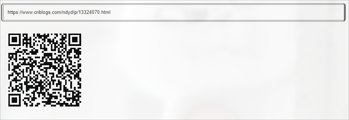
完整例子 - cv即用
 1 <input id="mytext" style="width: 100%;" type="text" value="https://www.cnblogs.com/ndyd/p/13324070.html"/>
 2 <div id="myqrcode" style="width: 200px; height: 200px; margin-left: 20px;"> </div>
 3 <script type="text/javascript" src="https://files.cnblogs.com/files/ndyd/jquery.min.js"></script>
 4 <script type="text/javascript" src="https://files.cnblogs.com/files/ndyd/qrcode.js"></script>
 5 <script type="text/javascript">
 6 var myqrcode = new QRCode(document.getElementById("myqrcode"), {width : 200,height : 200});
 7
 8 function makeCode () {
 9     var elText = document.getElementById("mytext");
10
11     if (!elText.value) {
12         alert("Input a text");
13         elText.focus();
14         return;
15     }
16
17     myqrcode.makeCode(elText.value);
18 }
19
20 makeCode();
21
22 $("#mytext").
23     on("blur", function () {
24         makeCode();
25     }).
26     on("keydown", function (e) {
27         if (e.keyCode == 13) {
28             makeCode();
29         }
30     });
图例

 浙公网安备 33010602011771号