
铁胚磨剑-1-{LNMP手动搭建}
LNMP手动搭建
前言:沉梦
- 实验环境:Centos7 nginx1.8 Mysql PHP
- 查看防火墙和selinux处于开启或关闭状态
- wget http://nginx.org/download/nginx-1.8.1.tar.gz并解压(获取Nginx1.8压缩包)
systemctl status firewalld
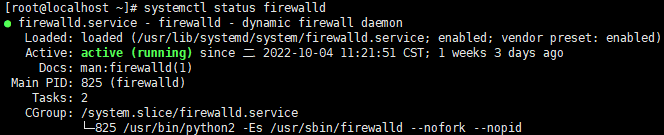
getenforce

2、 wget http://nginx.org/download/nginx-1.8.1.tar.gz并解压(获取Nginx1.8压缩包)
3、 yum -y install gcc pcre-devel zlib-devel openssl-devel(安装依赖包)
4、 ./configure --user=web --group=web --prefix=/usr/local/nginx --with-http_stub_status_module --with-http_ssl_module && make && make install(执行并编译安装nginx)
5、 rpm -Uvh http://dev.mysql.com/get/mysql57-community-release-el7-9.noarch.rpm
yum -y install mysql-community-server.x86_64 –nogpgcheck(安装mysql)
systemctl start mysqld
grep ‘temporary password’ /var/log/mysqld.log
mysql –uroot –p’密码’
6、 修改nginx.conf文件中的59-71行将注释去掉(vim:59,71s/#//g
noh去除高亮 set nu打开行号 set nonu关闭行号)
修改完成后使用./nginx –t 测试代码是否有语法错误
7、 创建文件nginx.service 内容如下(使用systemctl 快捷启动)
[Unit]
Description=nginx
After=network.target
[Service]
Type=forking
ExecStart=/usr/local/nginx/sbin/nginx
ExecReload=/usr/local/nginx/sbin/nginx -s reload
ExecStop=/usr/local/nginx/sbin/nginx -s quit
privateTmp=true
[Install]
WantedBy=multi-user.target
8、 systemctl start php-fpm

 浙公网安备 33010602011771号