
idea使用android遇到的一些问题
新建项目后注意更改项目结构
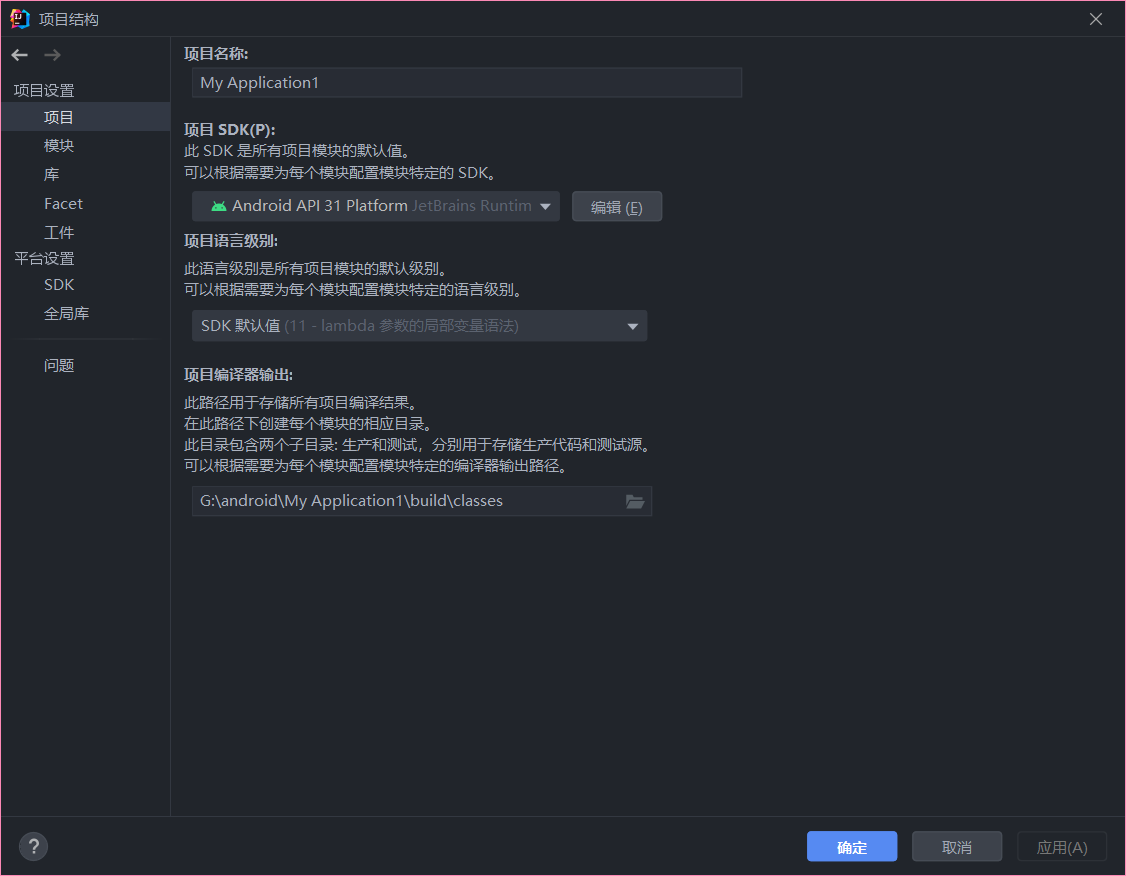
修改AndroidManifest.xml
报Manifest merger failed : Apps targeting Android 12 and higher are required to specify an explicit value for android:exported when the corresponding component has an intent filter defined. See https://developer.android.com/guide/topics/manifest/activity-element#exported for details.错误
在activity后的 android:name 后添加 android:exported = "true"

报错的 <action android:name="android.intent.action.MAIN" />不要删除
修改app中的build.gradle配置
将最小的SDK版本修改为当前使用的版本或者以下
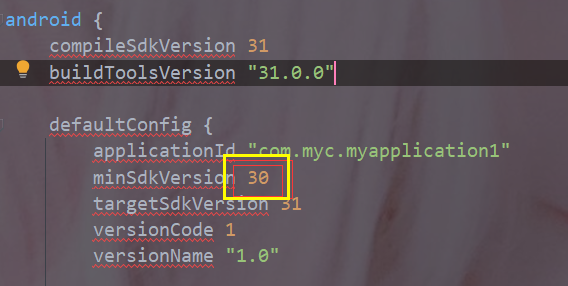
然后启动,项目就可以正常运行了
使用android11变更
以 Android 11 为目标平台 (目标 API level 为 30) 的应用默认将只能检测到部分过滤后的已安装应用。如果想获取更多别的已安装应用列表信息,则需要在应用内的 Android manifest 中添加
	<manifest package="com.example.game">
  <queries>
   <!-- 声明所要进行交互的应用名 -->
    <package android:name="com.example.store" />
    <package android:name="com.example.service" />

    <!--
        声明要查询的 intents

        例如下列标签声明了一个自定义的分享视图的 intent
    -->

    <intent>
      <action android:name="android.intent.action.SEND" />
      <data android:mimeType="image/jpeg" />
    </intent>

  </queries>

  ...

</manifest>
报Manifest merger failed with multiple errors, see logs错误
在项目级别的 build.gradle 文件中将相关依赖升级到上图中对应的版本。
dependencies {
        // classpath 'com.android.tools.build:gradle:4.0.0'
        classpath 'com.android.tools.build:gradle:4.0.1'
    }
}

 浙公网安备 33010602011771号