spring + springData + hibernateJPA学习记录
主要是参照慕课对springdata jpa 进行一个快速的学习记录,方便以后查看。
视频:https://www.imooc.com/learn/821
一、介绍
SpringData JPA是SpringData中的一个子模块
JPA是一套标准接口,而Hibernate是JPA的实现
SpringData JPA 底层默认实现是使用Hibernate
二、快速开发一个案例
先搭建一个案例 看下效果
1、依赖
<dependencies>
        <!--MySQL Driver-->
        <dependency>
            <groupId>mysql</groupId>
            <artifactId>mysql-connector-java</artifactId>
            <version>5.1.38</version>
        </dependency>

        <!--junit-->
        <dependency>
            <groupId>junit</groupId>
            <artifactId>junit</artifactId>
            <version>4.10</version>
        </dependency>

        <!--spring-->
        <dependency>
            <groupId>org.springframework</groupId>
            <artifactId>spring-jdbc</artifactId>
            <version>4.3.5.RELEASE</version>
        </dependency>

        <dependency>
            <groupId>org.springframework</groupId>
            <artifactId>spring-context</artifactId>
            <version>4.3.5.RELEASE</version>
        </dependency>

        <!--spring data jpa-->
        <dependency>
            <groupId>org.springframework.data</groupId>
            <artifactId>spring-data-jpa</artifactId>
            <version>1.8.0.RELEASE</version>
        </dependency>

        <dependency>
            <groupId>org.hibernate</groupId>
            <artifactId>hibernate-entitymanager</artifactId>
            <version>4.3.6.Final</version>
        </dependency>

  </dependencies>
2、配置文件
bean.xml
<?xml version="1.0" encoding="UTF-8"?>

<beans xmlns="http://www.springframework.org/schema/beans"
       xmlns:xsi="http://www.w3.org/2001/XMLSchema-instance"
       xmlns:context="http://www.springframework.org/schema/context"
       xmlns:tx="http://www.springframework.org/schema/tx"
       xmlns:jpa="http://www.springframework.org/schema/data/jpa"
       xsi:schemaLocation="http://www.springframework.org/schema/beans http://www.springframework.org/schema/beans/spring-beans.xsd
		http://www.springframework.org/schema/data/jpa http://www.springframework.org/schema/data/jpa/spring-jpa-1.3.xsd
		http://www.springframework.org/schema/tx http://www.springframework.org/schema/tx/spring-tx-4.0.xsd
		http://www.springframework.org/schema/context http://www.springframework.org/schema/context/spring-context-4.0.xsd">

    <!--1 配置数据源-->
    <bean id="dataSource" class="org.springframework.jdbc.datasource.DriverManagerDataSource">
        <property name="driverClassName" value="com.mysql.jdbc.Driver"/>
        <property name="username" value="root"/>
        <property name="password" value="root"/>
        <property name="url" value="jdbc:mysql:///spring_data"/>
    </bean>

    <!--2 配置EntityManagerFactory-->
    <bean id="entityManagerFactory" class="org.springframework.orm.jpa.LocalContainerEntityManagerFactoryBean">
        <property name="dataSource" ref="dataSource"/>
        <property name="jpaVendorAdapter">
            <bean class="org.springframework.orm.jpa.vendor.HibernateJpaVendorAdapter"/>
        </property>
        <property name="packagesToScan" value="com.imooc"/>

        <property name="jpaProperties">
            <props>
                <prop key="hibernate.ejb.naming_strategy">org.hibernate.cfg.ImprovedNamingStrategy</prop>
                <prop key="hibernate.dialect">org.hibernate.dialect.MySQL5InnoDBDialect</prop>
                <prop key="hibernate.show_sql">true</prop>
                <prop key="hibernate.format_sql">true</prop>
          <!--自动创建表 -->
                <prop key="hibernate.hbm2ddl.auto">update</prop>
            </props>
        </property>

    </bean>

    <!--3 配置事务管理器-->
    <bean id="transactionManager" class="org.springframework.orm.jpa.JpaTransactionManager">
        <property name="entityManagerFactory" ref="entityManagerFactory"/>
    </bean>

    <!--4 配置支持注解的事务-->
    <tx:annotation-driven transaction-manager="transactionManager"/>

    <!--5 配置spring data-->
    <jpa:repositories base-package="com.xx" entity-manager-factory-ref="entityManagerFactory"/>

    <context:component-scan base-package="com.xx"/>

</beans>
3、实体类
/**
 * 雇员:  先开发实体类===>自动生成数据表
 */
@Entity  //生成表的时候 表明就是类的名字
@Table(name = "mytable") //@Table可以自定义表名
public class Employee {

    private Integer id;

    private String name;

    private Integer age;

   //主键和策略
    @GeneratedValue
    @Id
    public Integer getId() {
        return id;
    }

    public void setId(Integer id) {
        this.id = id;
    }
    //指定字段长度
    @Column(length = 20)
    public String getName() {
        return name;
    }

    public void setName(String name) {
        this.name = name;
    }

    public Integer getAge() {
        return age;
    }

    public void setAge(Integer age) {
        this.age = age;
    }
}
4、自定义Repository接口
//自定义接口实现Repository 泛型内容分别是 实体类 和 主键类型
public interface EmployeeRepository extends Repository<Employee,Integer>{

    //来一个查询方法
    public Employee findByName(String name);

}

也可以用注解的方式,如下
@RepositoryDefinition(domainClass = Employee.class, idClass = Integer.class)
public interface EmployeeRepository {
  ...
}
5、测试
只有一个接口 没有实现类
public class EmployeeRepositoryTest {

    private ApplicationContext ctx = null;
    private EmployeeRepository employeeRepository = null;

    @Test
    public void testFindByName() {
        employeeRepository = ctx.getBean(EmployeeRepository.class);
        Employee employee = employeeRepository.findByName("zhangsan");
        System.out.println("id:" + employee.getId()
                + " , name:" + employee.getName()
                + " ,age:" + employee.getAge());
    }
}
只要我们实现了Repository接口,我们就可以使用"按照方法命名规则"来进行查询 ,也就是说findByName这个方法名是不能乱改的,室友规律的。
这样一个简单案例就搭建出来了。
三、详细说明
1、repository接口
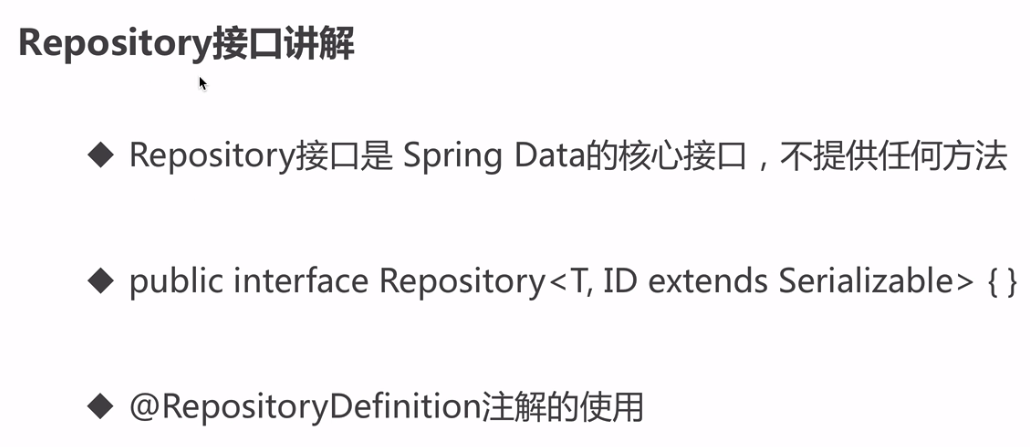
Repository类的定义:
public interface Repository<T, ID extends Serializable> {
}
1)Repository是一个空接口,标记接口
没有包含方法声明的接口
2)如果我们定义的接口EmployeeRepository extends Repository 就说明我们自定义的会被spring管理 所以上面案例可以直接getBean
如果我们自己的接口没有extends Repository,运行时会报错:
org.springframework.beans.factory.NoSuchBeanDefinitionException: No qualifying bean of type 'com.imooc.repository.EmployeeRepository' available
3) 添加注解能到达到不用extends Repository的功能
@RepositoryDefinition(domainClass = Employee.class, idClass = Integer.class)
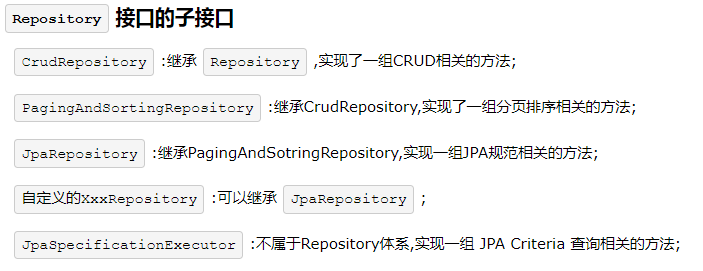
2、repository子接口
3、repository查询方法定义规则和使用
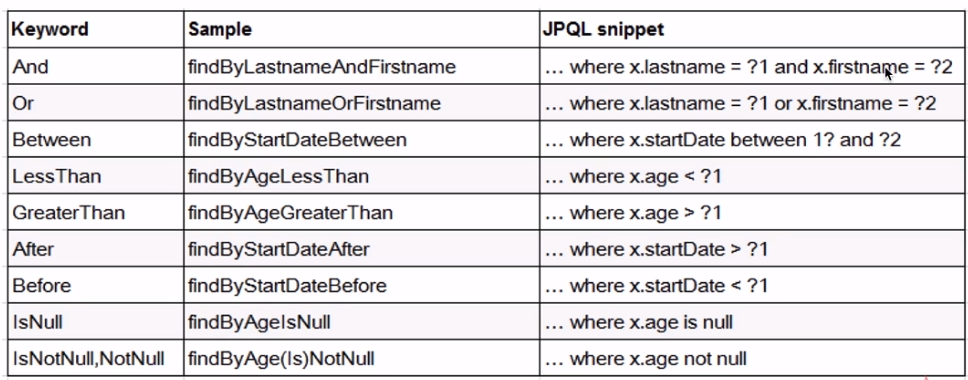

使用命名规则查询
    // where name like ?% and age <?
    public List<Employee> findByNameStartingWithAndAgeLessThan(String name, Integer age);

    // where name like %? and age <?
    public List<Employee> findByNameEndingWithAndAgeLessThan(String name, Integer age);

    // where name in (?,?....) or age <?
    public List<Employee> findByNameInOrAgeLessThan(List<String> names, Integer age);

    // where name in (?,?....) and age <?
    public List<Employee> findByNameInAndAgeLessThan(List<String> names, Integer age);
对于按照方法命名规则来使用的话,有弊端:
1)方法名会比较长: 约定大于配置
2)对于一些复杂的查询,是很难实现
4、@Query注解

@Query注解中写sql语句 但是查的不是表名 是表对应的实体类名。
    @Query("select o from Employee o where id=(select max(id) from Employee t1)")
    public Employee getEmployeeByMaxId();

    @Query("select o from Employee o where o.name=?1 and o.age=?2")
    public List<Employee> queryParams1(String name, Integer age);

    @Query("select o from Employee o where o.name=:name and o.age=:age")
    public List<Employee> queryParams2(@Param("name")String name, @Param("age")Integer age);

    @Query("select o from Employee o where o.name like %?1%")
    public List<Employee> queryLike1(String name);

    @Query("select o from Employee o where o.name like %:name%")
    public List<Employee> queryLike2(@Param("name")String name);
使用原生SQL 加上 nativeQuery = true属性
这里面的from后边跟的就是表名了
 @Query(nativeQuery = true, value = "select count(1) from employee")
    public long getCount();
5、更新、删除结合事务
事务在Spring data中的使用:
1)事务一般是在Service层
2)@Query、 @Modifying、@Transactional综合使用
EmployeeRepository.java
@Modifying
@Query("update Employee o set o.age = :age where o.id = :id")
public void update(@Param("id")Integer id, @Param("age")Integer age);
EmployeeService.java
@Service
public class EmployeeService {

    @Autowired
    private EmployeeRepository employeeRepository;

    @Transactional
    public void update(Integer id, Integer age) {
        employeeRepository.update(id, age);
    }

}
四、Repository的子接口的使用
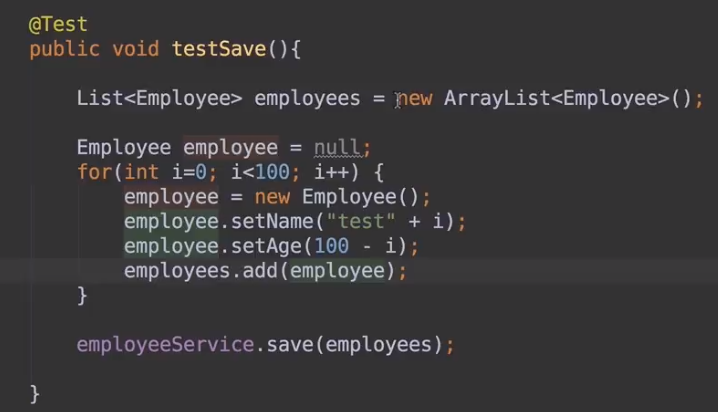
1、CrudRepository

- 自定义Repository 实现CrudRepository接口

- service:

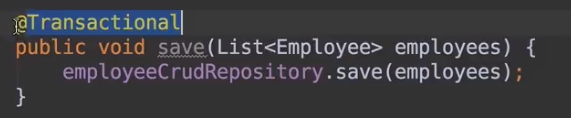
- 测试
2、PagingAndSortingRepository

- dao

- 分页测试

当前是第几页 因为是从0开始的 所以显示的时候可以加上1

- 分页加排序测试
- Order的第一个参数是按照什么方式排序(例如 升序、降序) 第二个参数是根据那个字段排序
![]()

3、JpaRepository
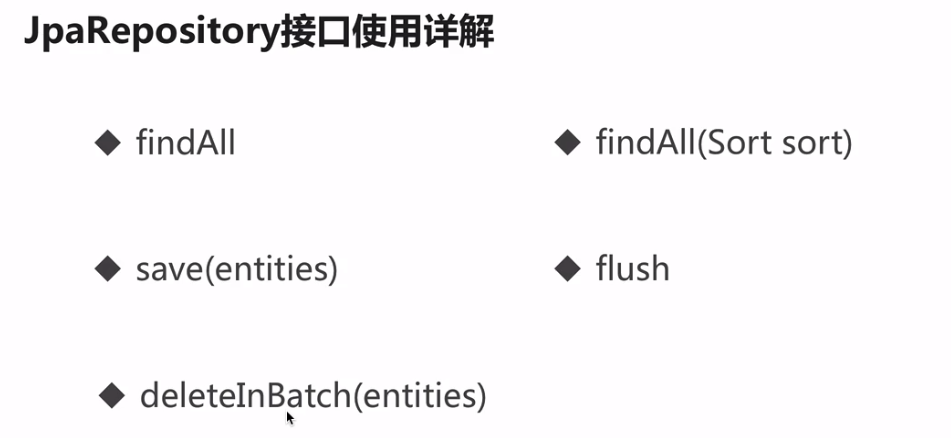
接口

测试略
4、JpaSpecificationExecutor
为什么使用这个接口 ,是因为其他几个基于 Repository的子接口 在分页查询 排序时不能加查询条件

使用这个类可以加查询条件
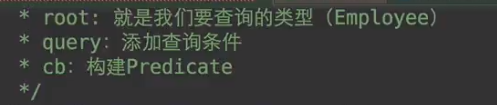
cb.gt(...)代表年龄大于50的条件


第二个参数是pageable 没有截出来
这样的话加上了限制条件 最后返回的是一个page,就可以拿数据了



 浙公网安备 33010602011771号