
UI自动化文件上传
方法一:
可以使用selenium的webdriver模块的send_keys方法,也就是输入
file=driver.find_element_by_xpath('//*[@class="shangchuan"]//*[@type="file"]')#文件上传

file.send_keys(r'C:\Users\86185\Desktop\test.py')#本地文件路径
方法二:
使用AutoIt软件生成exe文件,然后用python打开
AutoIt下载地址(百度云):https://pan.baidu.com/s/1uVJ5VefA3L7aDIVmyFgjww 提取码:cd30
第一步:
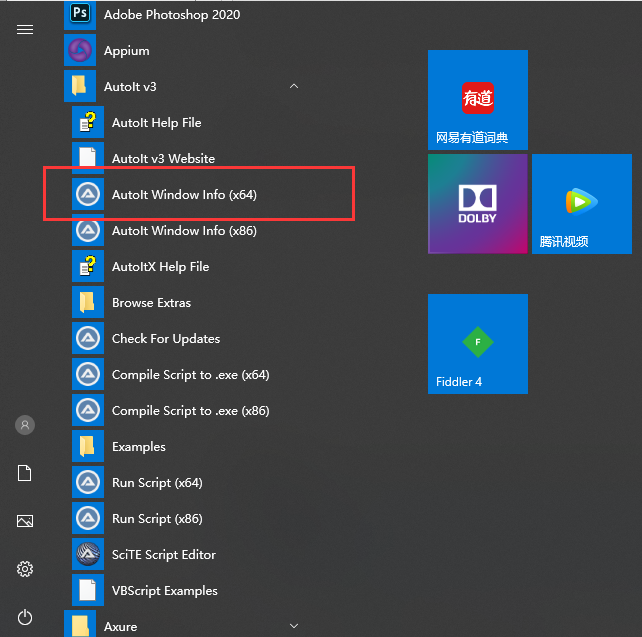
安装后计算机开始找到Autole Window Info (x64)点击打开
第二步: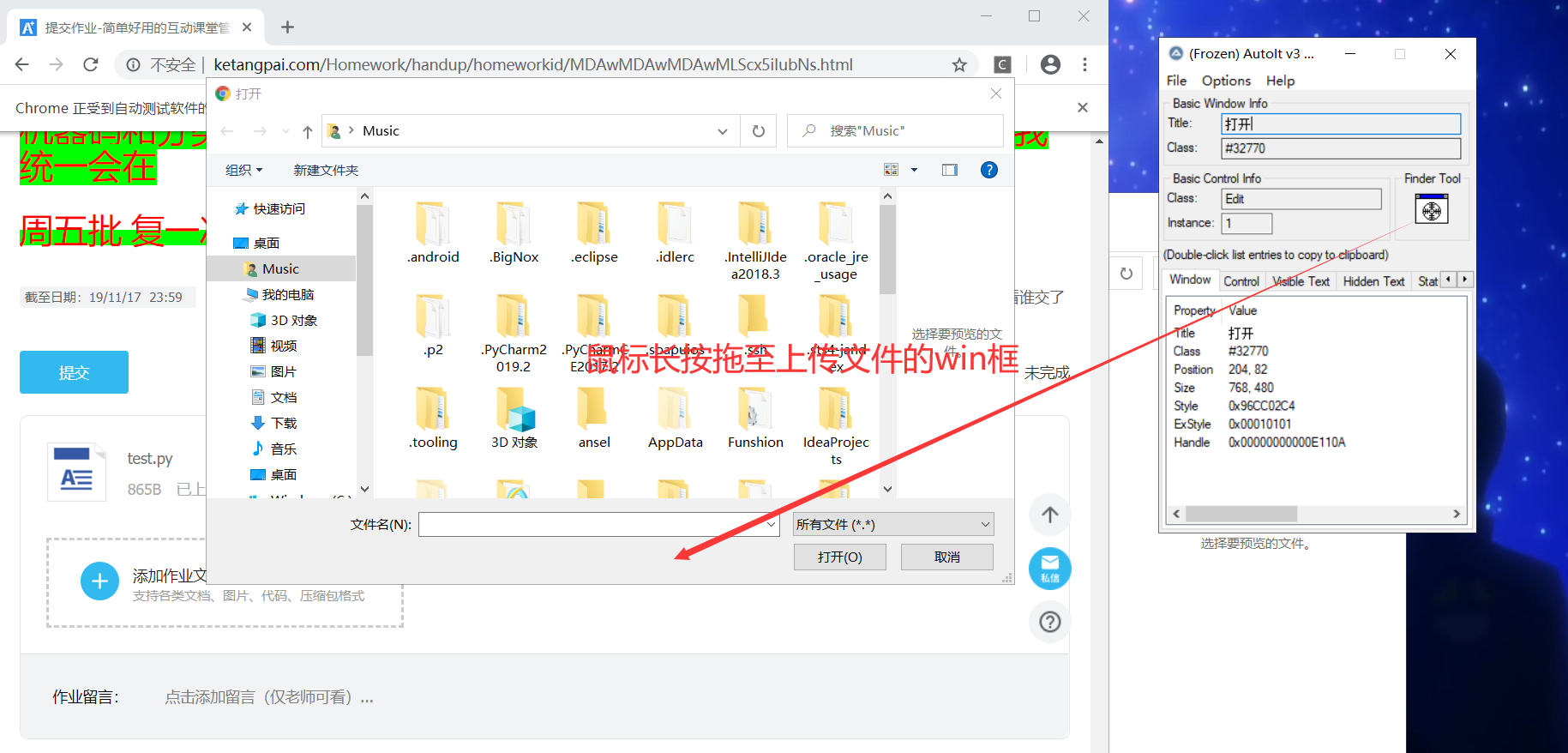
第三步:打开SciTE Script Editor编译器,输入以下内容
ControlFocus("打开","","Edit1")
;识别windows窗口
WinWait("[CLASS:#32770]","",10)
;窗口等待十秒
ControlSetText("打开", "", "Edit1", "f:\abc\xyz.txt")
;想输入框中输入需要上传的地址
Sleep(2000)
ControlClick("打开", "","Button1");
;点击[打开】按钮
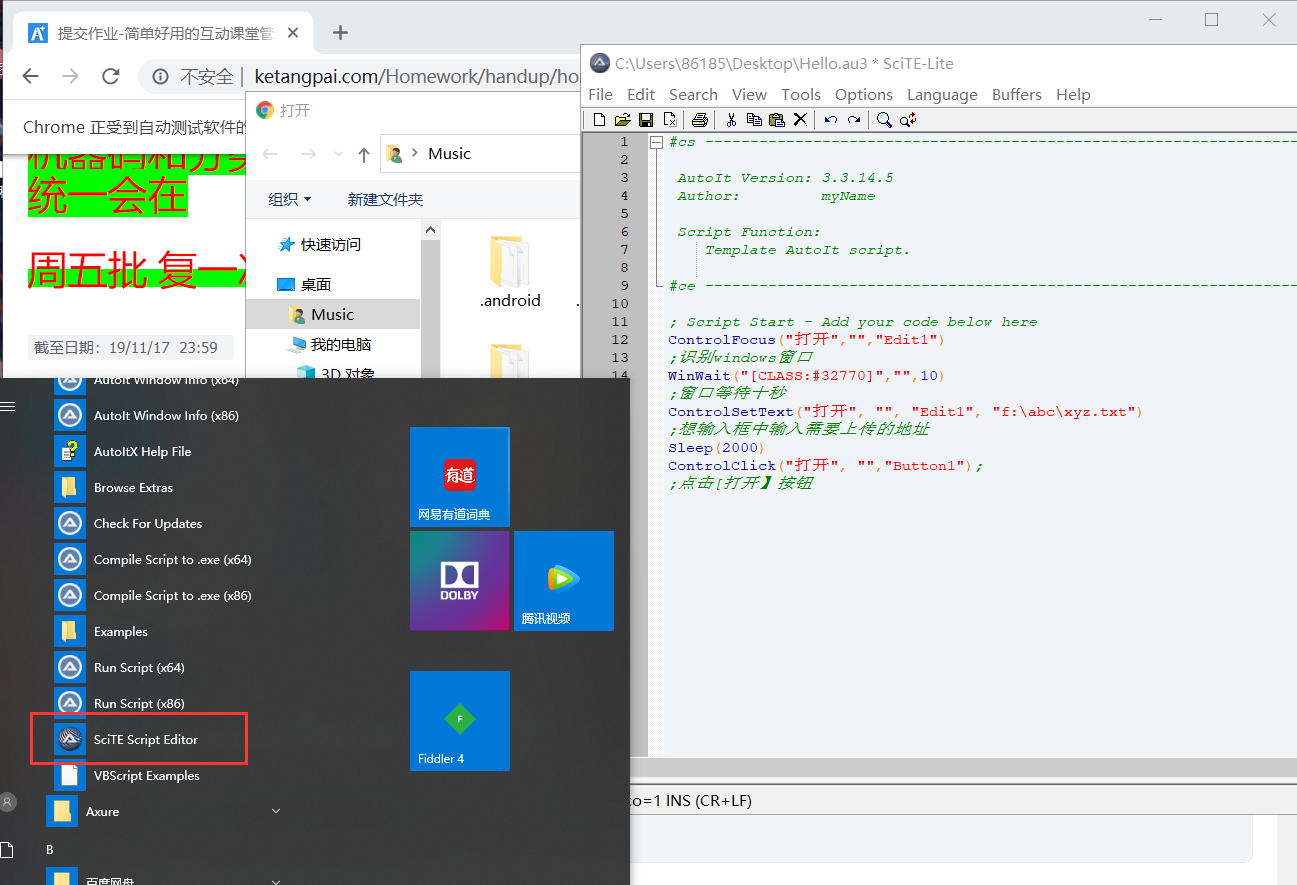
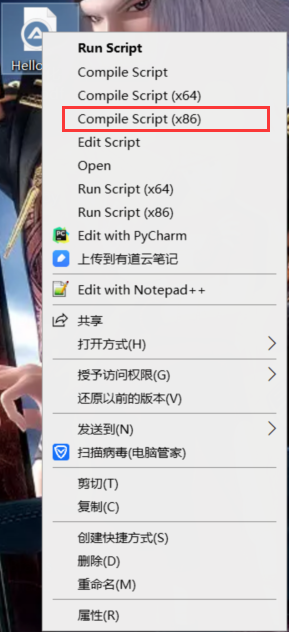
第四步:选择上面菜单栏的File—Save As...,另存为后,右键选择Compile Script(x86),会生成一个.exe文件
第五步:使用python打开生成的.exe文件
import os
main = "project1.exe"#文件路径
r_v = os.system(main)

 浙公网安备 33010602011771号