
自动化测试之滑块解锁
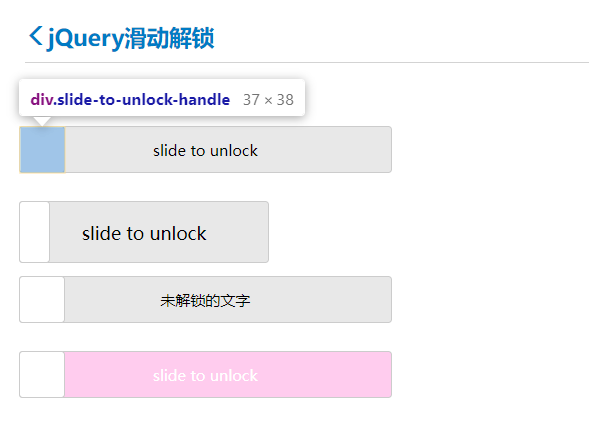
解决思路:单击滑块,改变 CSS 样式。
网址:https://www.helloweba.net/demo/2017/unlock/
样式代码如下:

slide-to-unlock-handle 表示滑块。在滑动过程中,滑块的左边距会逐渐变大,因为它在向右移动。
slide-to-unlock-progress 表示滑过之后的背景色,背景色的区域会逐渐增加,因为滑块在向右移动。
代码示例:
import time
from selenium import webdriver
from selenium.webdriver.common.by import By
from selenium.webdriver import ActionChains
from selenium.common.exceptions import UnexpectedAlertPresentException

driver = webdriver.Chrome()
driver.get("https://www.helloweba.net/demo/2017/unlock/")

# 定位滑动块
slider = driver.find_elements(By.CLASS_NAME, "slide-to-unlock-handle")[0]
action = ActionChains(driver)
action.click_and_hold(slider).perform()

for n in range(200):
    try:
        action.move_by_offset(2, 0).perform()
    except UnexpectedAlertPresentException:
        break
    action.reset_actions()
    time.sleep(0.1)  # 等待停顿时间


# 打印警告框提示
success_text = driver.switch_to.alert.text
print(success_text)
click_and_hold(): 单击并按下鼠标左键,在鼠标事件中介绍过。
move_by_offset():移动鼠标,第一个参数为 x 坐标距离,第二个参数为 y 坐标距离。
reset_action():重置 action。

 浙公网安备 33010602011771号