小程序中获取坐标值信息和所在位置的省份名称城市名称街道名称等

获取坐标1

App.json文件中增加:

"permission": {

    "scope.userLocation": {

      "desc": "获取最近商家的信息

    }

  },

  "requiredPrivateInfos": [

    "getLocation"  

  ]

获取坐标2:页面中onload函数中(或全局配置,在app.jsonLaunch函数中)增加如下代码:授权信息

wx.authorize({

      scope: 'scope.userLocation',

      success: function () {

        // 用户已经同意,可以继续调用 wx.getLocation

        console.log("授权成功");

      },

      fail: function () {

        // 用户拒绝了授权,引导用户去设置页面打开


        wx.showModal({

          title: '提示',

          content: '需要位置权限才能获取城市信息,是否去设置开启?',

          success (res) {

            if (res.confirm) {

              // 打开设置页面

              wx.openSetting();

            }

          }

        });

      }

    })


获取坐标3

onShow函数中,增加如下代码:用来获取坐标具体值

const that = this;

    wx.getLocation({

      type: 'gcj02', // 坐标系类型,腾讯地图推荐使用'gcj02'

      success (res) {

        const latitude = res.latitude

        const longitude = res.longitude

        // 逆地址解析,获取具体地址信息(包括城市)

        //that.reverseGeocoder(latitude, longitude);

        console.log('获取位置:'+latitude+':'+longitude);

      },

      fail (err) {

        console.error('获取位置失败:', err);

      }

    })


完成。


注意:注意存放函数顺序,先授权后获取

 ————————————————————————————————————————————————————————————————————————————————


获取坐标对应的位置名称

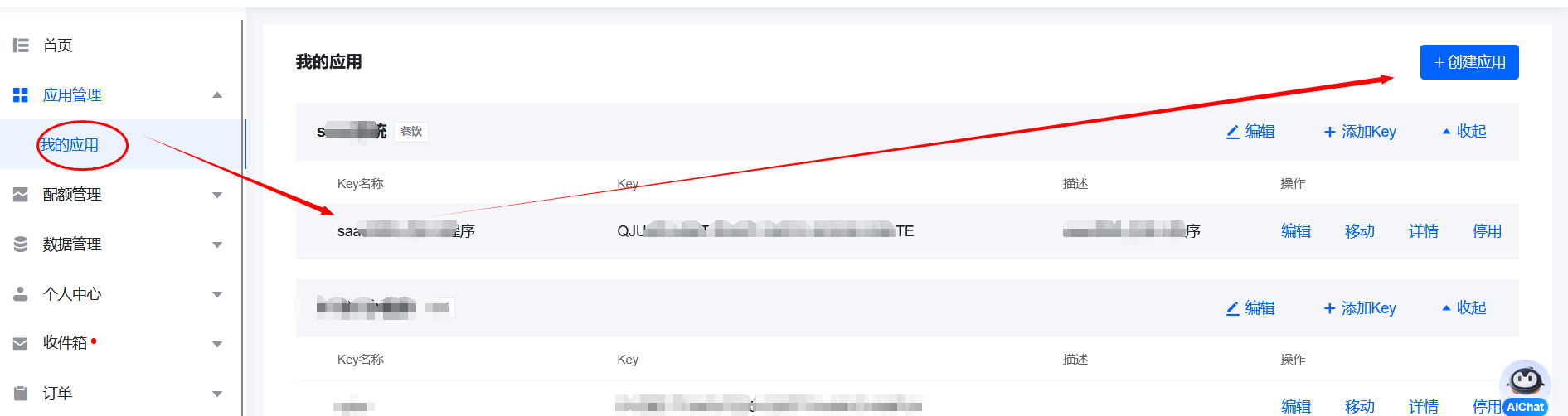
1:注册https://lbs.qq.com/账户,并创建应用,获得key
图片


2:代码

wx.request({
          url: 'https://apis.map.qq.com/ws/geocoder/v1/',
          data: {
            location: `${latitude},${longitude}`,
            key: 'Q366666666666666666666666K-2RBTE', // 替换为你的Key
            get_poi: 0 // 不返回周边POI信息
          },
          success: (res) => {
            if (res.data.status === 0{
              const addressComponent = res.data.result.address_component;
              const province = addressComponent.province; // 省
              const city = addressComponent.city;         // 市
              const district = addressComponent.district; // 区/县
              console.log("城市信息"+JSON.stringify(addressComponent));
              wx.showToast({
                title: "城市信息"+JSON.stringify(addressComponent), // 提示内容
                icon: 'success', // 图标,可选 'success', 'loading', 'none'
                duration: 20000000000, // 显示时长(毫秒)
                mask: true // 是否显示透明蒙层,防止触摸穿透(可选)
              })
              // 更新页面数据
              // this.setData({
              //   currentAddress: `${province} ${city} ${district}`
              // });
            } else {
              console.error('逆地址解析失败:', res.data.message);
            }
          }
        })


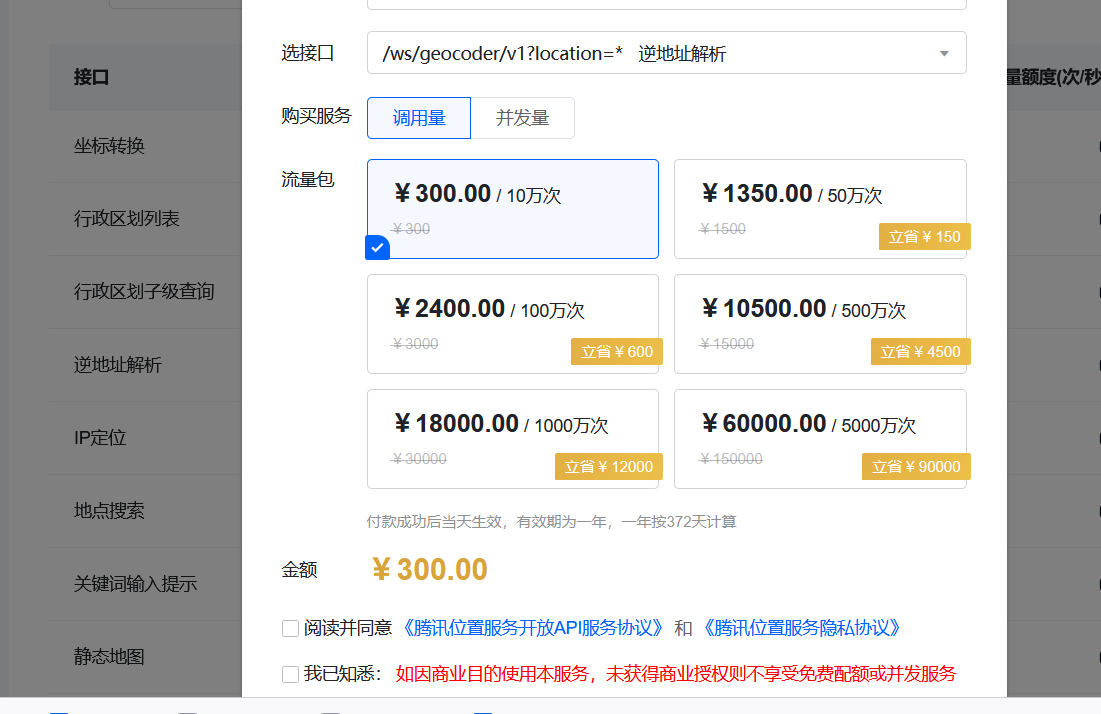
3:在腾讯地图账户--》配额管理--》购买配额,购买/ws/geocoder/v1?location=* 购买调用量,才可以不受限制。
图片


posted @ 2025-10-15 13:44  枫-  阅读(29)  评论(0)    收藏  举报