
0. docker安装
更新ubuntu的apt源索引
sudo apt-get update
安装包允许apt通过HTTPS使用仓库
sudo dpkg --configure -a
sudo apt-get install apt-transport-https ca-certificates curl software-properties-common
添加Docker官方GPG key【这个是国外服务器地址,所以网路不好的时候,会失败!在网路好的情况下,多执行几次就没问题了】
curl -fsSL https://download.docker.com/linux/ubuntu/gpg | sudo apt-key add -
设置Docker稳定版仓库
sudo add-apt-repository "deb [arch=amd64] https://download.docker.com/linux/ubuntu $(lsb_release -cs) stable"
添加仓库后,更新apt源索引
sudo apt-get update
前面的准备工作完成以后,接下来安装最新版Docker CE(社区版)
sudo apt-get install docker-ce
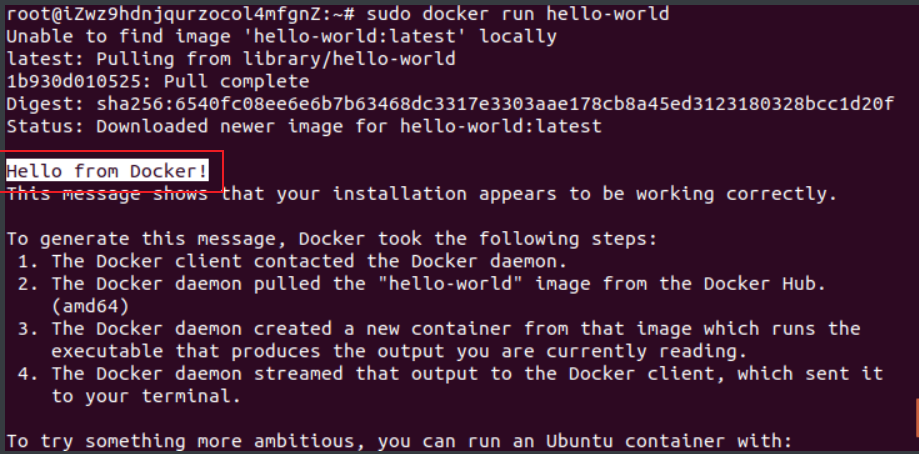
检查Docker CE是否安装正确
sudo docker run hello-world
出现了helo from Docker则表示上面的安装成功!
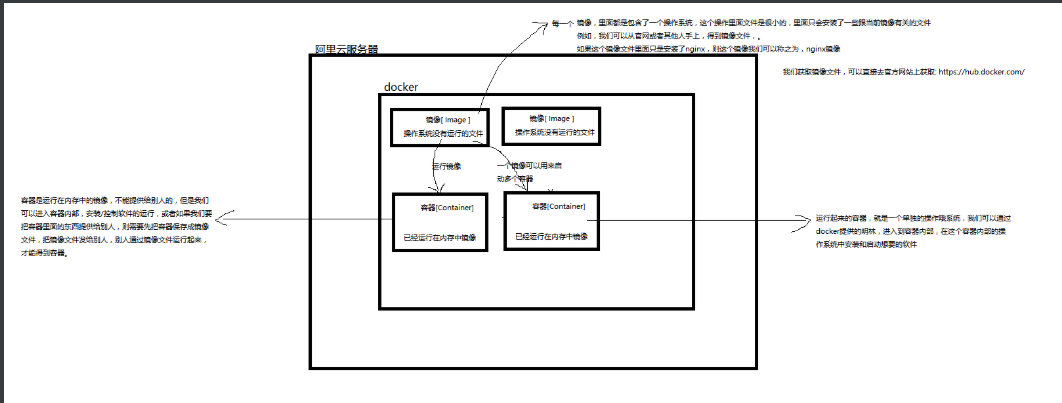
我们获取镜像文件,可以直接去官方网站上获取: https://hub.docker.com/
 posted on

 浙公网安备 33010602011771号