内网穿透 -- iodine dns协议 隧道
iodine dns 隧道
前期准备
使用dns协议 记录类型,NS将子域名指定其他DNS服务器解析
利用 NS的功能,指向一个A记录的域名,让客户端链接自己指定的IP和端口 ,从而建立dns隧道


test	NS	默认 www.mmszxc.asia  10 分钟	启用
www	    A	默认	124.220.30.250  10 分钟	启用
服务器
安装下载
yum install -y iodine

iodined  -f -c  -P root@123 192.168.100.1 test.mmszxc.asia -dd
 -f 前台运行
 -c  允许全部ip
 -P  密码
 -dd  详细日志
 192.168.100.1  指定虚拟网卡的ip

##必须再dns 解析的主机上执行
[root@test ~/iodine]# iodined  -f -c  -P root@123 192.168.100.1 test.mmszxc.asia -DD
Debug level 2 enabled, will stay in foreground.
Add more -D switches to set higher debug level.
Opened dns0
Setting IP of dns0 to 192.168.100.1
Setting MTU of dns0 to 1130
Opened IPv4 UDP socket
Listening to dns for domain test.mmszxc.asia


请求的地址进行检查 https://code.kryo.se/iodine/check-it/

另开一个会话,显示ip
[root@VM-4-12-centos ~]# ip add |grep 192.168.100.1
    inet 192.168.100.1/27 scope global dns0
[root@VM-4-12-centos ~]#
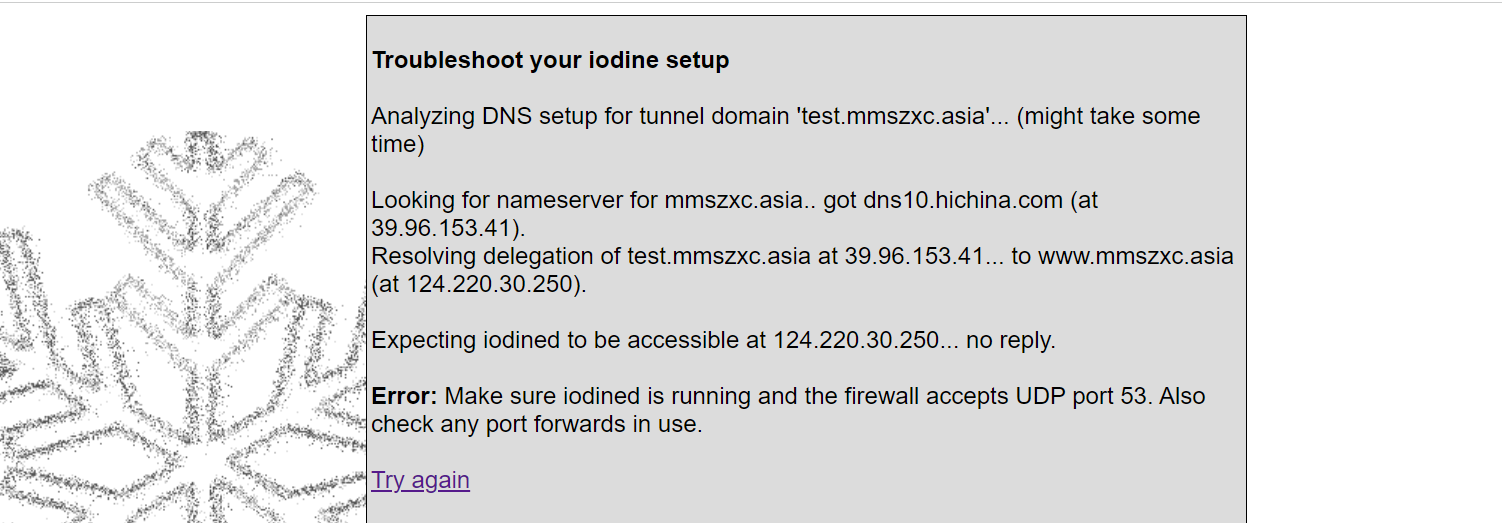
client
Windows 下 tap-windows-9.9.2_3.exe 安装虚拟网卡

管理员权限 启动 iodine.exe 程序


C:\64bit>iodine.exe.exe -M 100  -f -P root@123 test.mmszxc.asia
Opening device 以太网
Opened IPv4 UDP socket
Opened IPv4 UDP socket
Opened IPv4 UDP socket
Sending DNS queries for test.mmszxc.asia to 10.0.0.254
Autodetecting DNS query type (use -T to override).
Using DNS type NULL queries
Version ok, both using protocol v 0x00000502. You are user #1
Enabling interface '以太网'
Setting IP of interface '以太网' to 192.168.100.3 (can take a few seconds)...

Server tunnel IP is 192.168.100.1
Requesting server address to attempt raw UDP mode (skip with -r)
Server is at 10.0.4.12, trying raw login: (skip with -r) ....failed
Using EDNS0 extension
DNS queries get changed to lowercase, keeping upstream codec Base32
No alternative downstream codec available, using default (Raw)
Switching to lazy mode for low-latency
Server switched to lazy mode
Autoprobing max downstream fragment size... (skip with -m fragsize)
768 ok.. 1152 corrupted at 134.. 1152 not ok.. 960 corrupted at 192.. 960 not ok.. 864 ok.. 912 corrupted at 152.. 912 not ok.. 888 corrupted at 126.. 888 not ok.. 876 corrupted at 154.. 876 not ok.. will use 864-2=862
Setting downstream fragment size to max 862...
Connection setup complete, transmitting data.
# windows 下也是成功的

Got SERVFAIL as reply: server failed or recursion timeout
Hmm, that's 1. Your data should still go through...
Got SERVFAIL as reply: server failed or recursion timeout
linux
^X^C[root@test ~/iodine]# iodine -f -P root@123 test.mmszxc.asia
Opened dns0
Opened IPv4 UDP socket
Sending DNS queries for test.mmszxc.asia to 223.5.5.5
Autodetecting DNS query type (use -T to override).
Using DNS type NULL queries
Version ok, both using protocol v 0x00000502. You are user #0
Setting IP of dns0 to 192.168.100.2
Setting MTU of dns0 to 1130
Server tunnel IP is 192.168.100.1
Testing raw UDP data to the server (skip with -r)
Server is at 10.0.4.12, trying raw login: ....failed
Using EDNS0 extension
DNS queries get changed to lowercase, keeping upstream codec Base32
No alternative downstream codec available, using default (Raw)
Switching to lazy mode for low-latency
Server switched to lazy mode
Autoprobing max downstream fragment size... (skip with -m fragsize)
768 ok.. ..1152 ok.. ...1344 not ok.. ...1248 not ok.. ...1200 not ok.. 1176 ok.. 1188 ok.. will use 1188-2=1186
Setting downstream fragment size to max 1186...
Connection setup complete, transmitting data.
# 出现 链接成功
iodine: Got SERVFAIL as reply: server failed or recursion timeout
iodine: Hmm, that's 1. Your data should still go through...
iodine: Got SERVFAIL as reply: server failed or recursion timeout
iodine: Hmm, that's 2. Your data should still go through...
iodine: Got SERVFAIL as reply: server failed or recursion timeout
iodine: Hmm, that's 3. Your data should still go through...
iodine: Got SERVFAIL as reply: server failed or recursion timeout
iodine: Hmm, that's 4. Your data should still go through...


###


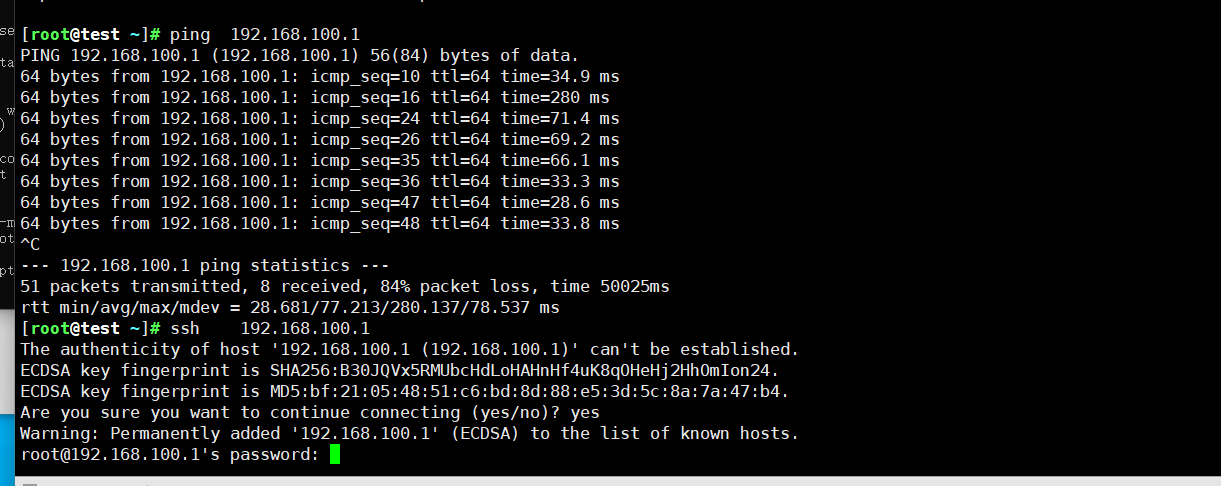
另外开启一个回话 ping 一下也是成功的
ssh的话 也是成功的

 浙公网安备 33010602011771号