js的 style属性操作
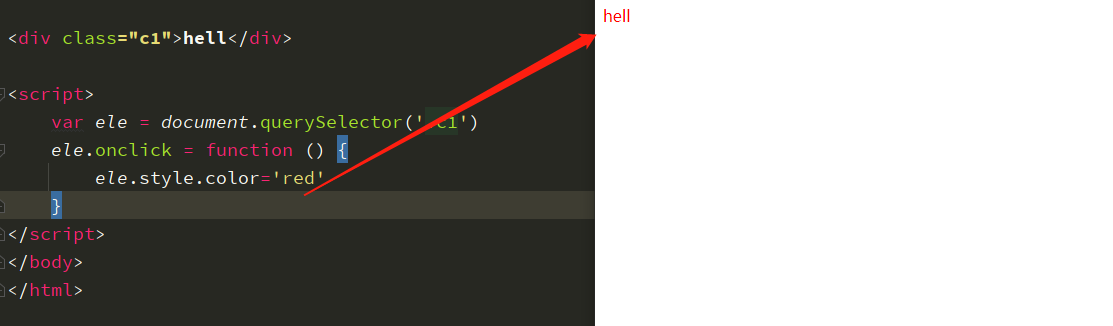
js 对于css属性也可以通过style进行控制,js代码控制css的值,通过style样式属性,赋值标签的效果。

<!DOCTYPE html>
<html lang="en">
<head>
    <meta charset="UTF-8">
    <title>Title</title>
</head>
<body>


<div class="c1">hell</div>

<script>
    var ele = document.querySelector('.c1')
    ele.onclick = function () {
        ele.style.color='red'
    }
</script>
</body>
</html>
![image-20230314141815123]()
js 的 自定义属性的操作
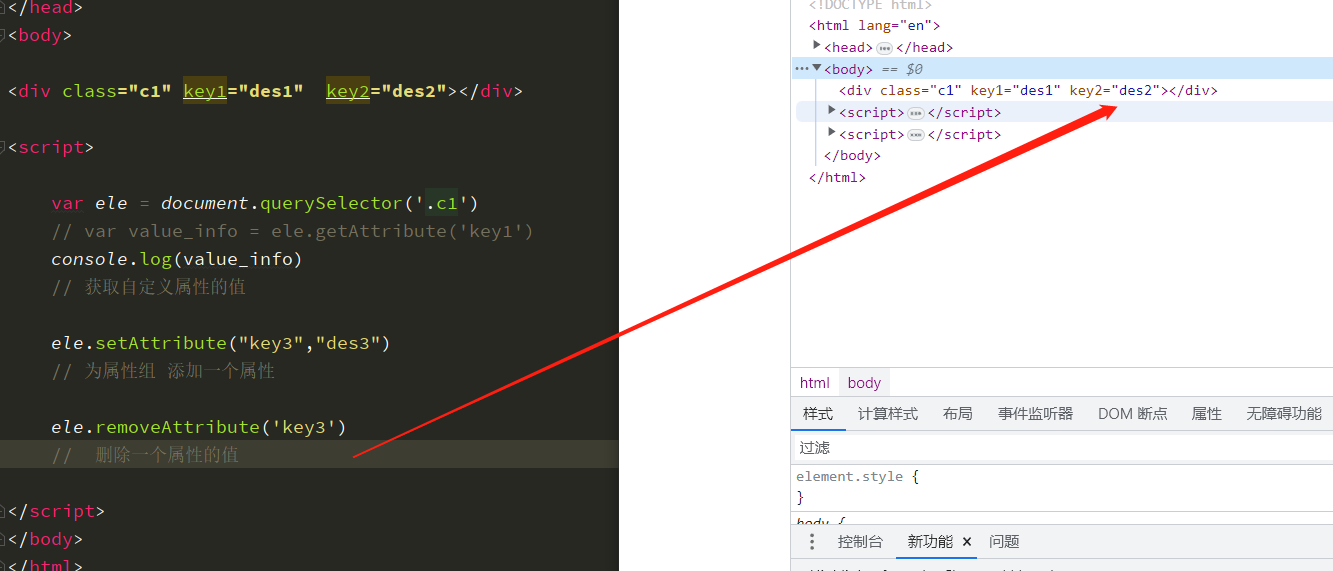
对于自定义添加的 属性键值对 在使用value方法无法支撑,
js提供
getAttribute        获取属性值
setgetAttribute     设置属性值
removegetAttribute  删除属性值
进行对自定义属性的增查删的功能。
<!DOCTYPE html>
<html lang="en">
<head>
    <meta charset="UTF-8">
    <title>Title</title>
</head>
<body>

<div class="c1" key1="des1"  key2="des2"></div>

<script>

    var ele = document.querySelector('.c1')
    // var value_info = ele.getAttribute('key1')
    console.log(value_info)
    // 获取自定义属性的值

    ele.setAttribute("key3","des3")
    // 为属性组 添加一个属性

    ele.removeAttribute('key3')
    //  删除一个属性的值

</script>
</body>
</html>
![image-20230314143038722]()
js class 属性操作
1.游览器访问一个url地址,下载到本地的全部的数据,
  通过使用这的鼠标等动作,触发js 代码,调整css属性的键值对,达到页面数据的显示的不同。

2.DOM针对标签的属性都是都是单个属性,属于一对一的形式,使用key赋值内容比较简单,
  但是class样式的value值非常多,使用繁琐,
  在js代码中把class属性当做了一个列表,js添加或者减少class的值调用功能即可。

3、使用classlist方法,
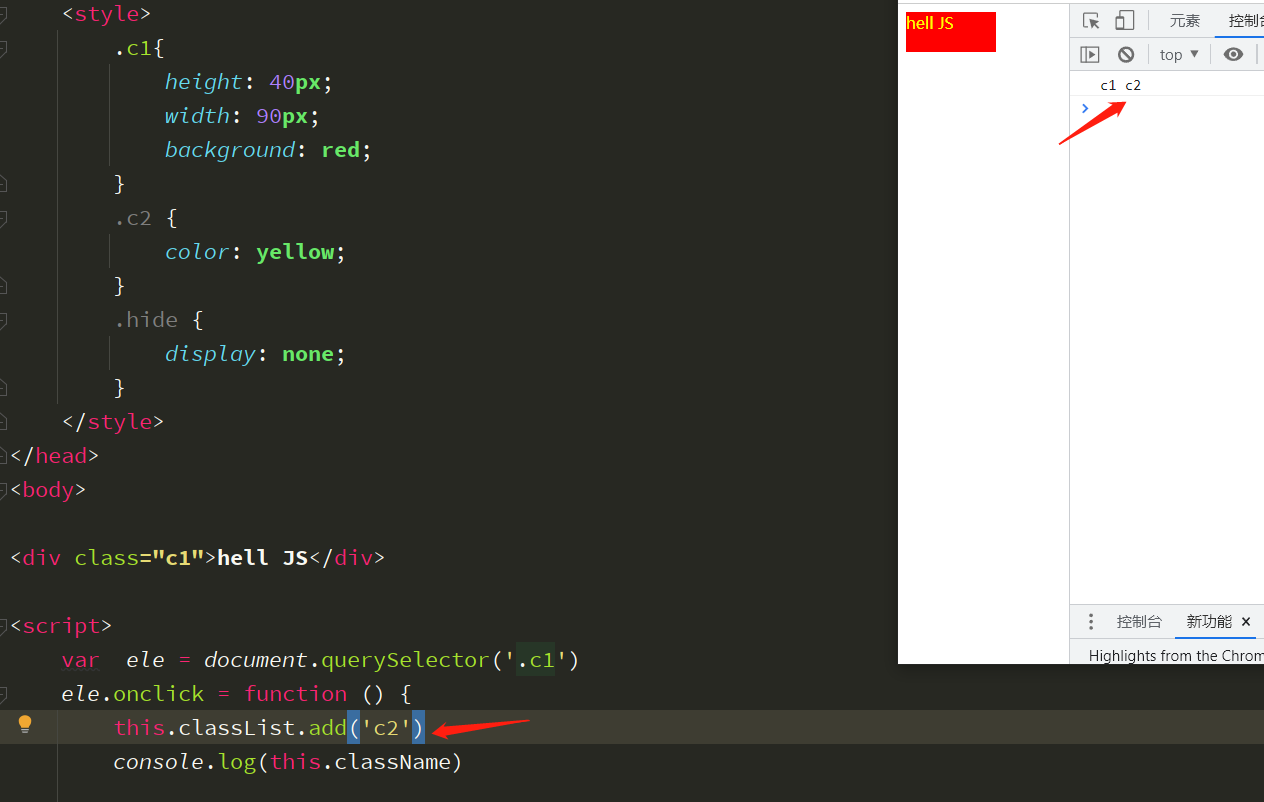
   this.className        显示css的属性列表.
   this.classList.add    添加样式名称
   this.classList.remove 去掉样式名称
   js中利用classlist添加样式就可以达到不同标签之间的显示效果。
   a标签被触发,获取全部标签,统一做样式调整,然后添加或者删除被触发标签的样式,达到该样式的唯一性


<!DOCTYPE html>
<html lang="en">
<head>
    <meta charset="UTF-8">
    <title>Title</title>
    <style>
        .c1{
            height: 40px;
            width: 90px;
            background: red;
        }
        .c2 {
            color: yellow;
        }
        .hide {
            display: none;
        }
    </style>
</head>
<body>
<div class="c1">hell JS</div>
<script>
    var  ele = document.querySelector('.c1')
    ele.onclick = function () {
        this.classList.add('c2')
        console.log(this.className)
    }
</script>
</body>
</html>
![image-20230314145112466]()
class 案例 京东商品分类隐藏
<!DOCTYPE html>
<html lang="en">
<head>
  <meta charset="UTF-8">
  <title>Title</title>
    <style>

        * {
            margin: 0;
            padding: 0;
        }

        .model{
            height: 500px;
            width: 800px;
            /*border: 1px red solid;*/
            margin-left: 500px;
            margin-top: 300px;
        }

        li {
            list-style-type: none;
        }
        .tab-title{
                background-color: #f7f7f7;
                border: 1px solid #eee;
                border-bottom: 1px solid #e4393c;
        }

        .tab-title li {
            display: inline-block;
                padding: 10px 25px;
                font-size: 14px;

        }

        .current {
            background-color: #e4393c;
            color: #fff;
            cursor: default;
        }

        .hide{
            display: none;
        }

    </style>


</head>
<body>


<div class="model">

    <ul class="tab-title">
        <li class="current " index ='0'> 商品介绍 </li>
        <li index ='1'> 包装与规格 </li>
        <li index ='2' > 售后保障 </li>
        <li index ='3'> 商品评价 </li>
    </ul>

    <ul class="value">
        <li class=" " > 商品介绍 -------------</li>
        <li class=" hide"> 包装与规格------------ </li>
        <li class=" hide" > 售后保障 -------------</li>
        <li class=" hide" > 商品评价 ------------- </li>
    </ul>

</div>
<script>

     var titles = document.querySelectorAll('.tab-title li')
     var values = document.querySelectorAll('.value li')
     // 获取的全部的 标题的标签对象数组  标签对象的索引和内容对象的索引一一 对应
     // 获取的全部的 内容的标签对象数组
     //
        for (var  i = 0; i < titles.length; i++) {
            // 全部的document循环出来,给每个 标题添加一个触发事件

            titles[i].onclick =function () {
                // 当触发事件被执行的时候,

                 // 先把全部的标签的样式去除掉
                for (var k =0; k < titles.length;k++){
                    titles[k].classList.remove('current')
                }
                 // 再添加 触发的标签的样式添加
                 this.classList.add('current')

                // 要想显示被触发标签的内容显示出来,其他内容隐藏。

                // 先把索引的内容标签的加上 hide样式,都隐藏起来
                for (var w=0; w < values.length;w++){
                    values[w].classList.add('hide')
                }

                // 通过 取出触发标签标题的索引,找到内容标签的对象
               var indexs =  this.getAttribute('index')

                values[indexs].classList.remove('hide')

             }
        }
</script>

</body>
</html>
![image-20230314165823706]()


 浙公网安备 33010602011771号