
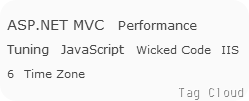
 In preceding post, I have talked about hiring tag could in your cnblog. It seems that works smoothly. But, there are still something we should not overlook, otherwise, you will have a BIG TAG LIST rather than tag cloud.
In preceding post, I have talked about hiring tag could in your cnblog. It seems that works smoothly. But, there are still something we should not overlook, otherwise, you will have a BIG TAG LIST rather than tag cloud.
Still remember the code calculating the font size? To recall your memory, I will put it here again.
var fontSize = 0.8 + count / 10.0;

if (fontSize > 2) {

    fontSize = 2;

}
In the code above, 0.8 is the initial font size, 10.0 is the scaling factor, and we will firm the font size if it exceed 2. Here are the problems.
- This method is static because scaling factor is static.
- If all post counts under your tags exceed 12 (you know, 0.8 + 12 / 10.0 = 2), you will get a BIG TAG LIST rather than tag could.
What’s a BIG TAG LIST exactly? Well, I’ll show you an example.
See? A BIG TAG LIST is fairly meaningless.
Since we found the flaws of original implementation, we need to find a way to dynamically calculate font sizes.
Oh wait, dynamically? What the heck shall I do?
Take it easy man, it is not that difficult for you. Let’s have a look at some basic equations.
Firstly, we want to make our function dynamic, we need a dynamic scaling factor, which is 10.0 in our previous code. The following equation shows how to get a dynamic proportion (p in equation).

Then, we can use the proportion to calculate font sizes dynamically by the following equation.

So far so good. Finally, let’s rewrite the code as following.
function applyTagCloud() {
    var matches = $('#MyTag').html().match(/<a(.*?<\/a>).*?\((\d+)\)/g);
    var minPostCount = 0, maxPostCount = 0;
    var minFontSize = 0.8, maxFontSize = 2;
    var tags = [], result = [];

    for (var i = 0, l = matches.length; i < l; i++) {
        var match = /<a(.*?<\/a>).*?\((\d+)\)/g.exec(matches[i]);
        var tag = { postLink: match[1], postCount: parseInt(match[2]) };
        minPostCount = Math.min(minPostCount, tag.postCount);
        maxPostCount = Math.max(maxPostCount, tag.postCount);
        tags.push(tag);
    }

    var p = (maxFontSize - minFontSize) / (maxPostCount - minPostCount);

    for (var i = 0, l = tags.length; i < l; i++) {
        var tag = tags[i];
        var fontSize = (tag.postCount - minPostCount) * p + minFontSize;
        result.push('<a style="font-size: ' + fontSize + 'em;"' + tag.postLink)
    }

    $('#MyTag').html(result.join(''));
}
I found something interesting during writing the code. I cannot reuse the Regex object like I did in previous post, otherwise, it will return null for some matches. So I have to claim regex /<a(.*?<\/a>).*?\((\d+)\)/g twice in the code.
 posted on

 浙公网安备 33010602011771号