
反向代理报错
反向代理报错
第一阶段
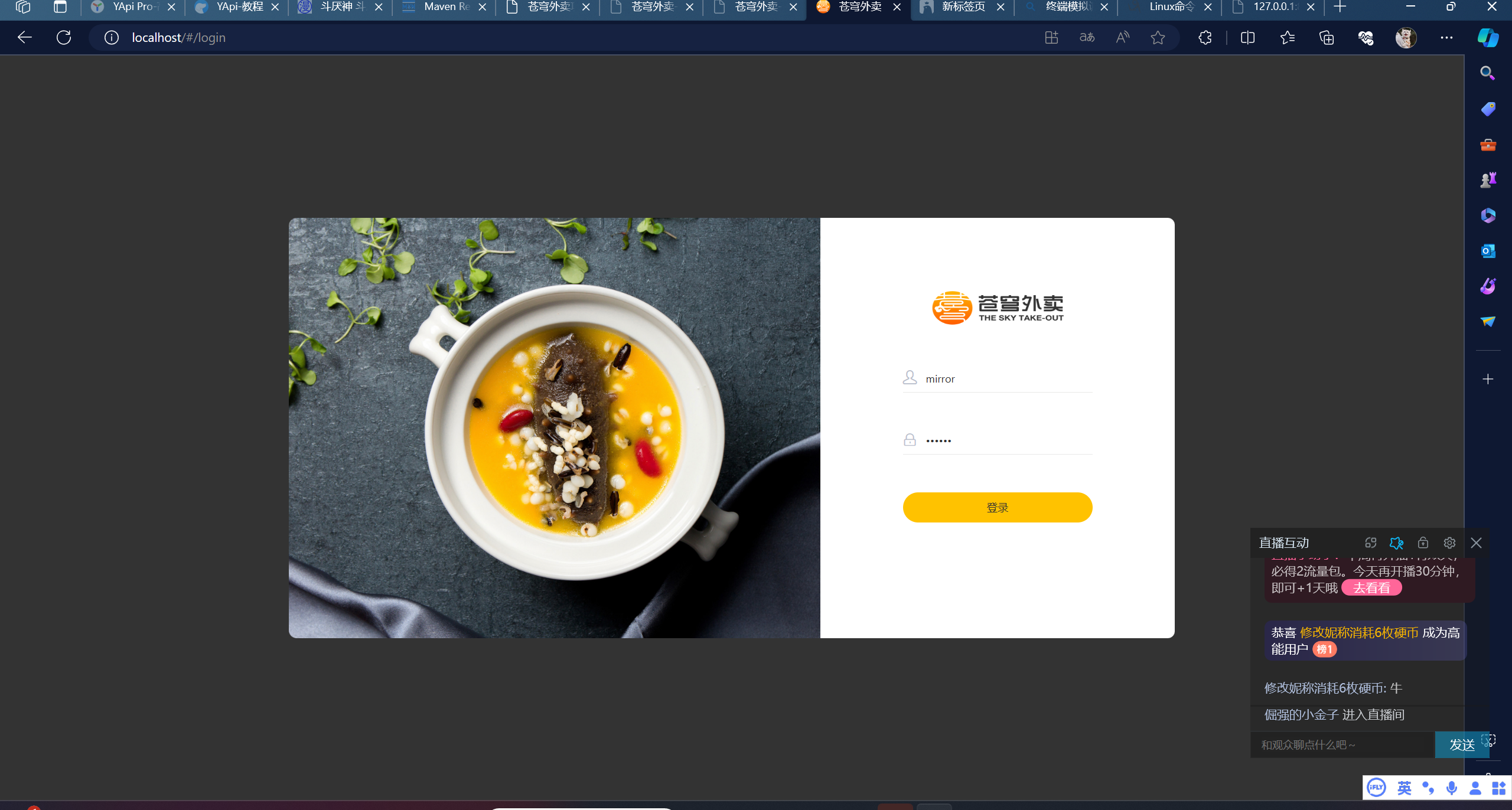
这里点登陆后无反应。
监听网络。
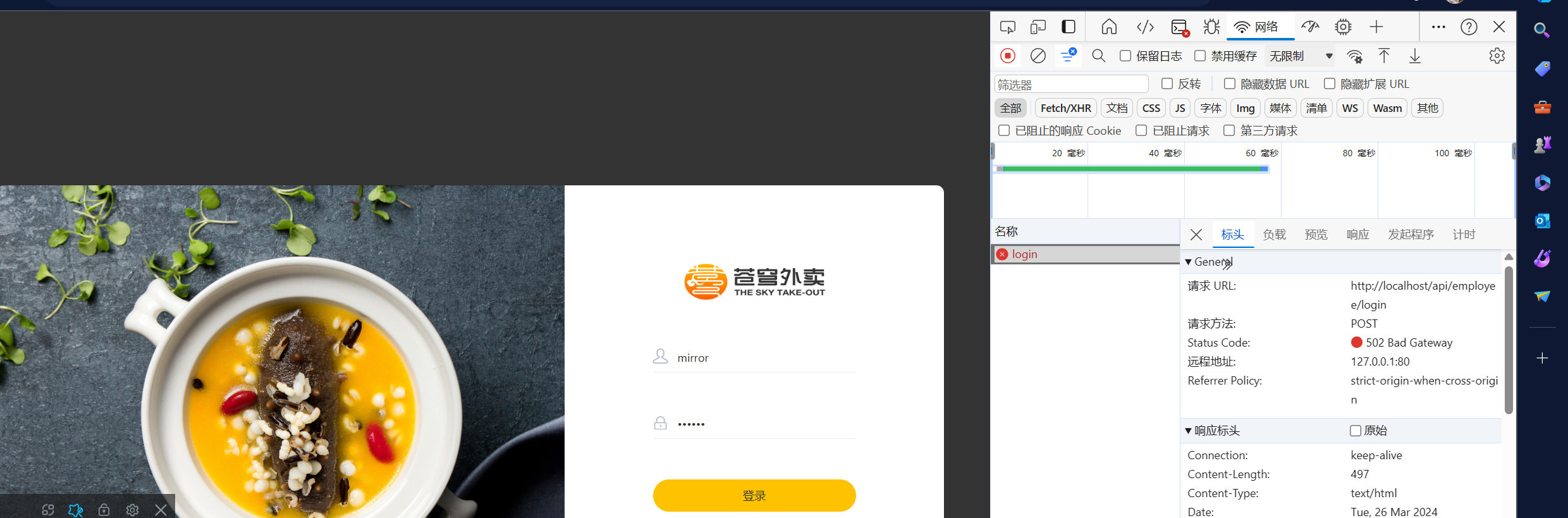
于是去查哪里出问题了。
首先
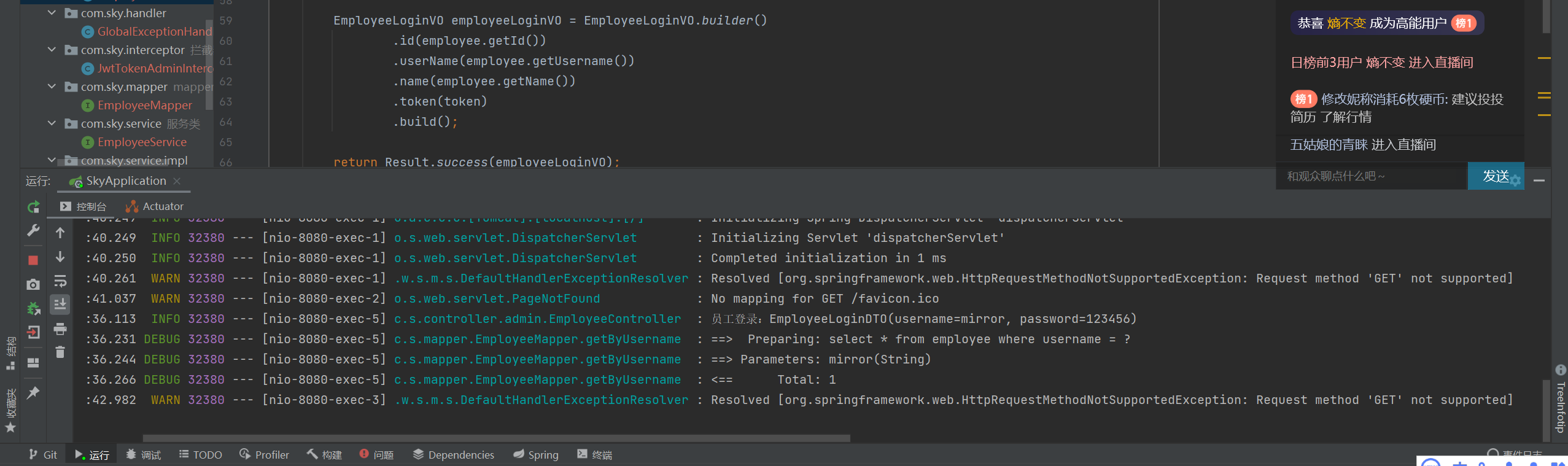
后台终端处无反应,那个报错是我直接访问要来里的地址造成的。
所以问题放到了前端处。
#user  nobody;

worker_processes  1;


#error_log  logs/error.log;

#error_log  logs/error.log  notice;

#error_log  logs/error.log  info;


#pid        logs/nginx.pid;


# 与用户的网络链接

events {

    worker_connections  1024;

}


# 代理配置,缓存,第三方模块的配置信息

http {

    include       /etc/nginx/mime.types;

    default_type  application/octet-stream;


    #log_format  main  '$remote_addr - $remote_user [$time_local] "$request" '

    #                  '$status $body_bytes_sent "$http_referer" '

    #                  '"$http_user_agent" "$http_x_forwarded_for"';


    #access_log  logs/access.log  main;


    sendfile        on;

    #tcp_nopush     on;


    #keepalive_timeout  0;

    keepalive_timeout  65;


    #gzip  on;


	map $http_upgrade $connection_upgrade{

		default upgrade;

		'' close;

	}

# 配置后端服务器的具体地址,负载均衡配置

	upstream webservers{

	  server 127.0.0.1:8080 weight=90 ;

	  #server 127.0.0.1:8088 weight=10 ;

	}

# 配置虚拟主机的相关参数,可以有多个

    server {

        listen       80;

        server_name  127.0.0.1;


        #charset koi8-r;


        #access_log  logs/host.access.log  main;

# 指令用于匹配url

        location / {

            root   /usr/share/nginx/html/sky;

            index  index.html index.htm;

        }


        #error_page  404              /404.html;


        # redirect server error pages to the static page /50x.html

        #

        error_page   500 502 503 504  /50x.html;

        location = /50x.html {

            root   /usr/share/nginx/html;

        }


        # 反向代理,处理管理端发送的请求

        location /api/ {

		proxy_pass   http://127.0.0.1:8080/admin/;

            #proxy_pass   http://webservers/admin/;

        }


		# 反向代理,处理用户端发送的请求

        location /user/ {

            proxy_pass   http://webservers/user/;

        }


		# WebSocket

		location /ws/ {

            proxy_pass   http://webservers/ws/;

			proxy_http_version 1.1;

			proxy_read_timeout 3600s;

			proxy_set_header Upgrade $http_upgrade;

			proxy_set_header Connection "$connection_upgrade";

        }


        # pass the PHP scripts to FastCGI server listening on 127.0.0.1:9000

        #

        #location ~ \.php$ {

        #    root           html;

        #    fastcgi_pass   127.0.0.1:9000;

        #    fastcgi_index  index.php;

        #    fastcgi_param  SCRIPT_FILENAME  /scripts$fastcgi_script_name;

        #    include        fastcgi_params;

        #}


        # deny access to .htaccess files, if Apache's document root

        # concurs with nginx's one

        #

        #location ~ /\.ht {

        #    deny  all;

        #}

    }


    # another virtual host using mix of IP-, name-, and port-based configuration

    #

    #server {

    #    listen       8000;

    #    listen       somename:8080;

    #    server_name  somename  alias  another.alias;


    #    location / {

    #        root   html;

    #        index  index.html index.htm;

    #    }

    #}


    # HTTPS server

    #

    #server {

    #    listen       443 ssl;

    #    server_name  localhost;


    #    ssl_certificate      cert.pem;

    #    ssl_certificate_key  cert.key;


    #    ssl_session_cache    shared:SSL:1m;

    #    ssl_session_timeout  5m;


    #    ssl_ciphers  HIGH:!aNULL:!MD5;

    #    ssl_prefer_server_ciphers  on;


    #    location / {

    #        root   html;

    #        index  index.html index.htm;

    #    }

    #}


}
上方是nginx.conf。
看上去应该没问题。
查nginx的报错。
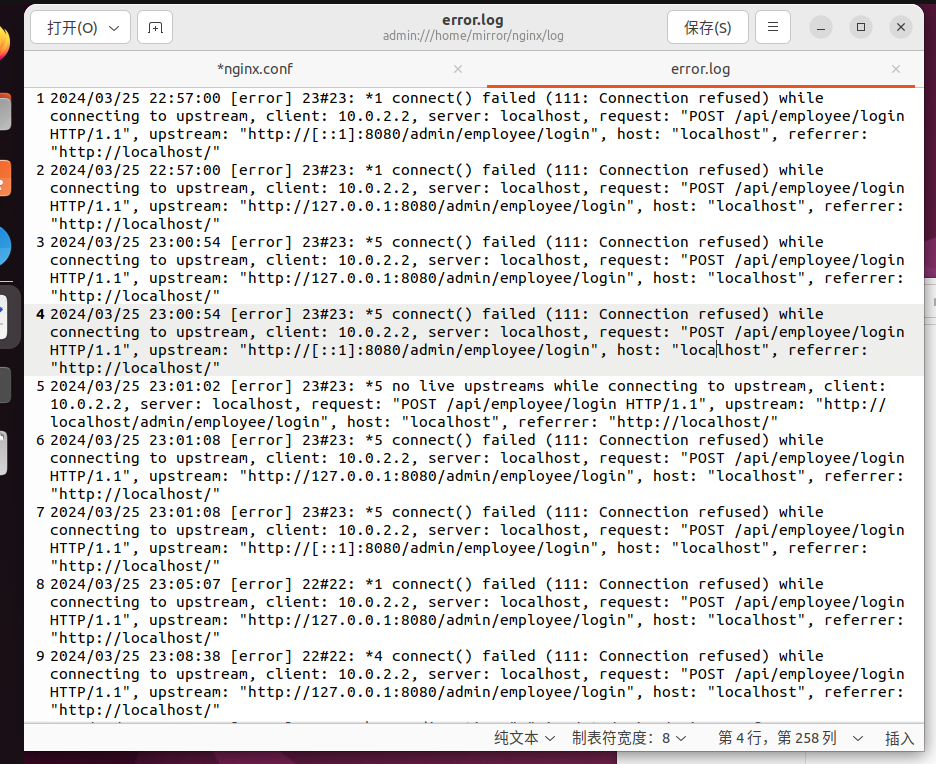
无法解决。
第二阶段
在直播间大佬的帮助下,修改妮称小号6枚硬币
分析应该是虚拟机,因为前后端程序不在同一台机器上,需要进行跨域拦截。
或者说是IP地址的问题。因为后端没有访问到,报错也是网关报错。
怀疑是跨域请求问题。
开始测试IP,使用ipconfig查询IP地址,虚拟机地址192.168.56.1,主机地址192.168.1.2。
在nginx.conf中进行配置,当主机和虚拟机地址更改后,err.log显示链接超时。
浏览器显示 strict-origin-when-cross-origin
于是设置跨域请求。
后端
package com.sky.config.web;


import org.springframework.context.annotation.Configuration;
import org.springframework.web.servlet.config.annotation.CorsRegistry;
import org.springframework.web.servlet.config.annotation.WebMvcConfigurer;

@Configuration
public class WebMvcConfig implements WebMvcConfigurer {

    @Override
    public void addCorsMappings(CorsRegistry registry){
        registry.addMapping("/**")
                .allowedOrigins("*")
                .allowCredentials(true)
                .allowedMethods("GET","POST","DELETE","PUT")
                .maxAge(3600);
    }
}
前端nginx.conf进行修改。
 location /api/ {
            proxy_pass http://172.17.0.1:8080;
            proxy_connect_timeout 900;
            proxy_send_timeout 900;
            proxy_read_timeout 900;
            add_header 'Access-Control-Allow-Origin' '*';
            add_header 'Access-Control-Allow-Credentials' 'true';
            add_header 'Access-Control-Allow-Methods' '*';
       }
无效果,显示依旧是链接超时。
进入第三阶段
第三阶段
开启腾讯会议。
重新配置nginx.conf
docker启动nginx
首先先随意启动一个nginx容器。
docker run -p 80:80 --name nginx -d nginx
然后进行如下命令
记得先把文件夹建好。/home/mirror...是要自己建的
docker cp nginx:/etc/nginx/nginx.conf /home/mirror/nginx/conf/nginx.conf
docker cp nginx:/etc/nginx/conf.d /home/mirror/nginx/conf/conf.d

docker cp nginx:/usr/share/nginx/html /home/mirror/nginx/
等显示成功后,删除掉这个nginx容器。
docker rm -f nginx
然后再重新启动nginx容器。并挂载文件。
docker run -p 80:80 --name nginx -v /home/mirror/nginx/conf/nginx.conf:/etc/nginx/nginx.conf -v /home/mirror/nginx/conf/conf.d:/etc/nginx/conf.d -v /home/mirror/nginx/log:/var/log/nginx -v /home/mirror/nginx/html:/usr/share/nginx/html -d nginx
docker就启动nginx成功。
转移HTML文件。
将要展示的html页面复制到/home/mirror/nginx/html之中。
这时进入到容器
docker exec -it nginx bash
cd /usr/share/nginx/html
修改文件访问权限。
chmod -R 777 html
将这个文件变成可访问的。
修改nginx配置
然后去修改nginx.conf文件。
或者说也不用修改。
因为在nginx.conf中有一个
include /etc/nginx/conf.d/*.conf;
也就是说修改全在这个文件夹下的默认配置中
开始修改
server {

    listen       80;

    listen  [::]:80;

    server_name  localhost;
    #access_log  /var/log/nginx/host.access.log  main;
    location / {
        root   /usr/share/nginx/html/sky;
        index  index.html index.htm;
    }
    location = /50x.html {
        root   /usr/share/nginx/html;
    }
    # 反向代理,处理管理端发送的请求
    location /api/ {
	proxy_pass   http://192.168.1.2:8080/admin/;
        #proxy_pass   http://webservers/admin/;
    }
}
比起正常的文件,只是添加了监听/的地址所访问的静态文件夹
然后添加了反向代理。
反向代理,代理的IP地址是主机的地址。如果是127.0.0.1:8080,还是会出现502网关错误。
至于第二个阶段。同样修改反向代理,但没有解决,放在后续添加配置中处理,现在还暂时没学到。
访问端口
可以访问
127.0.0.1
也可以访问
192.168.1.2这个是虚拟机的IP地址
感谢各位在直播间中的帮助。十分感谢。

 浙公网安备 33010602011771号