
Gitlab怎么升级
- 环境查看
系统环境
# cat /etc/redhat-release
Rocky Linux release 9.4 (Blue Onyx)
[root@RockyEs01003081 ~]# uname -a
Linux RockyEs01003081 5.14.0-427.35.1.el9_4.x86_64 #1 SMP PREEMPT_DYNAMIC Thu Sep 12 18:24:53 UTC 2024 x86_64 x86_64 x86_64 GNU/Linux
软件环境
-
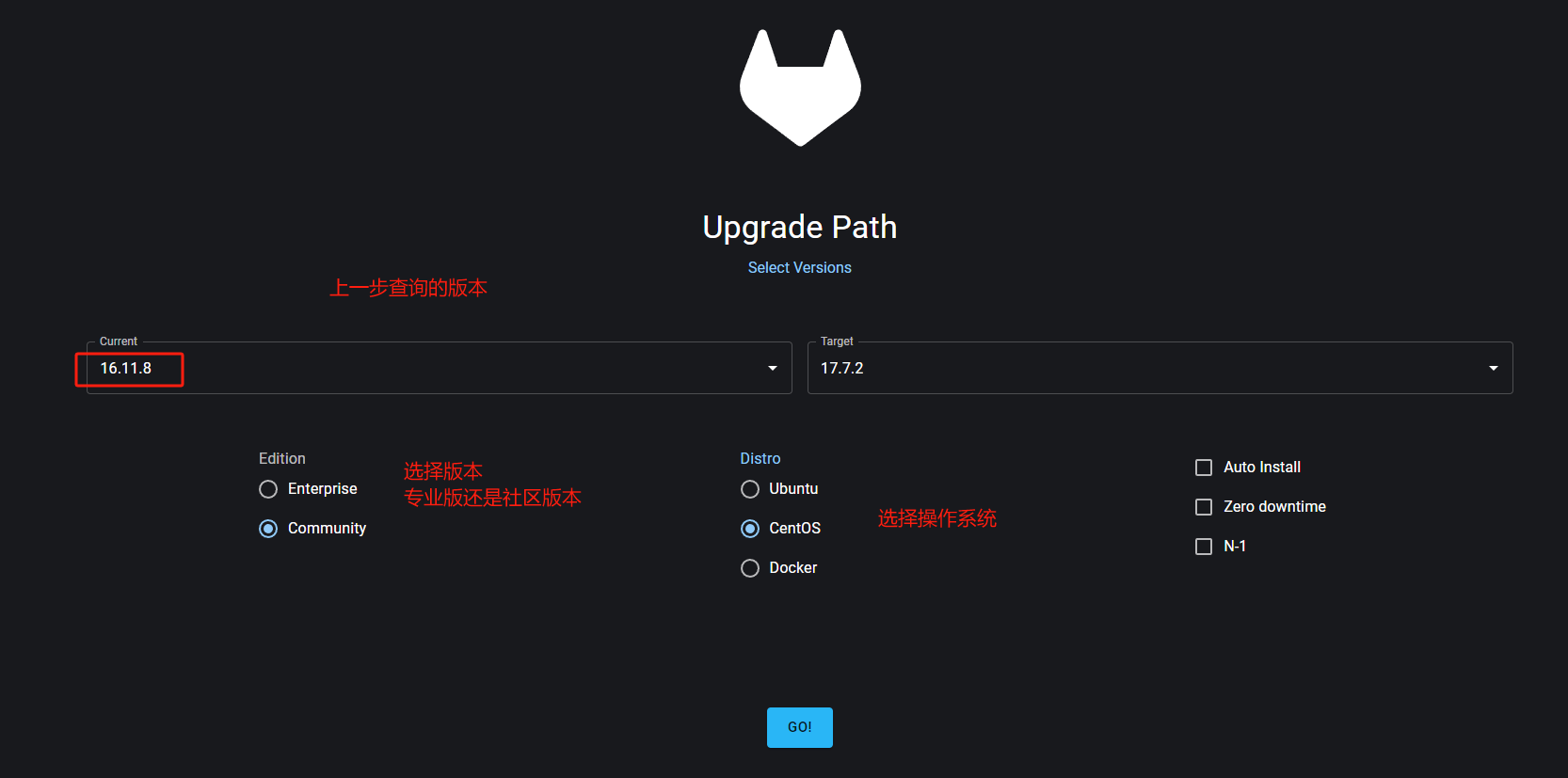
查询升级方法
https://gitlab-com.gitlab.io/support/toolbox/upgrade-path/
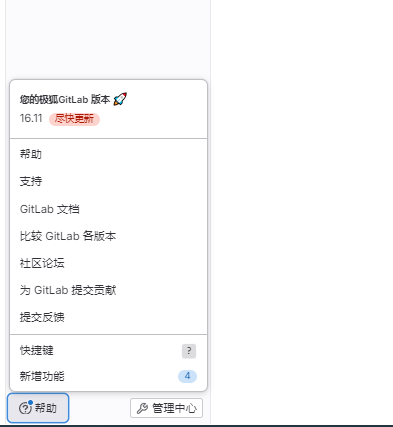
查询现有Gitlab版本
![image]()
![image]()
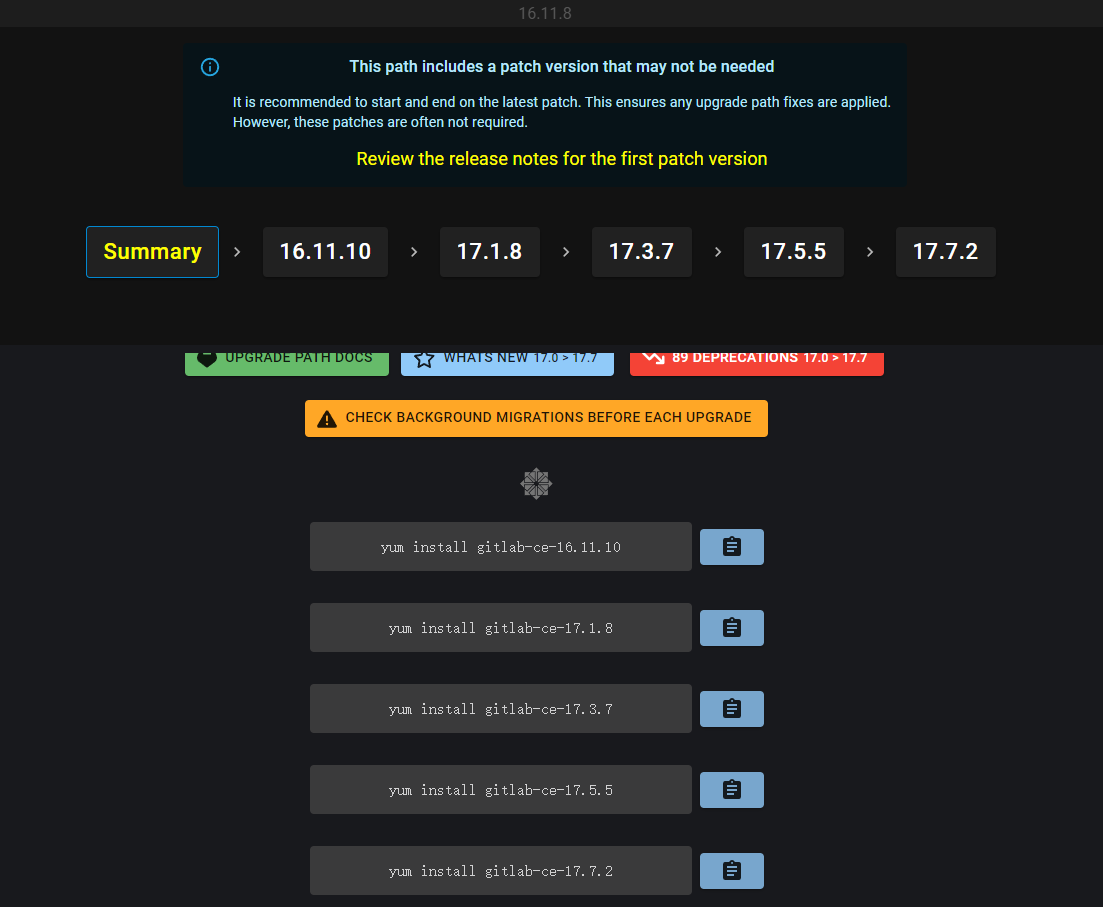
查询升级线路,会列出需要逐步升级的软件版本
![image]()
![image]()
-
升级

# 设置源
curl -sS https://packages.gitlab.com/install/repositories/gitlab/gitlab-ce/script.rpm.sh|bash
# 如果设置源报错下载源数据失败
# 错误:为仓库 'gitlab_gitlab-ce-source' 下载元数据失败 : repomd.xml GPG signature verification error: Bad GPG signature
# 则加参数 --nogpgcheck
# 按照上一步列的升级版本步骤升级
# yum install gitlab-ce-16.11.10
# yum install gitlab-ce-17.1.8
# yum install gitlab-ce-17.3.7
# yum install gitlab-ce-17.5.5
# yum install gitlab-ce-17.7.2
只能使用yum安装不能下载rpm包后使用rpm -ivh命令安装
会报以下错误
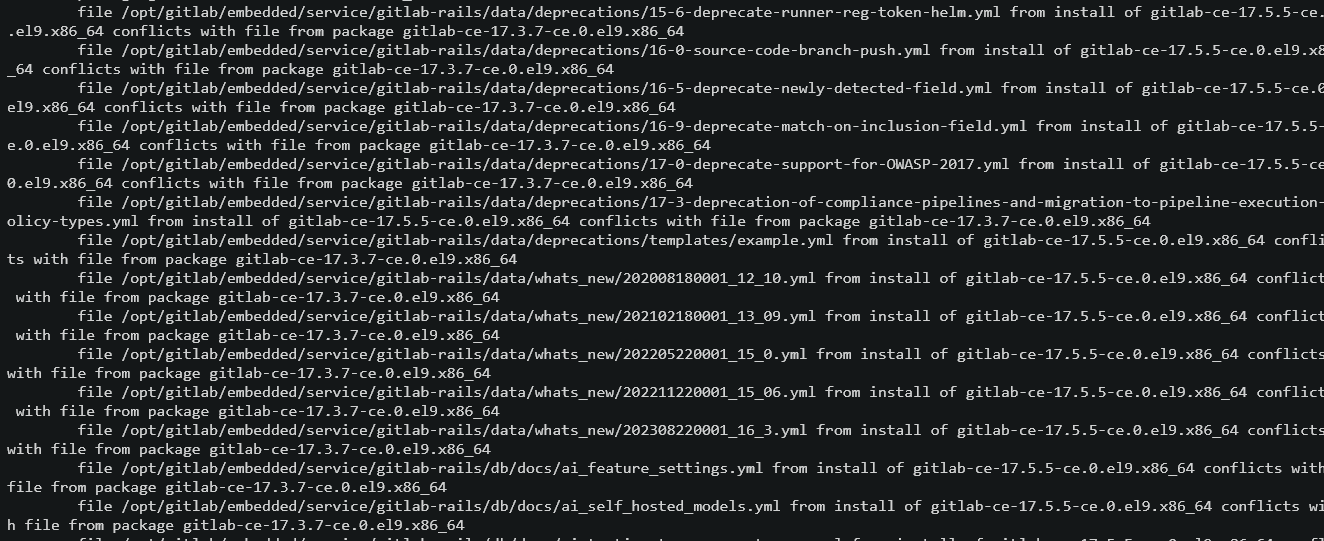
file /opt/gitlab/embedded/service/gitlab-rails/db/docs/ai self hosted models.ymlfrom install of gitlab-ce-17.5.5-ce.0.el9.x86 64 conflicts wh file from package gitlab-ce-17.3.7-ce.0.el9.x86 64

 浙公网安备 33010602011771号