
VS code设置Python调试模式
参考:https://blog.csdn.net/u010751000/article/details/106266625/
VS code设置Python debug调试模式方便调试
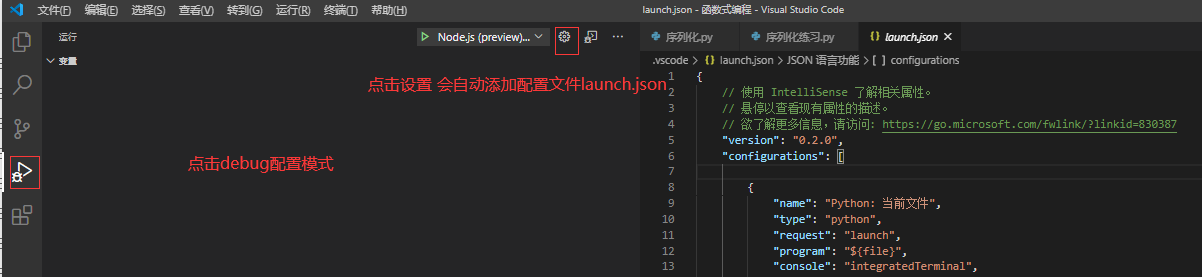
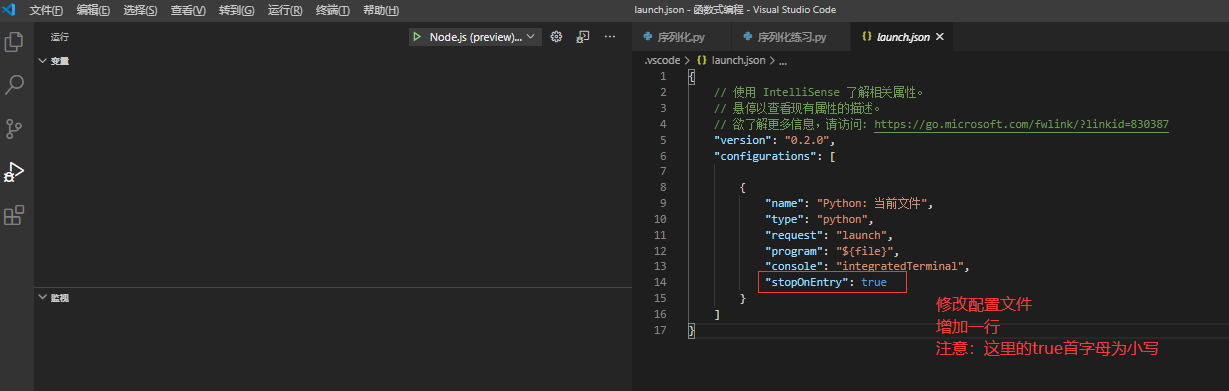
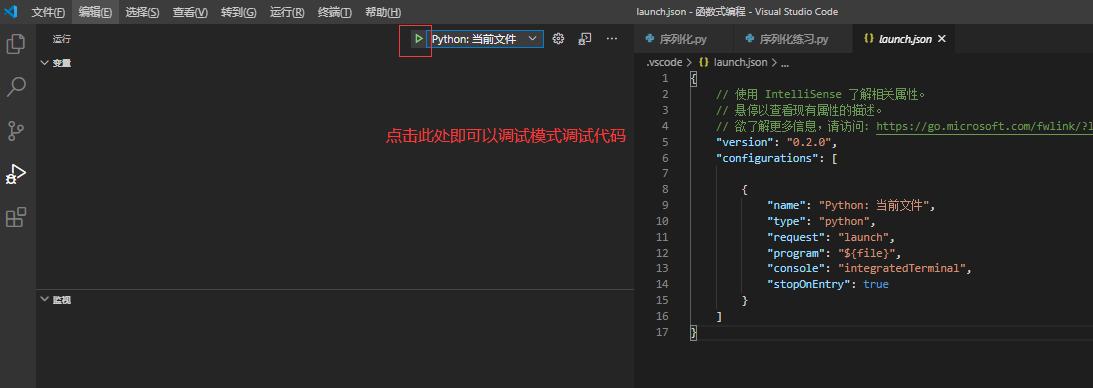
如果没有这个文件则新建
{
    // Use IntelliSense to learn about possible attributes.
    // Hover to view descriptions of existing attributes.
    // For more information, visit: https://go.microsoft.com/fwlink/?linkid=830387
    "version": "0.2.0",
    "configurations": [
        {
            "name": "Python: 当前文件",
            "type": "python",
            "request": "launch",
            "program": "${file}",
            "console": "integratedTerminal"
            "stopOnEntry": true
        }
    ]
}
注意:如果是Linux版本VS code在添加配置文件时可能出现权限问题导致配置文件无法添加,修改对应目录的文件夹权限即可

 浙公网安备 33010602011771号