
Nginx之使用nginx搭建简单的文件服务器
使用nginx可以搭建简单文件服务器
安装nginx(不详述)
修改配置文件
/usr/local/nginx/conf/nginx.conf
user  root;
worker_processes  1;
#error_log  logs/error.log;
#pid        logs/nginx.pid;
events {
    worker_connections  1024;
}
http {
    include       mime.types;
    default_type  application/octet-stream;
    log_format  main  '$remote_addr - $remote_user [$time_local] "$request" '
                      '$status $body_bytes_sent "$http_referer" '
                      '"$http_user_agent" "$http_x_forwarded_for"';
    #access_log  logs/access.log  main;
    sendfile        on;
    keepalive_timeout  65;
    include  ./conf.d/*.conf;
}
文件配置文件
autoindex on;# 显示目录
autoindex_exact_size on;# 显示文件大小
autoindex_localtime on;# 显示文件时间
charset utf-8,gbk;#如果包含中文文件夹需要加此配置否则乱码
server {
    listen       80;
    server_name  172.16.90.13;
    root         /nas/nas/ftp/;
}
~
注意:以上配置内容放置在server模块内
创建根目录文件夹并且放入几个文件
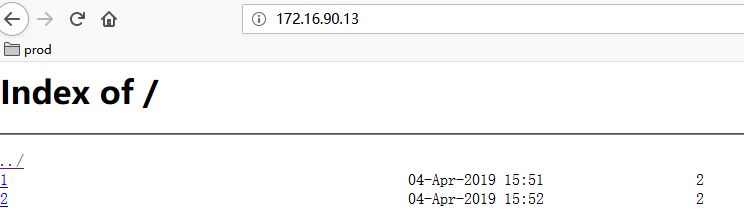
web页面访问查看,单击文件即可下载

 浙公网安备 33010602011771号