
tauri 打包nextjs
问题1: 页面无法打开localhost:
报错提示:
嗯… 无法访问此页面
tauri.localhost 已拒绝连接。
解决:
next.config.js
/** @type {import('next').NextConfig} */
const nextConfig = {
  output: 'export',
}

module.exports = nextConfig
问题2:tauri在build模式开启右键检查debug功能,找了一上午,结果只是一条命令的事...
其实要想增加这个功能,只需要在src-tauri\Cargo.toml中添加devtools即可:
tauri = { version = "1.0.0-rc.8", features = ["api-all", "devtools"] }
问题3:http可以访问,默认https报错,
报错语句是:
errAxiosError: Network Error
解决
我改变了tauri.conf.json > tauri > security > dangerousUseHttpScheme = true,然后它工作了
##配置镜像
- 找到当前用户目录下 /Users/baoyachi/.cargo/ 的.cargo 文件夹
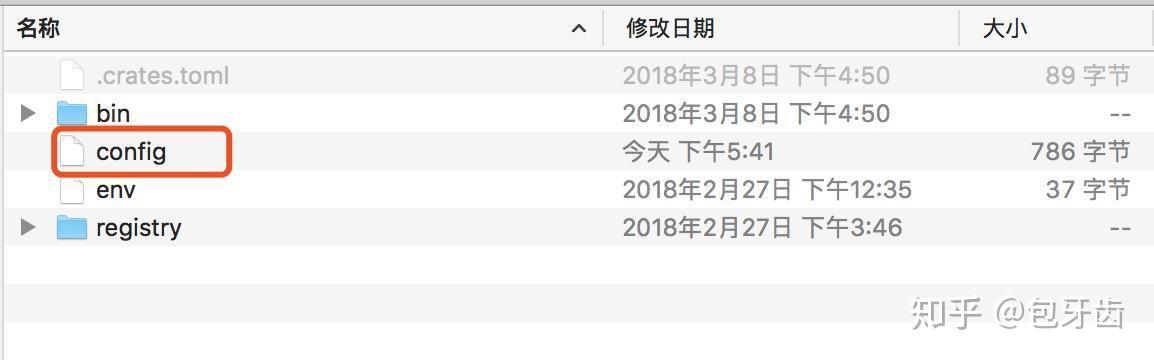
- 进入.cargo 当前目录,在当前目下创建 config 文件
- 见下图,打开 config 文件,编写以下内容:
#[source.crates-io]
#registry = "https://github.com/rust-lang/crates.io-index"

[source.crates-io]
replace-with = 'rsproxy'

[source.rsproxy]
registry = "https://rsproxy.cn/crates.io-index"

[registries.rsproxy]
index = "https://rsproxy.cn/crates.io-index"

replace-with = 'tuna'
[source.tuna]
registry = "https://mirrors.tuna.tsinghua.edu.cn/git/crates.io-index.git"

#replace-with = 'ustc'
#[source.ustc]
#registry = "git://mirrors.ustc.edu.cn/crates.io-index"

[net]
git-fetch-with-cli = true
## 参考
[如何让 tauri 使用 http://tauri.localhost/ 而不是 https://tauri.localhost/ ?由于该页面是通过 HTTPS 加载的,因此已被阻止。· 问题 #3007 · tauri-apps/tauri](https://github.com/tauri-apps/tauri/issues/3007)
[tauri在build模式开启右键检查debug功能,找了一上午,结果只是一条命令的事..._tauri build后打开调试-CSDN博客](https://blog.csdn.net/weixin_44786530/article/details/130151656)
[Rust crates 国内镜像源加速配置 - 知乎](https://zhuanlan.zhihu.com/p/126204128)

 浙公网安备 33010602011771号