

JavaWeb04Maven
JavaWeb04Maven
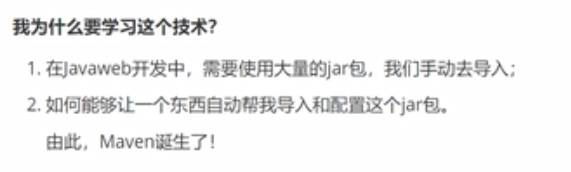
Maven项目架构管理工具
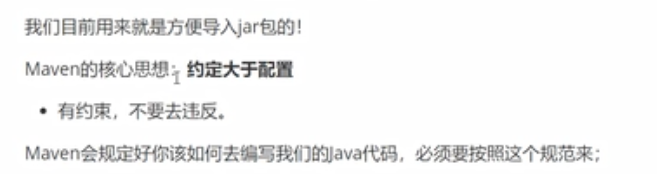
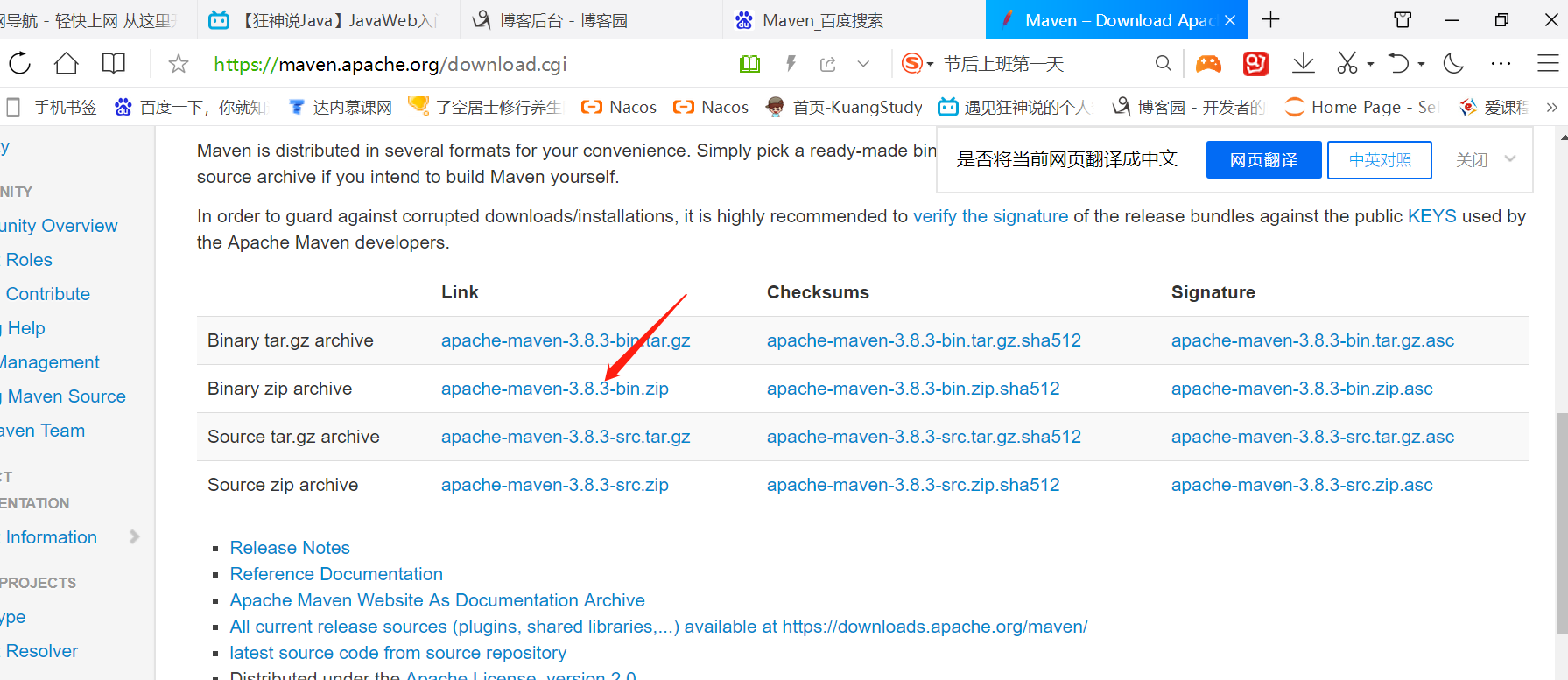
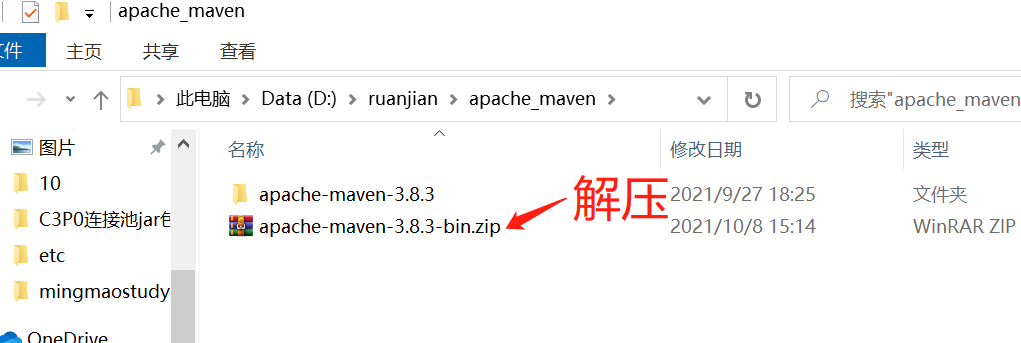
下载安装Maven
Maven官网
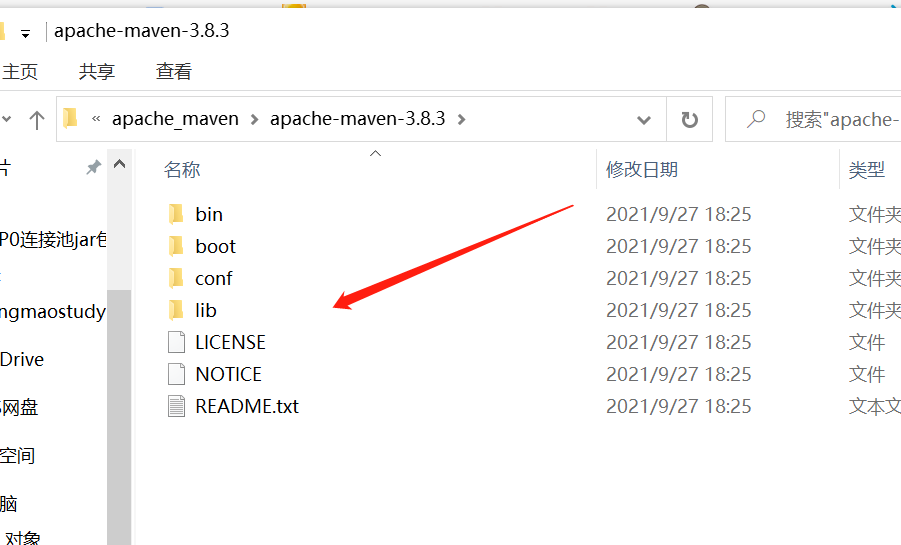
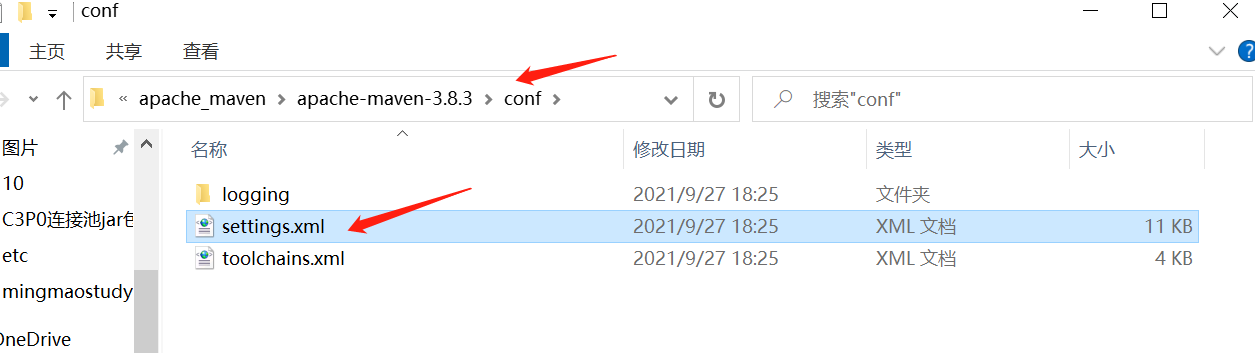
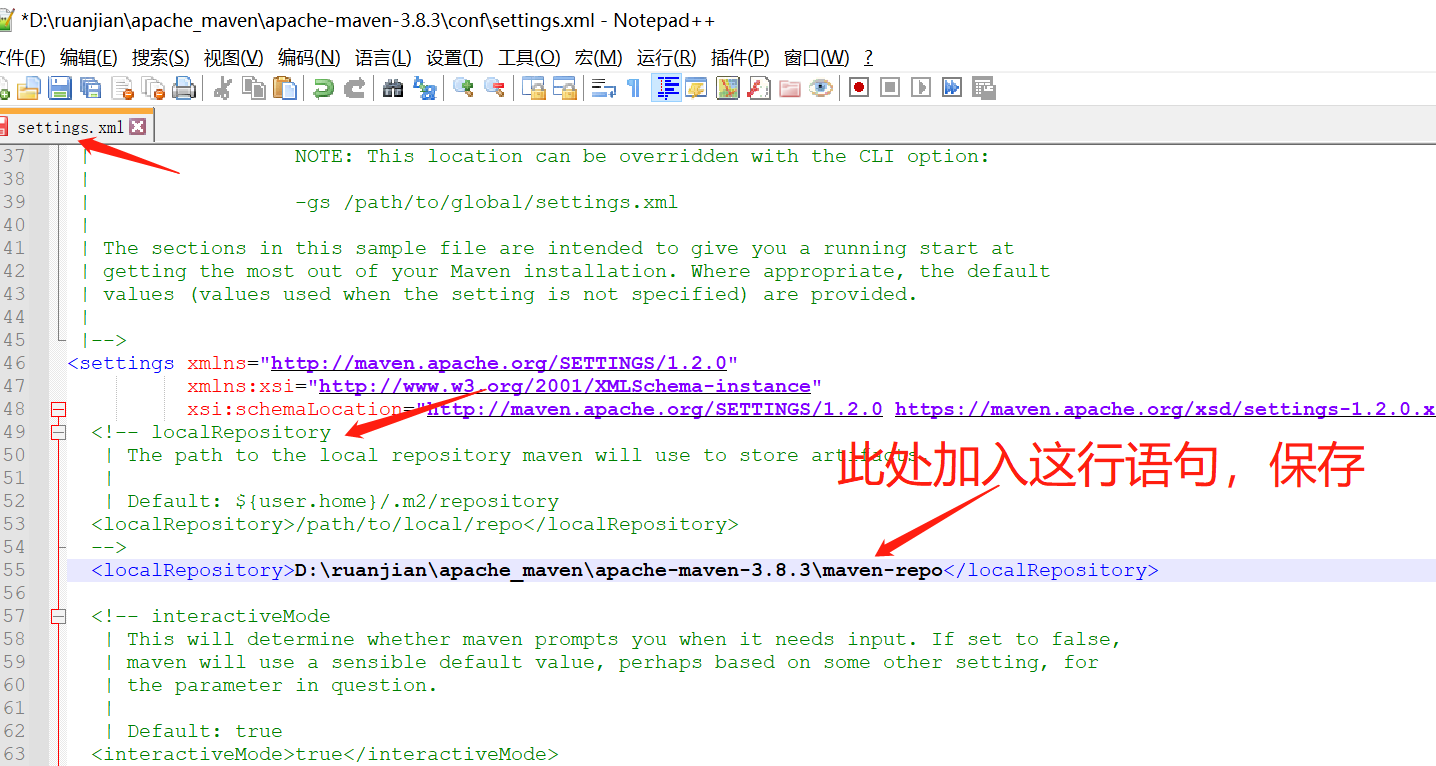
这是配置文件:
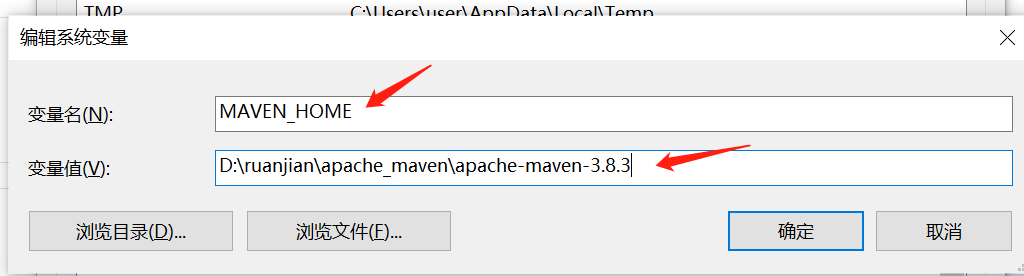
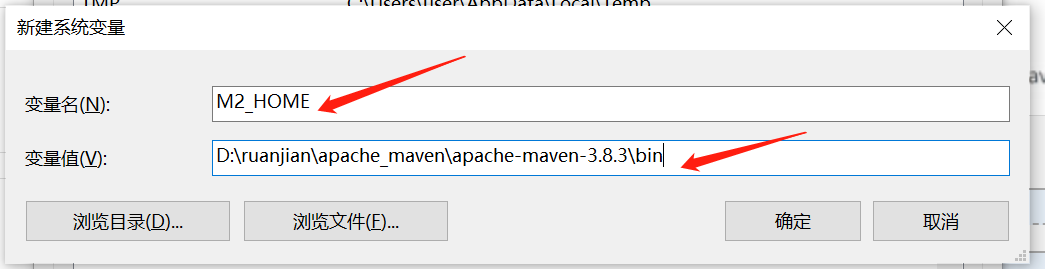
环境变量:
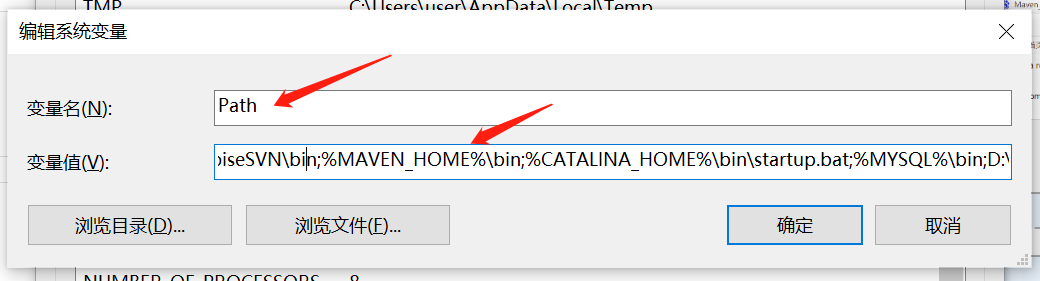
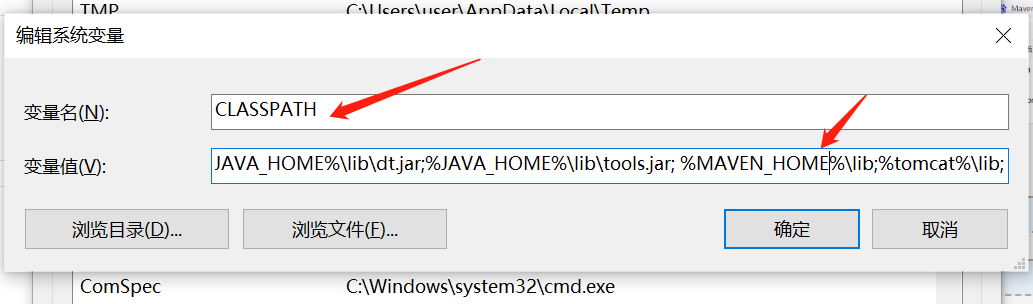
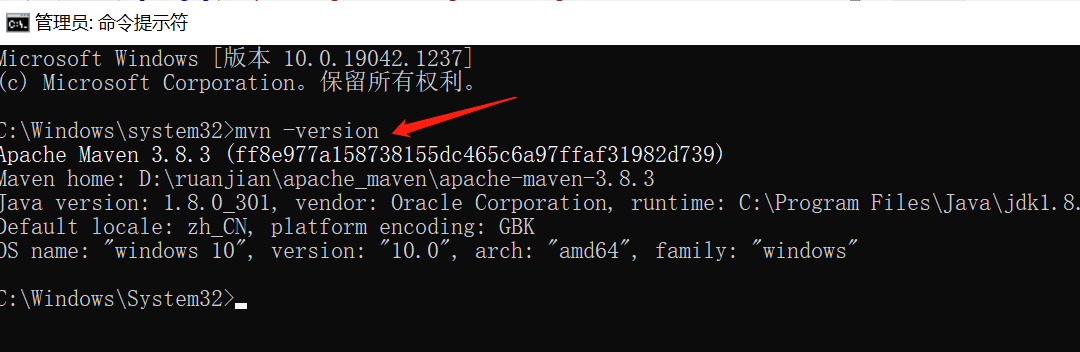
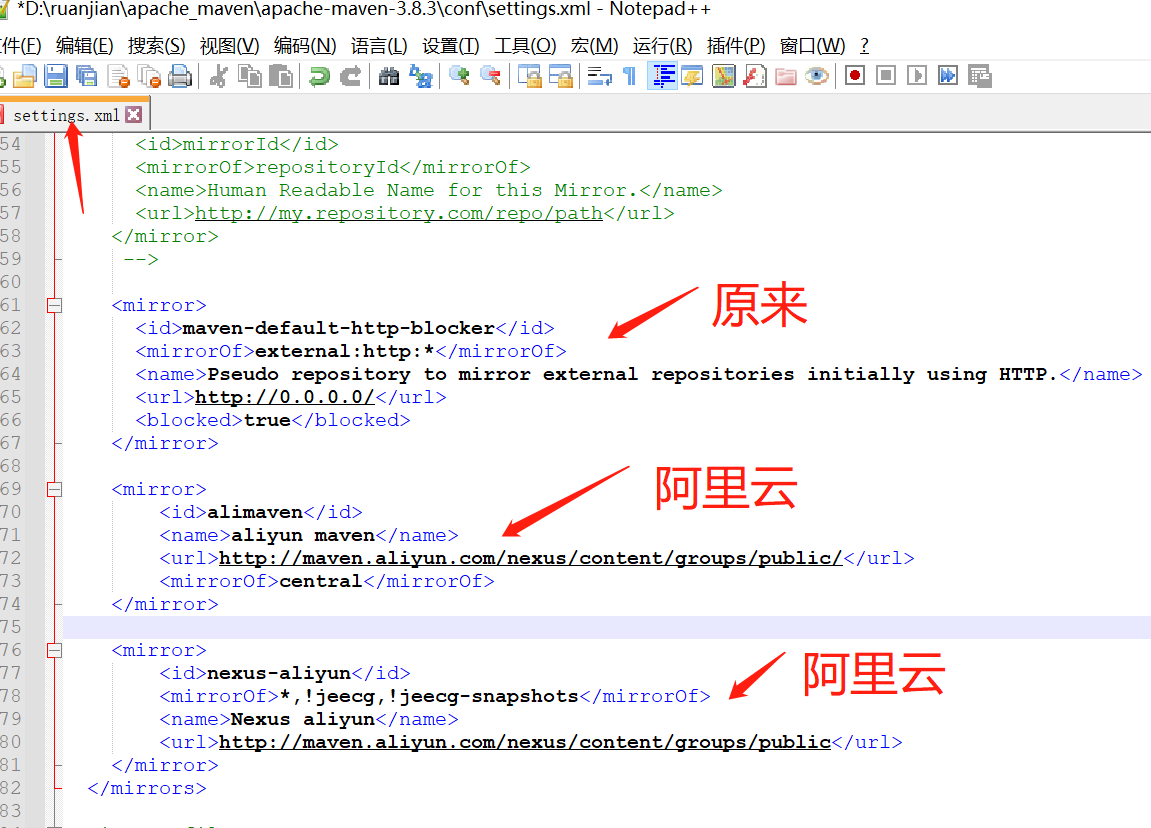
阿里云镜像
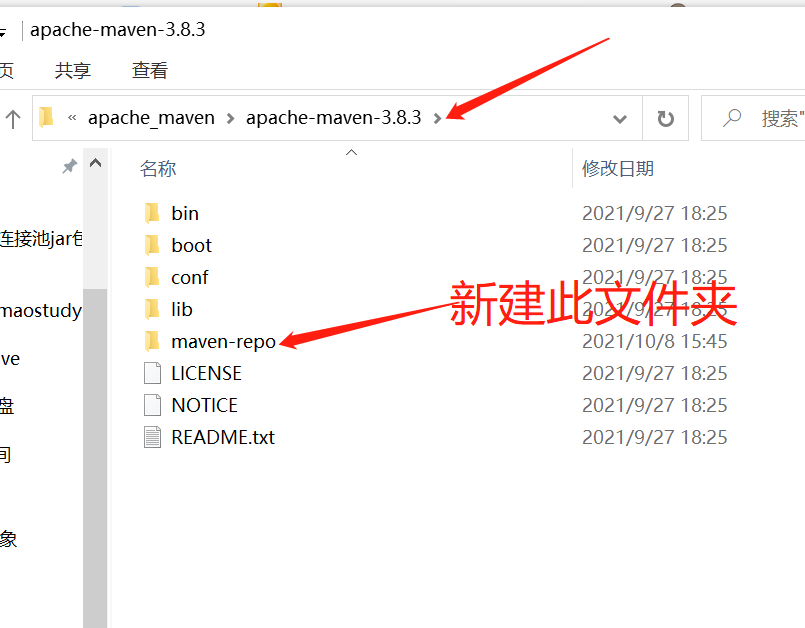
本地仓库
在IDEA中使用Maven
1.启动idea
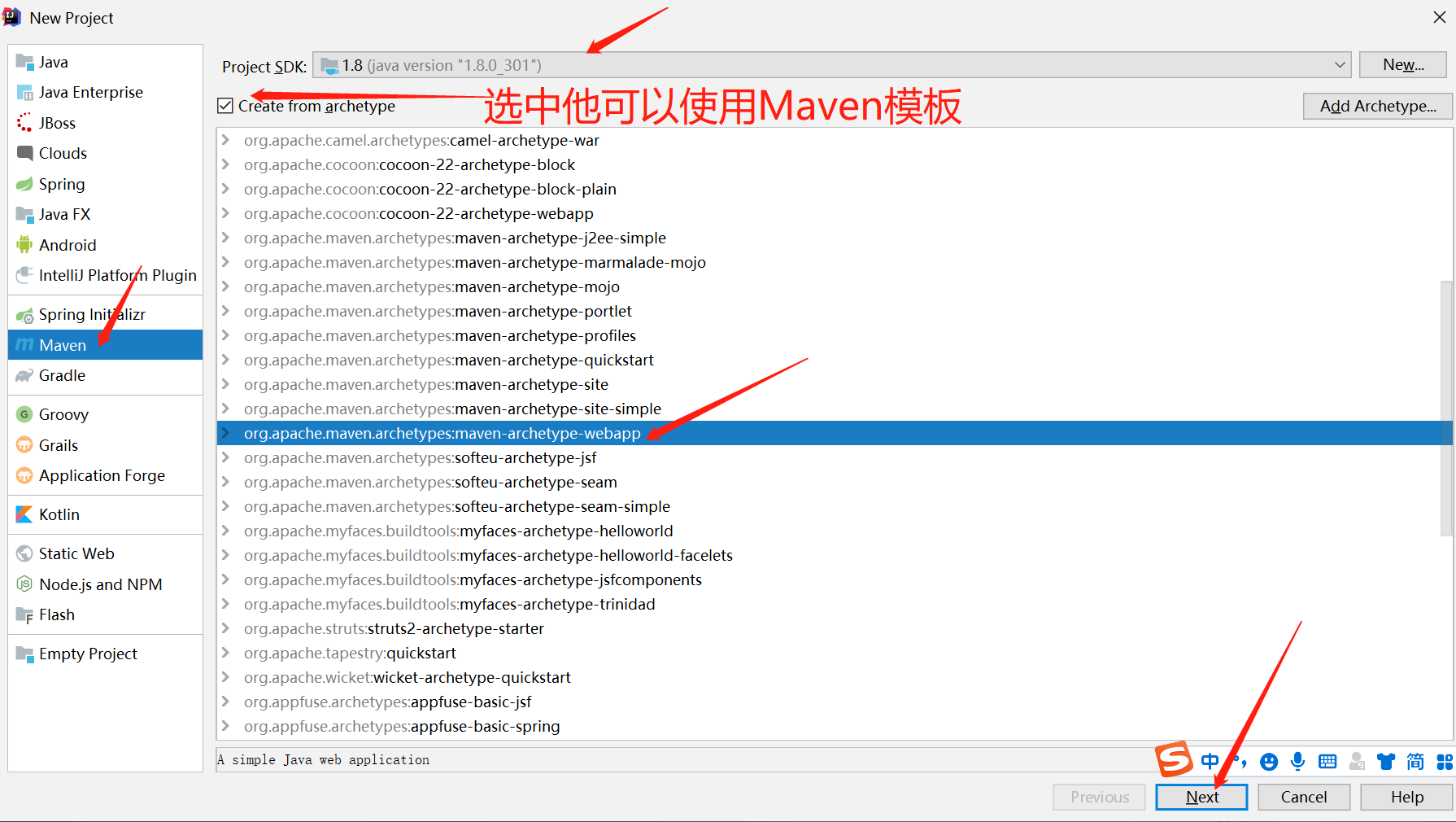
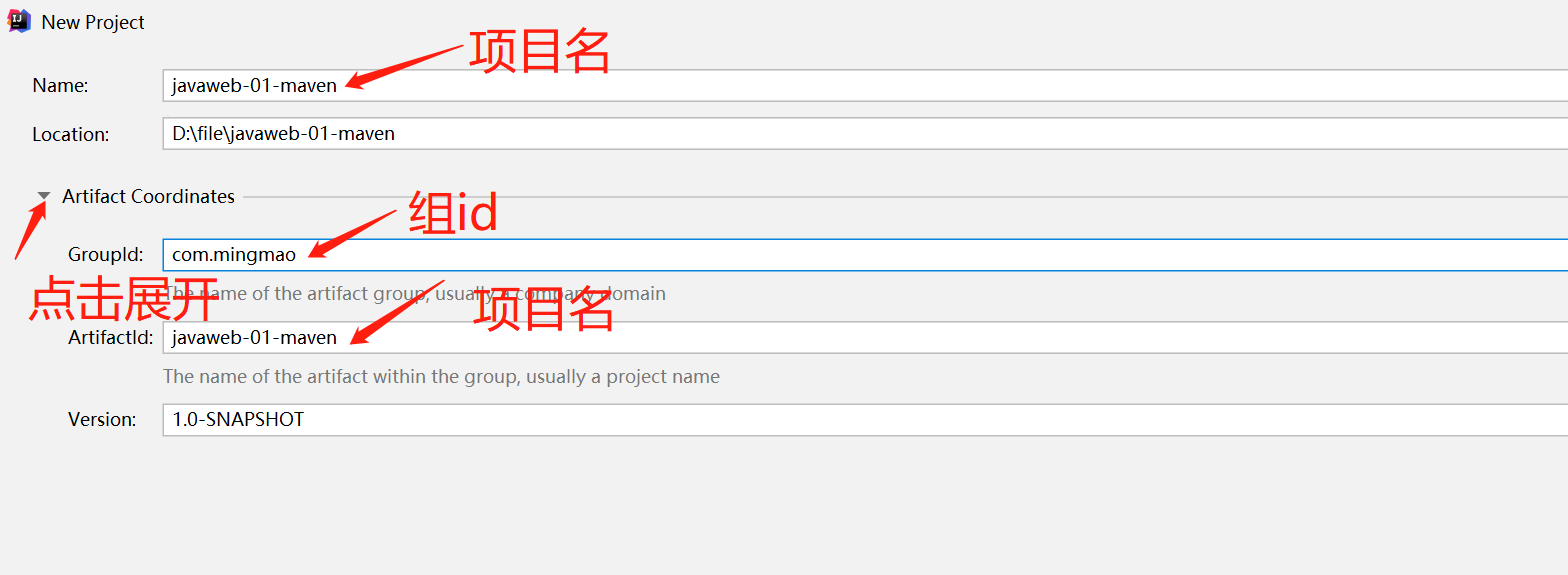
2.创建mavenWeb项目
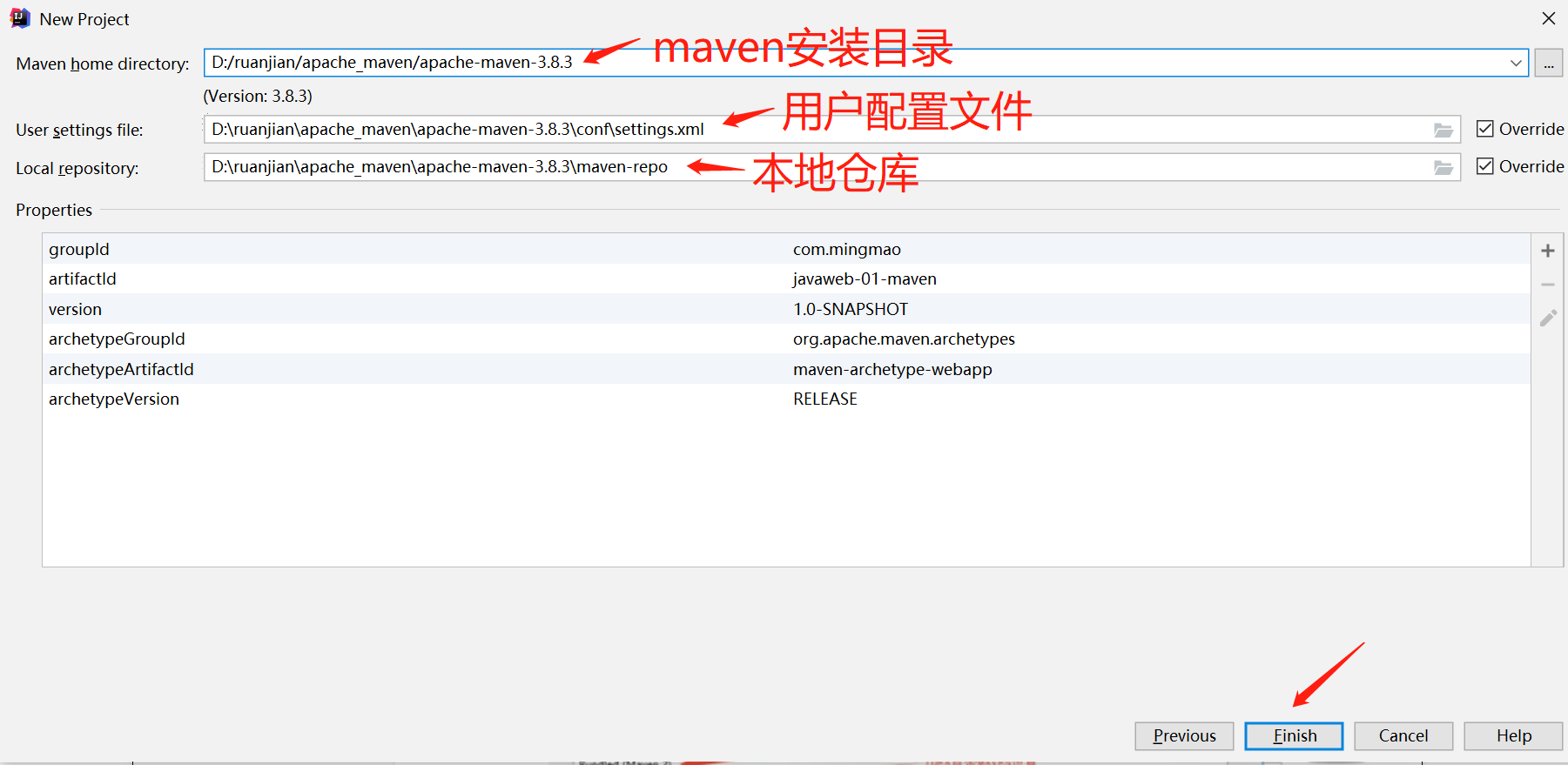
等待加载完毕
3.导入包并等待项目初始化完毕
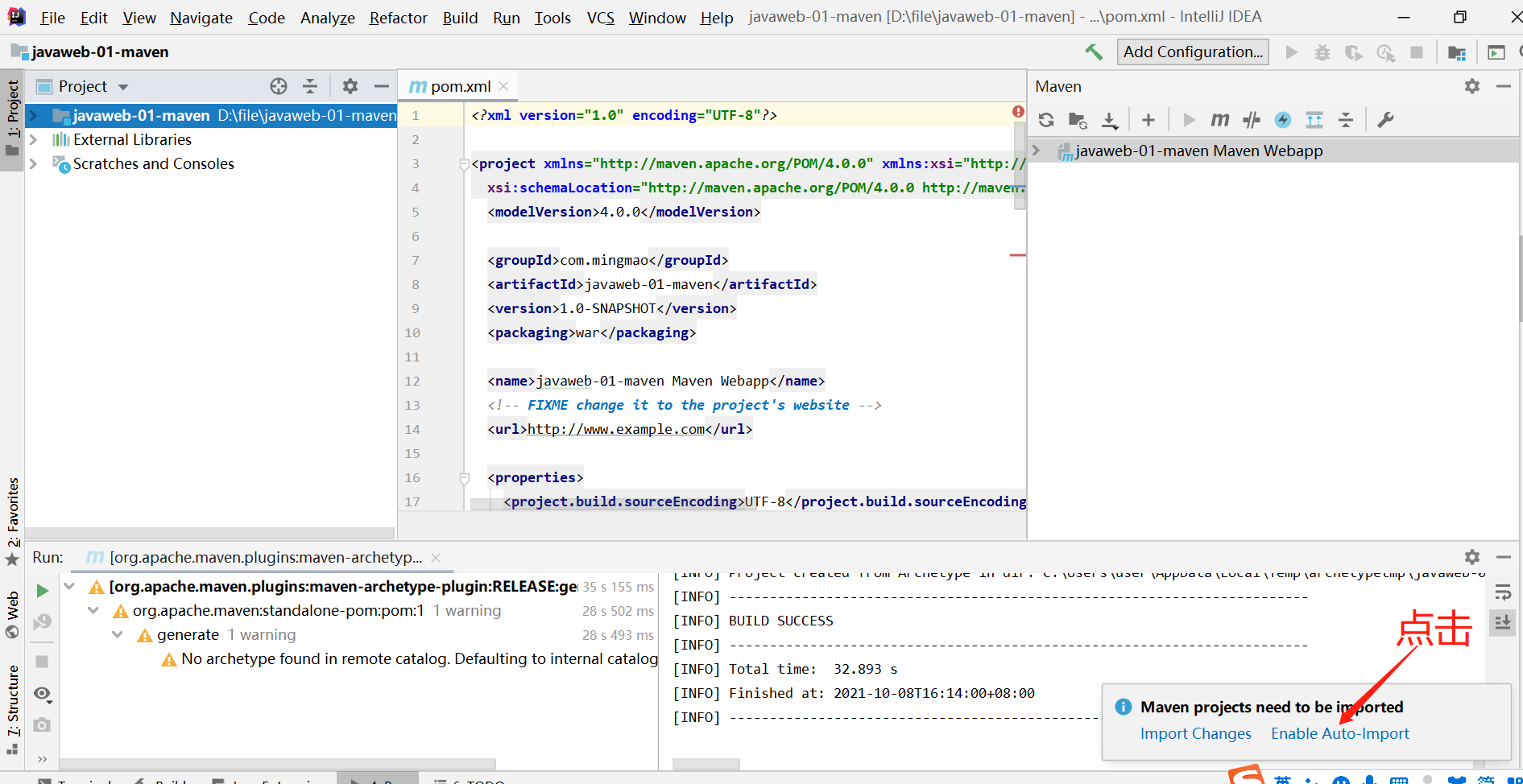
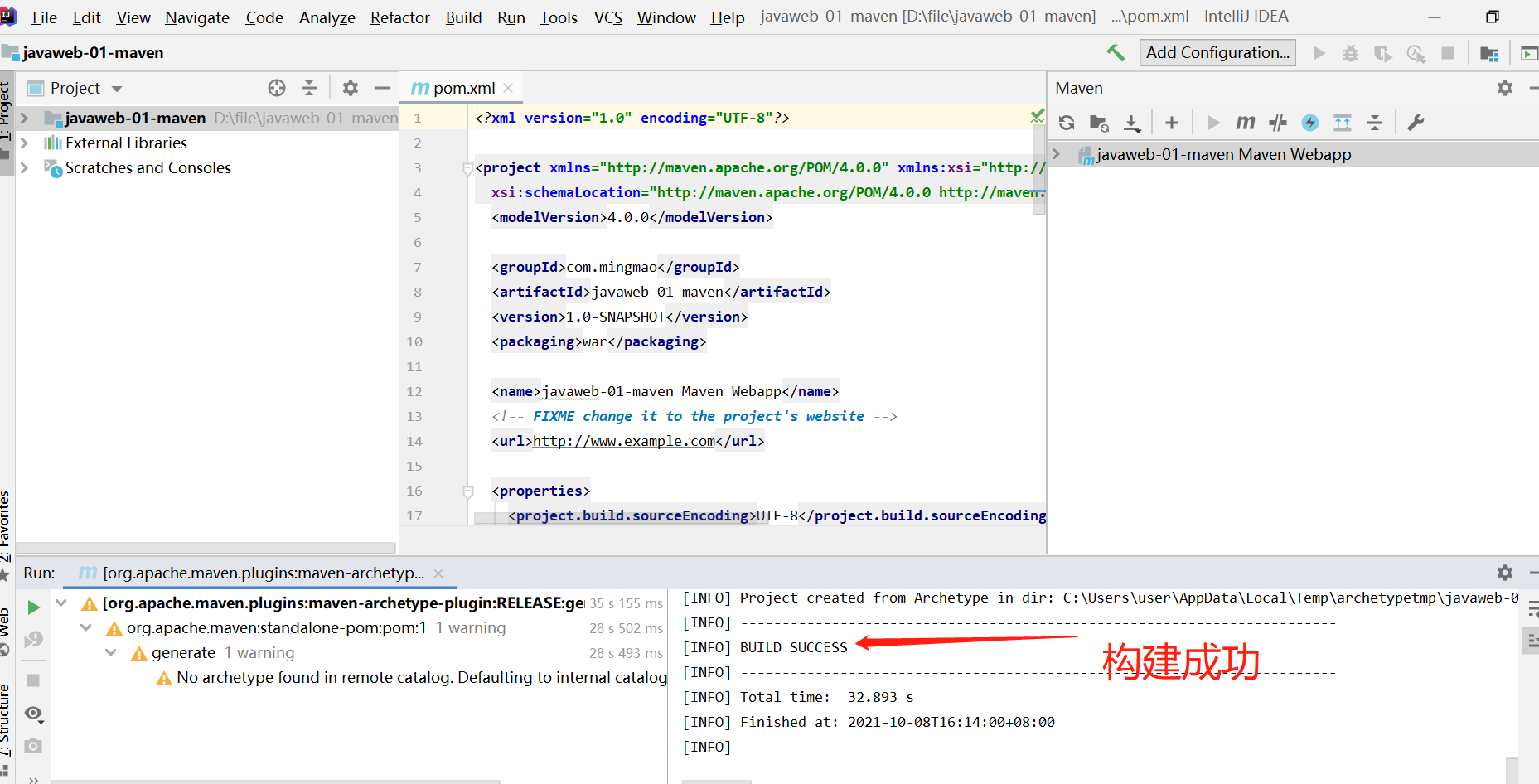
4.观察Maven仓库的内容
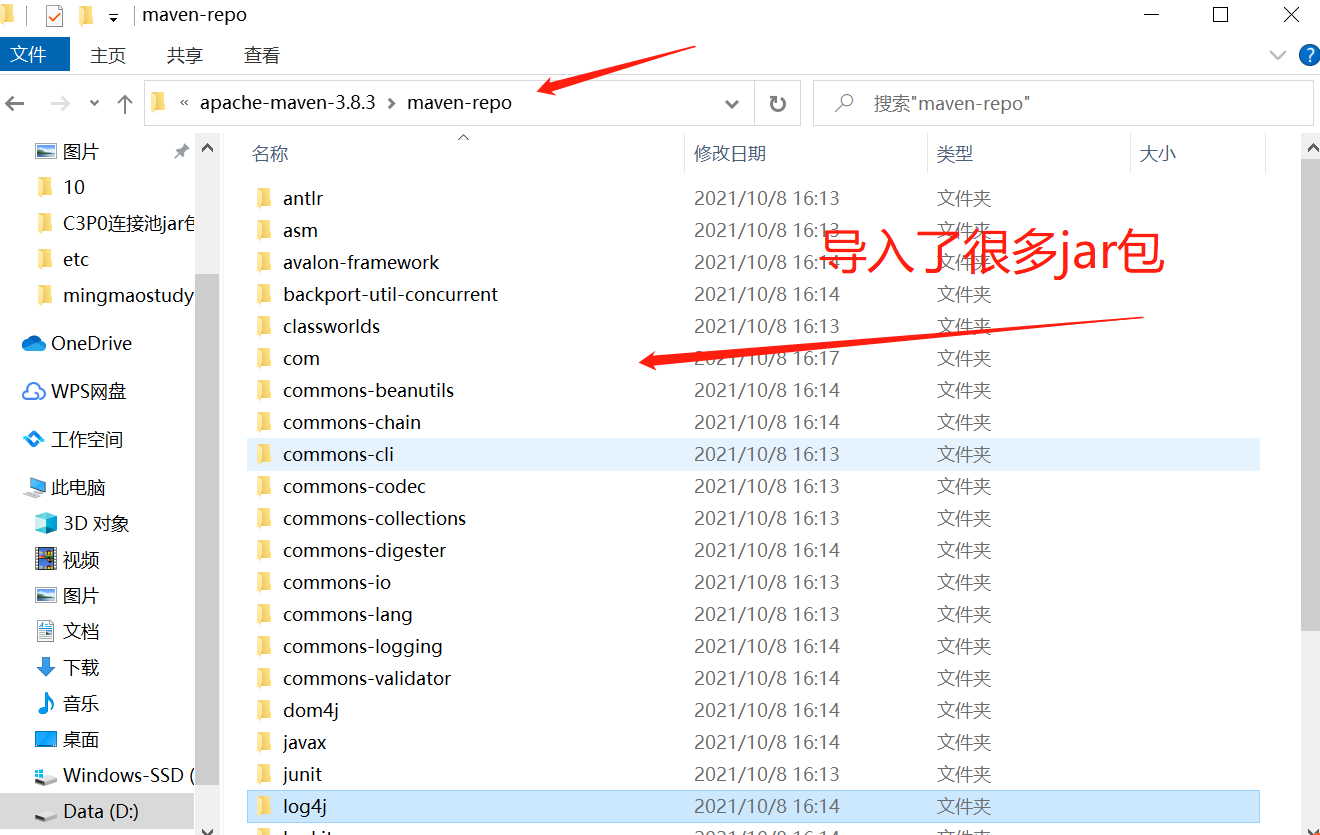
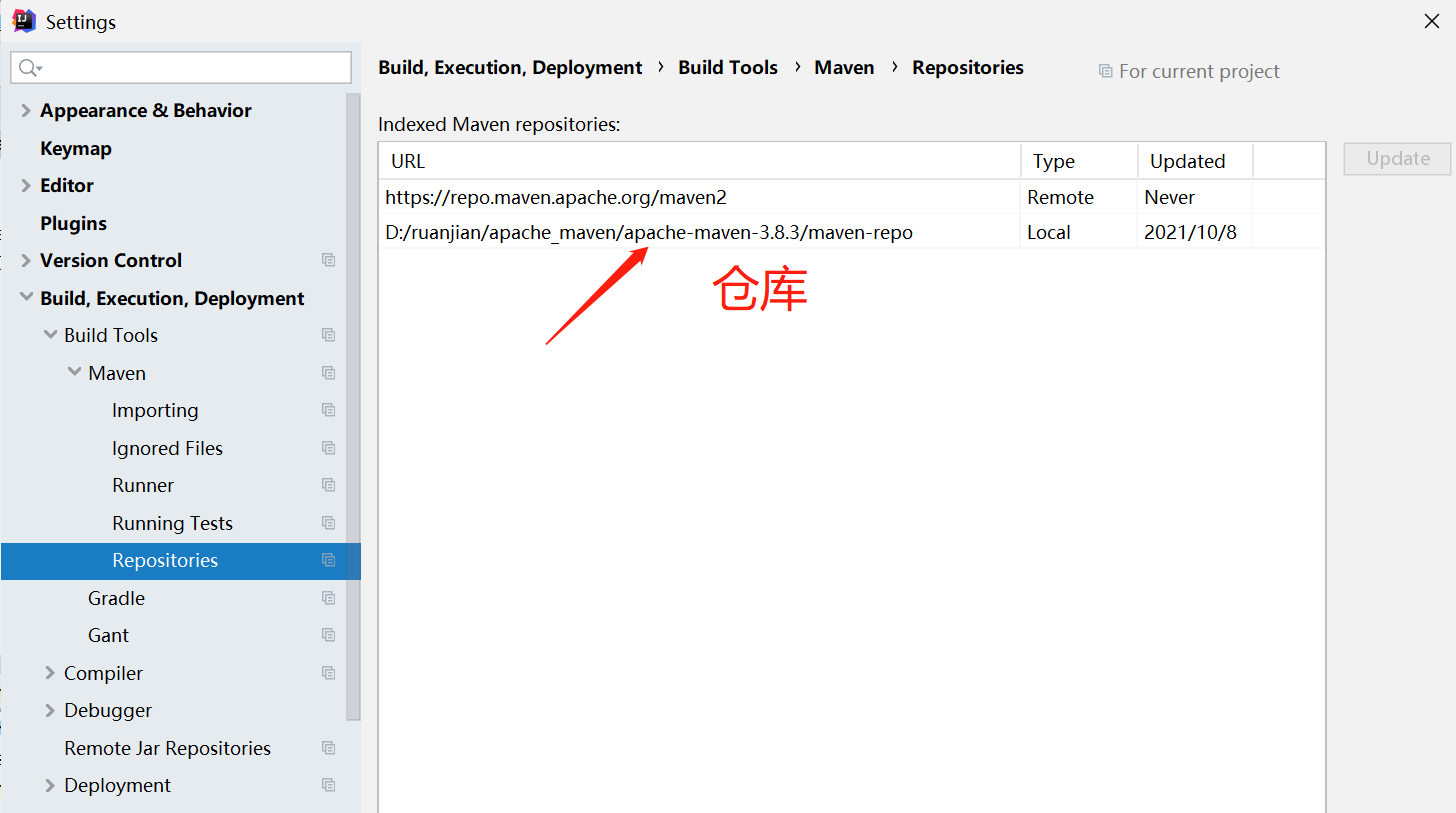
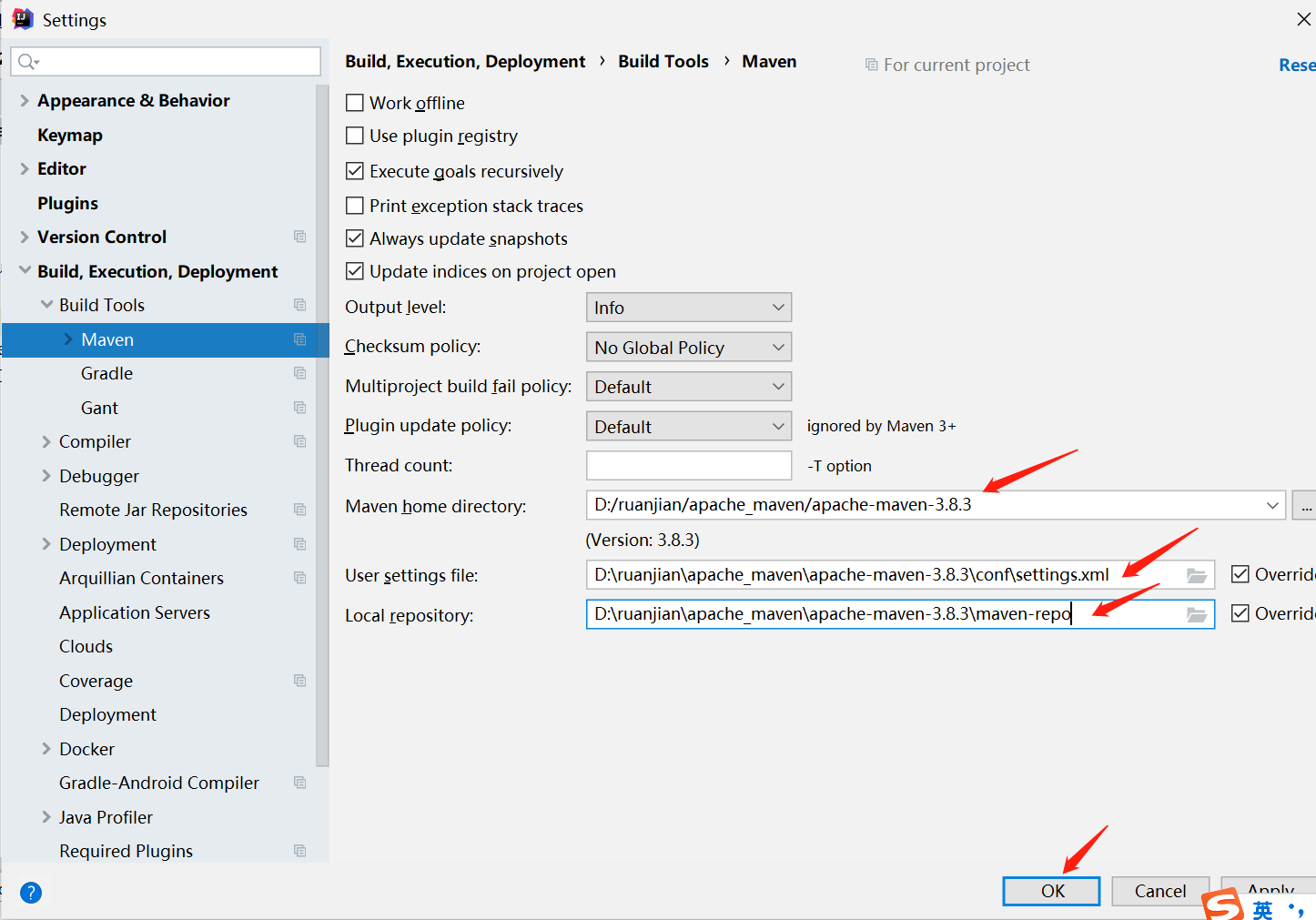
5.IDEA中的Maven设置
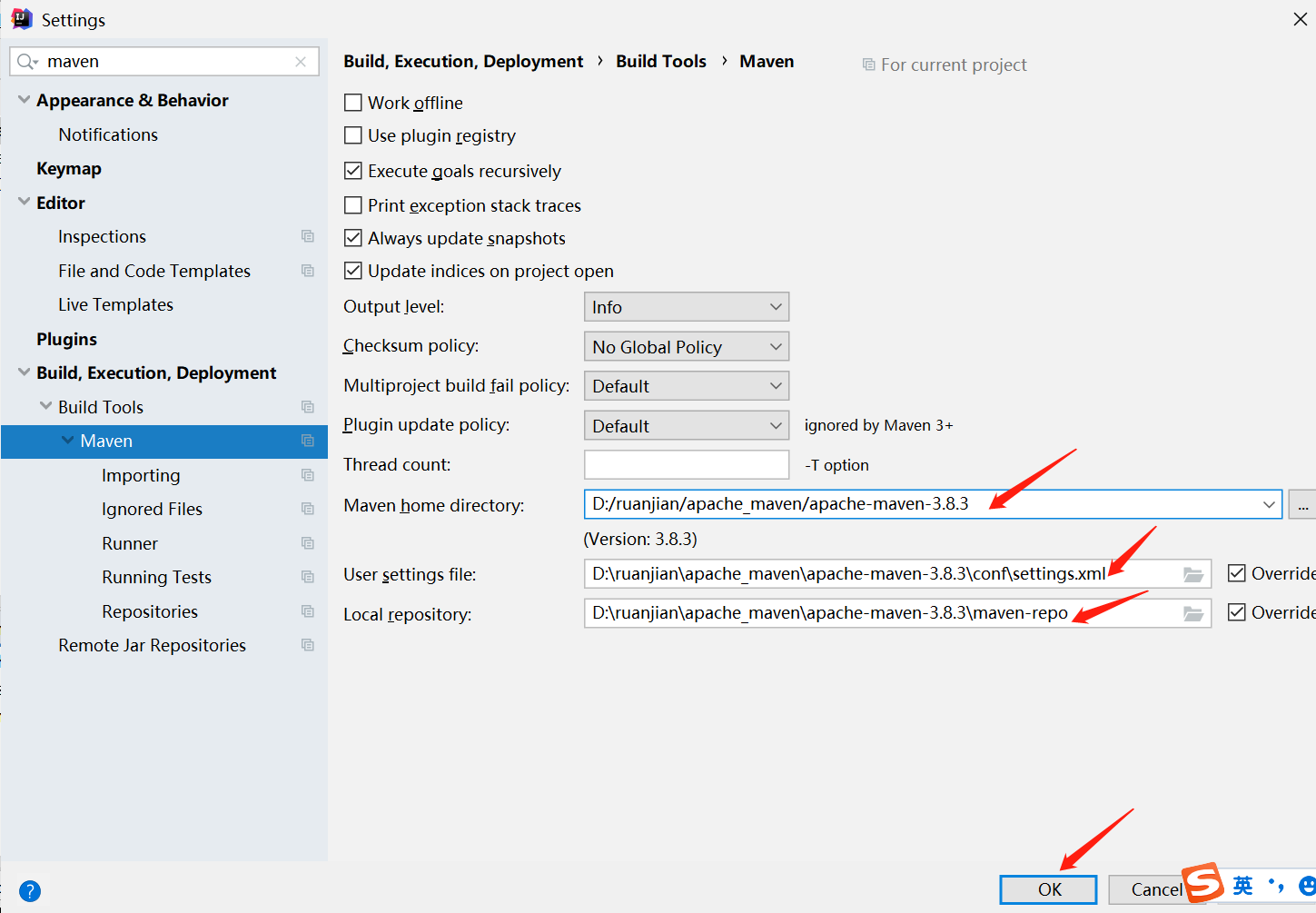
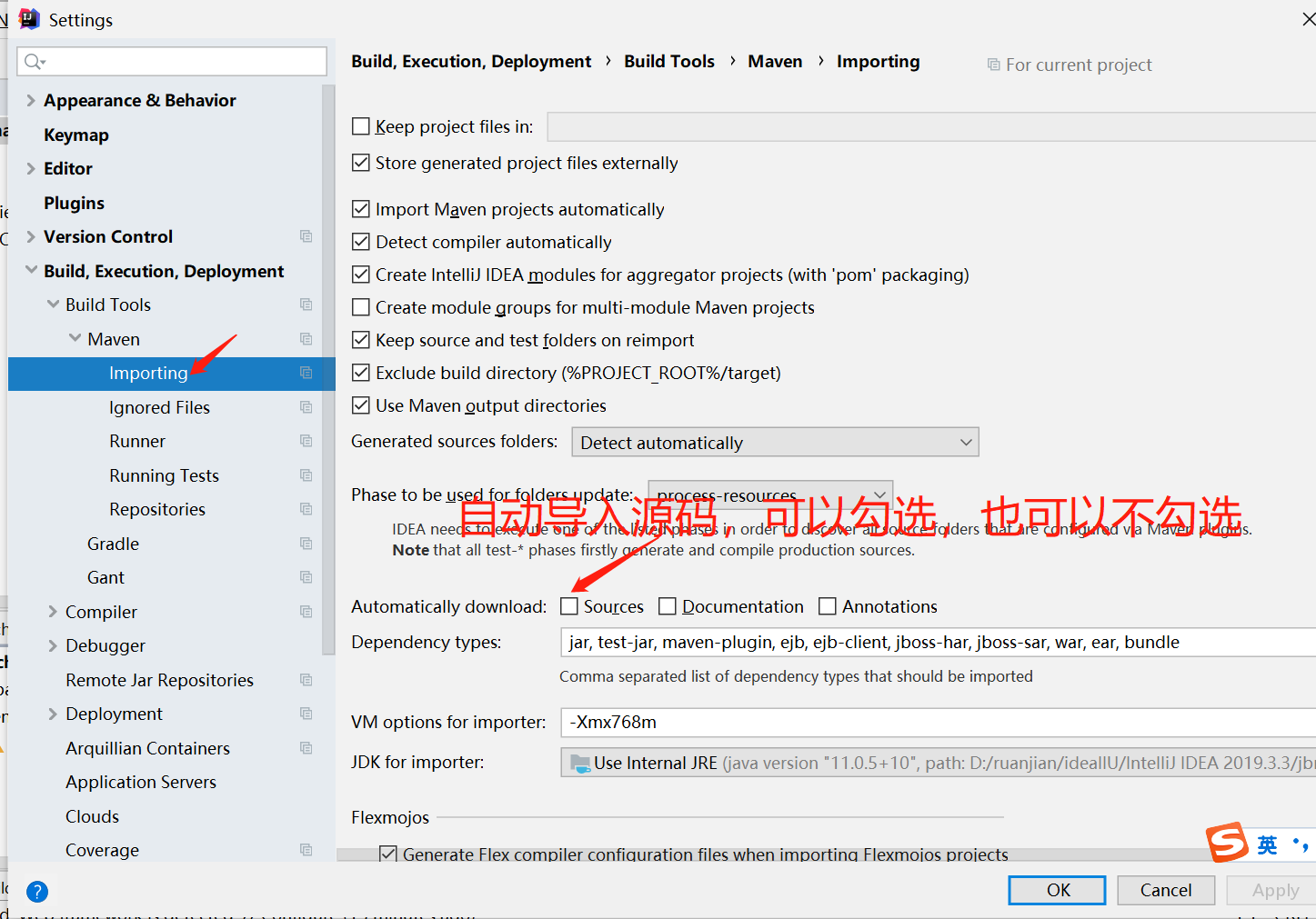
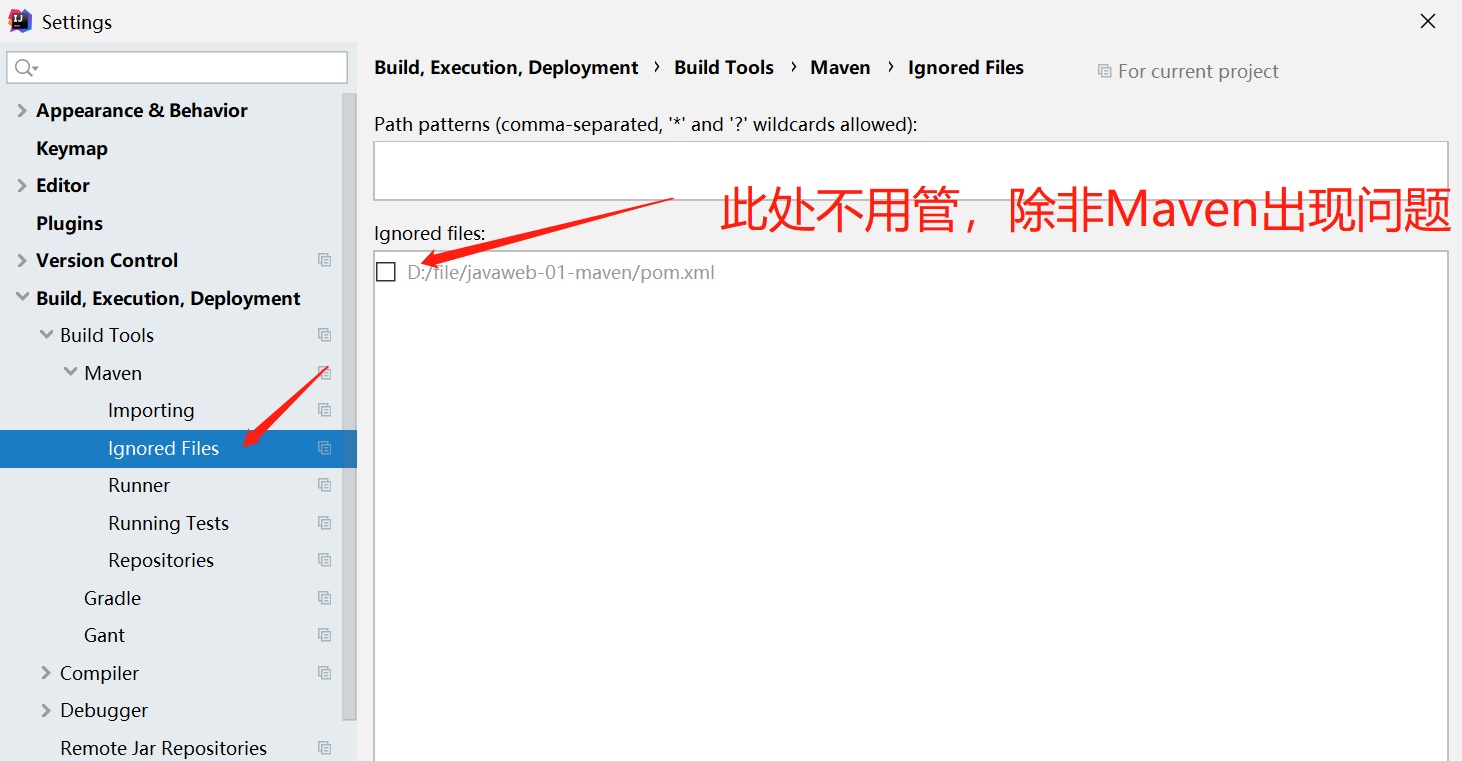
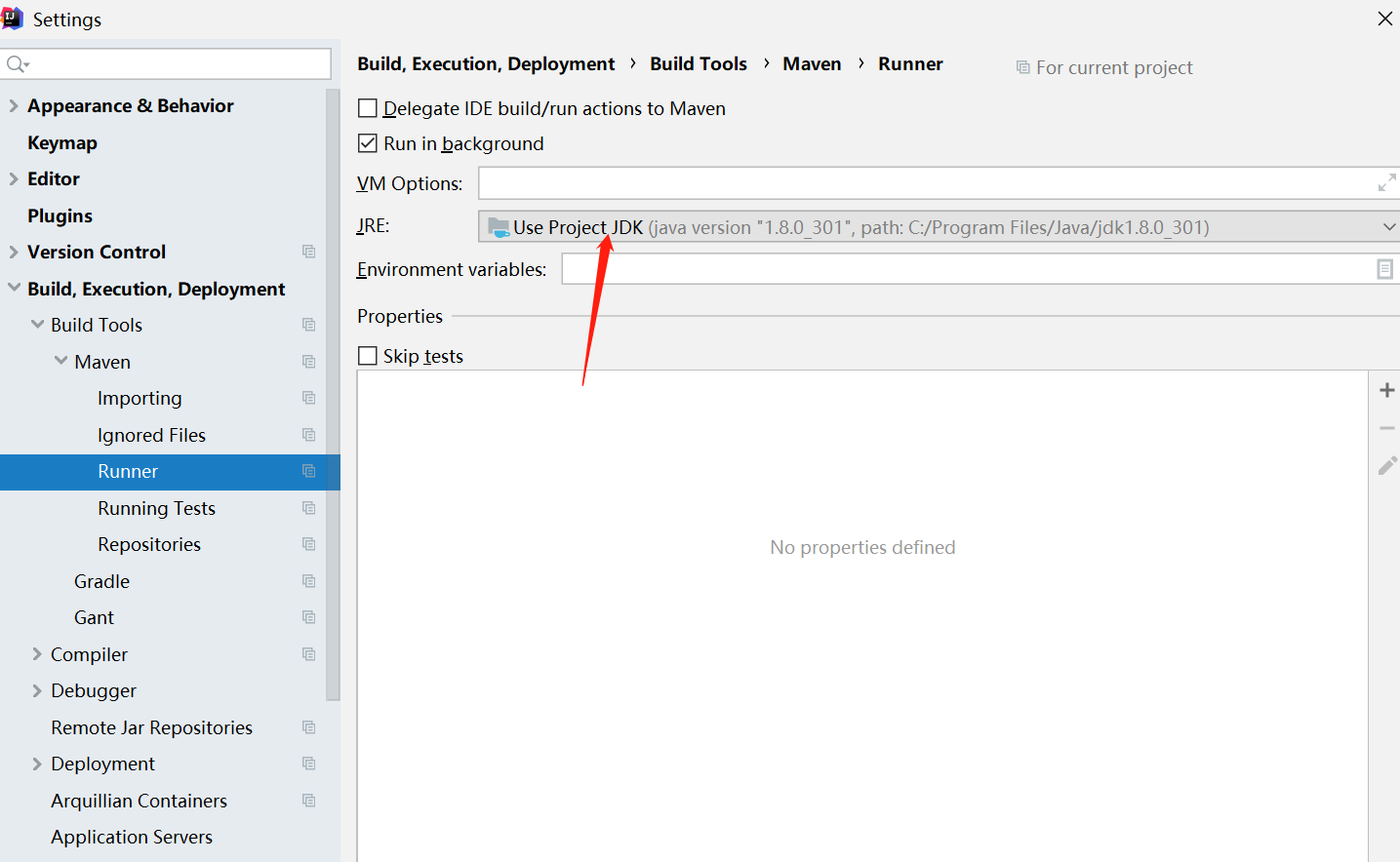
6.mavenweb项目创建成功
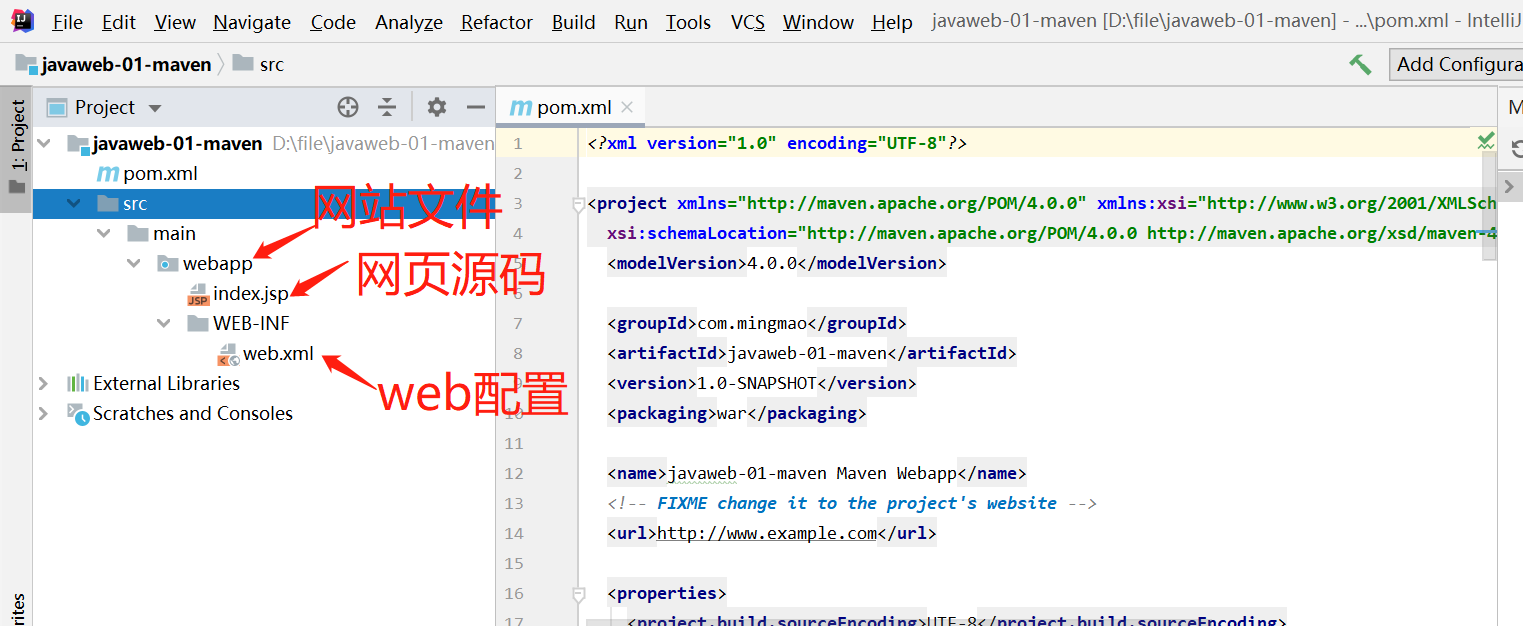
7.完善项目
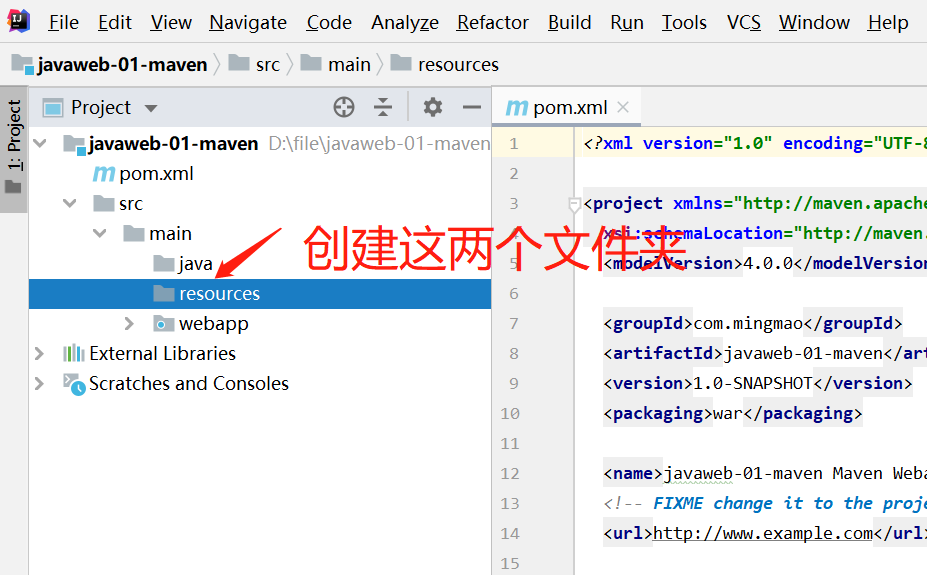
方式一:
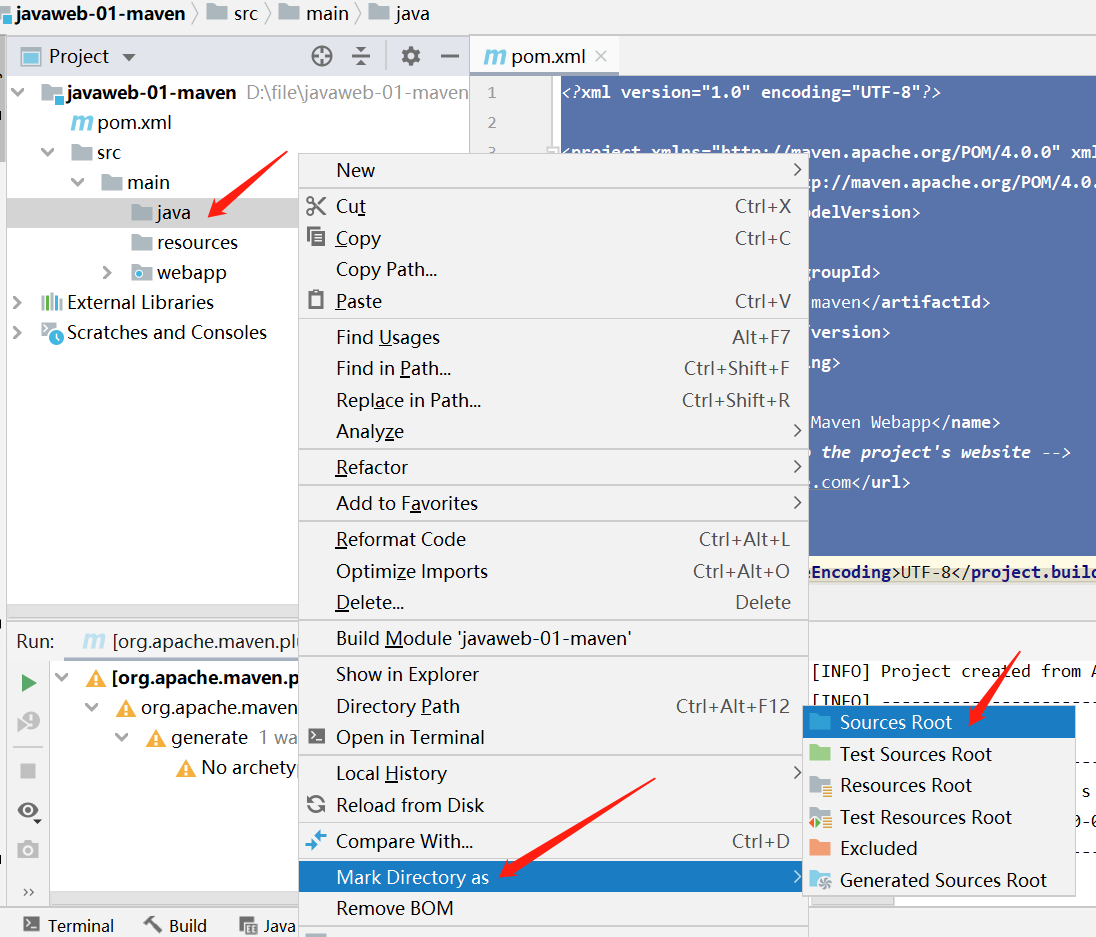
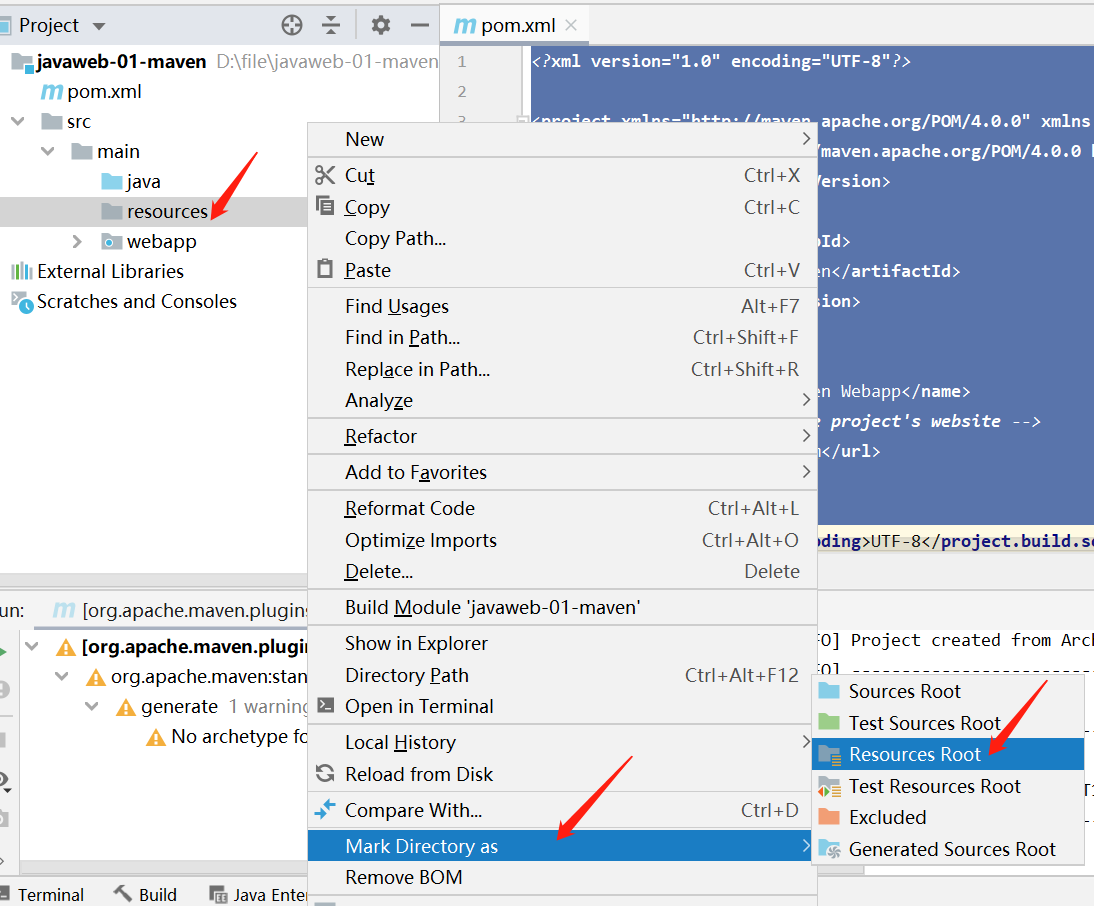
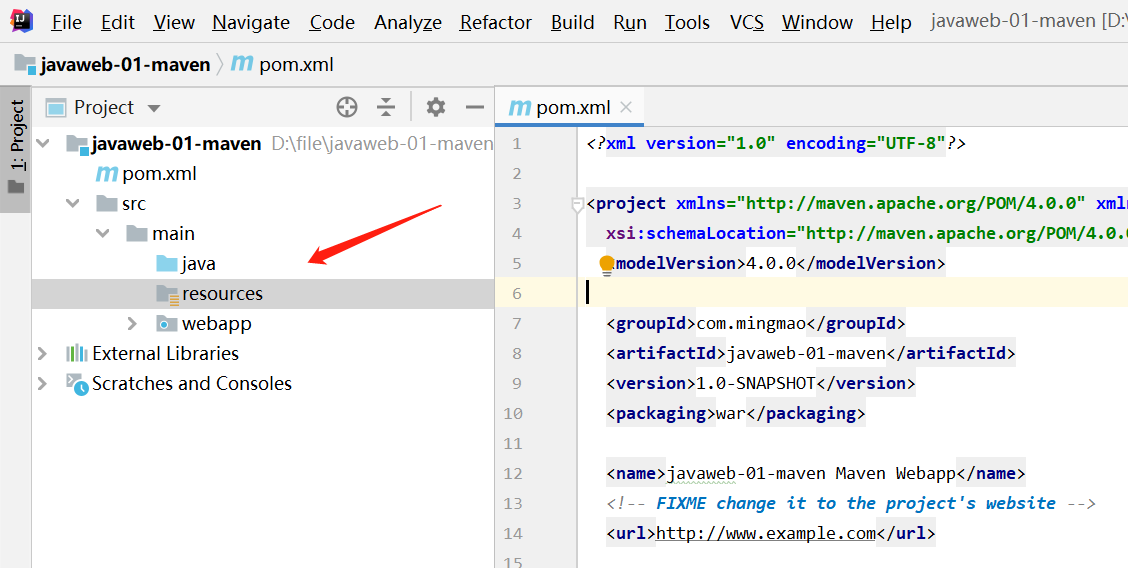
方式二:
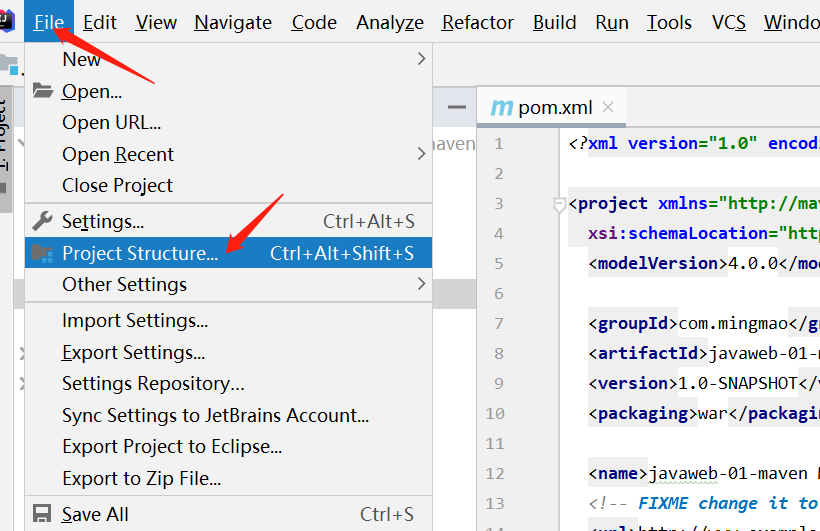
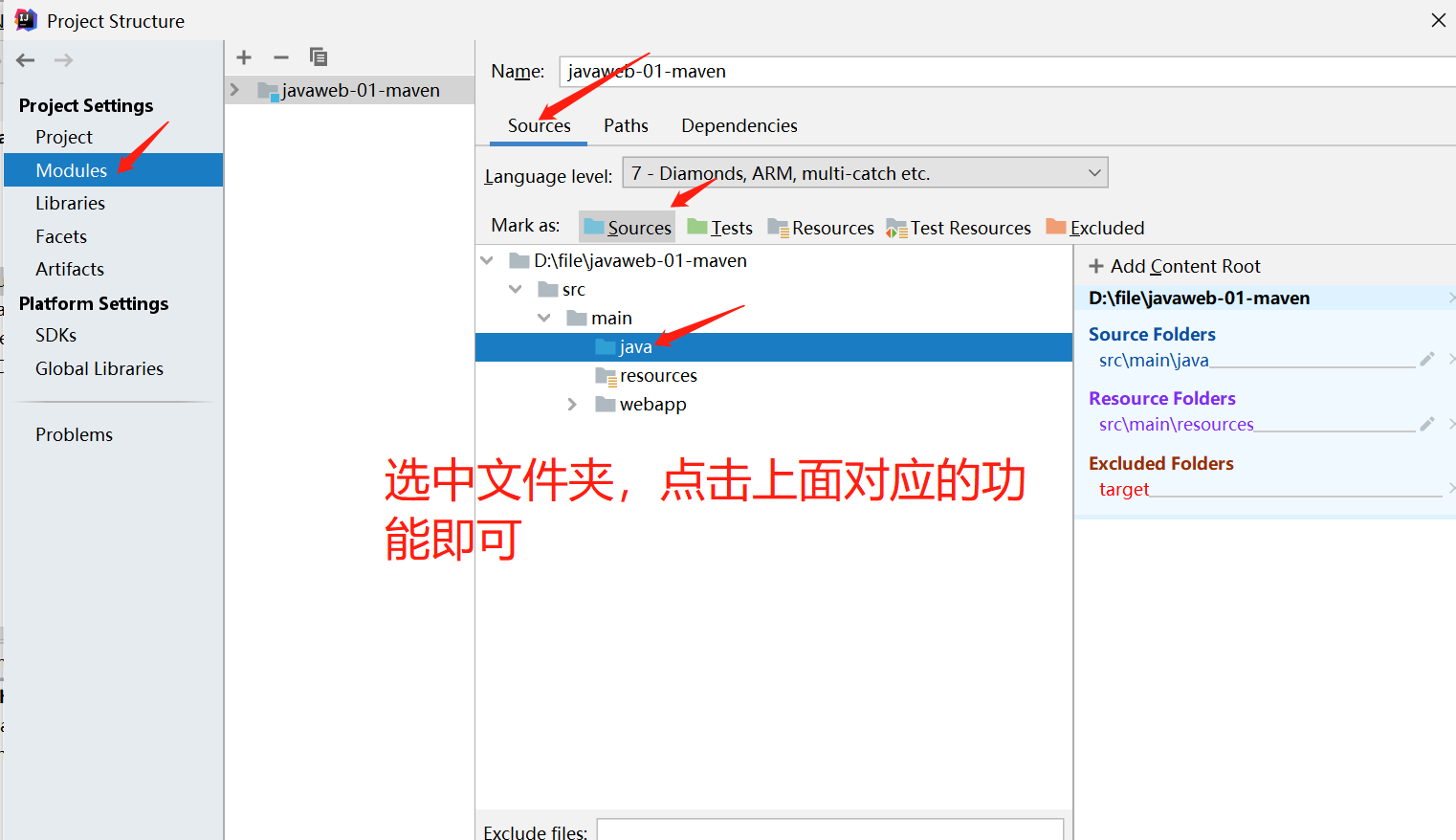
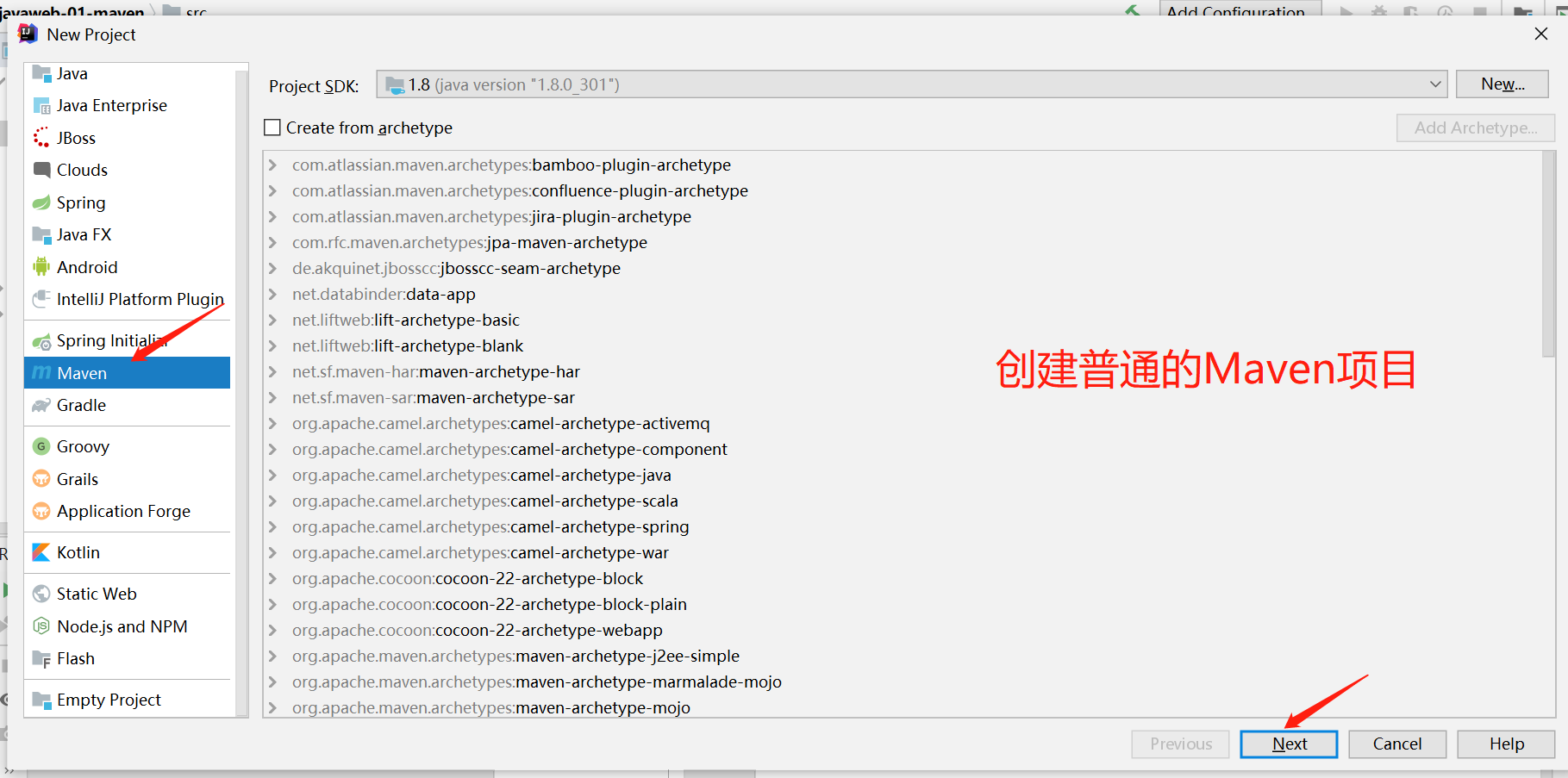
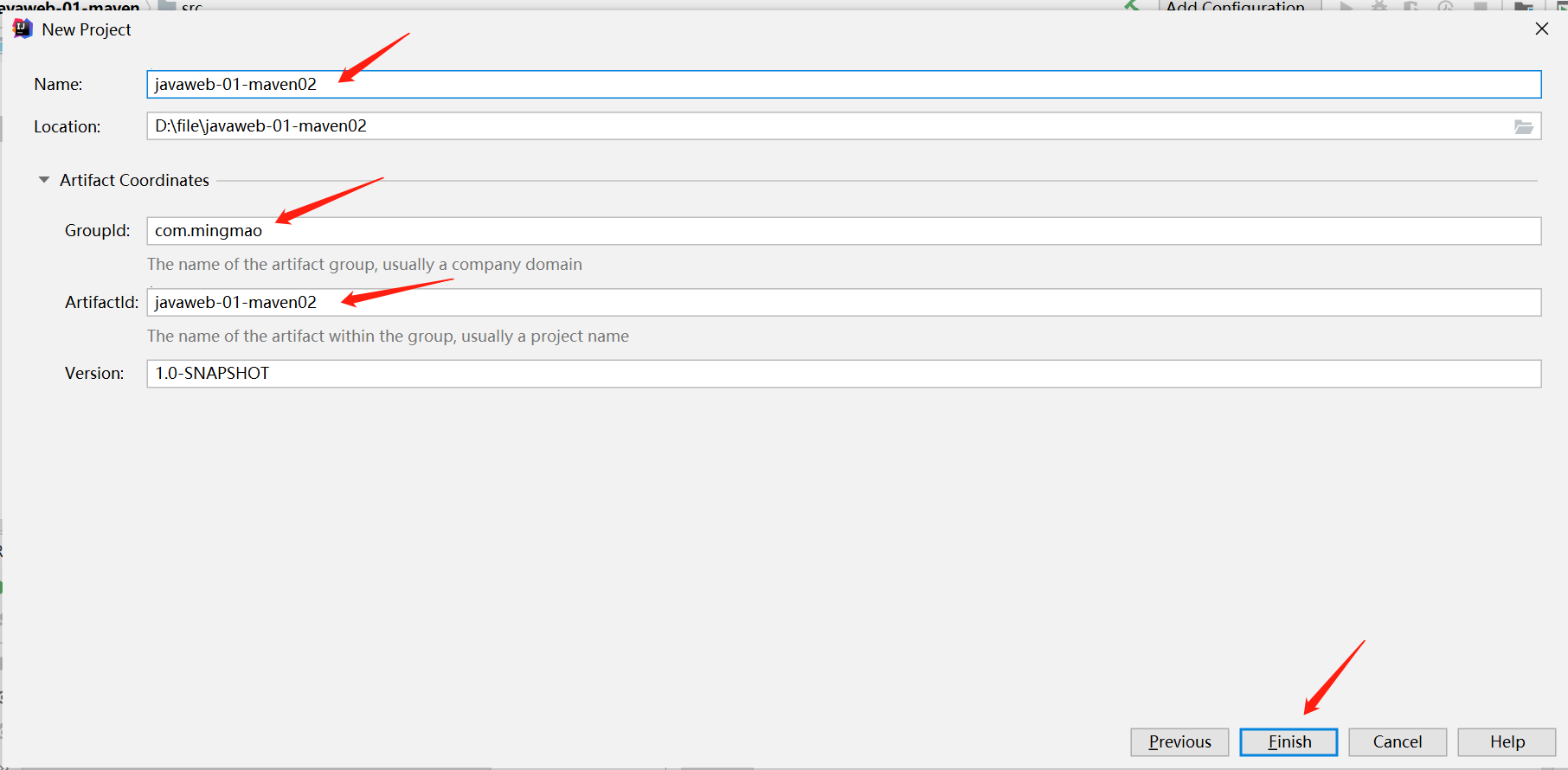
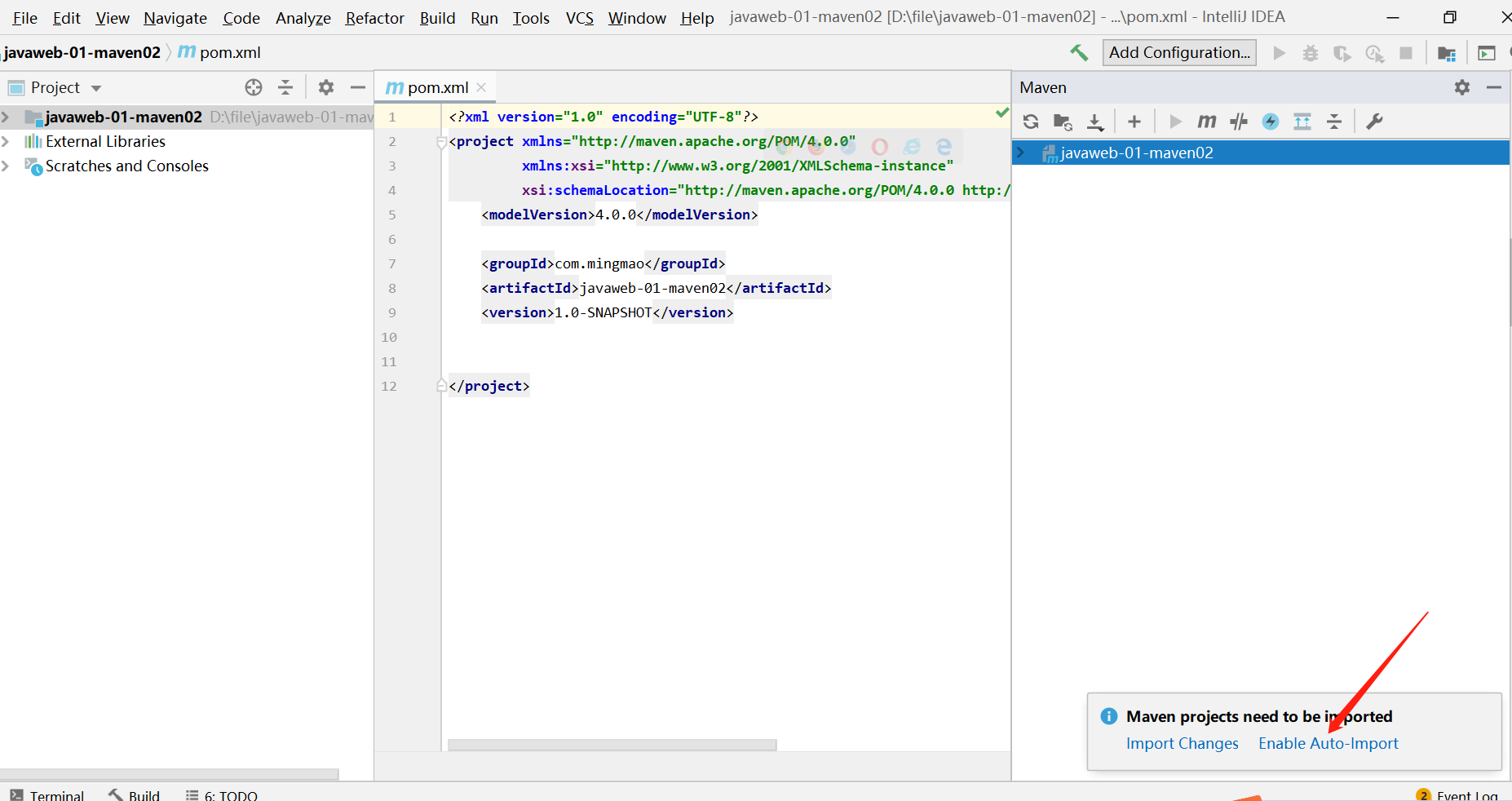
创建普通的Maven项目
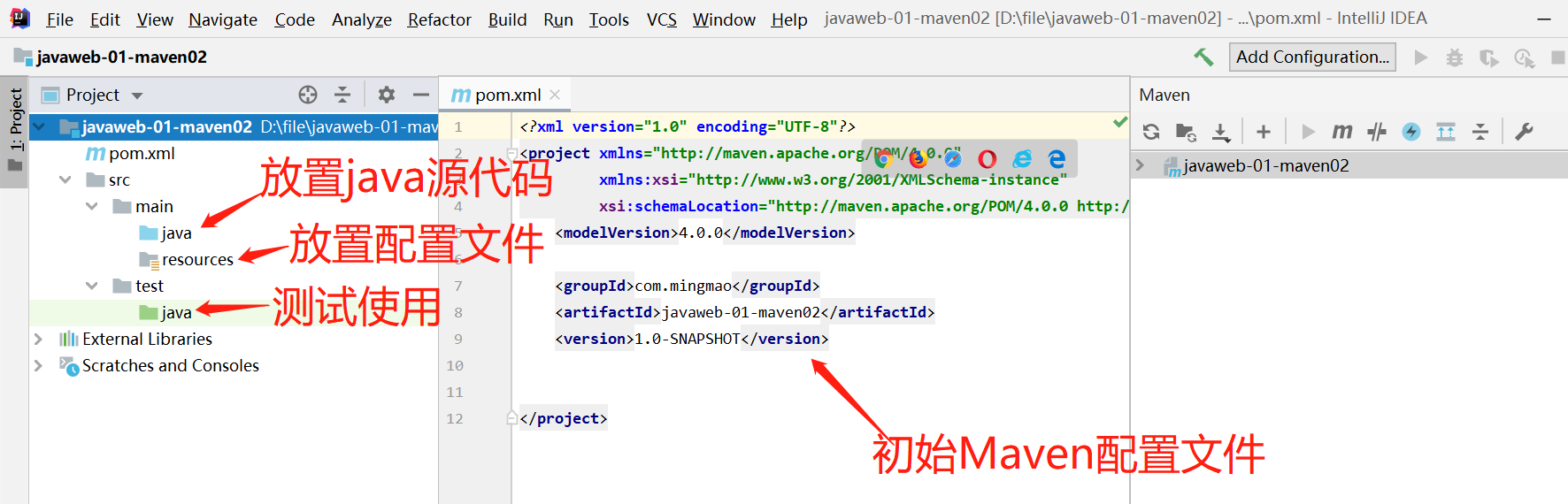
在idea中配置Tomcat
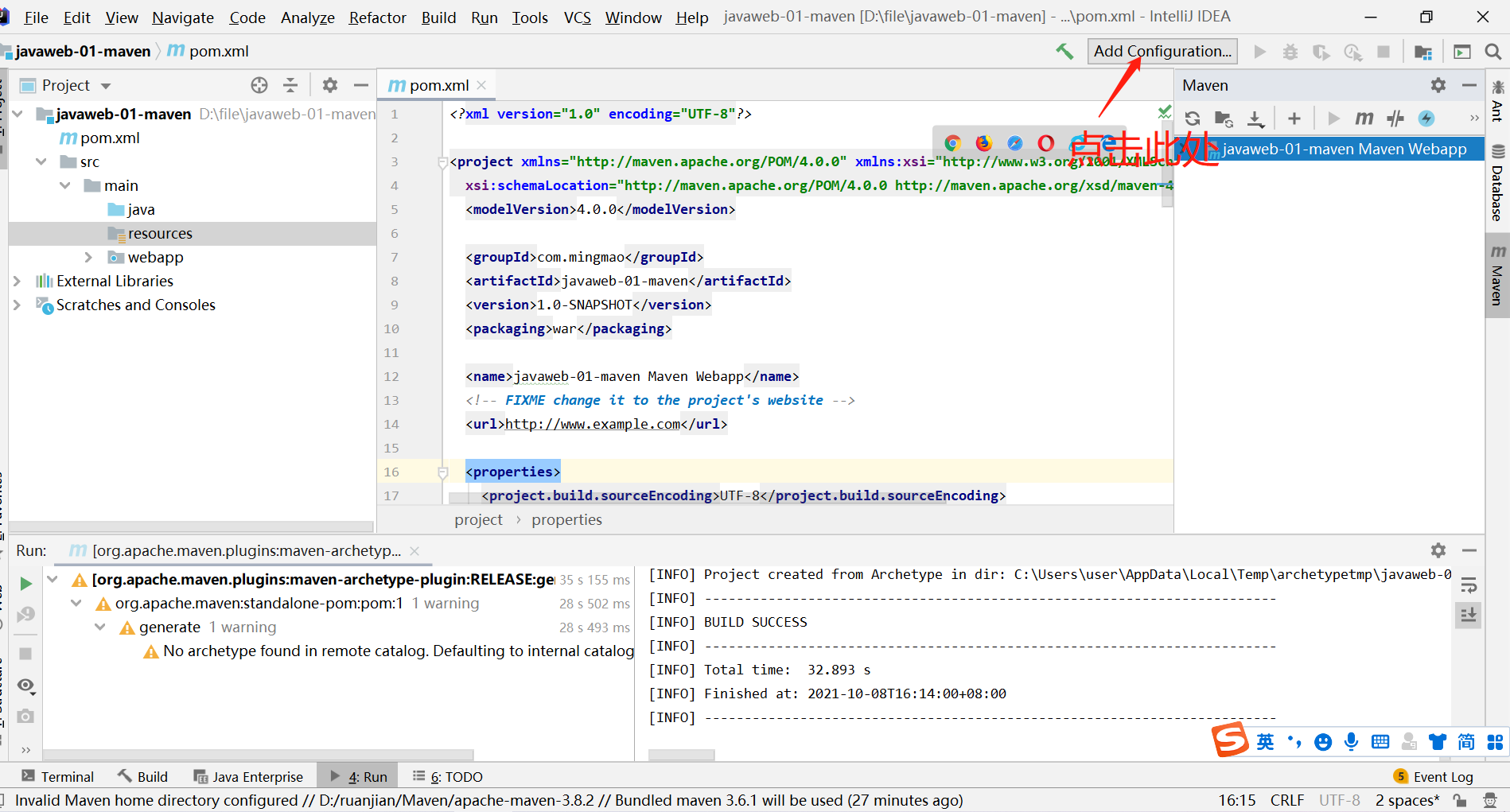
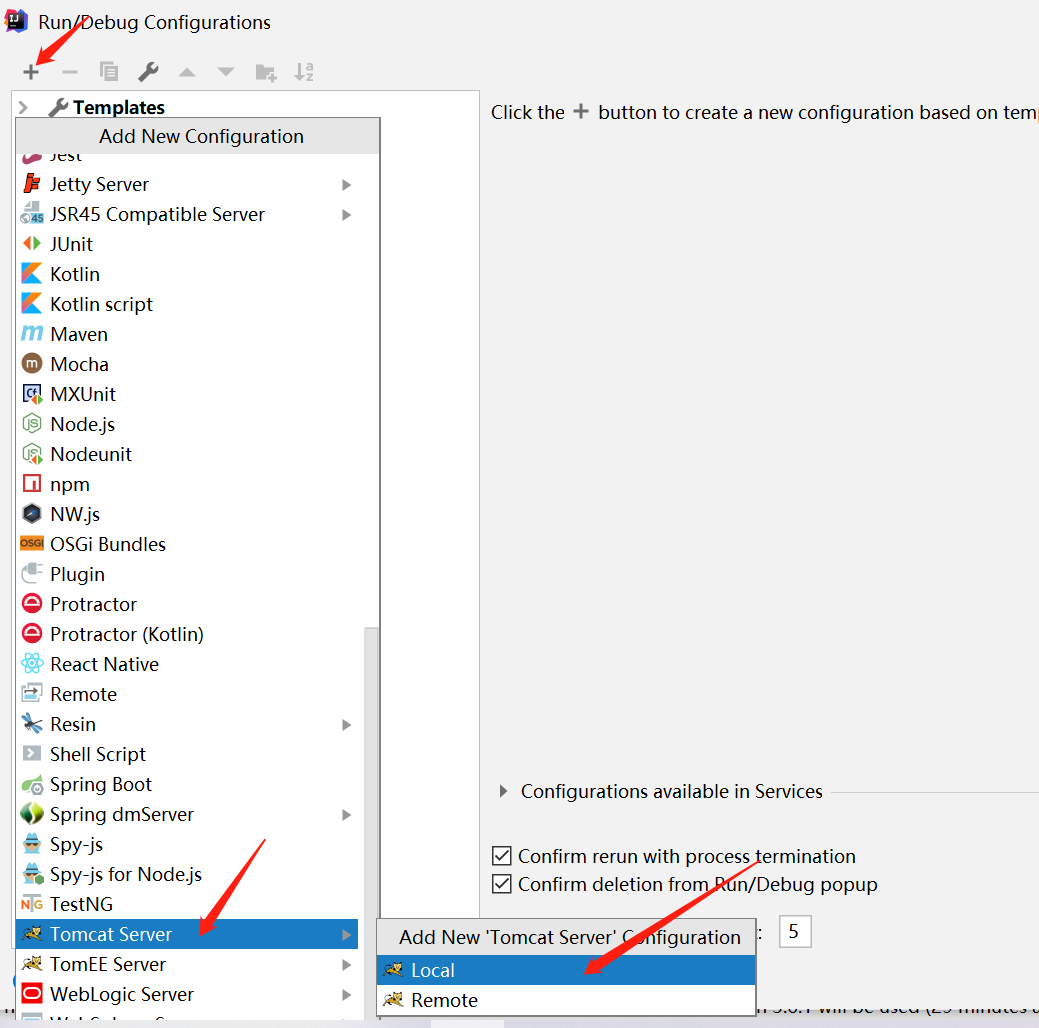
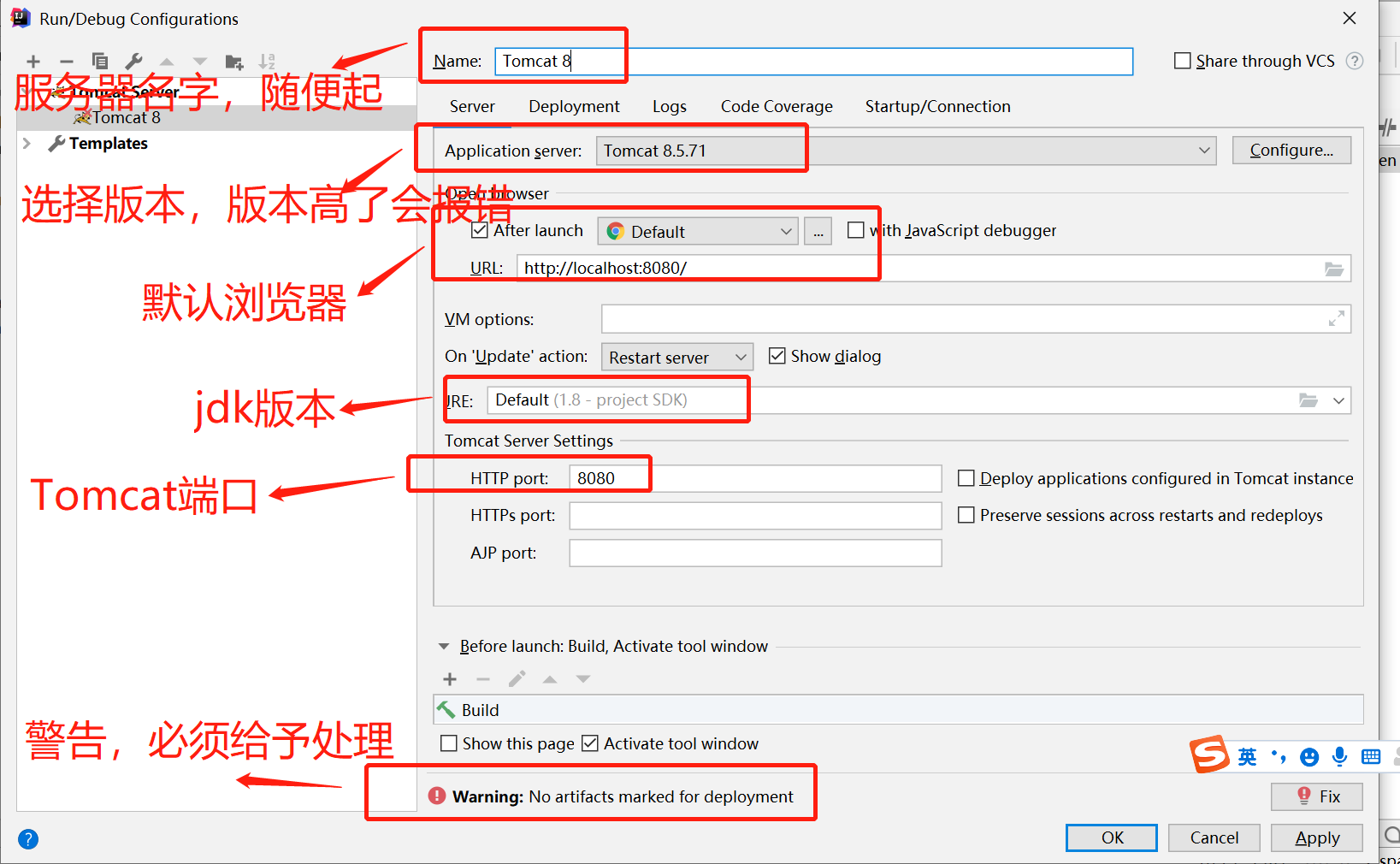
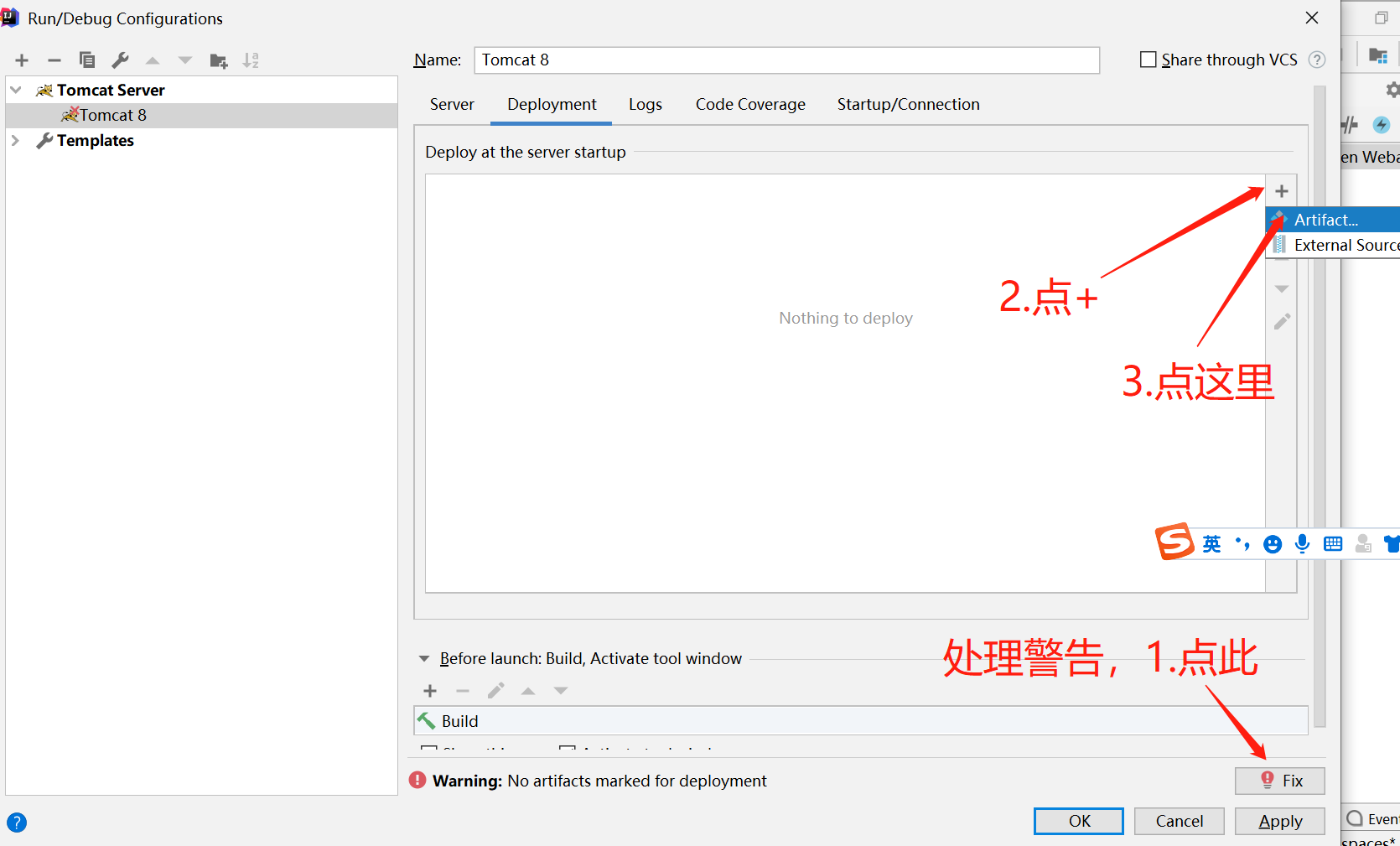
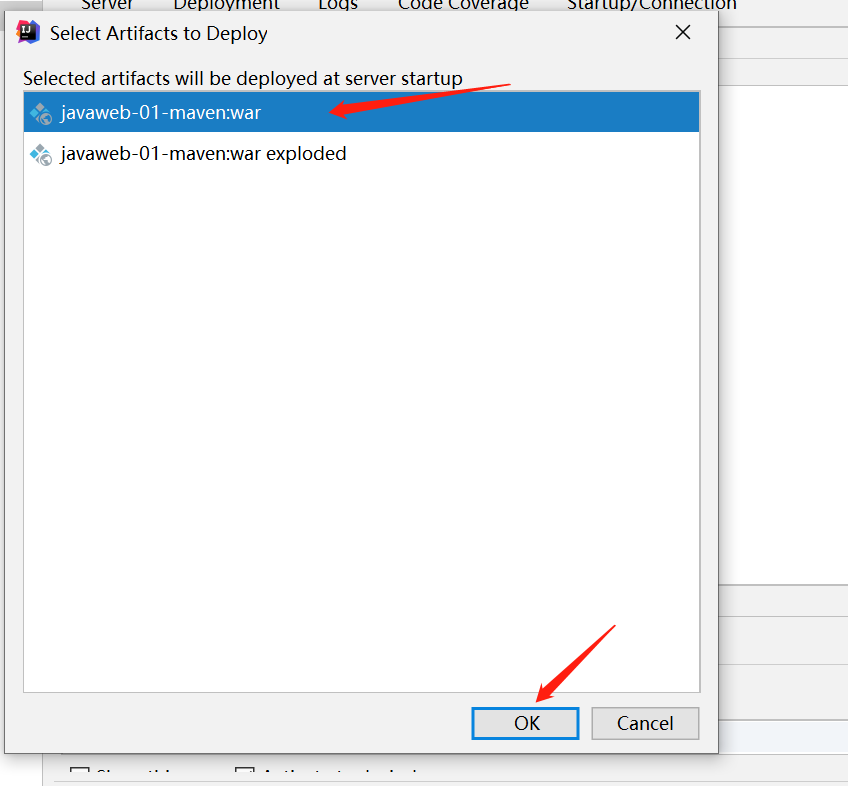
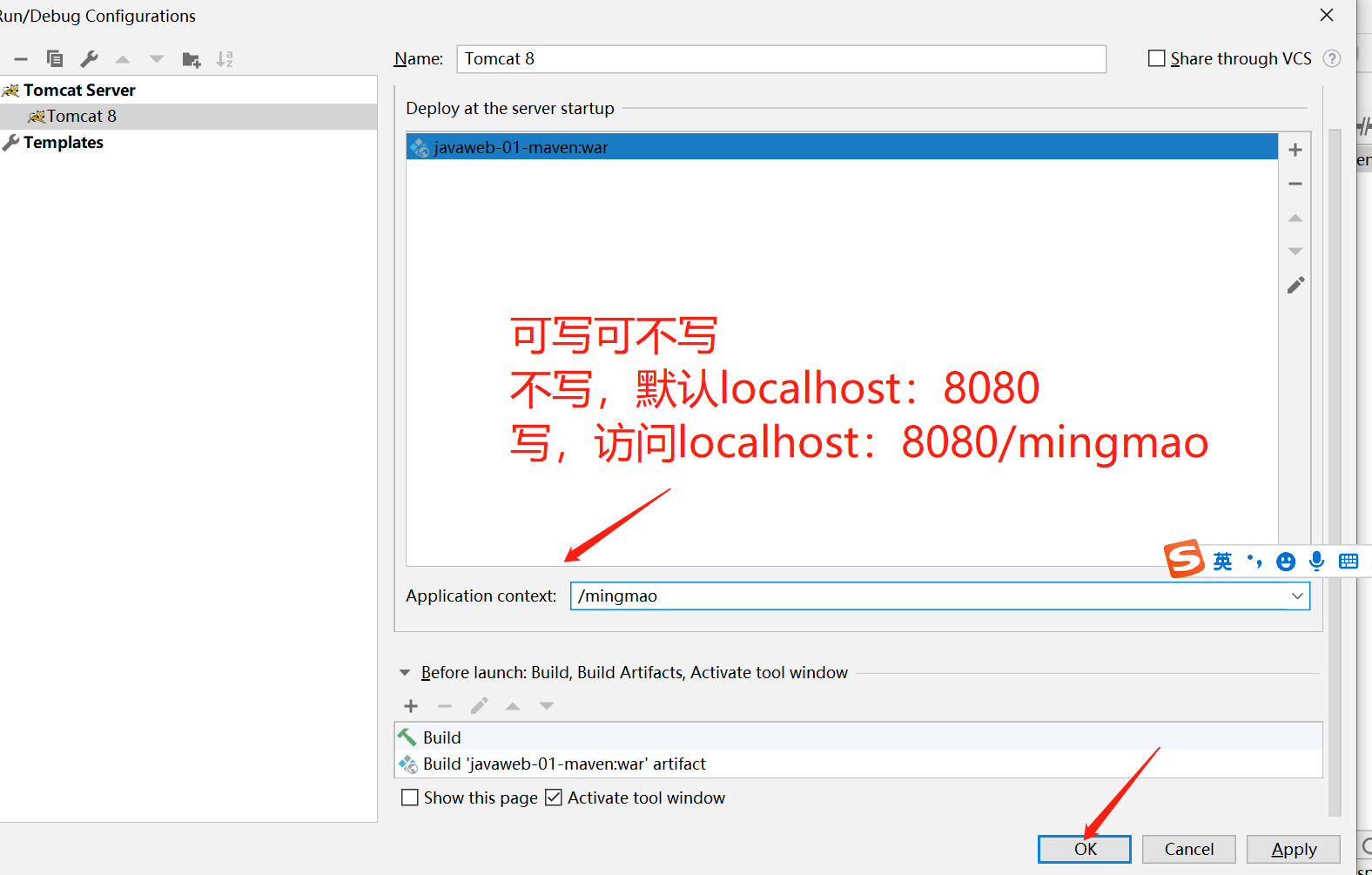
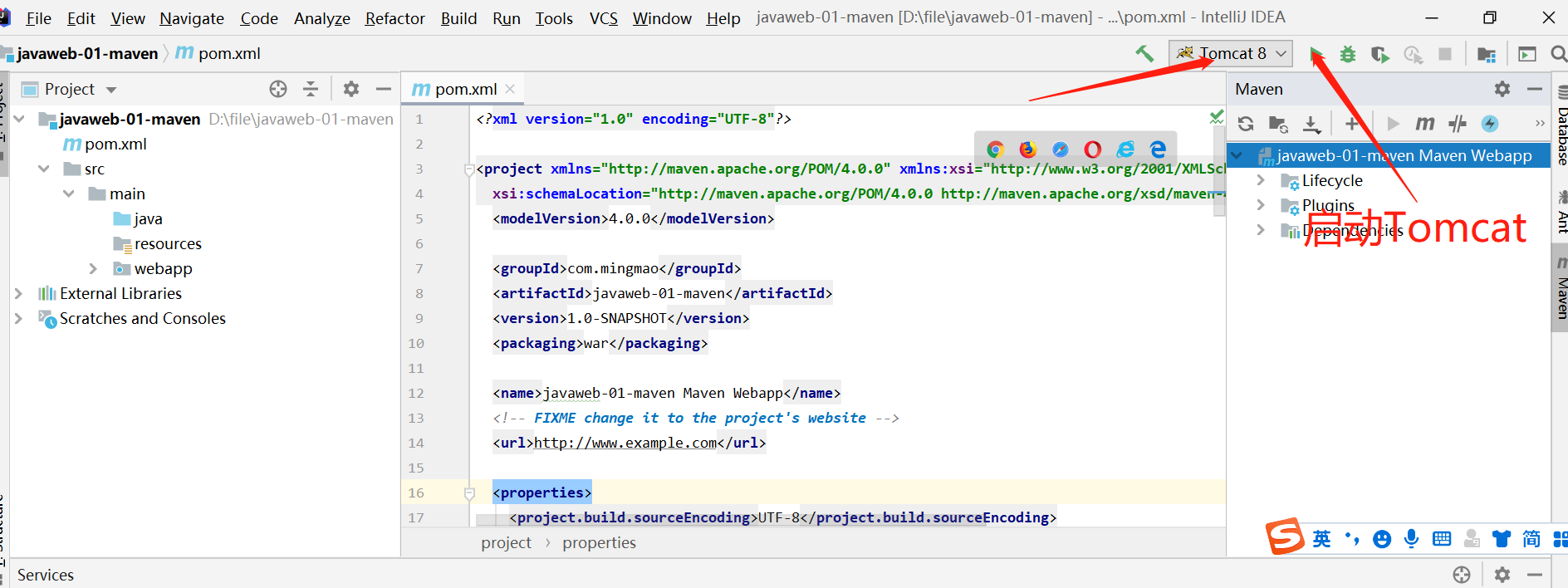
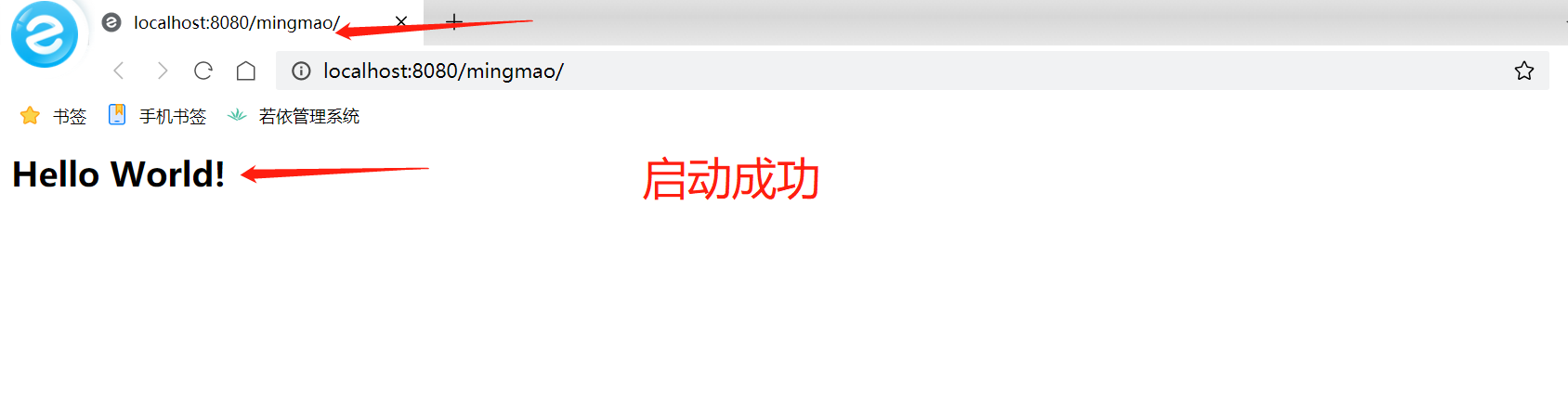
Maven
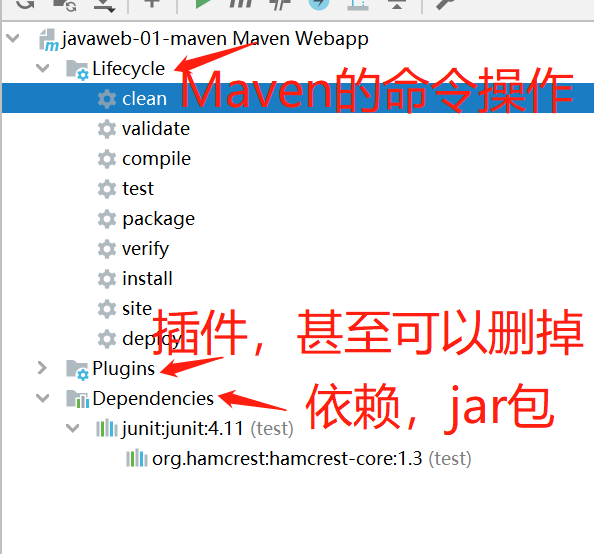
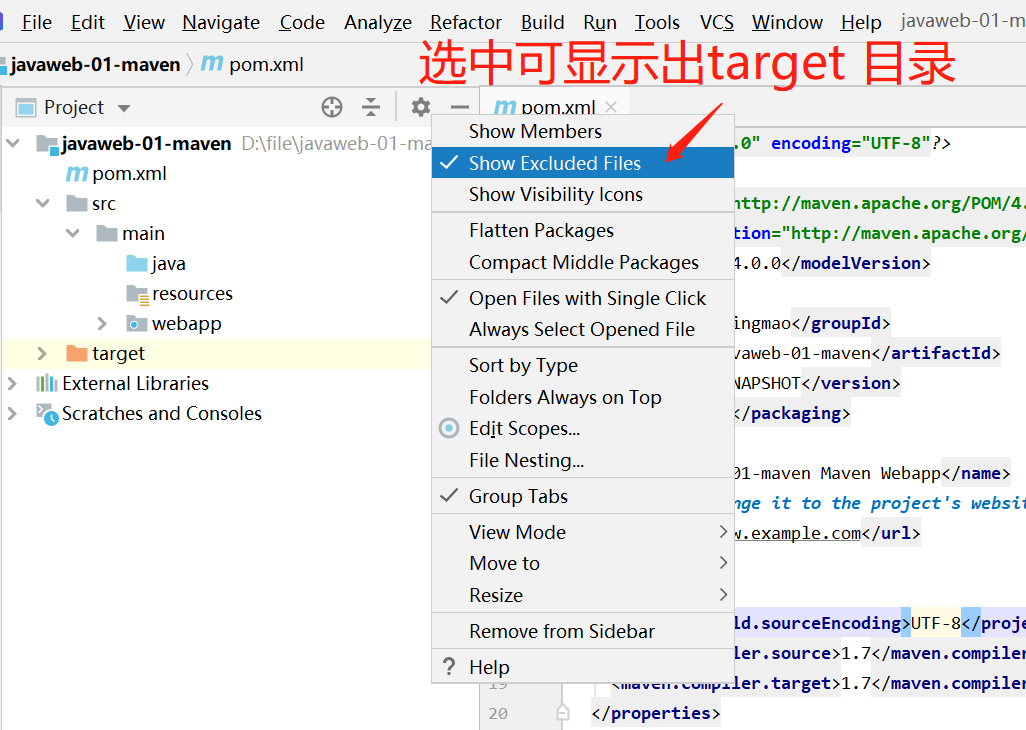
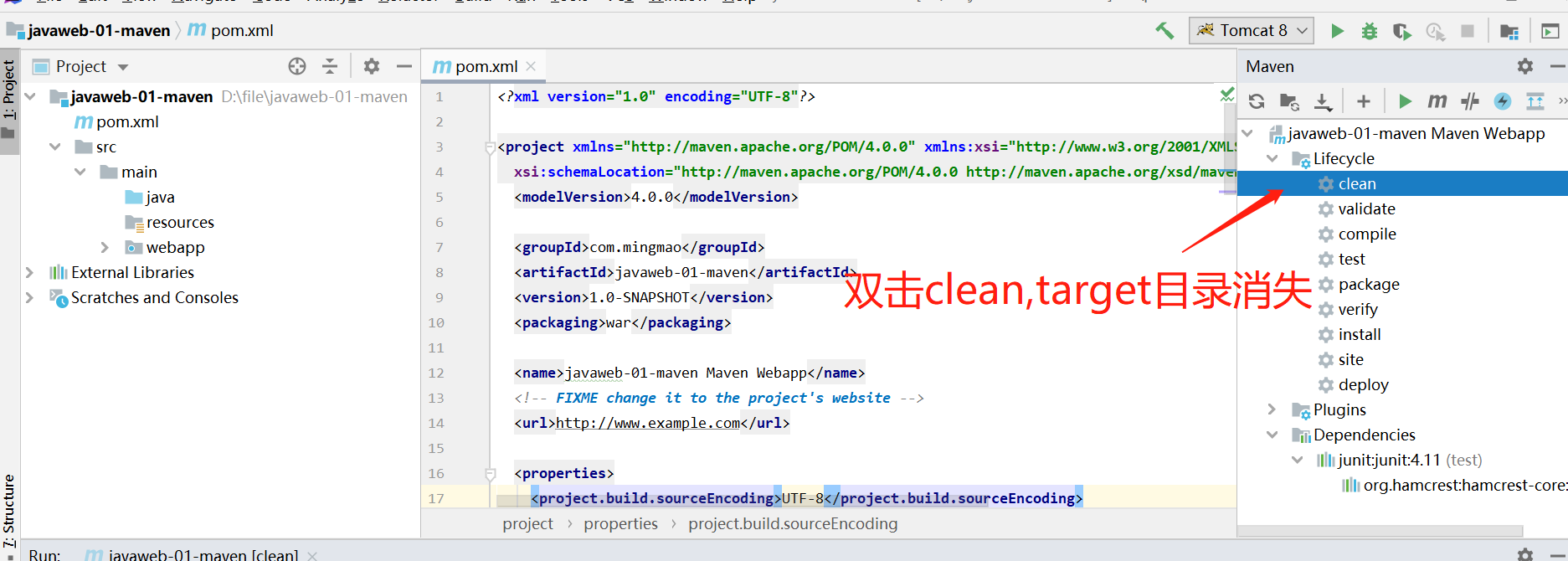
pom文件--mavenweb
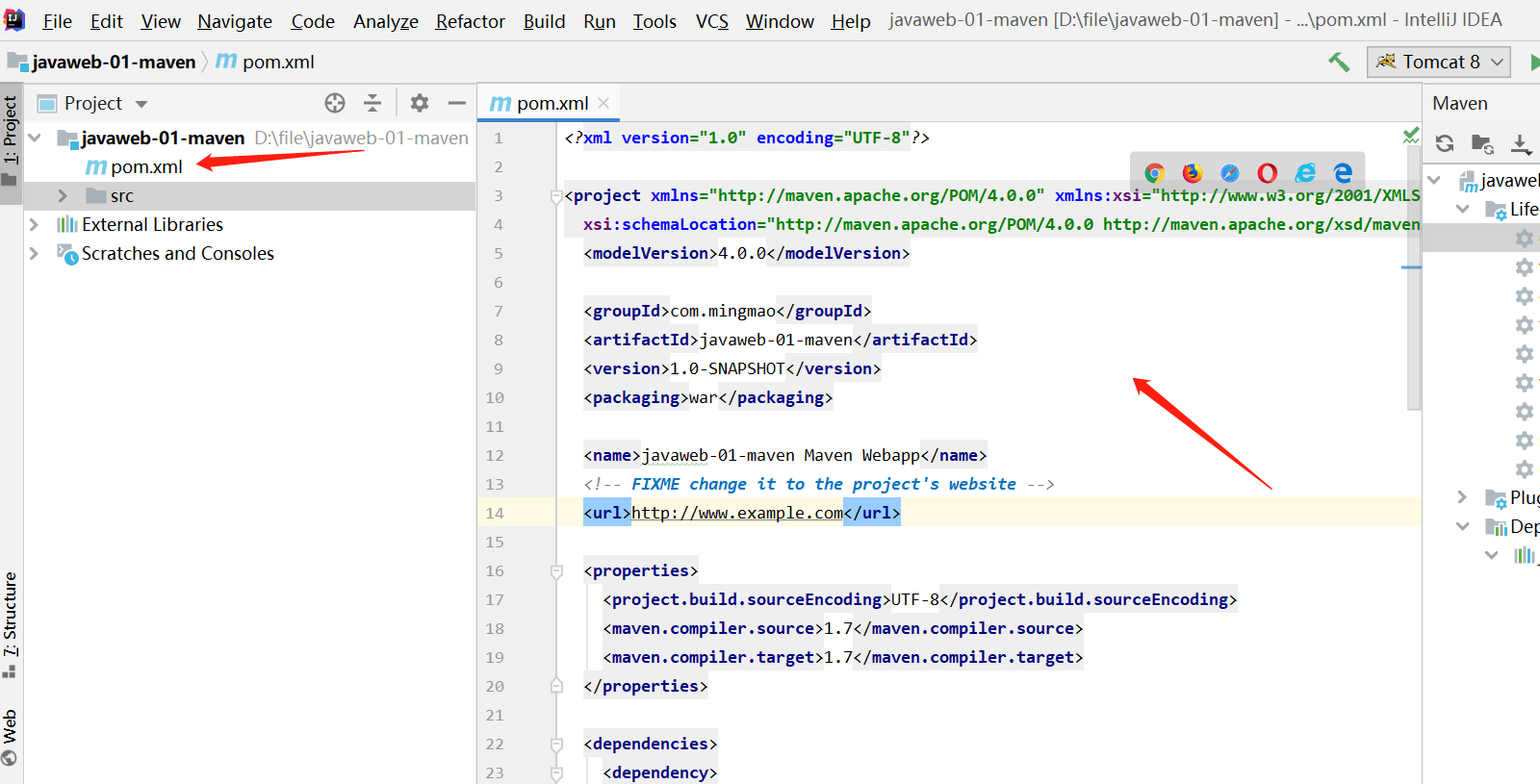
pom.xml是Maven的核心配置文件
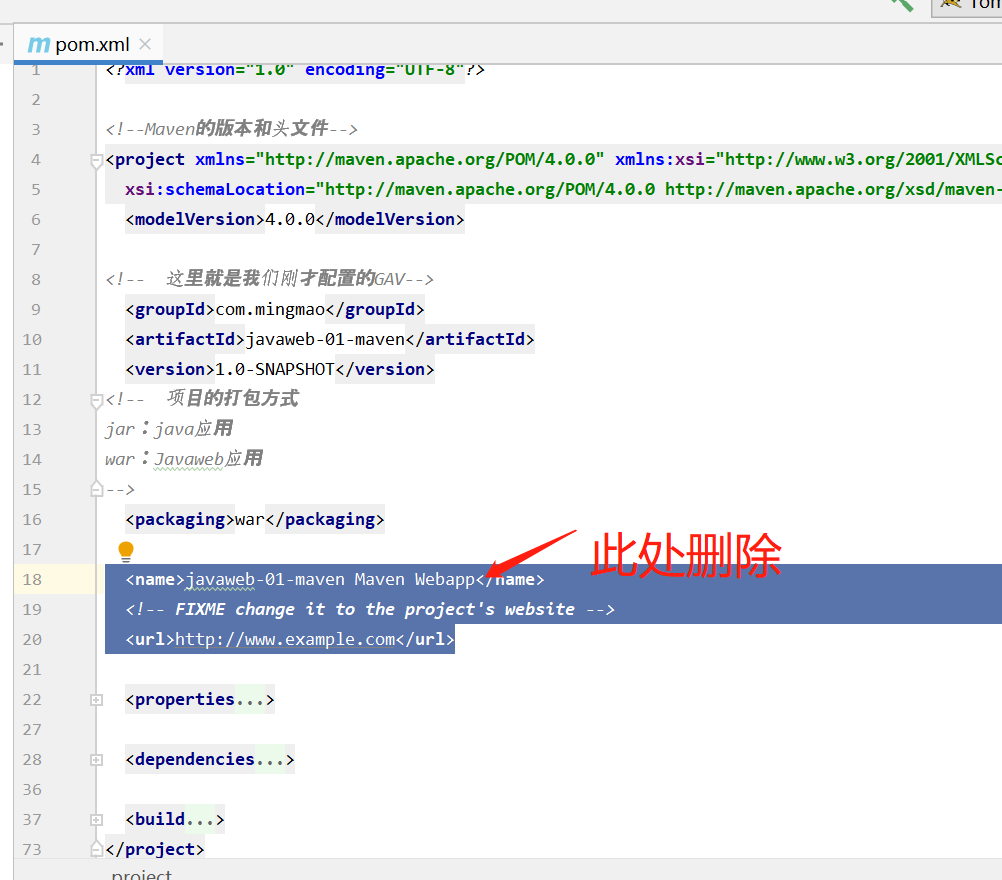
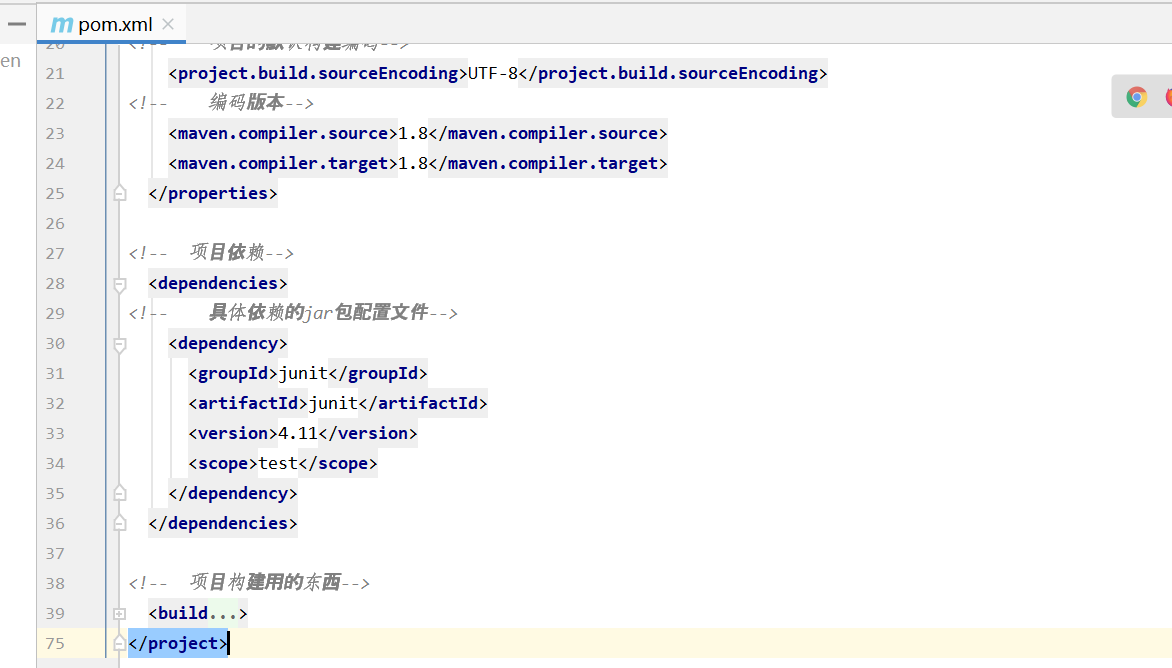
<?xml version="1.0" encoding="UTF-8"?>

<!--Maven的版本和头文件-->
<project xmlns="http://maven.apache.org/POM/4.0.0" xmlns:xsi="http://www.w3.org/2001/XMLSchema-instance"
  xsi:schemaLocation="http://maven.apache.org/POM/4.0.0 http://maven.apache.org/xsd/maven-4.0.0.xsd">
  <modelVersion>4.0.0</modelVersion>

<!--  这里就是我们刚才配置的GAV-->
  <groupId>com.mingmao</groupId>
  <artifactId>javaweb-01-maven</artifactId>
  <version>1.0-SNAPSHOT</version>
<!--  项目的打包方式
jar:java应用
war:Javaweb应用
-->
  <packaging>war</packaging>

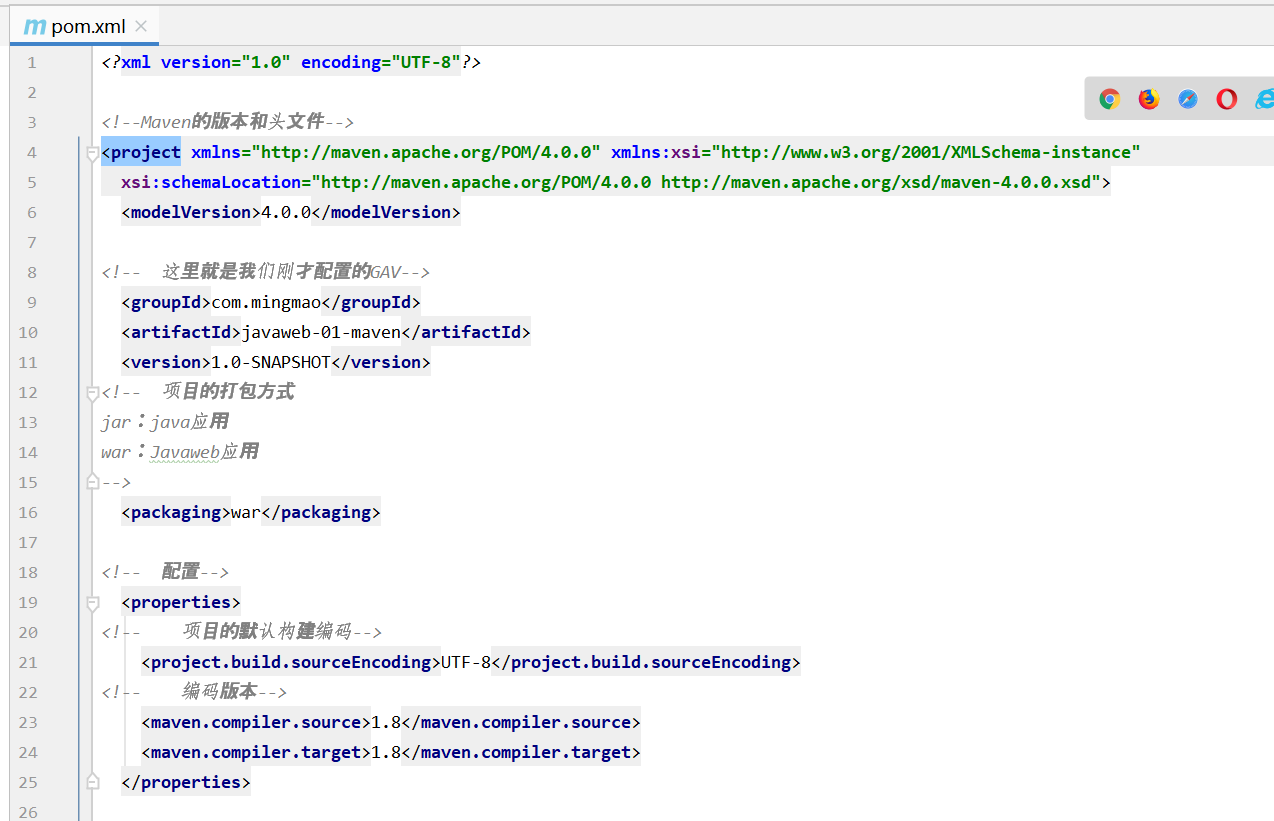
<!--  配置-->
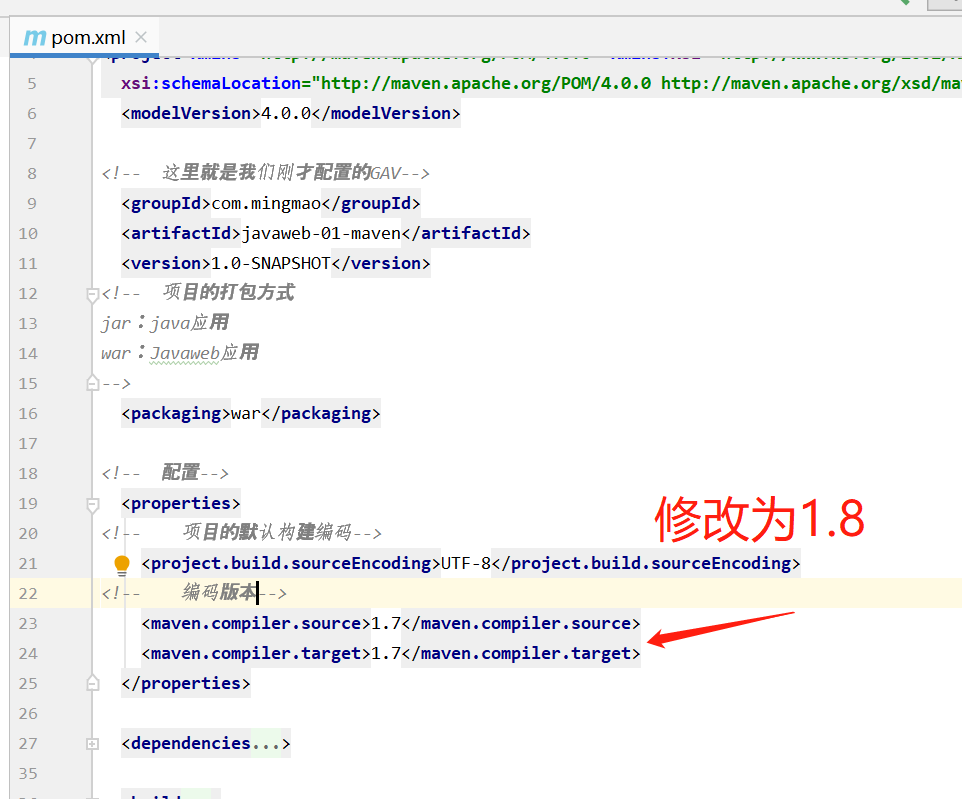
  <properties>
<!--    项目的默认构建编码-->
    <project.build.sourceEncoding>UTF-8</project.build.sourceEncoding>
<!--    编码版本-->
    <maven.compiler.source>1.8</maven.compiler.source>
    <maven.compiler.target>1.8</maven.compiler.target>
  </properties>

<!--  项目依赖-->
  <dependencies>
<!--    具体依赖的jar包配置文件-->
    <dependency>
      <groupId>junit</groupId>
      <artifactId>junit</artifactId>
      <version>4.11</version>
      <scope>test</scope>
    </dependency>
  </dependencies>

<!--  项目构建用的东西-->
  <build>
    <finalName>javaweb-01-maven</finalName>
    <pluginManagement><!-- lock down plugins versions to avoid using Maven defaults (may be moved to parent pom) -->
      <plugins>
        <plugin>
          <artifactId>maven-clean-plugin</artifactId>
          <version>3.1.0</version>
        </plugin>
        <!-- see http://maven.apache.org/ref/current/maven-core/default-bindings.html#Plugin_bindings_for_war_packaging -->
        <plugin>
          <artifactId>maven-resources-plugin</artifactId>
          <version>3.0.2</version>
        </plugin>
        <plugin>
          <artifactId>maven-compiler-plugin</artifactId>
          <version>3.8.0</version>
        </plugin>
        <plugin>
          <artifactId>maven-surefire-plugin</artifactId>
          <version>2.22.1</version>
        </plugin>
        <plugin>
          <artifactId>maven-war-plugin</artifactId>
          <version>3.2.2</version>
        </plugin>
        <plugin>
          <artifactId>maven-install-plugin</artifactId>
          <version>2.5.2</version>
        </plugin>
        <plugin>
          <artifactId>maven-deploy-plugin</artifactId>
          <version>2.8.2</version>
        </plugin>
      </plugins>
    </pluginManagement>
  </build>
</project>
pom文件--普通Maven
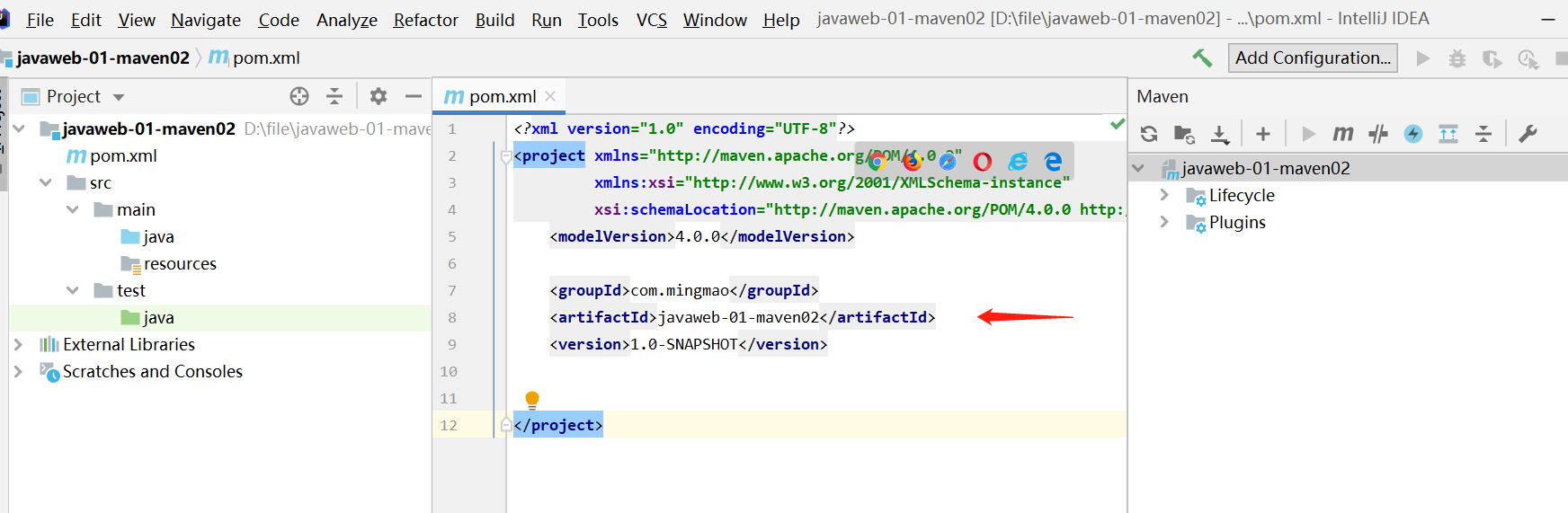
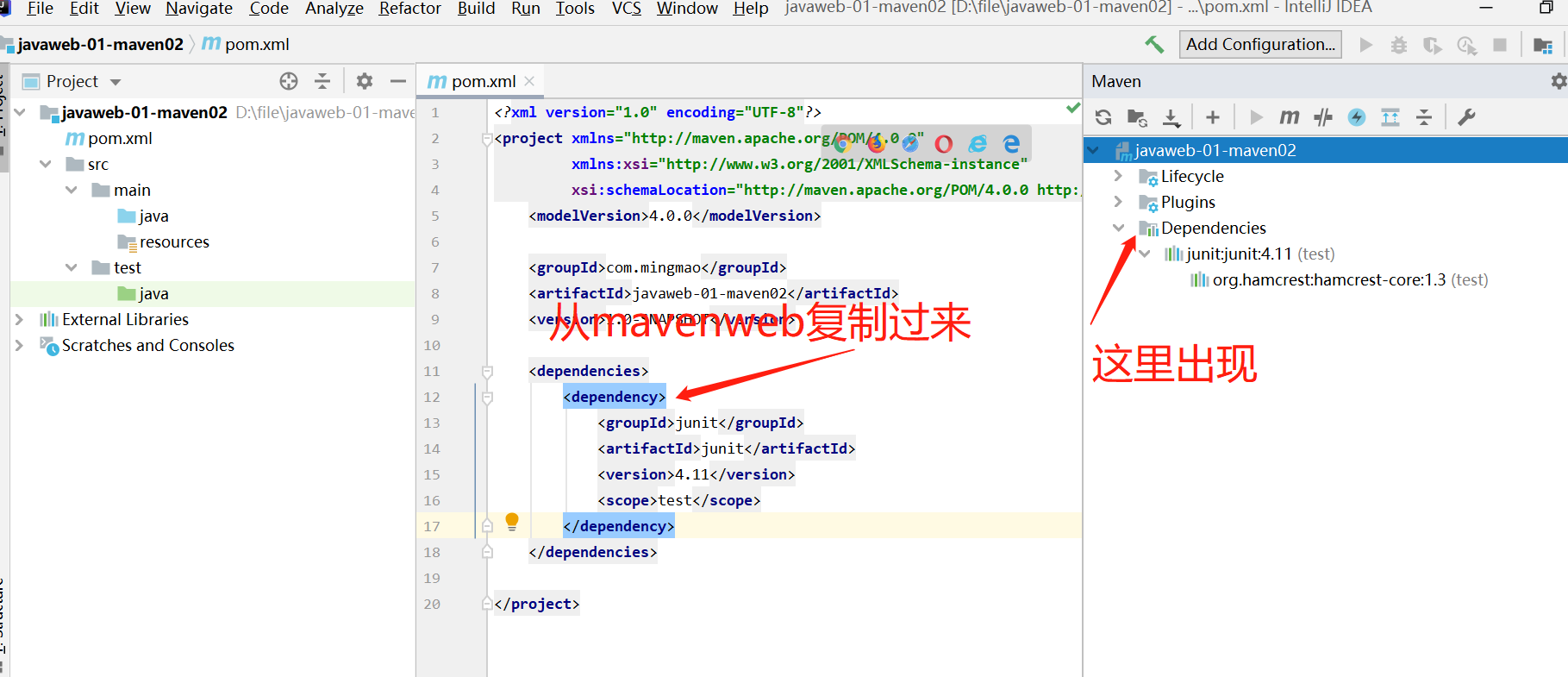
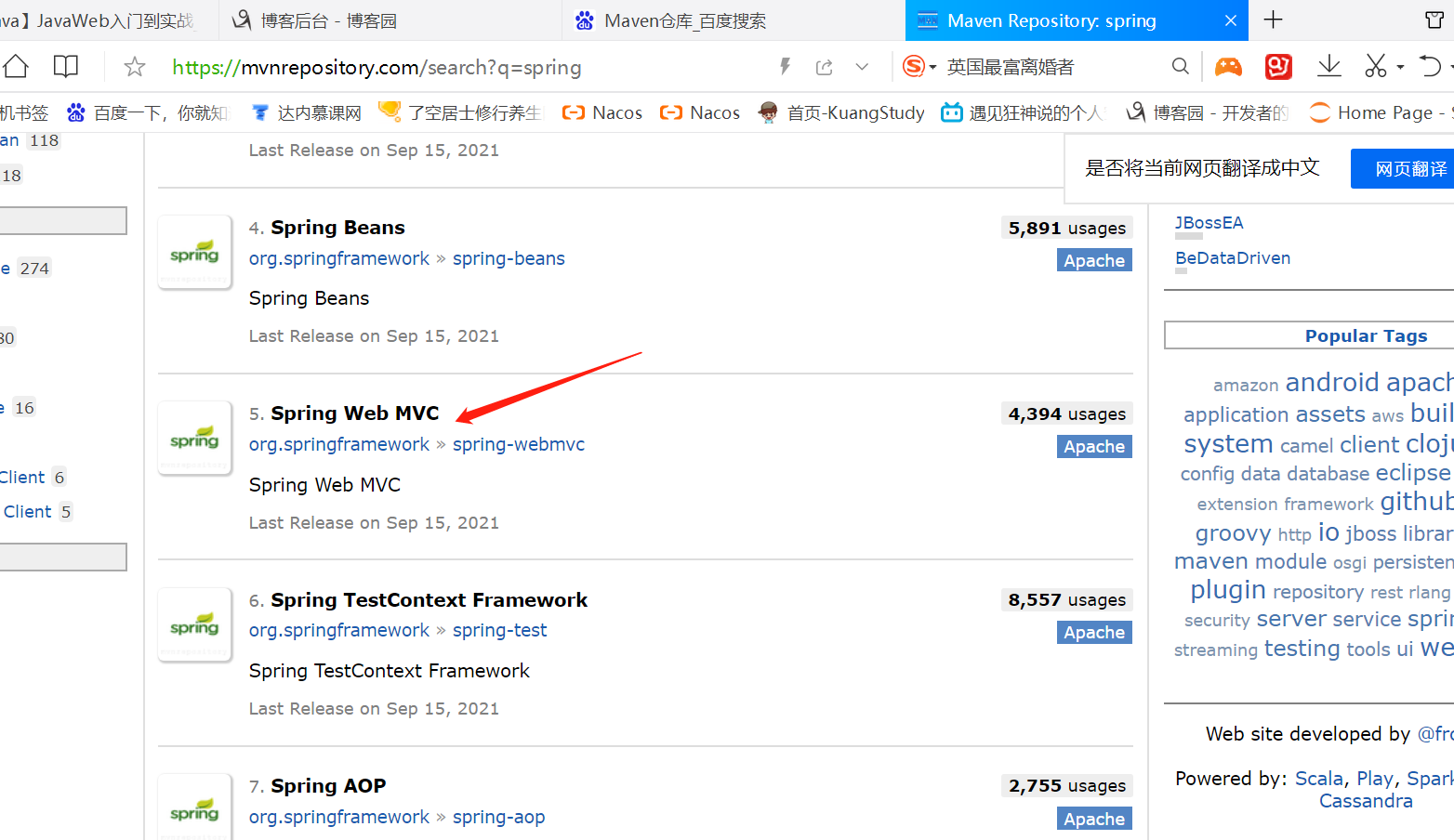
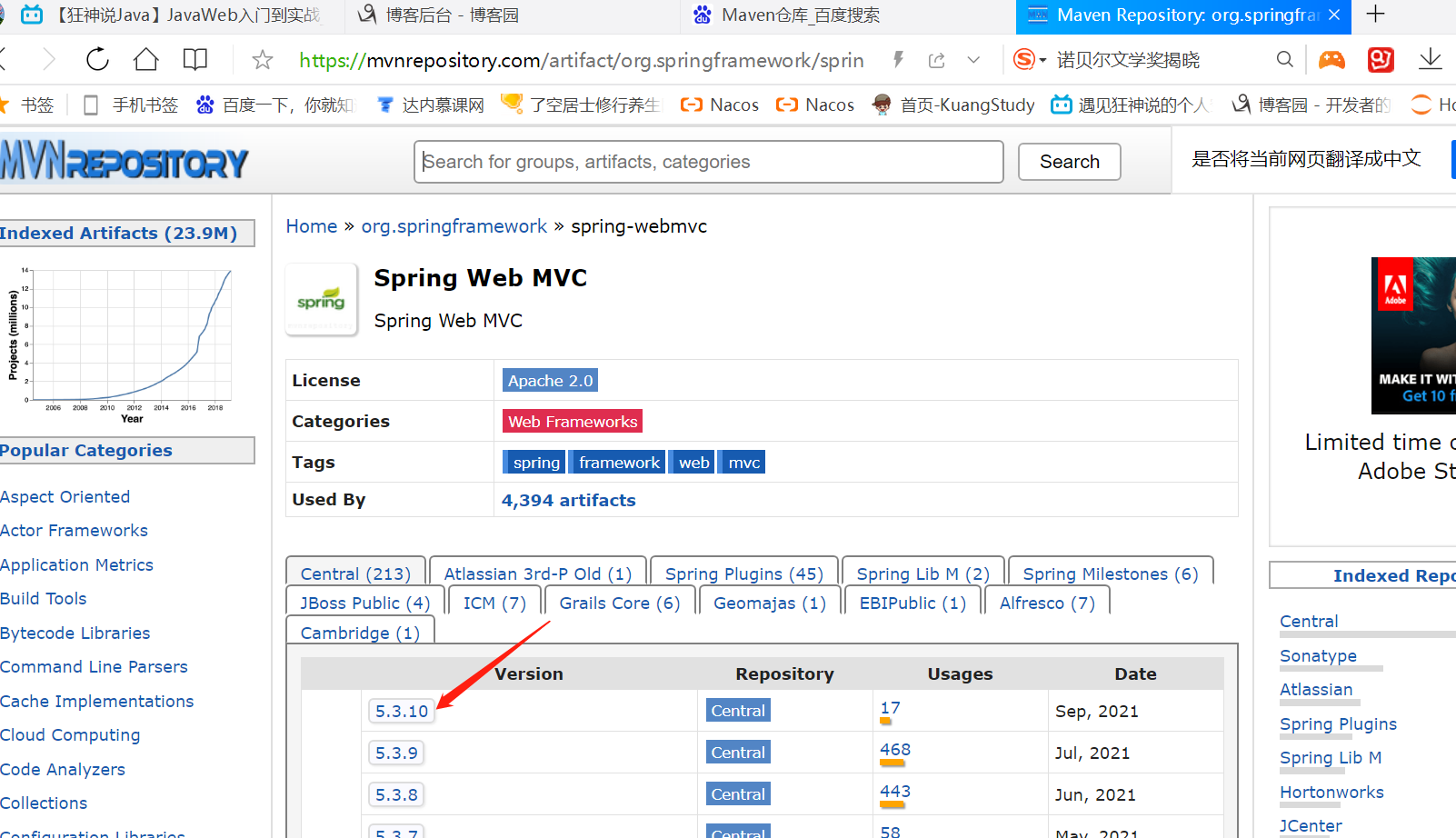
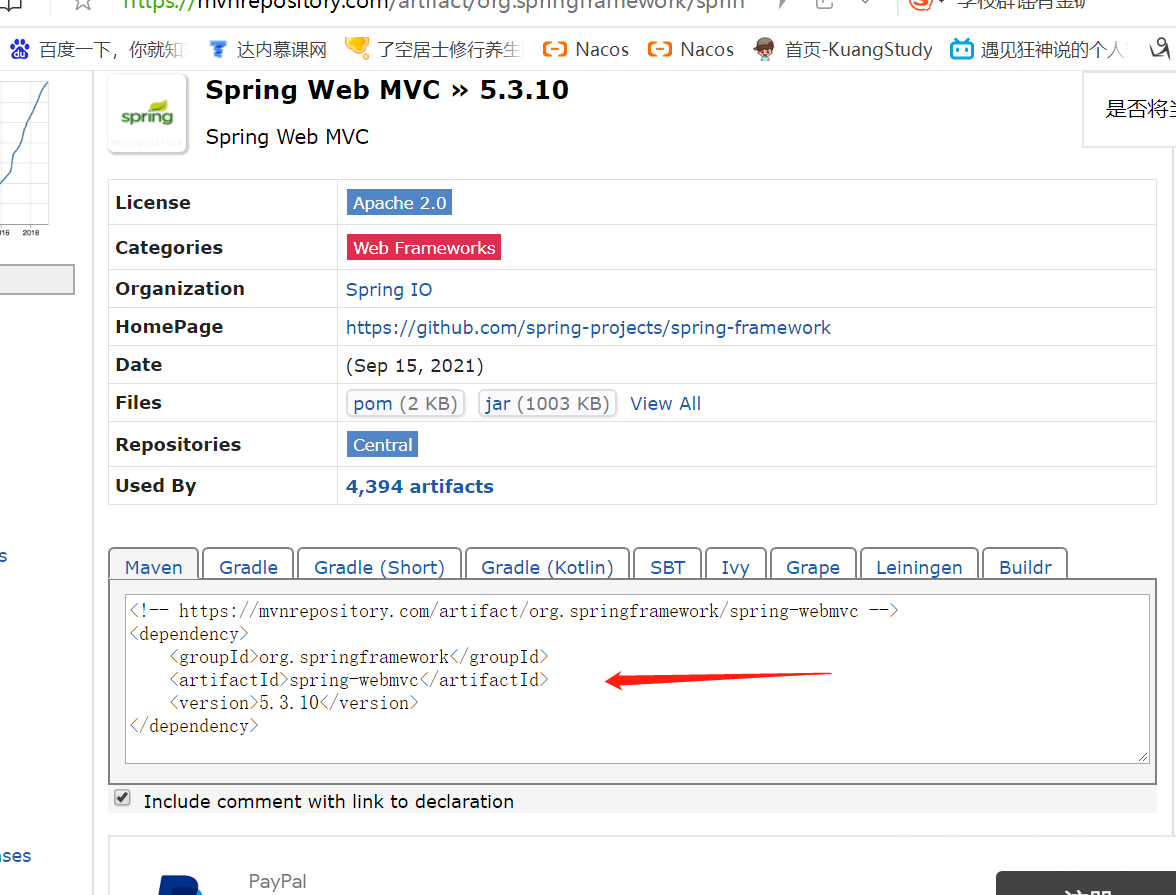
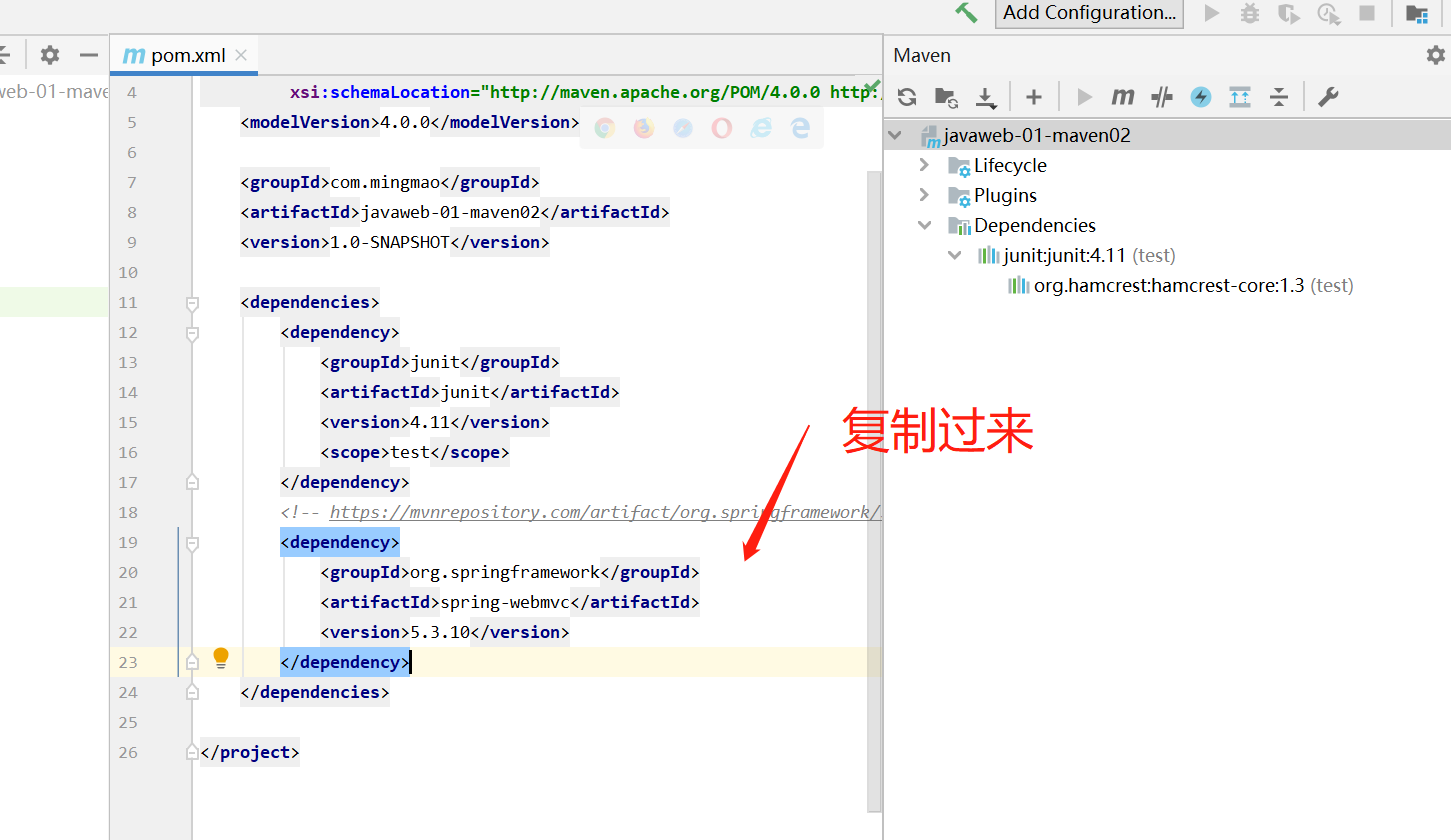
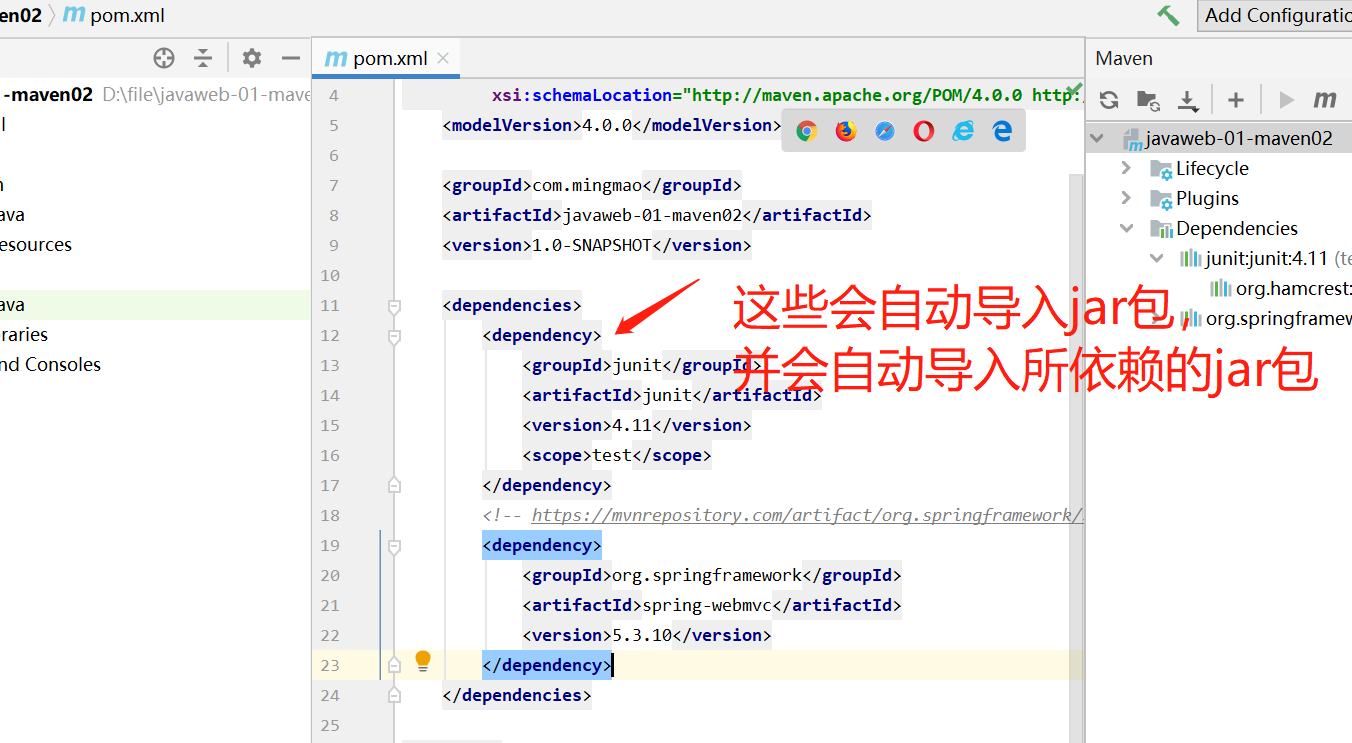
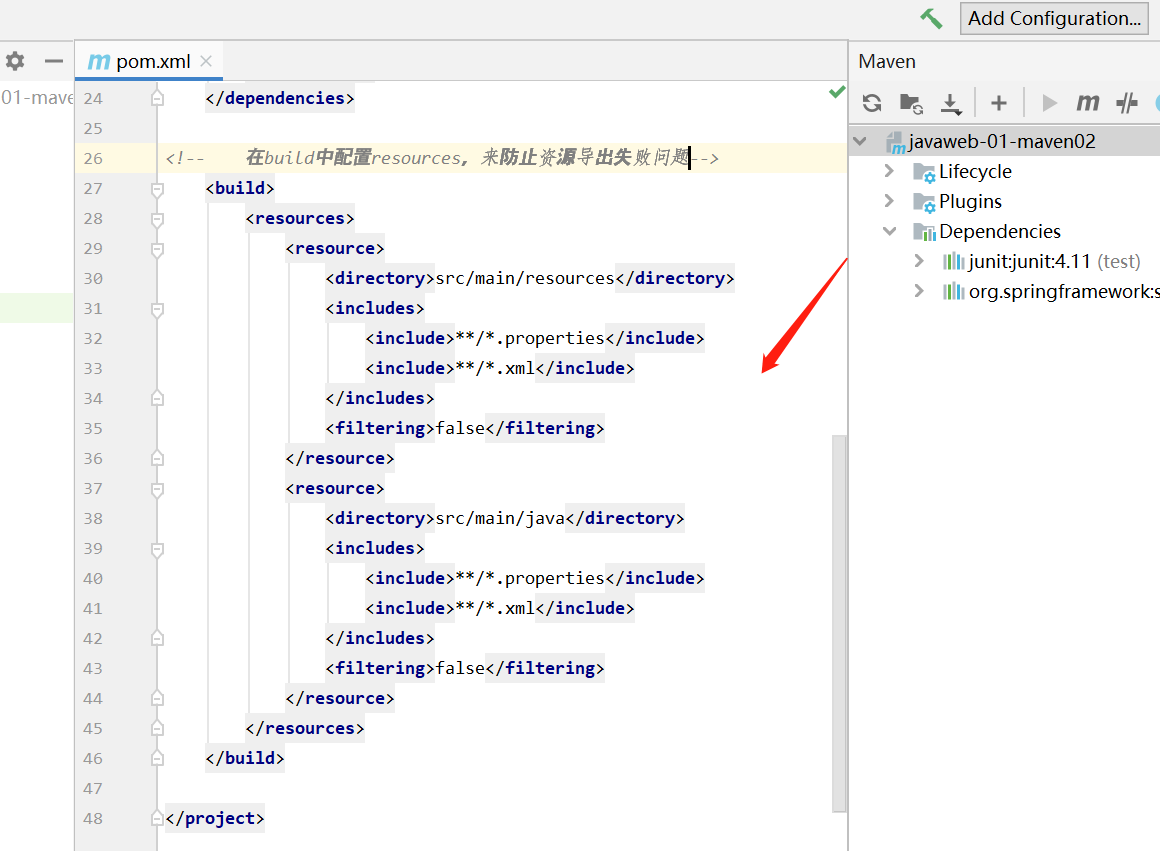
<?xml version="1.0" encoding="UTF-8"?>
<project xmlns="http://maven.apache.org/POM/4.0.0"
         xmlns:xsi="http://www.w3.org/2001/XMLSchema-instance"
         xsi:schemaLocation="http://maven.apache.org/POM/4.0.0 http://maven.apache.org/xsd/maven-4.0.0.xsd">
    <modelVersion>4.0.0</modelVersion>

    <groupId>com.mingmao</groupId>
    <artifactId>javaweb-01-maven02</artifactId>
    <version>1.0-SNAPSHOT</version>

    <dependencies>
        <dependency>
            <groupId>junit</groupId>
            <artifactId>junit</artifactId>
            <version>4.11</version>
            <scope>test</scope>
        </dependency>
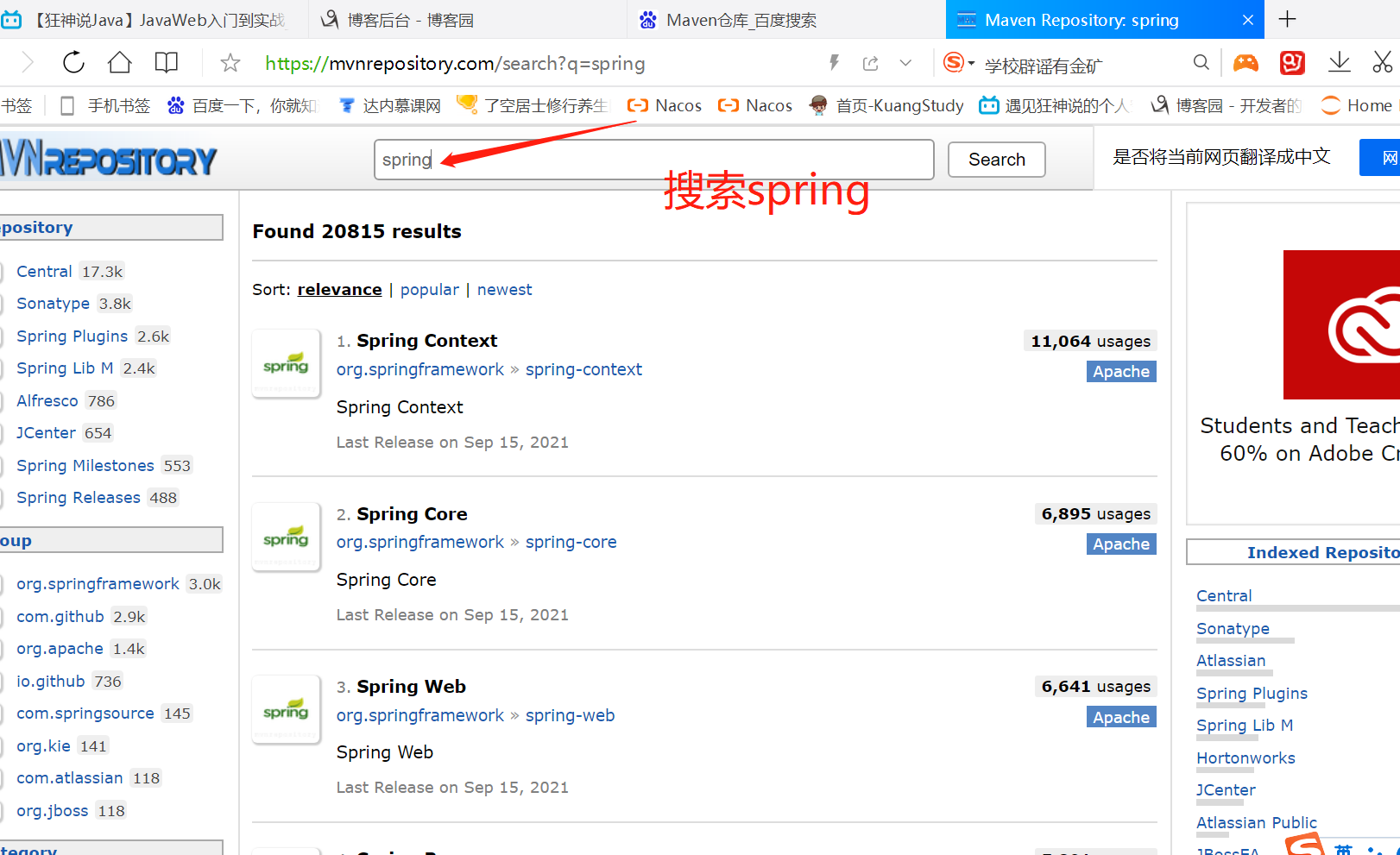
        <!-- https://mvnrepository.com/artifact/org.springframework/spring-webmvc -->
        <dependency>
            <groupId>org.springframework</groupId>
            <artifactId>spring-webmvc</artifactId>
            <version>5.3.10</version>
        </dependency>
    </dependencies>

<!--    在build中配置resources,来防止资源导出失败问题-->
    <build>
        <resources>
            <resource>
                <directory>src/main/resources</directory>
                <includes>
                    <include>**/*.properties</include>
                    <include>**/*.xml</include>
                </includes>
                <filtering>false</filtering>
            </resource>
            <resource>
                <directory>src/main/java</directory>
                <includes>
                    <include>**/*.properties</include>
                    <include>**/*.xml</include>
                </includes>
                <filtering>false</filtering>
            </resource>
        </resources>
    </build>

</project>
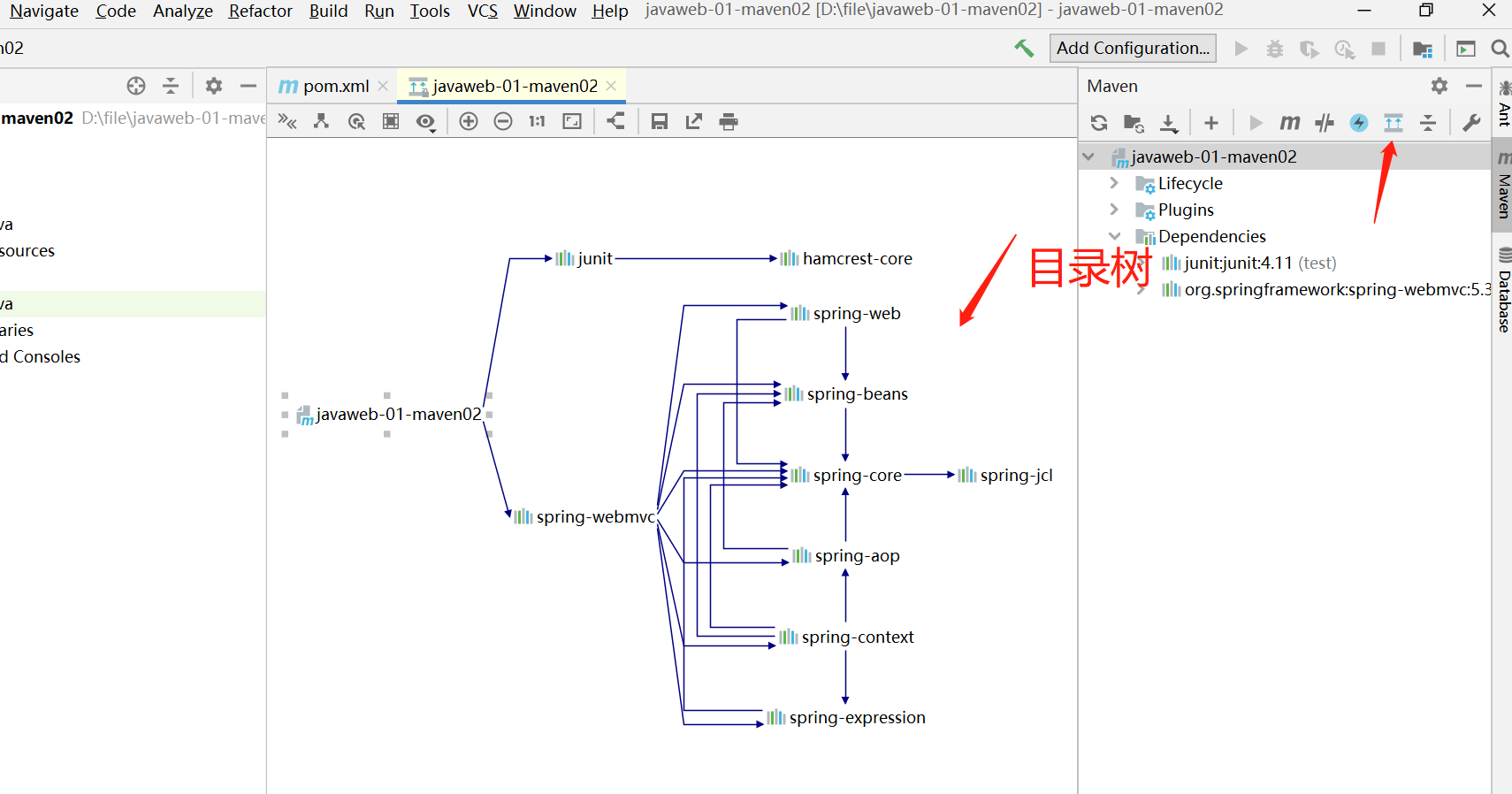
目录树

 浙公网安备 33010602011771号