
tab切换
案例验证问题:
<component/>组件的使用<keep-alive/>的使用activated(){}周期函数的执行vant组件底部导航栏的使用
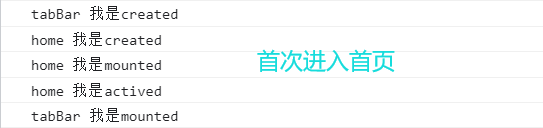
第一步:首次进入首页
页面

控制台打印
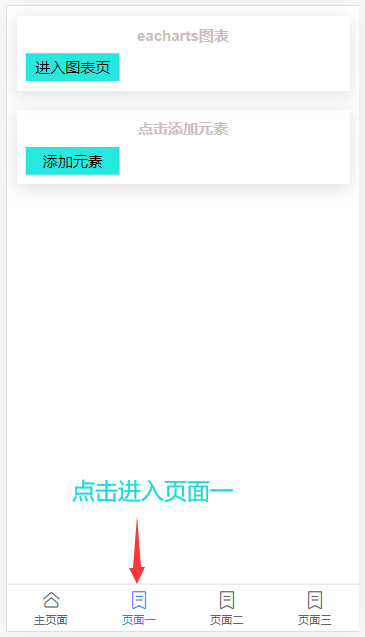
第二步:点击页面一
页面
控制台打印

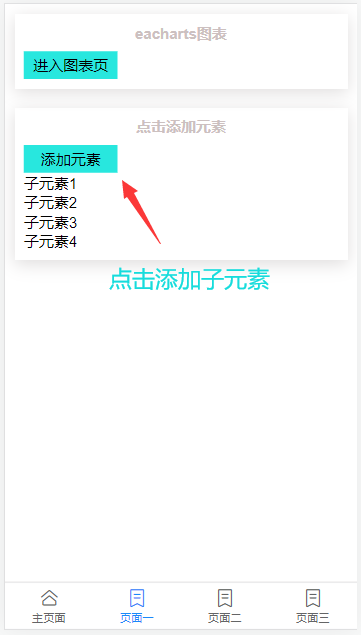
第三步:点击添加子元素
页面
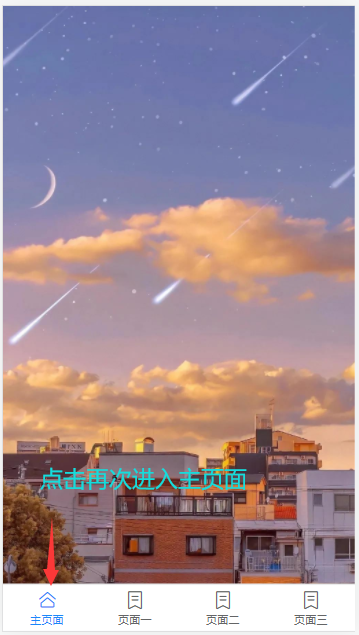
第四步:点击主页,再次进入主页面
页面
控制台打印

第五步:点击页面一,再次进入页面一
页面
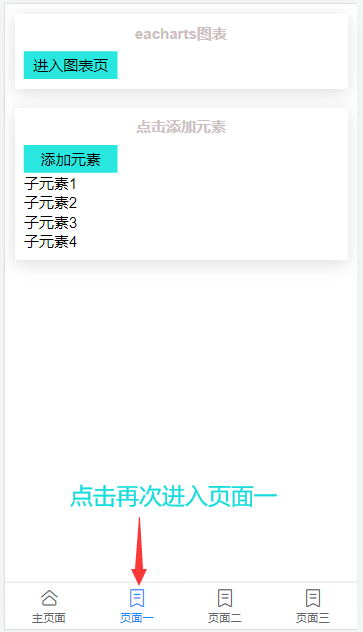
控制台打印

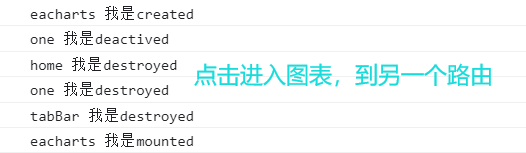
第六步:点击进入图表,切换路由
页面
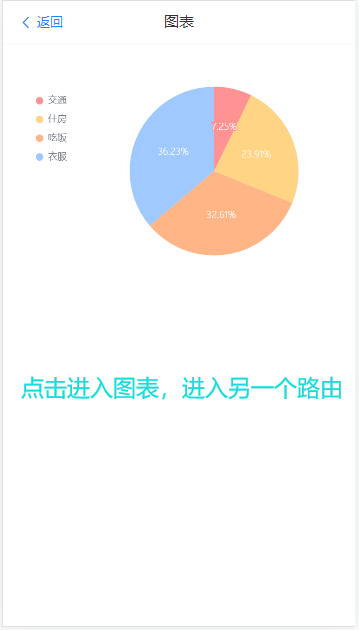
控制台打印
第七步:点击返回,再次进入首页
页面

控制台打印
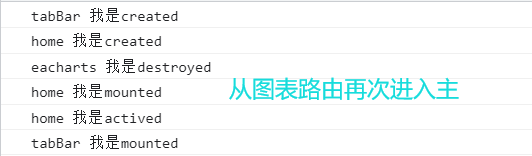
总结:
当组件被
<keep-alive/>父级路由没有切换时,该子组件的所有数据都会被缓存,但是当切换路由时,被<keep-alive/>包裹的子组件也会被销毁。
代码
底部导航栏(父级组件)
文件位置:@components/tabBar
html部分
动态组件:根据 :is=""组件名称不同,渲染不同的组件
<template>
  <div class="container">
      <div class="content">
        <keep-alive>
           <component :is="tabName"></component>
        </keep-alive>
      </div>
      <div class="tab-bar">
        <van-tabbar v-model="active" @change="onchange">
          <van-tabbar-item icon="home-o">主页面</van-tabbar-item>
          <van-tabbar-item icon="label-o">页面一</van-tabbar-item>
          <van-tabbar-item icon="label-o">页面二</van-tabbar-item>
          <van-tabbar-item icon="label-o">页面三</van-tabbar-item>
        </van-tabbar>
      </div>
  </div>
</template>
js部分
引入
vant组件的一个注意事项:当引入组件时,样式失效,需要在
main.js中引入样式import 'vant/lib/index.css'
<script>
import { Tabbar, TabbarItem,} from 'vant';
import serviceHall from "../views/lobby/index.vue";
import pageOne from '../views/pageOne/one.vue';

export default {
    name: 'tabBar',
    data() {
      return {
        tabName:"serviceHall", //动态组件的名称
        active: 0, //底部导航栏index
      };
    },
    components: {
      [Tabbar.name]: Tabbar,
      [TabbarItem.name]: TabbarItem,
      serviceHall,
      pageOne,
    },
    methods: {
      /**
       * 点击底部标签触发的事件
       * @param {number} params 点击便签的index,从0~3
       */
      onchange(params) {
        if (params == 0) {
          this.tabName = "serviceHall";
        } else if (params == 1) {
          this.tabName = "pageOne";
        }
      },

    },
     created() {
        console.log("tabBar",  "我是created");
    },
    mounted() {
        console.log("tabBar",  "我是mounted");
    },
    activated() {
        console.log("tabBar",  "我是actived");
    },
    deactivated() {
        console.log("tabBar",  "我是deactived");
    },
    destroyed() {
        console.log("tabBar",  "我是destroyed");
    }
}
</script>
css部分
<style lang="scss" scoped>
.container {
    width: 100%;
    height: 100%;
    display: flex;
    flex-direction: column;
    > .content {
      overflow: auto;
      flex: 1;
      padding-bottom: 50px;
    }
}

.van-tabbar {
  border-top: 1px solid hsla(0, 4%, 64%, 0.5);
}
</style>
主页部分
文件位置:import serviceHall from "@/views/lobby/index.vue";
html部分
<template>
  <div class="content">
      <h3>主页面</h3>
  </div>
</template>
#### js部分
<script>
import FunctionBlock from "../../components/functionBlock.vue";
export default {
  components: {
      FunctionBlock,
   },

    created() {
        console.log("home",  "我是created");
    },
    mounted() {
        console.log("home",  "我是mounted");
    },
    activated() {
        console.log("home",  "我是actived");
    },
    deactivated() {
        console.log("home",  "我是deactived");
    },
    destroyed() {
        console.log("home",  "我是destroyed");
    }

}
</script>
#### css部分
<style lang="scss" scoped>
    .content {
        width: 100%;
        height: 100%;
        box-sizing: border-box;
        display: flex;
        justify-content: center;
        align-items: center;
        // border: 1px solid red;
        > h3 {
            text-align: center;
            color: rgb(26, 145, 243);
        }
    }
</style>
页面一
仅做切换,没有功能
html部分
<template>
  <div class="content">
      <FunctionBlock title="eacharts图表">
          <button @click="toEacharts" class="btn">进入图表页</button>
      </FunctionBlock>
      <FunctionBlock title="点击添加元素">
          <button class="btn" @click="addLi">添加元素</button>
          <ul>
              <li v-for="item of liCounter" :key="item">子元素{{item}}</li>
          </ul>
      </FunctionBlock>
  </div>
</template>
js部分
<script>
import FunctionBlock from '../../components/functionBlock';

export default {
    name: "one",
    data() {
        return {
            liCounter: 0, //点击元素不断添加li元素的数量
        }
    },
    methods: {
        /**
         * 进入图表页面
         */
        toEacharts() {
            this.$router.push({
                name: "eacharts",
            })
        },

        /**
         * 点击添加元素按钮,不断添加li元素
         */
        addLi() {
            this.liCounter += 1;
        }
    },
    components: {
        FunctionBlock,
    },
    created() {
        console.log("one",  "我是created");
    },
    mounted() {
        console.log("one",  "我是mounted");
    },
    activated() {
        console.log("one",  "我是actived");
    },
    deactivated() {
        console.log("one",  "我是deactived");
    },
    destroyed() {
        console.log("one",  "我是destroyed");
    }
}
</script>
css部分
<style lang="scss" scoped>
    .content {
        width: 100%;
        height: 100%;
        box-sizing: border-box;
        padding: 10px 10px ;

        > h3 {
            text-align: center;
        }
    }

    /deep/ .btn {
        width: 100px;
        height: 30px;
        background-color: rgb(40, 231, 222);
        cursor:hand;
        border: none;
        outline: none;
        margin: 0 auto;
    }

</style>

 浙公网安备 33010602011771号