django DRF 组件 认证 权限
我们创建一个新的子应用 component
python manage.py startapp component
component/urls.py,子路由代码:
from django.urls import path
from . import views

urlpatterns = [

]
注册子应用,settings.py,代码:
# Application definition

INSTALLED_APPS = [
    'django.contrib.admin',
    'django.contrib.auth',
    'django.contrib.contenttypes',
    'django.contrib.sessions',
    'django.contrib.messages',
    'django.contrib.staticfiles',

    'rest_framework',

    'stuapi',    # 不使用drf编写api接口
    'students',  # 使用了drf编写api接口
    'sers',      # 演示序列化的使用
    'req',       # drf提供的http请求与响应
    'demo',      # drf提供的提供的视图类
    'component', # drf提供的组件功能
]
总路由,代码:
from django.contrib import admin
from django.urls import path, include

urlpatterns = [
    path('admin/', admin.site.urls),
    path('api/', include("stuapi.urls")),
    path('api/', include("students.urls")),
    path('sers/', include("sers.urls")),
    path("req/", include("req.urls")),
    path("demo/", include("demo.urls")),
    path("component/", include("component.urls")),
]
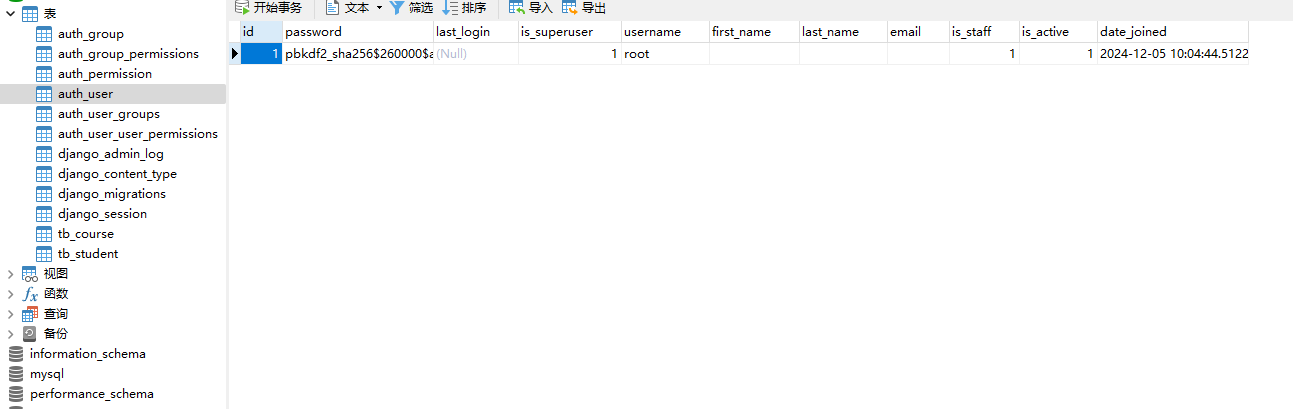
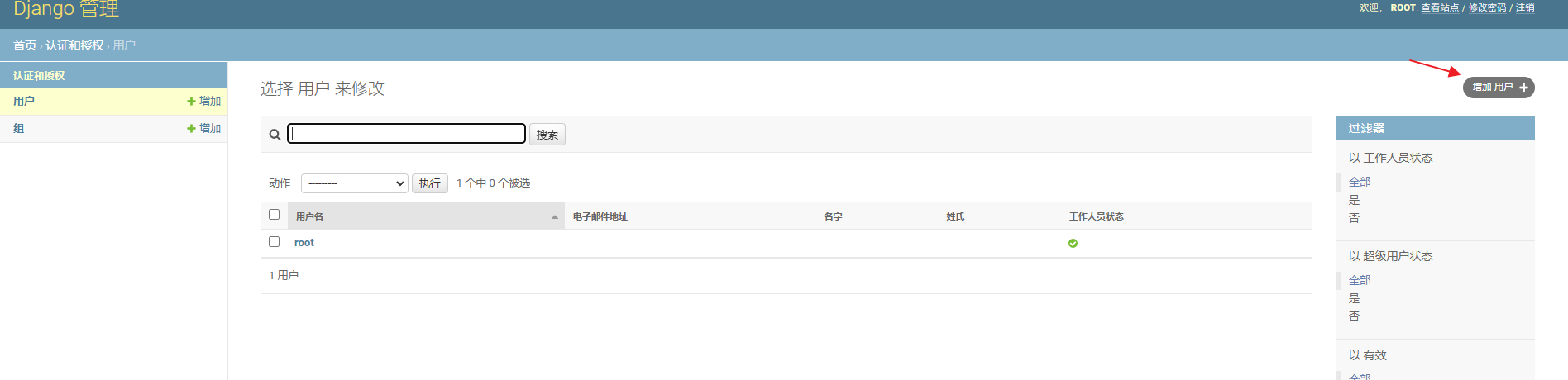
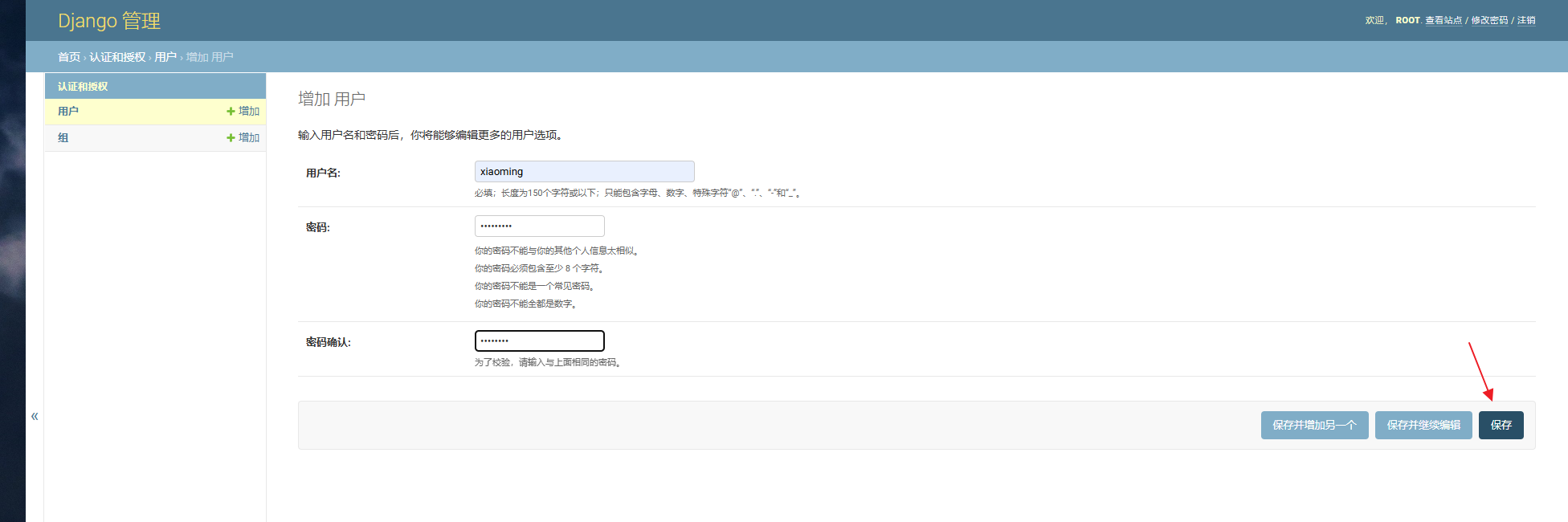
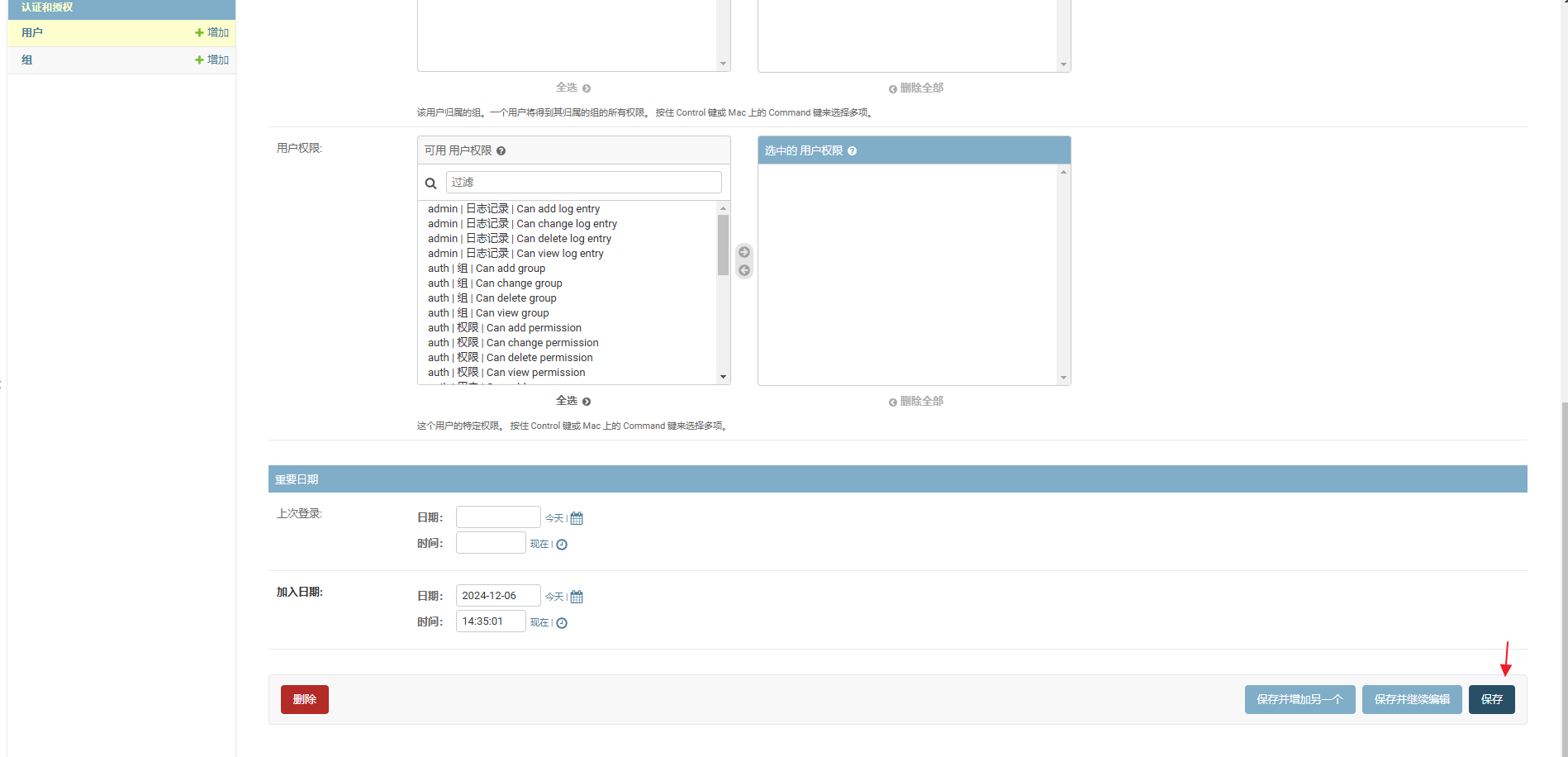
因为接下来的认证组件中需要使用到登陆功能,所以我们使用django内置admin站点并创建一个管理员.
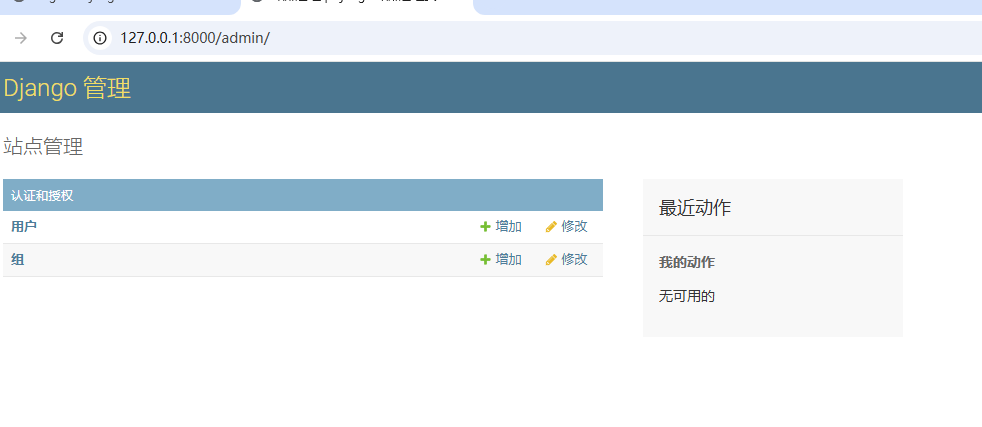
admin运营站点的访问地址:http://127.0.0.1:8000/admin
python manage.py createsuperuser
# 如果之前有账号,但是忘了,可以通过终端下的命令修改指定用户的密码,这里的密码必须8位长度以上的
python manage.py changepassword 用户名

python manage.py createsuperuser
Username (leave blank to use 'administrator'): root
Email address:
Password:
Password (again):
This password is too common.
This password is entirely numeric.
Bypass password validation and create user anyway? [y/N]: y
Superuser created successfully.
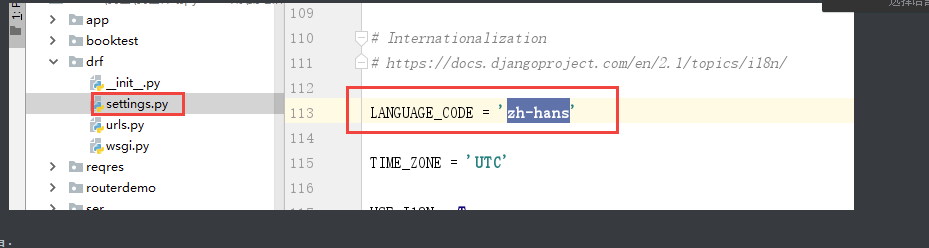
创建管理员以后,访问admin站点,先修改站点的语言配置
settings.py
LANGUAGE_CODE = 'zh-hans'

TIME_ZONE = 'Asia/Shanghai'
访问admin 站点效果:
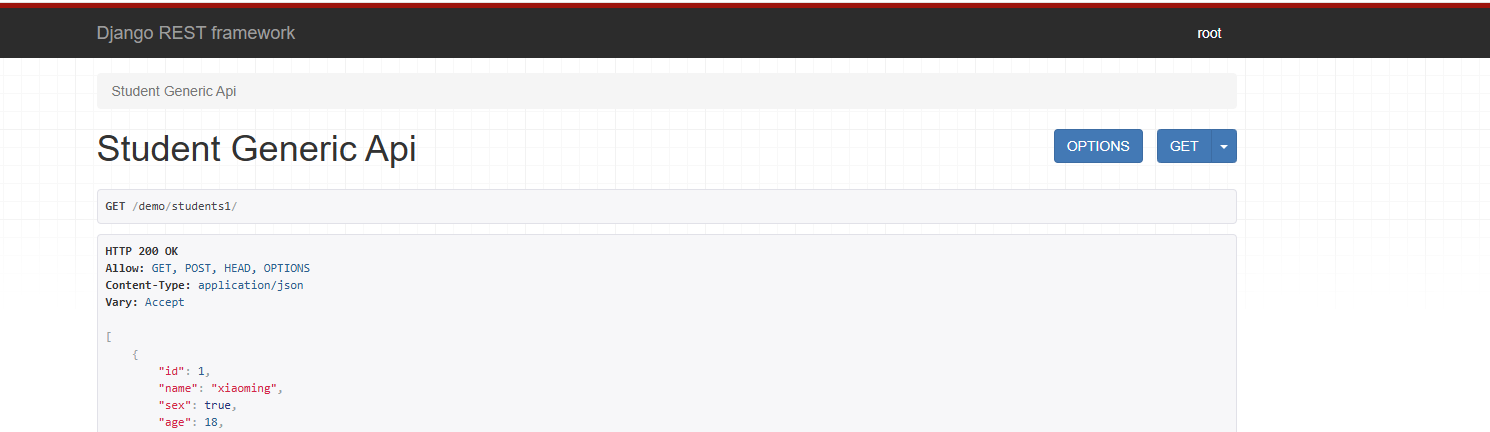
认证Authentication
可以在配置文件中配置全局默认的认证方式/认证方案。
开发中常见的认证方式:cookie、session、token
rest_framework/settings.py 默认配置文件
REST_FRAMEWORK = {
    # 配置认证方式的选项
    'DEFAULT_AUTHENTICATION_CLASSES': (
        'rest_framework.authentication.SessionAuthentication', # session认证
        'rest_framework.authentication.BasicAuthentication',   # basic认证[基于账号密码]
    )
}
可以在具体的视图类中通过设置类属性authentication_classess来设置单独的不同的认证方式
from rest_framework.views import APIView
from rest_framework.response import Response
from rest_framework.authentication import SessionAuthentication, BasicAuthentication

# Create your views here.
class AuthenticationAPIView(APIView):
    # 局部的认证方式,支持多个认证方法
    authentication_classes = [SessionAuthentication]
    def get(self,request):
        print(request.user)
        # AnonymousUser 就是在request.user无法识别当前访问的客户端时的游客用户对象
        return Response("ok")
认证失败会有两种可能的返回值,这个需要我们配合权限组件来使用:
-
401 Unauthorized 未认证
-
403 Permission Denied 权限被禁止
自定义认证,component/authentication.py,代码:
# --- coding: utf-8 --
# @Author: lichaoming
# @Date  : 2024/12/05
from rest_framework.authentication import BaseAuthentication
from django.contrib.auth import get_user_model  # 自动识别当前django系统中的系统用户模型

class CustomBaseAuthentication(BaseAuthentication):
    """
    自定义认证方式
    """
    def authenticate(self, request):
        """核心认证方法"""
        user = request.query_params.get('user')
        pwd = request.query_params.get('pwd')
        if user != "root" or pwd != "houmen":
            return None
        # get_user_model获取当前系统中用户表对应的用户模型类
        user = get_user_model().objects.filter(is_superuser=1, is_active=1).first()
        return (user, None)  # 按照固定的返回格式填写 (用户模型对象, None)
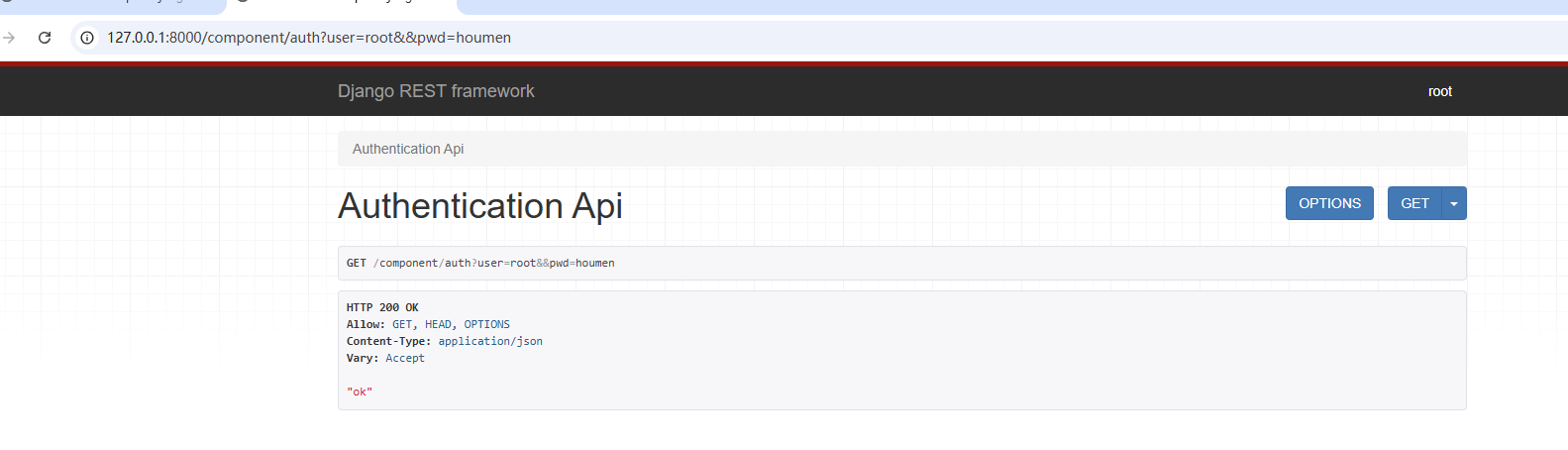
视图调用自定义认证,视图代码:
from rest_framework.authentication import SessionAuthentication
from rest_framework.views import APIView
from rest_framework.response import Response
from .authentication import CustomBaseAuthentication
class AuthenticationAPIView(APIView):
    # 局部的认证方式,支持多个认证方法
    authentication_classes = [CustomBaseAuthentication]
    def get(self, request):
        print(request.user)
        # AnonymousUser 就是在request.user无法识别当前访问的客户端时的游客用户对象
        return Response("ok")
当然也可以注释掉上面视图中的配置,改成全局配置。settings.py,代码:
"""drf配置信息必须全部写在REST_FRAMEWORK配置项中"""
REST_FRAMEWORK = {
    # 配置认证方式的选项【drf的认证是内部循环遍历每一个注册的认证类,一旦认证通过识别到用户身份,则不会继续循环】
    'DEFAULT_AUTHENTICATION_CLASSES': (
        'drfdemo.authentication.CustomAuthentication',            # 自定义认证
        'rest_framework.authentication.SessionAuthentication',  # session认证
        'rest_framework.authentication.BasicAuthentication',      # 基本认证
    )
}
权限Permissions
权限控制可以限制用户对于视图的访问和对于具有模型对象的访问。
-
在APIView视图的dispatch()方法中调用initial方法中先进行视图访问权限的判断
self.check_permissions(request) -
在GenericAPIView通过get_object()获取具体模型对象时,会进行模型对象访问权限的判断
self.check_object_permissions(self.request, obj)
使用
可以在配置文件restframework/settings.py中默认的全局设置了权限管理类,源码:
REST_FRAMEWORK = {
    ....
    'DEFAULT_PERMISSION_CLASSES': [
        'rest_framework.permissions.AllowAny',  # AllowAny 表示允许任何用户访问站点视图
    ],
}
如果要在项目覆盖默认配置rest_framework/settings.py的设置,则可以在项目配置文件中,settings.py,代码:
"""drf的配置"""
# from rest_framework.permissions import AllowAny, IsAuthenticated, IsAdminUser, IsAuthenticatedOrReadOnly
REST_FRAMEWORK = {
    # 配置认证方式的选项[全局配置]
    'DEFAULT_AUTHENTICATION_CLASSES': [
        'rest_framework.authentication.SessionAuthentication', # session认证
        'rest_framework.authentication.BasicAuthentication',   # basic认证[基于账号密码]
    ],
    # 配置权限的选项[全局配置]
    'DEFAULT_PERMISSION_CLASSES': [
        'rest_framework.permissions.AllowAny',
    ]
}
from rest_framework.viewsets import ModelViewSet
from rest_framework.permissions import IsAuthenticated, AllowAny
from demo.serializers import StudentModelSerializer, Student
class PermissionAPIView(ModelViewSet):
    authentication_classes = [CustomAuthentication]
    permission_classes = [AllowAny]  # 针对封闭内部系统,登录页面时谁都可以访问。
    # permission_classes = [IsAuthenticated]
    queryset = Student.objects.all()
    serializer_class = StudentModelSerializer
提供的权限
-
AllowAny 允许所有用户进行操作访问,默认权限
-
IsAuthenticated 仅通过登录认证的用户进行操作访问
-
IsAdminUser 仅允许管理员用户进行操作访问
-
IsAuthenticatedOrReadOnly 已经登陆认证的用户可以对数据进行增删改操作,没有登陆认证的游客只能查看数据。
打开浏览器的无痕模式:Ctrl+Shift+N
举例
视图代码:
from rest_framework.viewsets import ModelViewSet
from rest_framework.permissions import IsAuthenticated, AllowAny, IsAdminUser
from demo.serializers import StudentModelSerializer, Student
class PermissionAPIView(ModelViewSet):
    # authentication_classes = [CustomAuthentication]
    # permission_classes = [AllowAny]  # 针对封闭内部系统,登录页面时谁都可以访问。
    permission_classes = [IsAdminUser]  # 设置当前视图,只有是管理员可以访问操作。
    # permission_classes = [IsAuthenticatedOrReadOnly]  # 登录用户可以操作,而游客只能查看数据
    # permission_classes = [IsAuthenticated]
    queryset = Student.objects.all()
    serializer_class = StudentModelSerializer
# --- coding: utf-8 --
# @Author: lichaoming
# @Date  : 2024/12/05
from django.urls import path, re_path
from . import views

urlpatterns = [
    path("auth",views.AuthenticationAPIView.as_view()),
    path("pess/",views.PermissionAPIView.as_view({"get":"list","post":"create"})),
    re_path("^pess/(?P<pk>\d+)/$", views.PermissionAPIView.as_view({"get": "retrieve", "put": "update", "delete": "destroy"})),
]
自定义权限
如需自定义权限,需继承rest_framework.permissions.BasePermission父类,并实现以下两个任何一个方法或全部
-
.has_permission(self, request, view)是否可以访问视图, view表示当前视图对象,request可以通过user属性获取当前用户
-
.has_object_permission(self, request, view, obj)
例如:
在当前子应用下,创建一个权限文件permissions.py中声明自定义权限类:
# --- coding: utf-8 --
# @Author: lichaoming
# @Date  : 2024/12/06

from rest_framework.permissions import BasePermission


class VVIPPermission(BasePermission):
    """
    VVIP权限
    自定义权限,可用于全局配置,也可以用于局部配置
    """

    def has_permission(self, request, view):
        """
        视图权限
        返回结果未True则表示允许访问视图类
        request: 本次客户端提交的请求对象
        view: 本次客户端访问的视图类
        """
        # # 写在自己要实现认证的代码过程。
        identity = request.query_params.get("identity")
        # # 返回值为True,则表示通行
        return identity == "vvip"

    def has_object_permission(self, request, view, obj):
        """
        模型权限,写了视图权限(has_permission)方法,一般就不需要写这个了。
        返回结果未True则表示允许操作模型对象
        """
        from stuapi.models import Student
        if isinstance(obj, Student):
            # 限制只有小明才能操作Student模型
            identity = request.query_params.get("identity")
            return identity == "vvip"  # 如果身份不是vvip,返回值为False,不能操作
        else:
            # 操作其他模型,直接放行
            return True
局部配置自定义权限,视图代码:
from rest_framework.viewsets import ModelViewSet
from rest_framework.permissions import IsAuthenticated, AllowAny, IsAdminUser
from demo.serializers import StudentModelSerializer, Student
from .permissions import VVIPPermission


class PermissionAPIView(ModelViewSet):
    # authentication_classes = [CustomAuthentication]
    # permission_classes = [AllowAny]  # 针对封闭内部系统,登录页面时谁都可以访问。
    # permission_classes = [IsAdminUser]  # 设置当前视图,只有是管理员可以访问操作。
    # permission_classes = [IsAuthenticatedOrReadOnly]  # 登录用户可以操作,而游客只能查看数据
    # permission_classes = [IsAuthenticated]
    permission_classes = [VVIPPermission]
    queryset = Student.objects.all()
    serializer_class = StudentModelSerializer
settings.py,全局配置,代码:
"""drf的配置"""
# from rest_framework.permissions import AllowAny, IsAuthenticated, IsAdminUser, IsAuthenticatedOrReadOnly
REST_FRAMEWORK = {
    # 配置认证方式的选项[全局配置]
    'DEFAULT_AUTHENTICATION_CLASSES': [
        'rest_framework.authentication.SessionAuthentication', # session认证
        'rest_framework.authentication.BasicAuthentication',   # basic认证[基于账号密码]
    ],
    # 配置权限的选项[全局配置]
    'DEFAULT_PERMISSION_CLASSES': [
        # 'rest_framework.permissions.IsAuthenticated',  # 如果将来的站点时封闭内部系统,则设置IsAuthenticated
        # 'rest_framework.permissions.AllowAny',         # 如果将来的站点时开放外部系统,则设置AllowAny
        'component.permissions.VVIPPermission'
    ]
}
访问地址:http://127.0.0.1:8000/component/pess/?identity=vvip
访问地址:http://127.0.0.1:8000/component/pess/
认证主要的作用就是识别客户端的访问者的身份,但是不能拦截客户端的访问。

 浙公网安备 33010602011771号