

Gentoo Linux下配置samba服务器使Linux与Windows共享
主机:Gentoo 11.2 with linux kernel 3.0.6
原创作品,转载请标明出处http://blog.csdn.net/yming0221/article/details/7207846
1、安装Samba服务器
使用默认的USE标记直接执行命令
emerge samba2、配置/etc/samba/smb.conf
首先拷贝/etc/samba/smb.conf.default然后根据自己的需要修改
修改后的smb.conf文件如下
#======================= Global Settings =====================================
[global]
   guest account = nobody
   netbios name = yan-laptop
   workgroup = WORKGROUP
   server string = Samba Server
   security = share
   load printers = no
   log file = /var/log/samba/log.%m
   max log size = 50
   wins support = yes
   dns proxy = no
   create mode = 0777
   force create mode = 0777
   directory mode = 0777
   force directory mode = 0777
[Share]
	path = /home/samba
	browseable = yes
	guest ok = yes
	writeable = yes
3、创建文件夹
sudo mkdir /home/samba
chmod 777 /home/samba
4、重启samba服务
sudo /etc/init.d/samba restart

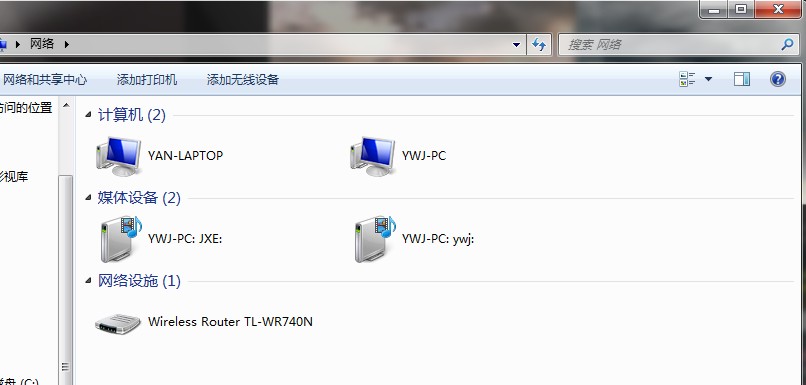
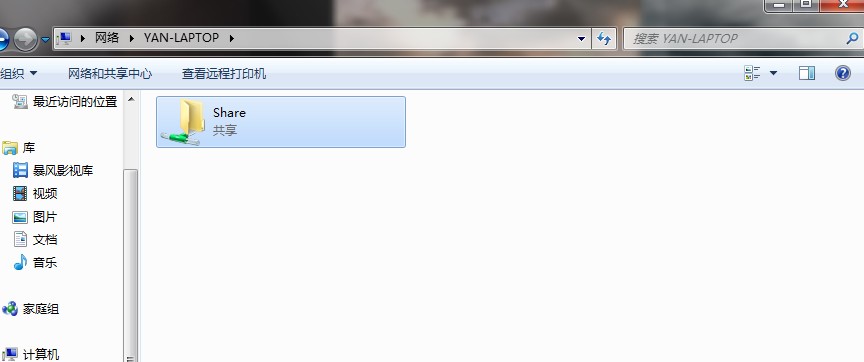
5、在windows下可以读写共享的文件夹
win 7下的截图


 浙公网安备 33010602011771号