
盒子居中
<!DOCTYPE html>
<html lang="en">
<head>
<meta charset="UTF-8">
<meta name="viewport" content="width=device-width, initial-scale=1.0">
<title>Document</title>
<style>
.father{
position:relative;
border: medium dotted gray;
height: 400px;
width: 500px;
}
.one{
position:absolute;
top:50%;
left:50%;
background-color: pink;
width: 300px;
height: 300px;
/* 文字垂直居中 */
line-height:300px;
transform:translate(-50%,-50%);
text-align: center;
}
</style>
</head>
<body>
<div class="father">
<div class="one"> 测试</div>
</div>
</body>
</html>
 ie 9以上测试成功

ie 8
2.ie 8以上(ie 7不行)
<!DOCTYPE html>
<html lang="en">
<head>
    <meta charset="UTF-8">
    <meta name="viewport" content="width=device-width, initial-scale=1.0">
    <title>Document</title>
    <style>
        .father{
            display: table-cell;
            vertical-align: middle;
            border: medium dotted gray;
            height: 400px;
            width: 500px;
            vertical-align: middle;
        }
        .one{
            /* ie 8 */
            width: 50%;
            background-color: pink;
            /* width: 300px;
            height: 300px; */
            /* display: inline-block; */
            /* 垂直居中 */
            /* line-height:300px; */
            text-align: center;
            margin: 0 auto;
        }
    </style>
</head>
<body>
    <div class="father">
        <div class="one"> 测试</div>
    </div>
</body>
</html>


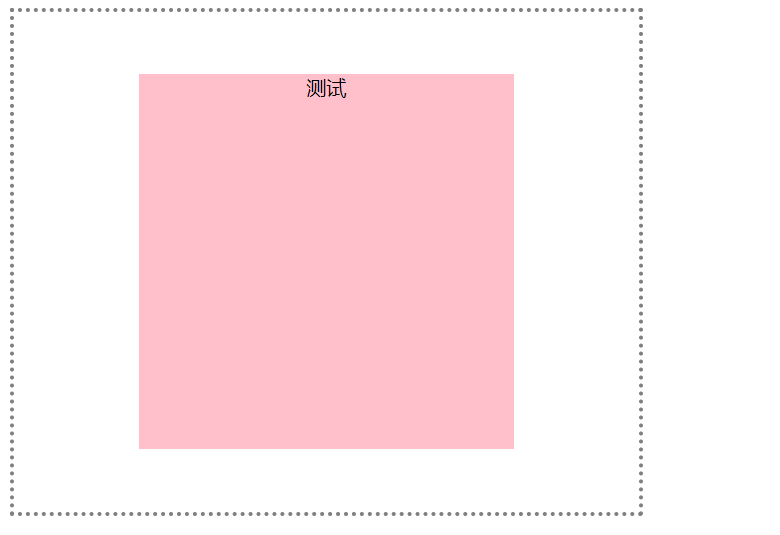
3.绝对定位的盒子 偏移属性 指定容纳块最近的边的偏移,例如top 属性指定定位元素的上外边距距离容纳块的距离。
<!DOCTYPE html>
<html lang="en">
<head>
    <meta charset="UTF-8">
    <meta name="viewport" content="width=device-width, initial-scale=1.0">
    <title>Document</title>
    <style>
        .father{
            position:relative;
            border: medium dotted gray;
            height: 400px;
            width: 500px;
        }
        .one{
            position:absolute;
            top:0px;
            left:0;
            right:0;
            bottom:0;
            background-color: pink;
            width: 60%;
            height: 75%;
            margin: auto;
            text-align: center;

        }
    </style>
</head>
<body>
    <div class="father">
        <div class="one"> 测试</div>
    </div>
</body>
</html>
i e8及以上 ie 7不行
i补充:
<!DOCTYPE html>
<html lang="en">
<head>
    <meta charset="UTF-8">
    <meta name="viewport" content="width=device-width, initial-scale=1.0">
    <title>Document</title>
    <style>
        *{
            padding: 0;
            margin: 0;
        }
        div{
            padding: 50px;
            background-color: silver;
        }
        p{
            margin: 30px;
            background-color: pink;
        }
    </style>
</head>
<body>
    <div>
        <p>隐藏在父元素的外边距和内边距之中lalalallallal</p>
    </div>
</body>
</html>

4.弹性盒子
<!DOCTYPE html>
<html lang="en">

<head>
    <meta charset="UTF-8">
    <meta name="viewport" content="width=device-width, initial-scale=1.0">
    <title>Document</title>
    <style>
        .father {
            width: 50%;;
            margin:20px auto;
            /* ie10及其以上 */
            display: flex;
            /* flex-direction: column-reverse; */
            /* flex-wrap: wrap; */
            /* height:1000px; */
            background-color: silver;
            justify-content:center ;
        }

        .left-side,
        .right-side,
        .content {
            height: 200px;
            width: 200px
        }

        .left-side {
            /* margin:10px; */

            background-color: blue;
        }

        .right-side {
            background-color: pink;
        }

        .content {
            background-color: tan;
        }
    </style>
</head>

<body>
    <div class="father">
        <div class="left-side">left</div>
        <div class="content">content</div>
        <div class="right-side">right</div>
    </div>
</body>

</html>

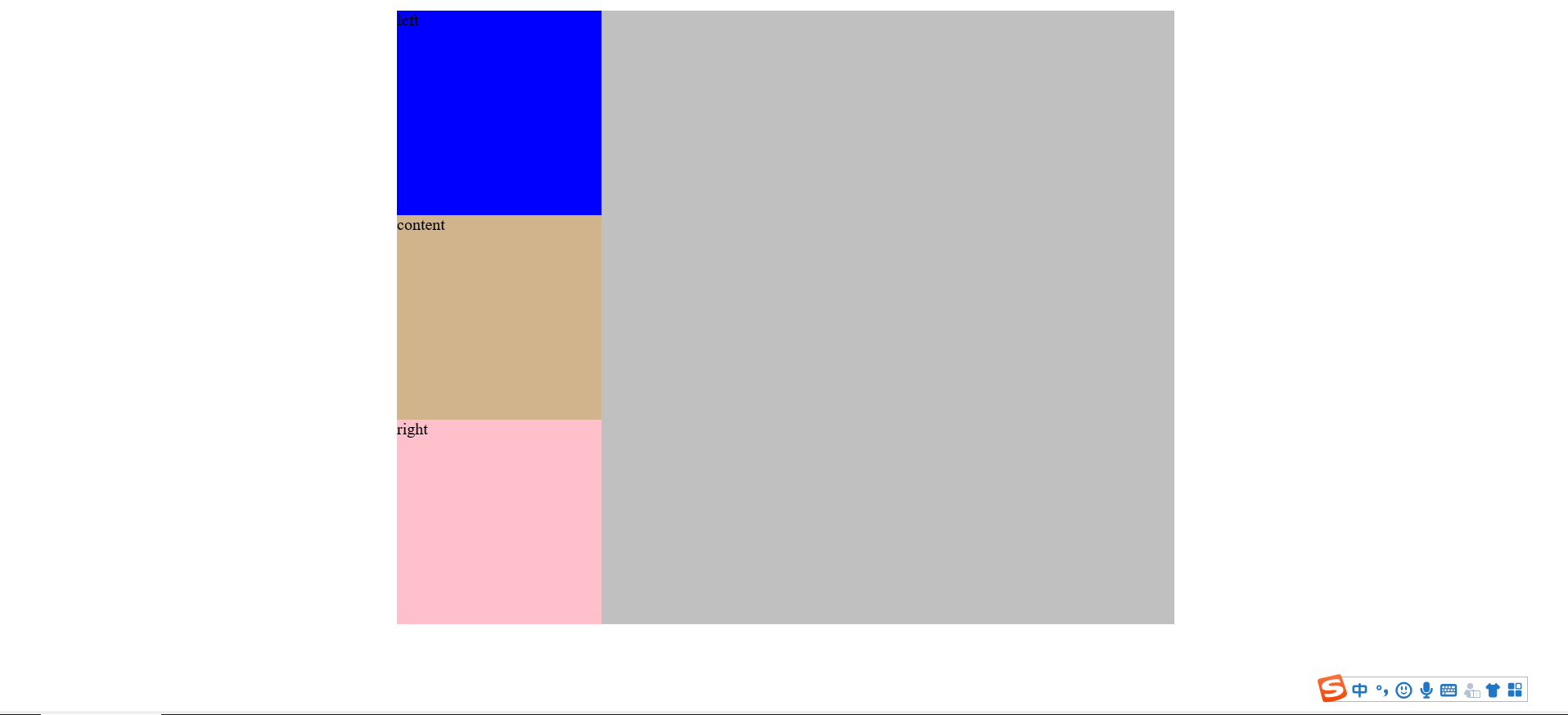
ie9

 浙公网安备 33010602011771号