
【Struts2】05 表单数据获取
Action获取表单数据的三种API:
1、ActionContext
2、ServletActionContext
3、使用接口注入
演示案例:
表单页面
<%--
  Created by IntelliJ IDEA.
  User: User-Dai
  Date: 2020/8/29
  Time: 16:54
  To change this template use File | Settings | File Templates.
--%>
<%@ page contentType="text/html;charset=UTF-8" language="java" %>
<html>
<head>
    <title>Title</title>
</head>
<body>

    <form action="" method="post">
        用户名称<input type="text" name="username">
        <br>
        用户密码<input type="text" name="password">
        <br>
        <input type="submit" value="提交">
    </form>

</body>
FormAction.java
package cn.dzz.action;

import com.opensymphony.xwork2.Action;
import com.opensymphony.xwork2.ActionContext;
import com.opensymphony.xwork2.ActionSupport;

import java.util.Map;

/**
 * @author Echo42
 * @file Struts2
 * @create 2020年08月29日16:54
 */
public class FormAction extends ActionSupport {

    @Override
    public String execute() throws Exception {
        ActionContext actionContext = ActionContext.getContext();
        Map<String, Object> formParamMap = actionContext.getParameters();

        String username = formParamMap.get("username").toString();
        String password = formParamMap.get("password").toString();

        System.out.println(username);
        System.out.println(password);
        return Action.NONE;
    }
}
struts.xml配置
<package
        name="form-test"
        namespace="/form-action"
        extends="struts-default" >

    <action name="show-param" class="cn.dzz.action.FormAction"  />
</package>
把地址给表单的action
http://localhost:8080/form-action/show-param.action
访问测试:
http://localhost:8080/form.jsp
Struts居然不会封装好,这传输的不就是字符串,非得转数组处理:
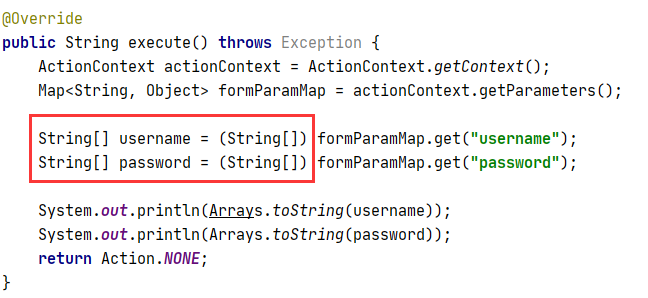
后台打印: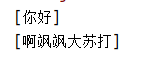
我后台数据也不好处理啊
然后是使用ServletActionContext获取:
这个就是原生的JavaWeb的API操作了,还是比较舒服的
@Override
public String execute() throws Exception {
    HttpServletRequest httpServletRequest = ServletActionContext.getRequest();
    String username = httpServletRequest.getParameter("username");
    return NONE;
}
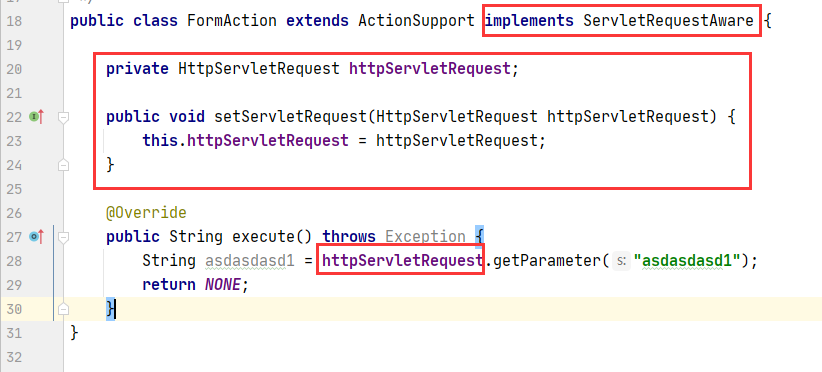
ServletRequestAware接口注入:

 浙公网安备 33010602011771号