
【SpringCloud】04 Eureka 01 服务注册
什么是服务治理?
传统RPC框架,可能有N个提供者与N个消费者,每个提供者与消费者,或者说相互间的服务,
依赖关系和管理都很复杂,为了解决服务管理的问题,就需要服务治理,管理好服务之间的依赖关系
才可以实现服务调用,负载均衡,容错,服务发现与注册。
Eureka包含了两个组件,Server & Client
EurekaServer 提供服务注册
服务节点配置后,在EurekaServer中注册,EurekaServer的注册表,
将会存储所有可用的服务节点信息,节点信息可以在界面中客观的看到
EurekaClient 通过注册中心进行访问
是一个Java客户端,简化EurekaServer的交互,应用启动后会向EurekaServer发送心跳检测
如果EurekaServer没有收到这个心跳,将会移除这个服务节点
安装EurekaServer
新建Eureka模块,模块名称 Eureka-Server-Port-7001.
导入配置:
<dependencies>
    <dependency>
        <groupId>org.springframework.cloud</groupId>
        <artifactId>spring-cloud-starter-netflix-eureka-server</artifactId>
    </dependency>
    <dependency>
        <groupId>junit</groupId>
        <artifactId>junit</artifactId>
        <scope>test</scope>
    </dependency>
    <dependency>
        <groupId>cn.dzz.springcloud</groupId>
        <artifactId>API-Commons</artifactId>
        <version>${project.version}</version>
    </dependency>
    <dependency>
        <groupId>org.springframework.boot</groupId>
        <artifactId>spring-boot-starter-web</artifactId>
    </dependency>
    <dependency>
        <groupId>org.springframework.boot</groupId>
        <artifactId>spring-boot-starter-actuator</artifactId>
    </dependency>
    <dependency>
        <groupId>org.springframework.boot</groupId>
        <artifactId>spring-boot-devtools</artifactId>
        <scope>runtime</scope>
        <optional>true</optional>
    </dependency>
    <dependency>
        <groupId>org.projectlombok</groupId>
        <artifactId>lombok</artifactId>
        <optional>true</optional>
    </dependency>
    <dependency>
        <groupId>org.springframework.boot</groupId>
        <artifactId>spring-boot-starter-test</artifactId>
        <scope>test</scope>
    </dependency>
</dependencies>
编写Application.yml
server:
  port: 7001

eureka:
  instance:
    hostname: localhost #eureka服务端的实例名称
  client:
    #false表示不向注册中心注册自己。
    register-with-eureka: false
    #false表示自己端就是注册中心,我的职责就是维护服务实例,并不需要去检索服务
    fetch-registry: false
    service-url:
      #集群指向其它eureka
      #defaultZone: http://eureka7002.com:7002/eureka/
      #单机就是7001自己
      # http://localhost:7001/eureka/
      defaultZone: http://${eureka.instance.hostname}:${server.port}/eureka/
    #server:
    #关闭自我保护机制,保证不可用服务被及时踢除
    #enable-self-preservation: false
    #eviction-interval-timer-in-ms: 2000
创建主程序:
package cn.dzz.springlcoud;

import org.springframework.boot.SpringApplication;
import org.springframework.boot.autoconfigure.SpringBootApplication;
import org.springframework.cloud.netflix.eureka.EnableEurekaClient;
import org.springframework.cloud.netflix.eureka.server.EnableEurekaServer;

/**
 * @author DaiZhiZhou
 * @file SpringCloud-ATGG-2020
 * @create 2020-08-25 9:15
 */
@SpringBootApplication
@EnableEurekaServer
public class EurekaServerPort7001Application {

    public static void main(String[] args) {
        SpringApplication.run(EurekaServerPort7001Application.class);
    }
}
不要忘记使用注解开启Eureka服务注册中心
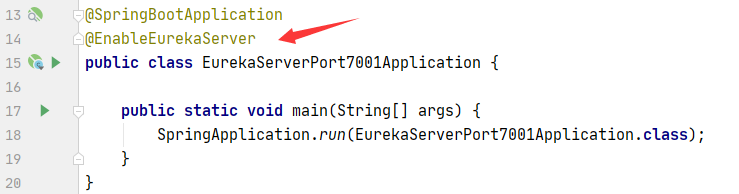
启动Eureka主程序,访问地址:
http://localhost:7001/
如果出现这个界面表示我们的EurekaServer创建成功:
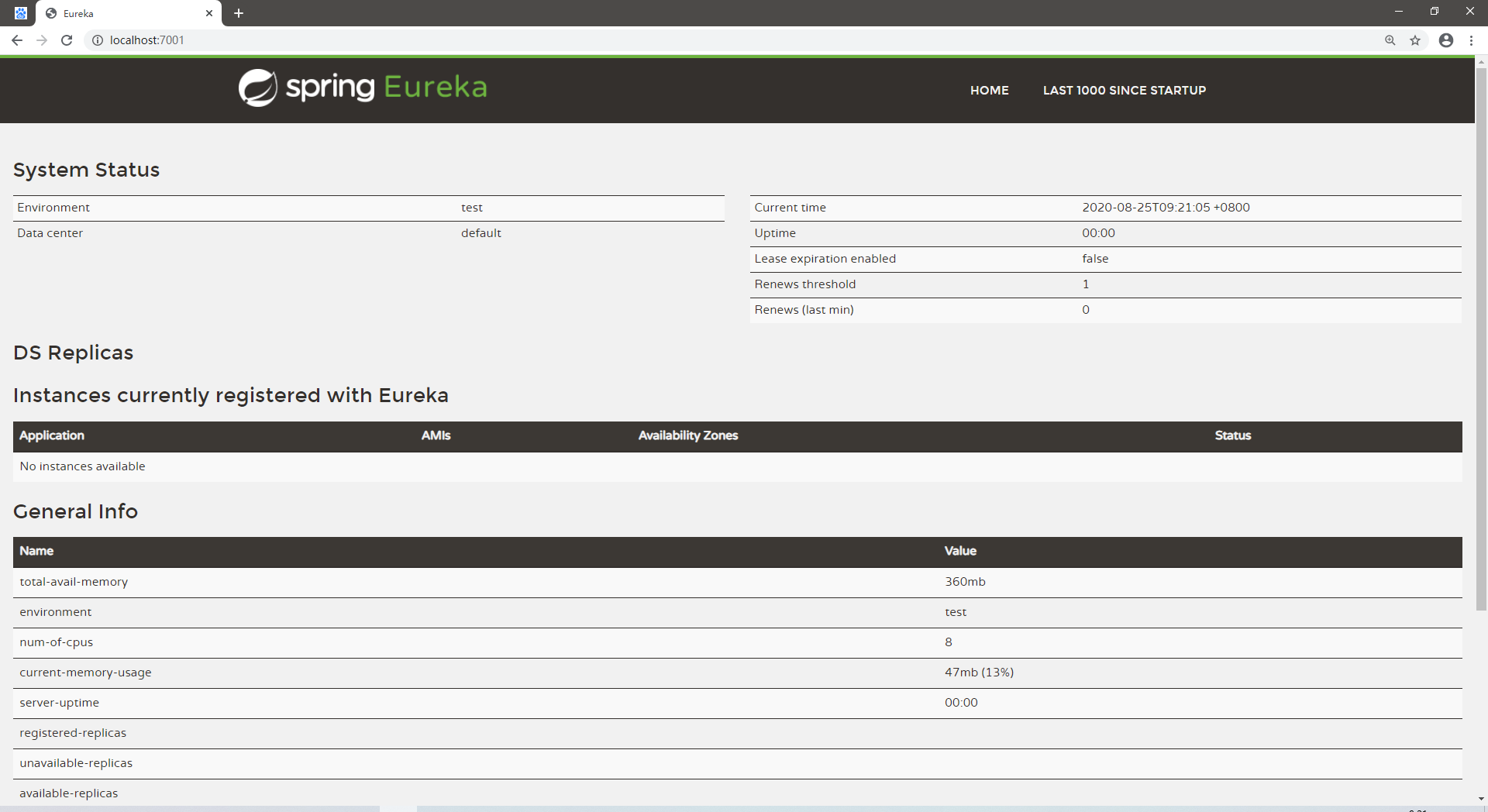
在这里表示实例入驻的信息,目前没有配置任何实例,所以很正常的显示没有可用的实例:
目标1:把支付模块8001入驻EurekaServer
回到提供者支付模块8001,修改内容
在模块这里增加Eureka客户端的依赖坐标:
千万要注意这依赖工程名称是有starter的,否则无法被注册到
<dependency>
    <groupId>org.springframework.cloud</groupId>
    <artifactId>spring-cloud-starter-netflix-eureka-client</artifactId>
</dependency>
我们的服务的名称就是这个Yml配置的信息:
切勿随意更改
spring:
  application:
    name: provider-payment-service
然后配置Eureka客户端:
eureka:
  client:
    #表示是否将自己注册进EurekaServer默认为true。
    register-with-eureka: true
    #是否从EurekaServer抓取已有的注册信息,默认为true。单节点无所谓,集群必须设置为true才能配合ribbon使用负载均衡
    fetchRegistry: true
    service-url:
      #单机版
      defaultZone: http://localhost:7001/eureka
      # 集群版
      #defaultZone: http://eureka7001.com:7001/eureka,http://eureka7002.com:7002/eureka
  #instance:
    #instance-id: payment8001
    #访问路径可以显示IP地址
    #prefer-ip-address: true
    #Eureka客户端向服务端发送心跳的时间间隔,单位为秒(默认是30秒)
    #lease-renewal-interval-in-seconds: 1
    #Eureka服务端在收到最后一次心跳后等待时间上限,单位为秒(默认是90秒),超时将剔除服务
    #lease-expiration-duration-in-seconds: 2
在提供者模块主程序中注解@EnableEurekaClient
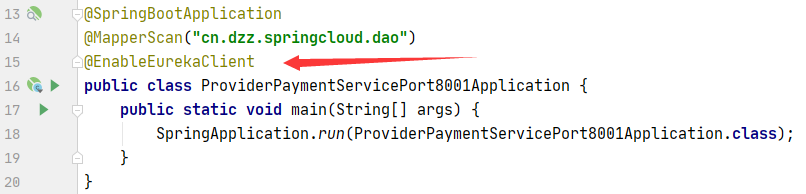
然后启动服务。
查看注册中心的界面,就可以看到8001模块被Eureka注册到了:

目标2:把订单模块80入驻EurekaServer
配置Eureka客户端依赖组件:
<dependency>
    <groupId>org.springframework.cloud</groupId>
    <artifactId>spring-cloud-starter-netflix-eureka-client</artifactId>
</dependency>
追加yml配置:
spring:
  application:
    name: consumer-order-service

eureka:
  client:
    fetch-registry: true
    register-with-eureka: true
    service-url:
      defaultZone: http://localhost:7001/eureka/
注解为EurekaClient:

启动运行程序:

调用消费者订单模块的接口:
http://localhost/order/consumer/payment/get/1
{"code":200,"message":"查询数据成功","data":{"id":1,"serial":"aaabbb111"}}

 浙公网安备 33010602011771号