
WPF Popup
参考:
Popup 消息弹出框,参考:https://www.cnblogs.com/MingQiu/p/18005673
https://www.cnblogs.com/sntetwt/p/11345072.html
https://www.cnblogs.com/hsiang/p/17955617
https://docs.microsoft.com/zh-cn/dotnet/desktop/wpf/controls/how-to-specify-a-custom-popup-position?view=netframeworkdesktop-4.8
示例:
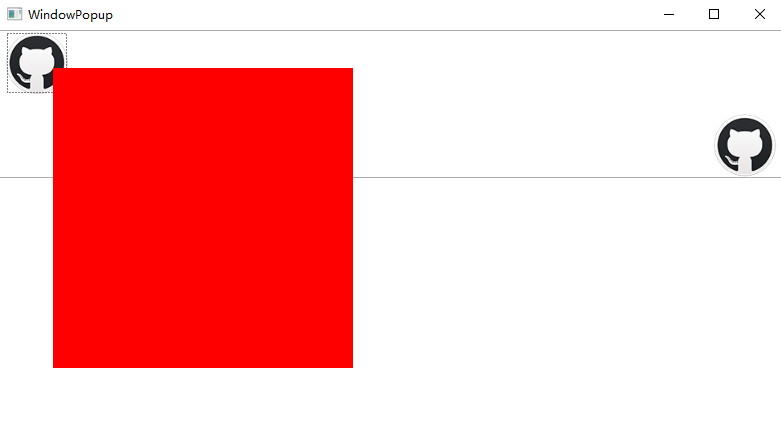
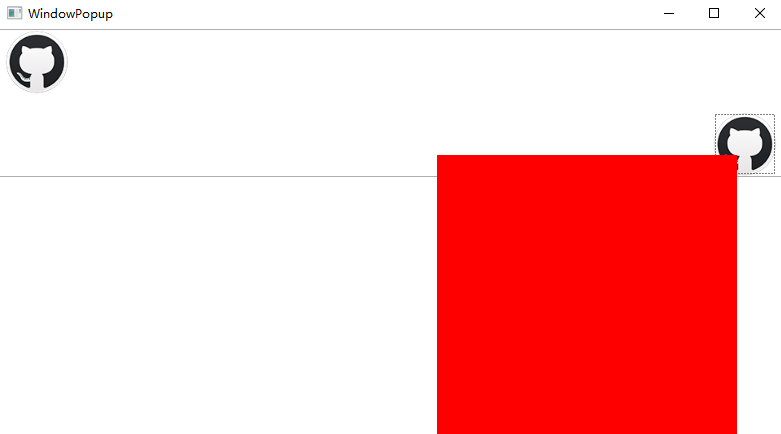
XAML代码:
<Grid>
    <StackPanel>
        <RichTextBox x:Name="myRichTextBox" VerticalScrollBarVisibility="Auto" IsReadOnly="True">
            <local:TalkFlowDocument>
                <Paragraph>
                    <Button Click="myButtonLeft_Click">
                        <Button.Template>
                            <ControlTemplate>
                                <Image Source="/images/github.png" Width="64" Height="64" Stretch="Fill"/>
                            </ControlTemplate>
                        </Button.Template>
                    </Button>
                </Paragraph>
                <Paragraph TextAlignment="Right">
                    <Button Click="myButtonRight_Click">
                        <Button.Template>
                            <ControlTemplate>
                                <Image Source="/images/github.png" Width="64" Height="64" Stretch="Fill"/>
                            </ControlTemplate>
                        </Button.Template>
                    </Button>
                </Paragraph>
            </local:TalkFlowDocument>
        </RichTextBox>
    </StackPanel>

    <!--放在页面最底部-->
    <Popup Name="myPopup" Height="300" Placement="Custom" Width="300" StaysOpen="False" IsOpen="False" PopupAnimation="Fade">
        <Border Background="Red">

        </Border>
    </Popup>
</Grid>
C# 代码:
public WindowPopup()
    {
        InitializeComponent();
        myPopup.CustomPopupPlacementCallback = new CustomPopupPlacementCallback(placePopup);
    }
    public CustomPopupPlacement[] placePopup(Size popupSize, Size targetSize, Point offset)
    {
        CustomPopupPlacement placementVertical = new CustomPopupPlacement(new Point(0, 0), PopupPrimaryAxis.Vertical);
        CustomPopupPlacement placementHorizontal = new CustomPopupPlacement(new Point(0, 0), PopupPrimaryAxis.Horizontal);
        CustomPopupPlacement[] ttplaces = new CustomPopupPlacement[] { placementVertical, placementHorizontal };
        return ttplaces;
    }

    private void myButtonLeft_Click(object sender, RoutedEventArgs e)
    {
        Point mousePoint = Mouse.GetPosition(this);
        myPopup.VerticalOffset = mousePoint.Y;
        myPopup.HorizontalOffset = mousePoint.X + 20;
        myPopup.IsOpen = false;
        myPopup.IsOpen = true;
    }
    private void myButtonRight_Click(object sender, RoutedEventArgs e)
    {
        Point mousePoint = Mouse.GetPosition(this);
        myPopup.VerticalOffset = mousePoint.Y;
        myPopup.HorizontalOffset = mousePoint.X - 300;
        myPopup.IsOpen = false;
        myPopup.IsOpen = true;
    }
}
public class TalkFlowDocument : FlowDocument
{
    protected override bool IsEnabledCore
    {
        get
        {
            return true;
        }
    }
}
注:允许 RichTextBox 点击,事件点击对象为 Button
public class TalkFlowDocument : FlowDocument
{
    protected override bool IsEnabledCore
    {
        get
        {
            return true;
        }
    }
}
<ToggleButton x:Name="TogglePopupButton" Height="28" Width="40" HorizontalAlignment="Left">
                        <ToggleButton.Template>
                            <ControlTemplate TargetType="ToggleButton">
                                <Grid Background="Transparent">
                                    <Path Stretch="Fill" Width="21" Height="5" Fill="#666" Data="M213.333333 512a85.333333 85.333333 0 1 1-85.333333-85.333333 85.333333 85.333333 0 0 1 85.333333 85.333333z m298.666667-85.333333a85.333333 85.333333 0 1 0 85.333333 85.333333 85.333333 85.333333 0 0 0-85.333333-85.333333z m384 0a85.333333 85.333333 0 1 0 85.333333 85.333333 85.333333 85.333333 0 0 0-85.333333-85.333333z"/>
                                    <Popup Placement="Left" VerticalOffset="28" HorizontalOffset="40" IsOpen="{Binding IsChecked, ElementName=TogglePopupButton}" StaysOpen="False" PopupAnimation="Fade">
                                        <Border BorderThickness="1">
                                            <TextBlock Name="myPopupText" Text="这是一段弹出内容" Background="LightBlue" Foreground="Blue" Padding="30"></TextBlock>
                                        </Border>
                                    </Popup>
                                </Grid>
                            </ControlTemplate>
                        </ToggleButton.Template>
                    </ToggleButton>

注意:
StaysOpen="False" 点击其他地方则隐藏

 浙公网安备 33010602011771号