
简单的小球抛物线动画效果
## 场景⚡
> **假如我们有一个按钮以及一个终点目标,在点击按钮的时候出现一个类似于购物车的小球入库的动画效果**
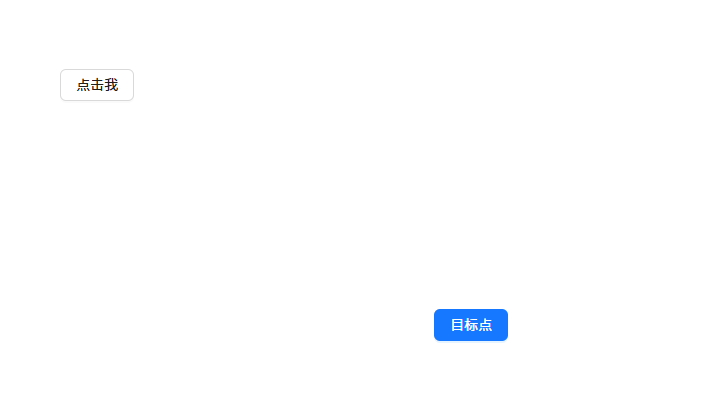
<template>
  <div ref="boxWrapRef" class="animation_demo">
    <div>
      <a-button @click="handleClick" class="btn_class">点击我</a-button>
    </div>
    <div class="destination_wrap" ref="divRef">
      <a-button type="primary" class="destination_btn">目标点</a-button>
    </div>
  </div>
</template>

<script setup lang="ts">
import { computed, ref } from "vue";
const divRef = ref();
const boxWrapRef = ref();
</script>

<style lang="scss">
.animation_demo {
  padding: 80px;
  width: 800px;
  height: 600px;
  display: flex;
  flex-direction: column;
  justify-content: space-between;
  position: relative;
}
.destination_wrap {
  align-self: flex-end;
}
.box {
  width: 20px;
  height: 20px;
  position: absolute;
  border-radius: 50%;
  background: red;
}
</style>
## 步骤分解✨
### 1️⃣**获取小球需要到达的目标终点`endX`、`endY`坐标.**
### 2️⃣**创建2个一个`X`方向一个`Y`方向的关键帧动画.**
### 3️⃣**在点击的时候获取小球初始化的`startX`、`startY`坐标并创建小球应用动画**
## 第1步-获取目标终点坐标
const getStartXY = computed(() => {
  return {
    left: divRef.value.getBoundingClientRect().left,
    top: divRef.value.getBoundingClientRect().top,
    width: destinationRef.value.getBoundingClientRect().width,
    height: destinationRef.value.getBoundingClientRect().height,
  };
})
const left = computed(() => {
  return getStartXY.value.left + getStartXY.value.width / 2 - 10 + "px";
});
const top = computed(() => {
  return getStartXY.value.top + getStartXY.value.height / 2 - 10 + "px";
});
## 第2步-创建X和Y方向2个关键帧动画
@keyframes leftChange {
  to {
    left: v-bind(left);
  }
}
@keyframes topChange {
  to {
    top: v-bind(top);
  }
}
## 第3步-点击创建小球并且应用上动画
<script setup lang="ts">
...
const handleClick = (e: MouseEvent) => {
   const target = e.target as HTMLImageElement;
  const { x, y, width, height } = target.getBoundingClientRect();
  const startX = x + width / 2;//在中间创建小球需要加上宽度和高度的一般
  const startY = y + height / 2;
  useAnimation(startX, startY);
};
const useAnimation = (startX: number, startY: number) => {
    const div = document.createElement("div");
  div.style.top = startY - 10 + "px";
  div.style.left = startX - 10 + "px";
  div.classList.add("box");
  boxWrapRef.value.appendChild(div);
  div.onanimationend = () => {
    div.remove();
  };
};
...
<script>
<style>
...
.box {
  width: 20px;
  height: 20px;
  position: absolute;
  border-radius: 50%;
  background: red;
  animation: leftChange 1s linear forwards,
    topChange 1s linear forwards;
}
...
</style>
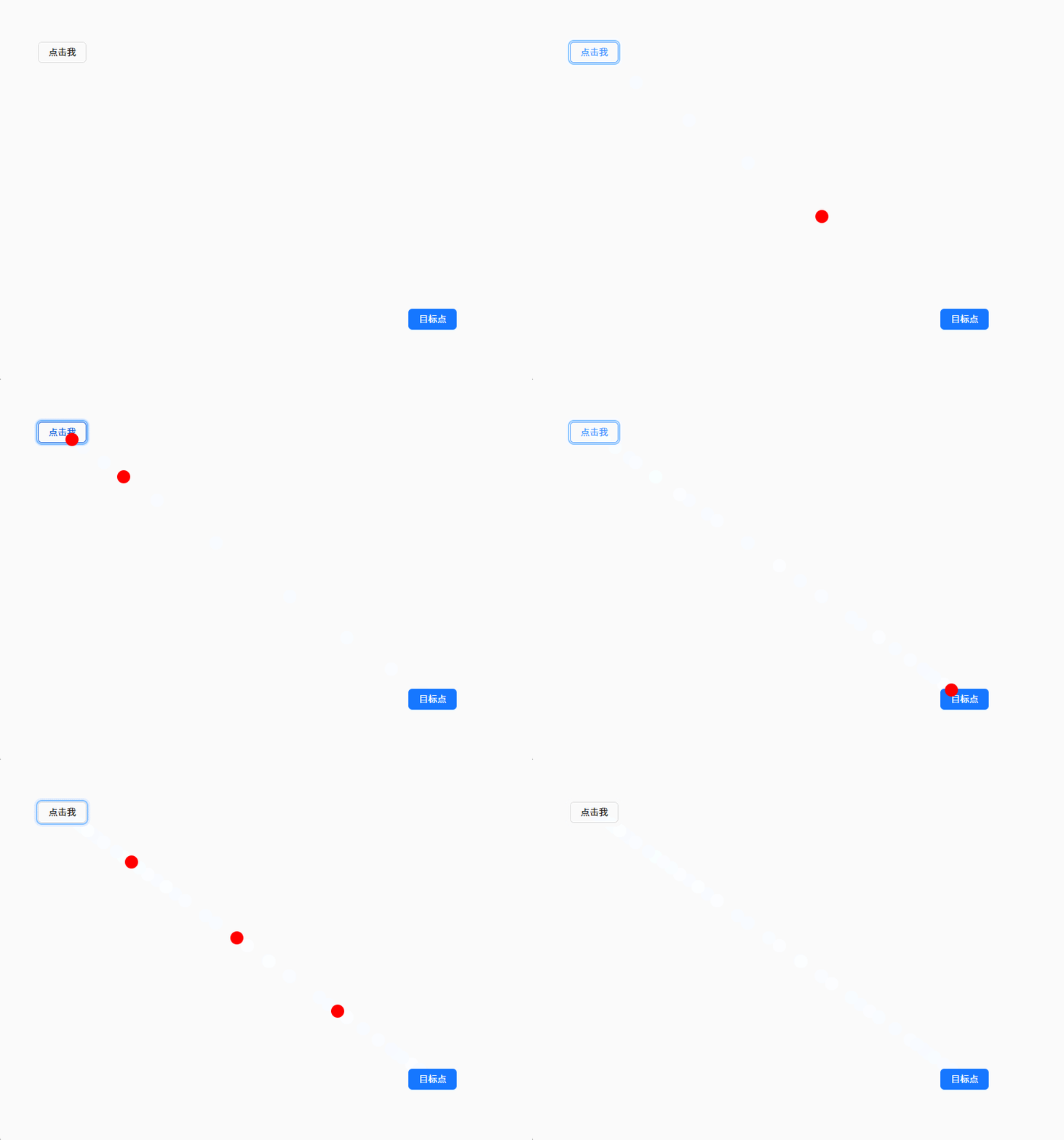
## 效果♦️
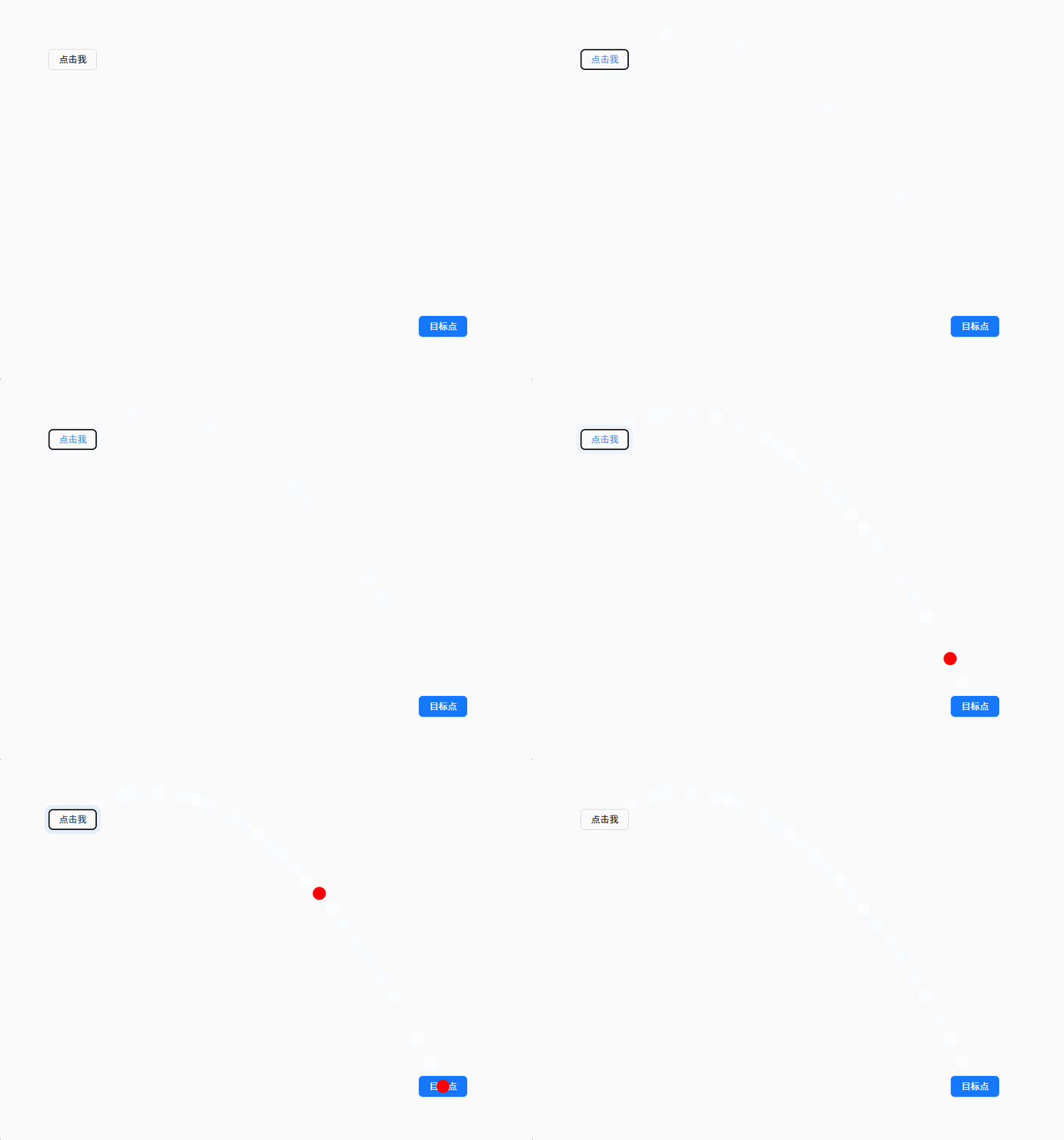
## 最后一步实现抛物线⭐
### **将Y轴方向的动画函数换成贝塞尔函数,抛物线就是先上后下,把`animationend`先注释掉,用谷歌浏览器工作实时调整下**
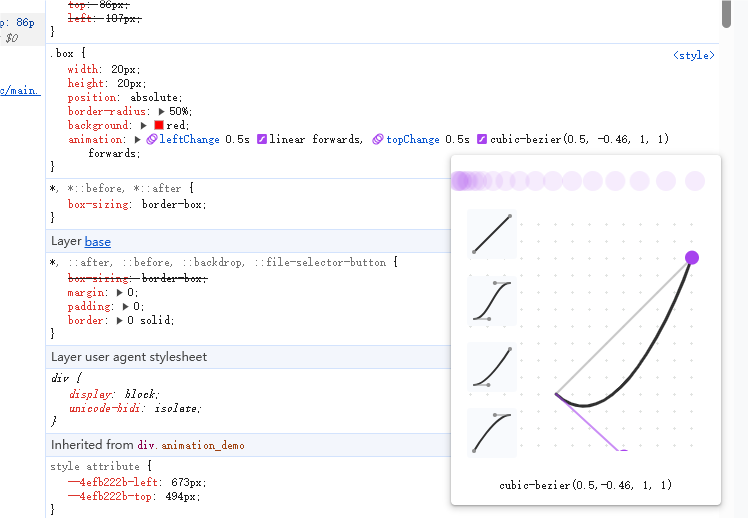
### 大概调整为`cubic-bezier(0.5, -0.5, 1, 1)`就差不多了
## 效果❤️
全部代码
<template>
  <div ref="boxWrapRef" class="animation_demo">
    <div>
      <a-button @click="handleClick" class="btn_class">点击我</a-button>
    </div>
    <div class="destination_wrap" ref="destinationRef">
      <a-button type="primary" class="destination_btn">目标点</a-button>
    </div>
  </div>
</template>

<script setup lang="ts">
import { computed, ref } from "vue";
const destinationRef = ref<HTMLDivElement>();
const boxWrapRef = ref<HTMLDivElement>();
const getStartXY = computed(() => {
  return {
    left: destinationRef.value.getBoundingClientRect().left,
    top: destinationRef.value.getBoundingClientRect().top,
    width: destinationRef.value.getBoundingClientRect().width,
    height: destinationRef.value.getBoundingClientRect().height,
  };
});
const left = computed(() => {
  return getStartXY.value.left + getStartXY.value.width / 2 - 10 + "px";
});
const top = computed(() => {
  return getStartXY.value.top + getStartXY.value.height / 2 - 10 + "px";
});
const handleClick = (e: MouseEvent) => {
  const target = e.target as HTMLImageElement;
  const { x, y, width, height } = target.getBoundingClientRect();
  const startX = x + width / 2;
  const startY = y + height / 2;
  useAnimation(startX, startY);
};
const useAnimation = (startX: number, startY: number) => {
  const div = document.createElement("div");
  div.style.top = startY - 10 + "px";
  div.style.left = startX - 10 + "px";
  div.classList.add("box");
  boxWrapRef.value.appendChild(div);
  div.onanimationend = () => {
    div.remove();
  };
};
</script>

<style lang="scss">
.animation_demo {
  padding: 80px;
  width: 800px;
  height: 600px;
  display: flex;
  flex-direction: column;
  justify-content: space-between;
  position: relative;
}
.destination_wrap {
  align-self: flex-end;
}
.box {
  width: 20px;
  height: 20px;
  position: absolute;
  border-radius: 50%;
  background: red;
  animation: leftChange 0.5s linear forwards,
    topChange 0.5s cubic-bezier(0.5, -0.5, 1, 1) forwards;
}
@keyframes leftChange {
  to {
    left: v-bind(left);
  }
}
@keyframes topChange {
  to {
    top: v-bind(top);
  }
}
</style>

 浙公网安备 33010602011771号