
redmine安装
1、安装基础的包
[root@localhost ~]# yum -y install patch make gcc gcc-c++ gcc-g77 flex* bison file
[root@localhost ~]# yum -y install libtool libtool-libs autoconf kernel-devel
[root@localhost ~]# yum -y install libjpeg libjpeg-devel libpng libpng-devel libpng10 libpng10-devel gd gd-devel
[root@localhost ~]# yum -y install freetype freetype-devel libxml2 libxml2-devel zlib zlib-devel
[root@localhost ~]# yum -y install glib2 glib2-devel bzip2 bzip2-devel libevent libevent-devel
[root@localhost ~]# yum -y install ncurses ncurses-devel curl curl-devel e2fsprogs
[root@localhost ~]# yum -y install e2fsprogs-devel krb5 krb5-devel libidn libidn-devel
[root@localhost ~]# yum -y install openssl openssl-devel vim-minimal nano sendmail
[root@localhost ~]# yum -y install fonts-chinese gettext gettext-devel
[root@localhost ~]# yum -y install ncurses-devel
[root@localhost ~]# yum -y install gmp-devel pspell-devel
[root@localhost ~]# yum -y install unzip
[root@localhost ~]# yum -y install automake libmcrypt* libtool-ltdl-devel*
[root@localhost ~]# yum -y install readline* libxslt* pcre* net-snmp* gmp* libtidy*
[root@localhost ~]# yum -y install ImageMagick* svnversion*
2、安装rvm
[root@localhost ~]# bash < <( curl -L https://get.rvm.io )
[root@localhost ~]# source /etc/profile.d/rvm.sh
注意,如果安装失败,
执行如下操作
[root@localhost ~]# vim /etc/hosts
将199.232.28.133 raw.githubusercontent.com粘贴到打开的文件下面(注意不要复制多余的空格)
保存,退出(ctrl+wq)
3、安装rails、ruby、rails等
[root@localhost ~]# rvm -v
[root@localhost ~]# rvm list  #可以查看当前的ruby
[root@localhost ~]# rvm install 2.5.8
[root@localhost ~]# gem install rails -v 5.2.2 -V
[root@localhost ~]# gem install rake -v 10.5.0 -V
[root@localhost ~]# yum install mysql-devel
[root@localhost ~]# gem install mysql2 -v 0.5.0
4、安装redmine3.3-stable 并且重新命名为redmine
[root@localhost ~]# cd /opt/
[root@localhost opt]# yum -y install subversion -v 1.7.14
[root@localhost opt]# svn co http://svn.redmine.org/redmine/branches/3.3-stable redmine
[root@localhost redmine]# cd redmine
[root@localhost redmine]# bundle install #如果按照正常的步骤,这里是一路飘绿,看着很爽.如果版本冲突,一路飘红,看着很难受
[root@localhost redmine]# cd config/
[root@localhost config]# mv database.yml.example database.yml #重命名数据库连接配置
[root@localhost config]# mv configuration.yml.example configuration.yml  #重命名redmine配置
5、安装mysql(可以参考我的mysql安装)
6、安装完成后对其配置
[root@localhost config]# vim database.yml
production:
  adapter: mysql2
  database: redmine       #数据库名称redmine
  host: 127.0.0.1           #数据库ip地址
  username: root
  password: "******"     #这个是mysql数据库密码,你需要自己装,如果有更好,只需要创建一个数据库redmine
  encoding: utf8
7、数据库是初始化
[root@localhost config]# cd ..
[root@ecs-c073 redmine]# rake config/initializers/secret_token.rb

#如果提示如下错误
 Could not find gem 'Mysql2 (~>0.4.6)' in any of the gem sources listed in your Gemfile.
执行如下命令即可
[root@ecs-c073 redmine]# bundle install

#应用前面的配置
[root@ecs-c073 redmine]# mkdir -p app/assets/config/
[root@ecs-c073 redmine]# cd app/assets/config/
[root@ecs-c073 config]# touch manifest.js
[root@ecs-c073 config]# cd /opt/redmine
[root@ecs-c073 redmine]# rake config/initializers/secret_token.rb
[root@ecs-c073 redmine]# rake db:migrate RAILS_ENV="production"
8、启动服务
[root@ecs-c073 redmine]# ./bin/rails server -p3000 -b0.0.0.0 -e production -d
-p 代表端口3000 所以要把3000的端口打开
-b 代表ip地址,写对应的ip地址
-d 是demoan 后台执行的意思
9、配置邮件提醒
root@localhost ~]# ps auxf | grep sendmail
如果没有启动,启动下
[root@localhost ~]# service sendmail start
如果没有安装安装下
[root@localhost ~]# yum -y install sendmail
[root@localhost ~]# mail -s "mail from baoguo" baoguo.ding@roadshare.com < mail.txt
[root@localhost ~]# vim /opt/redmine/config/configuration.yml

重启服务
重启命令,可以稍后一起重启
[root@ecs-c073 ~]# kill -9 `cat /opt/redmine/tmp/pids/server.pid`;
[root@ecs-c073 redmine]# ./bin/rails server -p3000 -b0.0.0.0 -e production -d
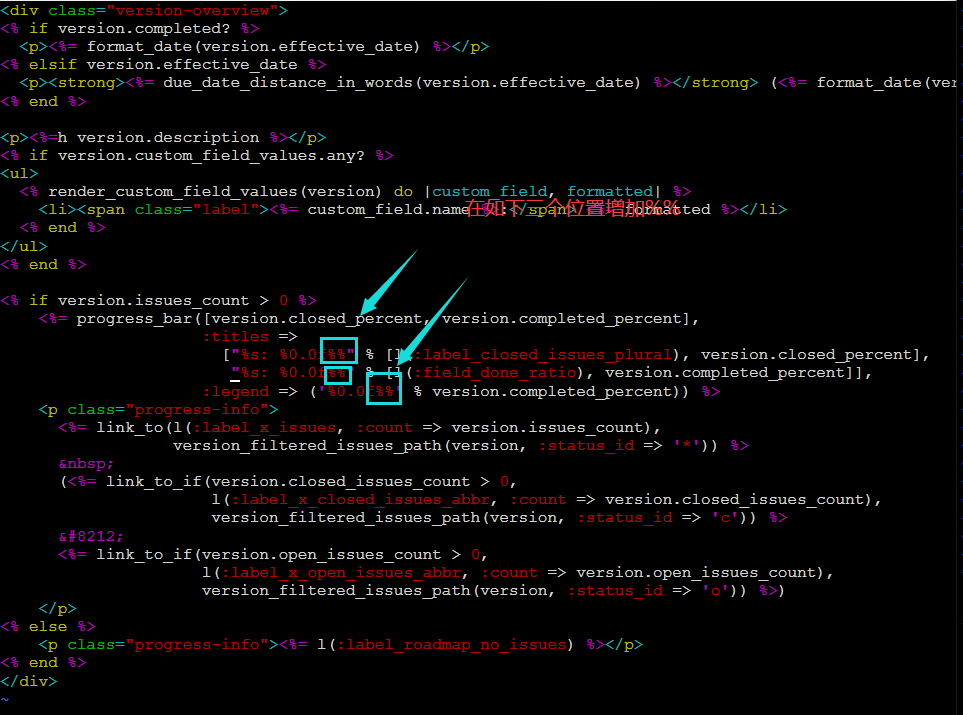
修复版本代码


 浙公网安备 33010602011771号