
[script][监视器数据获取,更改单位,作图]
fdtd,
对象:【监视器反射率】,操作:【使用script语言更改单位units】,【数据保存至txt/mat文件中】;难点:获取监视器中的数据,【.】独特的点运算,rawdata和getresult的区别,使用【?】获取变量的有无和名称,
待解决的小困惑点:
作图的反射率T的计算公式,获取教学视频中有详细讲解,有空可查看,并不是简单的power变量的获取
?R得到的横坐标lambda/f是什么意思?运算中只能计算变量lambda,而不能计算lambda/f,报错为无此变量(好像是此报错原因)


 1 #获取反射率监视器变量名
 2 ?getresult("R");
 3 #获取反射率监视器的反射率结果
 4 R1=getresult("R","T");
 5 #看监视器自身作的图,用于与下边改变单位的结果对比
 6 visualize(R1);
 7 #获取作图的包含的变量,也就是横纵坐标
 8 ?R1;
 9 #获取作图的变量数据
10 R2=R1.T;
11 lambda1=R1.lambda;
12 #改变波长单位m为nm
13 lambda2=lambda1*1e+09;
14 #重新作图,命名横纵坐标、图的名称、图例legend
15 plot(lambda2,R2,"lamda(nm)", "Refractive", "R,n=1.2,bottom");
16 legend("R");
17 #把数据保存至txt中
18 data_to_print=[lambda2,R2];
19 write("testfile.txt",num2str(data_to_print));
20
21 #把数据保存至matlab中,参考:https://blog.csdn.net/sunfove/article/details/120635794
22 #R0=getresult('R','T');
23
24 #R=R0.T;
25 #lambda=R0.lambda;
26
27 #matlabsave('WO3.mat',R,lambda);
补充:来源:https://optics.ansys.com/
- getdata
Remember to run the simulation before using getdata.
For FDTD and MODE:
Syntax
Description
?getdata;
Returns names of all objects with data.
?getdata("monitor")
Returns list of of data within the simulation object.
out = getdata( "monitor", "dataname");
Gets data from a monitor. For example, you can use
- Ex = getdata("monitor1","Ex");
to get the Ex field data from monitor1.
out = getdata( "monitor", "dataname", option);
The optional argument, option, can have a value of 1 or 2. If it is 2, the data is unfolded where possible according to the symmetry or anti-symmetric boundaries if it comes from a monitor that intersect such a boundary at x min, y min or z min. The default value of option is 2.
For Propagator simulations in MODE, this options also allow users to choose whether to expand the data to the correct size for dimensions where the field component is zero. Option 1 will return a singleton value of 0 for the field component in that dimension, and option 2 will return a matrix (composed of zeros) that matches the size of the other field components.
- getresult
?getresult("monitor_name");
Returns the names of all the results for the monitor. All the dataset and scalar matrix results will be returned in this case.
R = getresult("monitor_name","T");
Returns the result T from the monitor. T is a dataset.
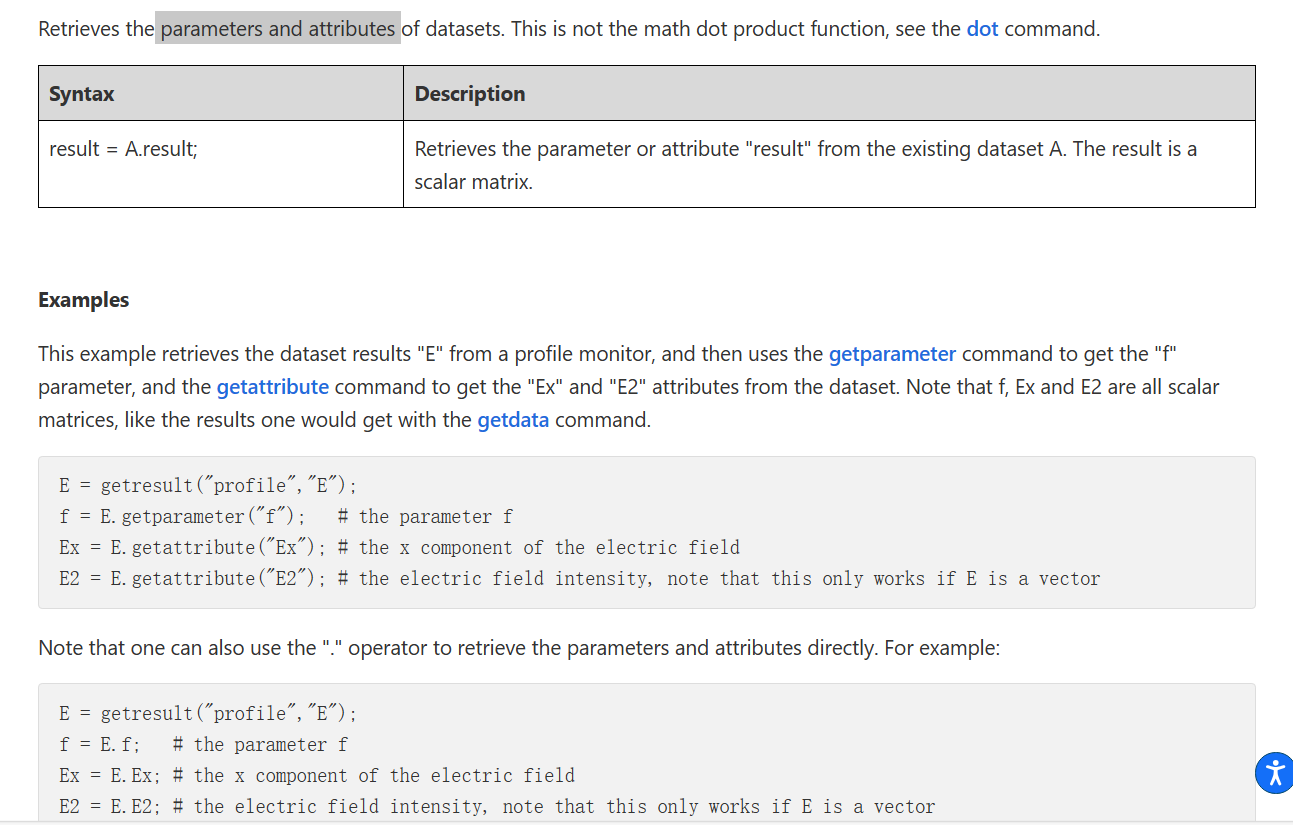
- [.]operator,dot

- 数据输出,.lsf(savedata,fdtd自带),txt(write),mat.(matlabsave)
Syntax
Description
savedata("filename");
Saves all current variables to the specified file.
This function does not return any data.
savedata("filename", var1, var2,...);
Saves only variables with the specified names to file.


 浙公网安备 33010602011771号