
vs code安装vue格式化插件
第一步,搜索vetur进行安装,进入扩展设置
第二步
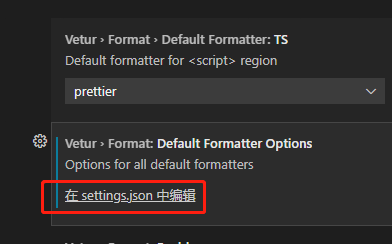
第三
{
"vetur.format.defaultFormatterOptions": {
"js-beautify-html": {
"wrap_attributes": "aligned-multiple"
},
"prettyhtml": {
"printWidth": 100,
"singleQuote": false,
"wrapAttributes": false,
"sortAttributes": false
}
},
"vetur.format.defaultFormatter.html": "js-beautify-html"
}

 浙公网安备 33010602011771号