
OutSystems Training
OutSystems Training
1 概述(Overview)
1.1 OutSystems 概述
1.1.1 是什么
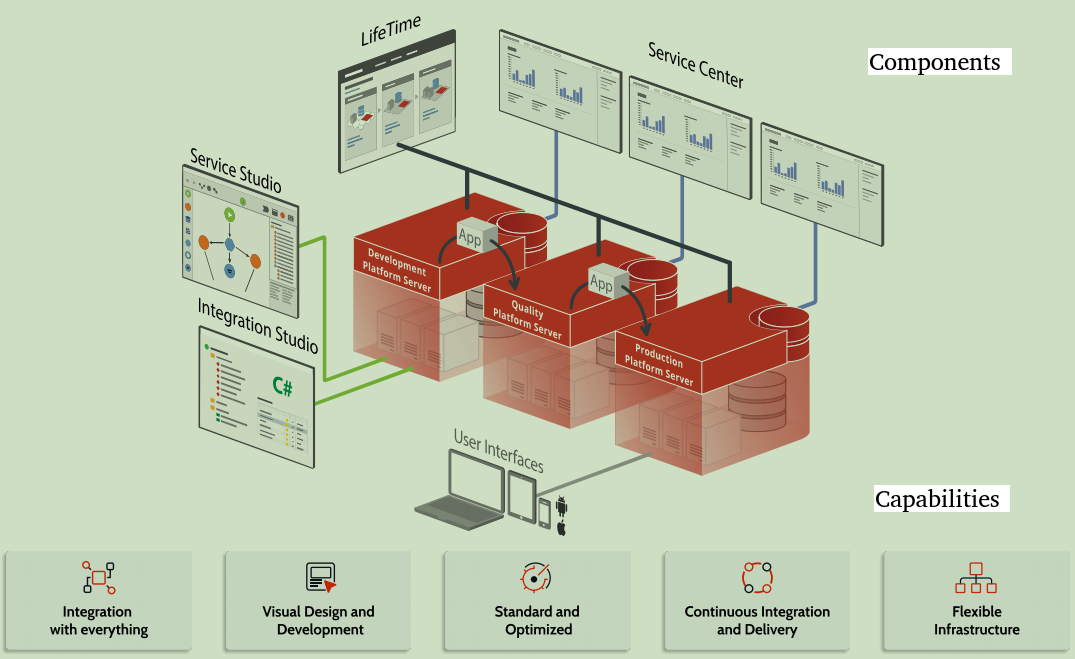
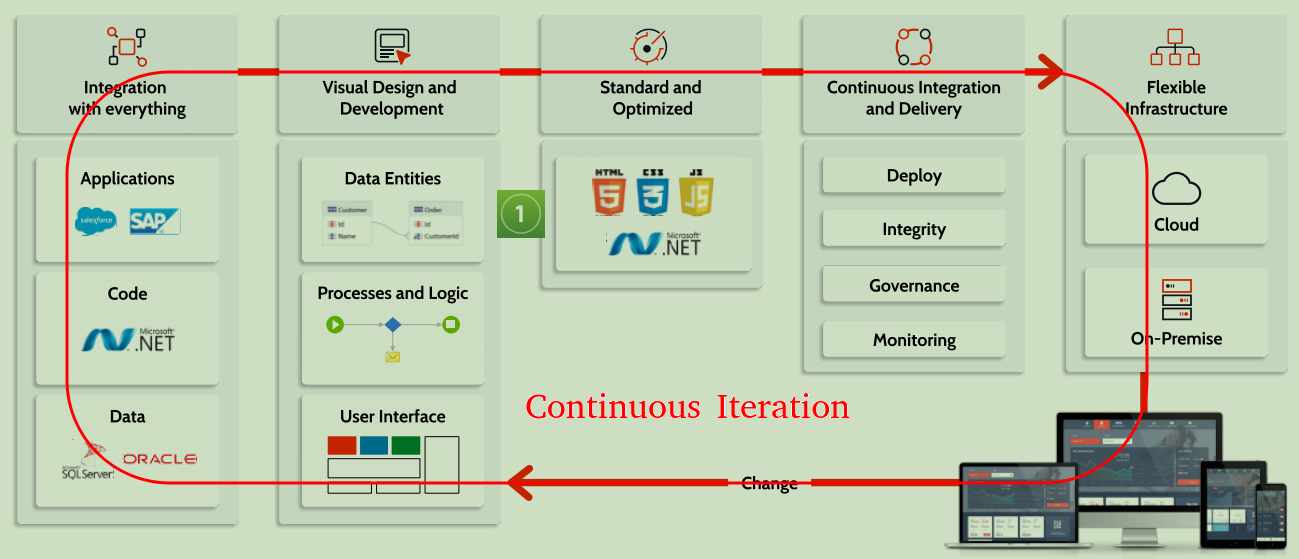
一整套低代码的企业级应用(WEB 和 移动端)的开发环境。
-
全栈
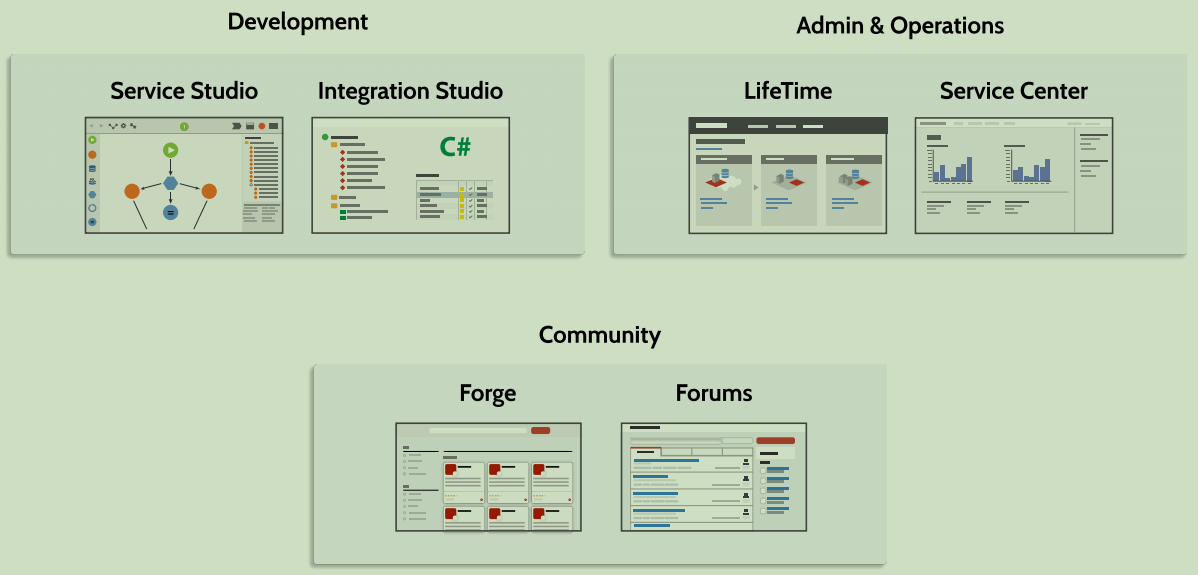
Service Studio: Visual Design and Development.
-
集成
Integration Studio: Integration with external systems
前端:各种UI库
后端:C#代码,REST,SAP
数据:Sql server,Oracle,Mysql,... -
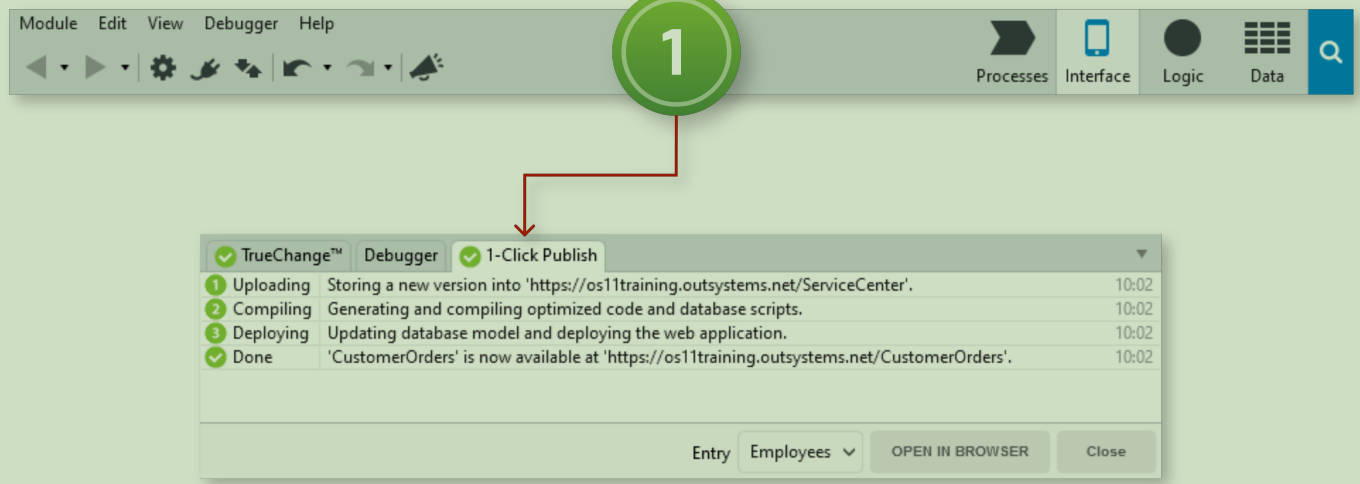
CICD
1-Click Publish!
上传本地Service Studio中的代码到服务器,然后在Platform Server上对代码进行优化,然后编译优化后的代码,最后部署应用和数据。
-
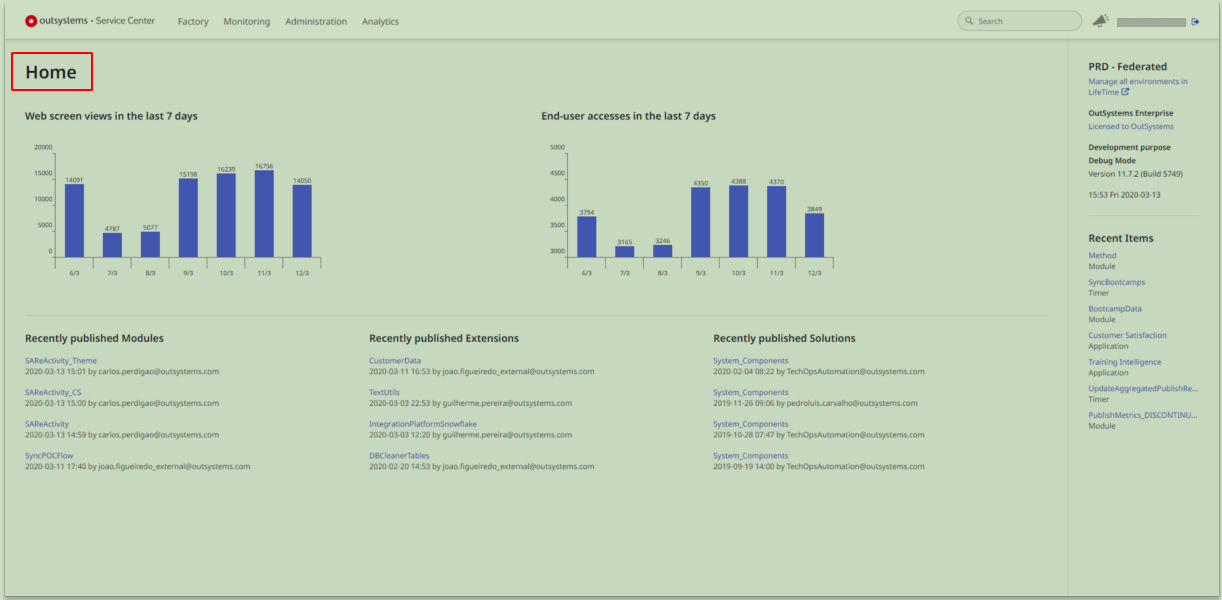
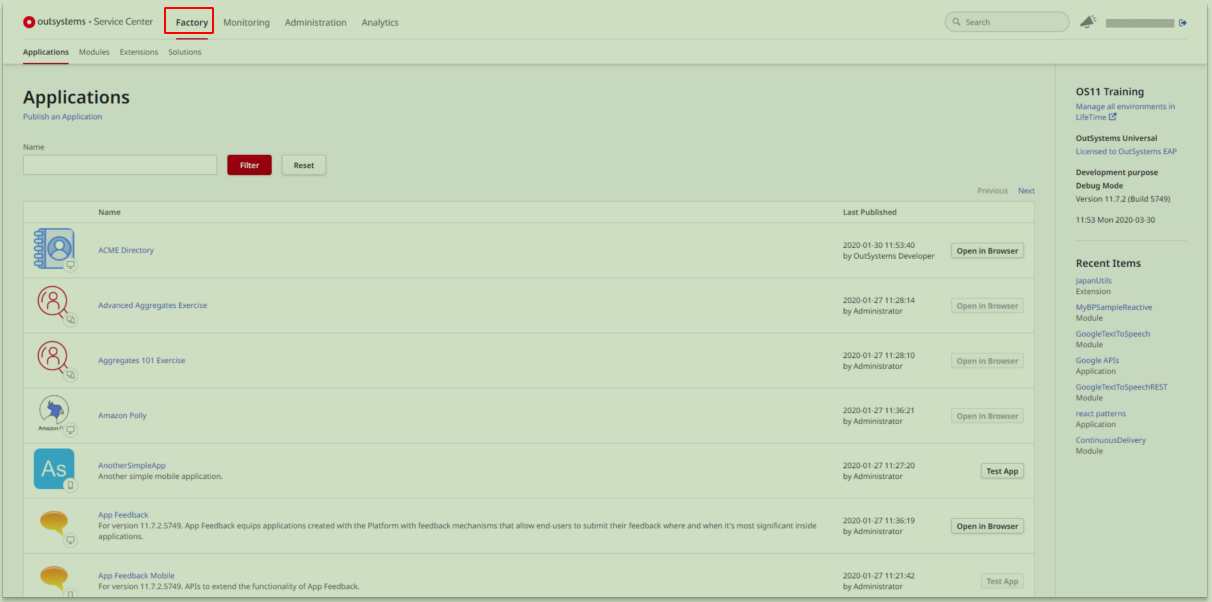
内置管理和分析平台
-
Service Center
-
Home
![]()
-
Factory
![]()
-
Monitoring
![]()
-
Administration
![]()
-
Analytics
![]()
-
-
LifeTime
-
Applications
![]()
-
User Management
![]()
-
Infrastructure
![]()
-
Analytics
![]()
-
Forge(在 Service Studio 中可以直接下载、使用 forge中的组件)
![]()
-
-
-
Summary
![]()
![]()
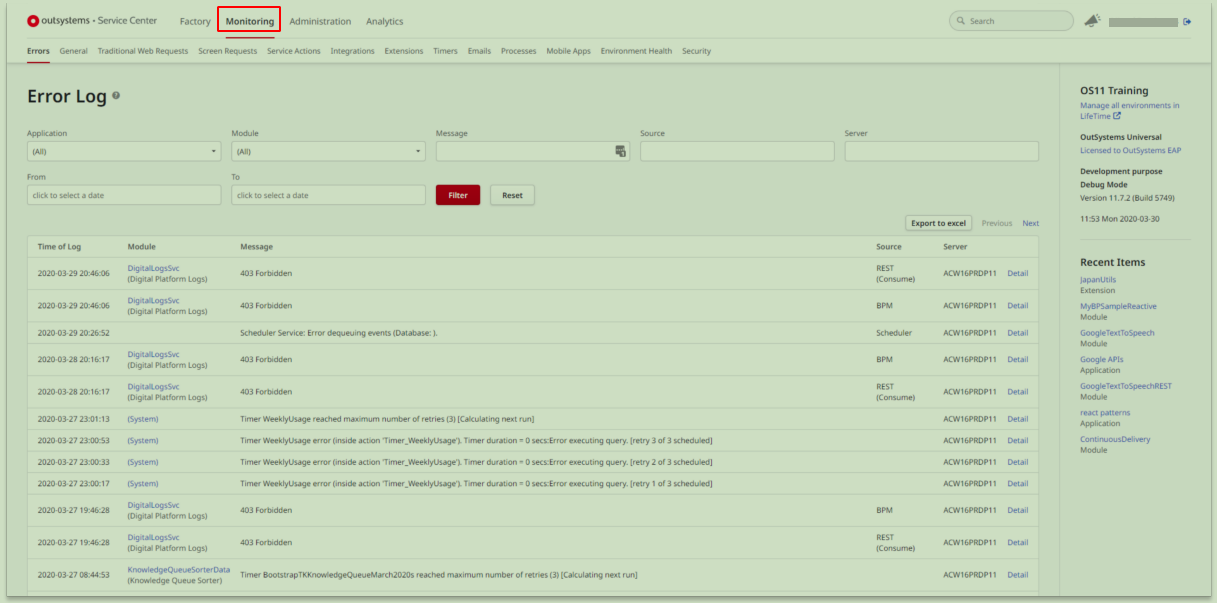
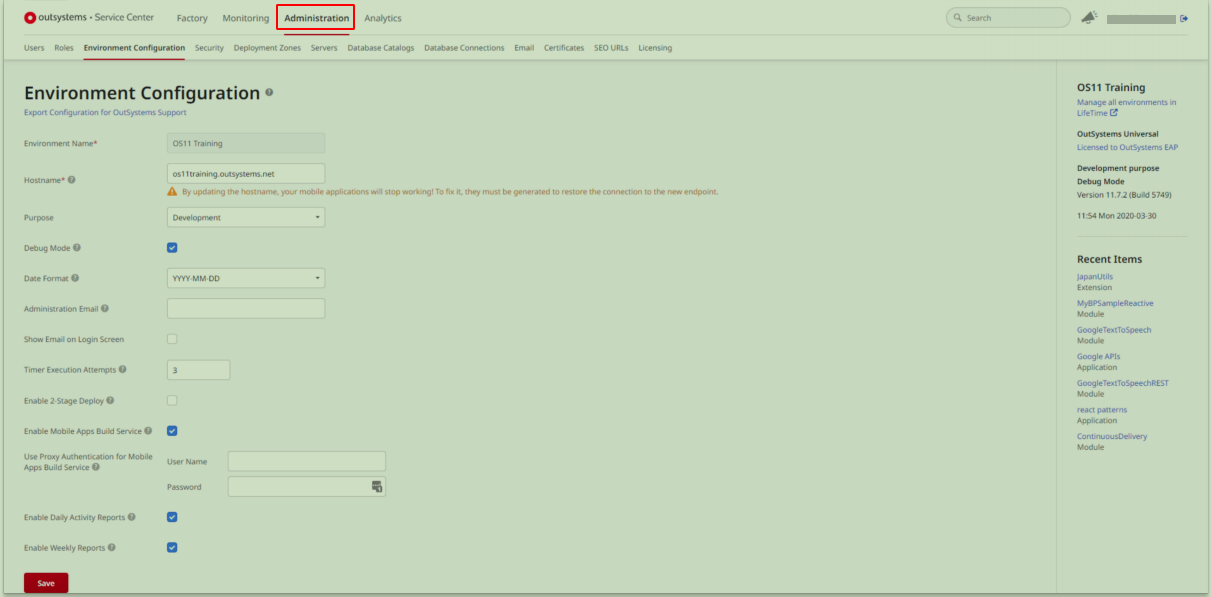
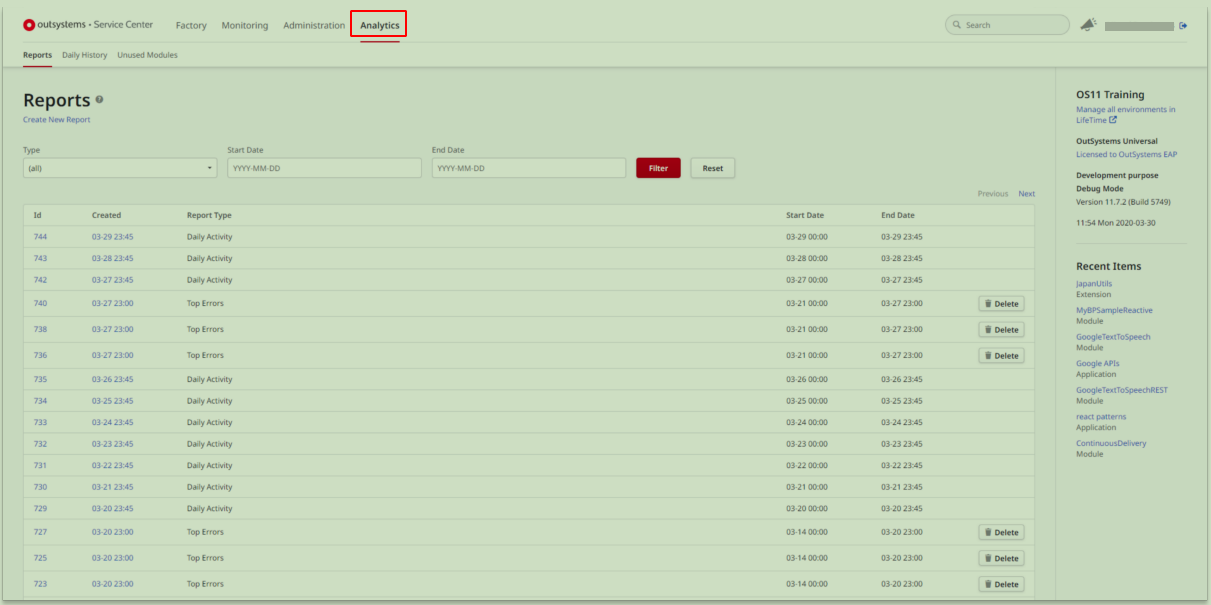
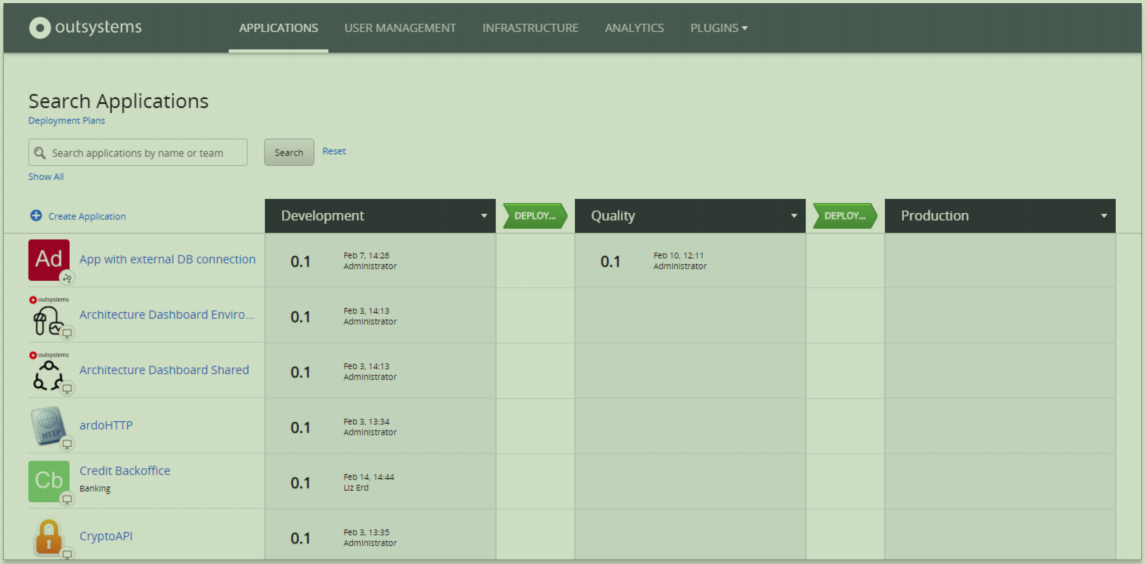
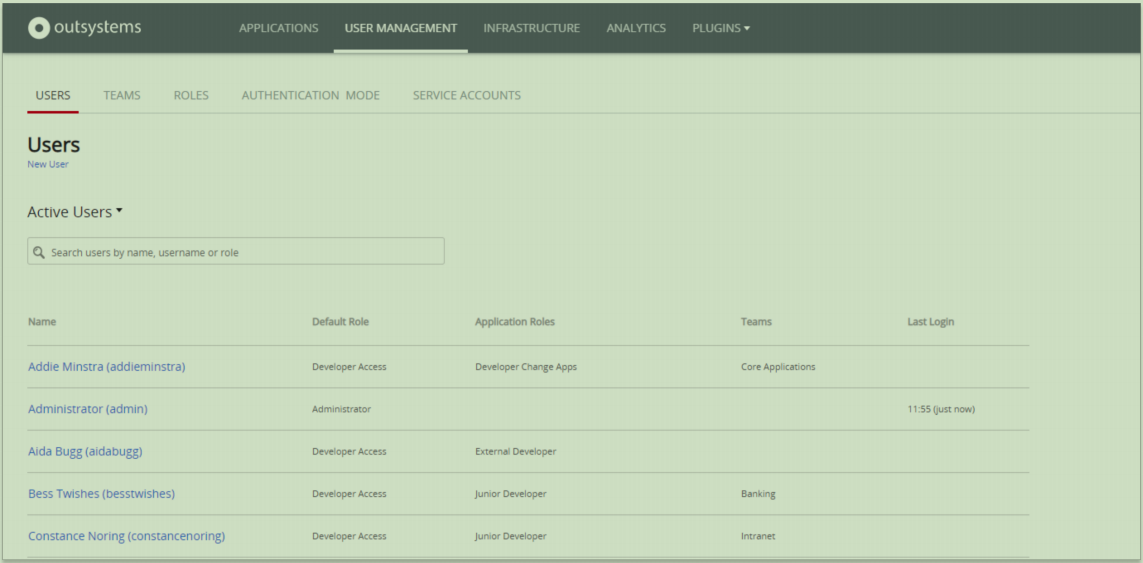
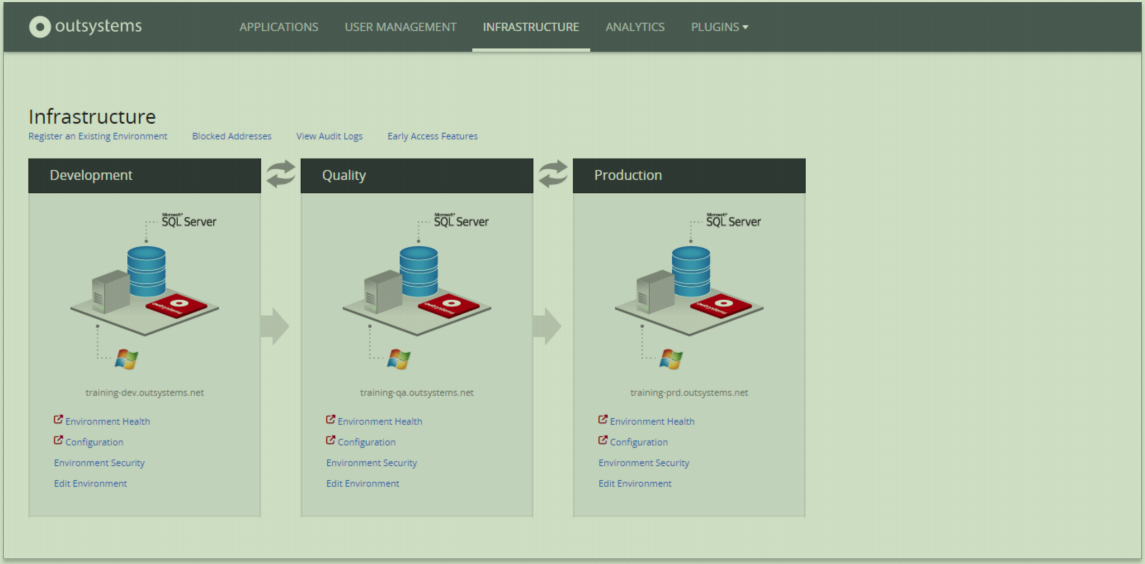
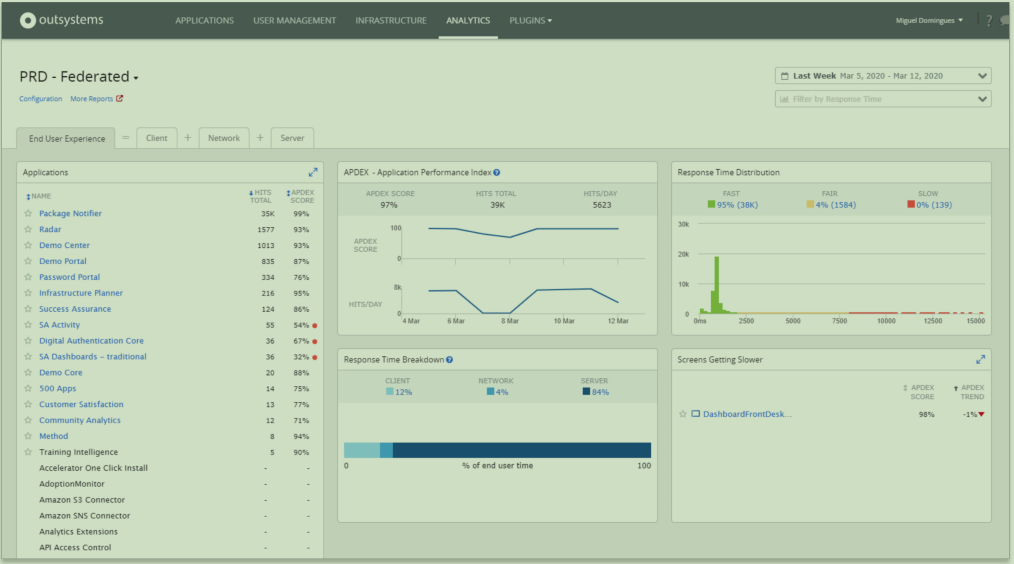
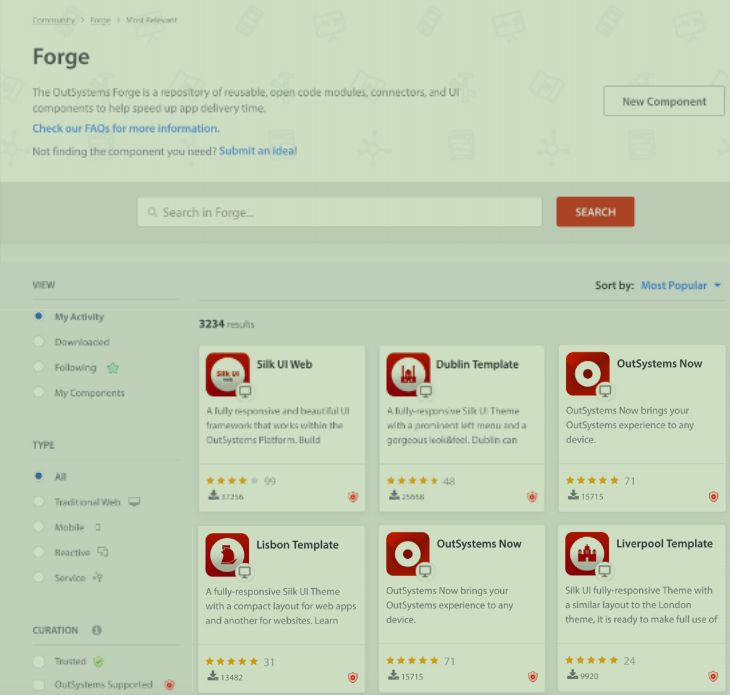

1.1.2 为什么
- 为什么用低代码?综上,显然,因为提高了开发效率。
-
能够服务更为复杂的场景需求
-
功能基本上与自主开发相当
-
IT分析师可用,前期建模
-
能够大幅缩短开发周期
-
功能强大, UI设计优秀,拖拽UI完成界面开发
-
敏捷, 灵活度高, 延展性好, 迭代更新强
-
可支持广泛场景的复杂应用开发(例如:企业级, 核心级别系统)
-
真正意义上的Devops + CI/CD
-
国际标准安全认证, 安全性高
-
一键同时生成网页应用 + 移动应用, 无需重复开发
-
AI + ML + IOT + 定制化 + 私有化 , 可灵活混合部署
- 为什么用OutSystems?看看第3点。
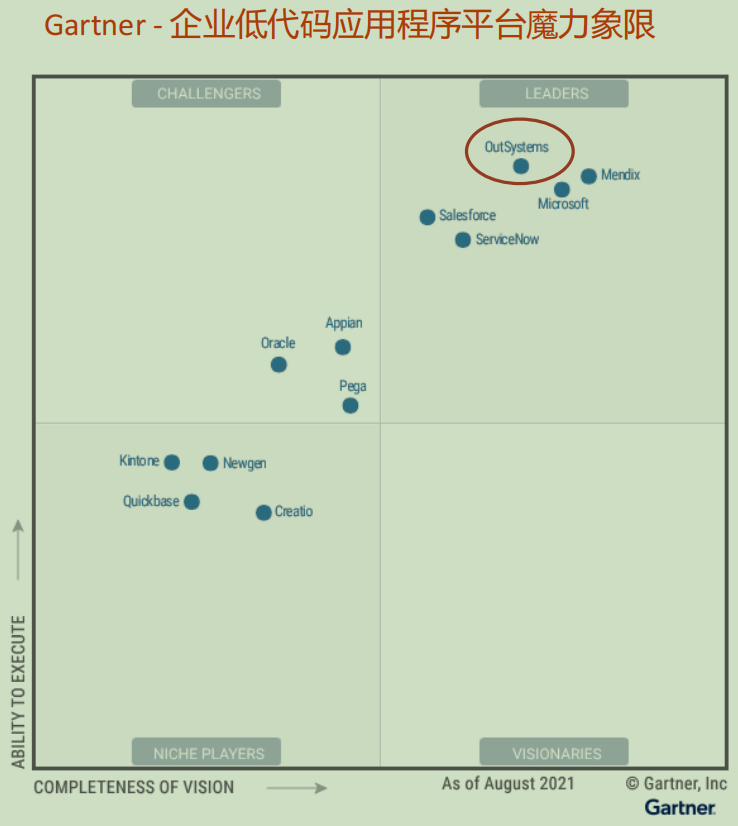
1.1.3 业界地位

1.2 Service Studio 概述
Visual Design and Development:
- Applications and Modules
- Data
- UI
- Logic
- - - 接下来全部是介绍Service Studio - - -
中心思想:实际工作中它能做什么,它是怎么帮助我们提高工作效率的?
按照构建一个系统的方式/顺序来介绍: Applications and Modules -> Data -> UI -> Logic
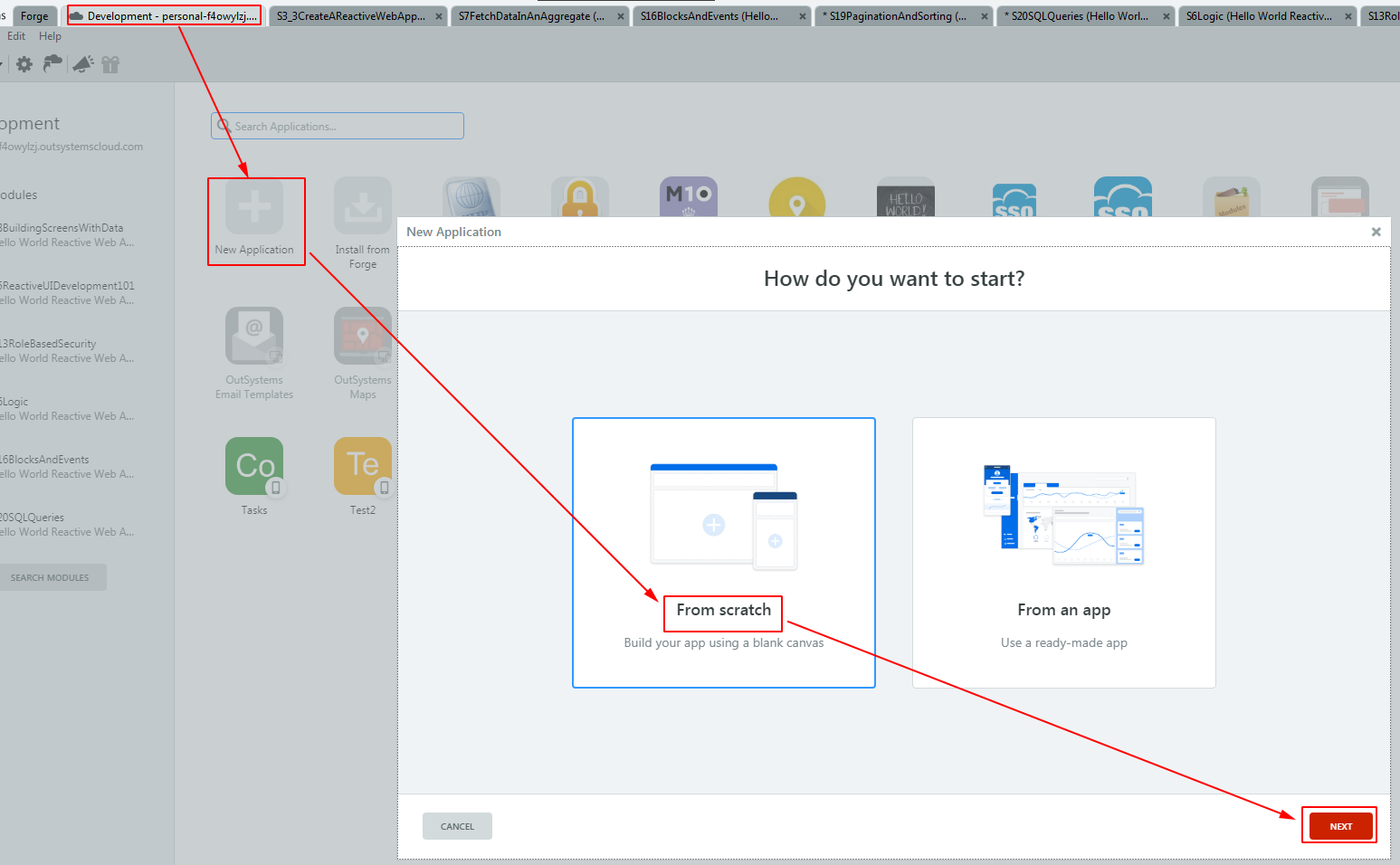
2 Applications and Modules
新建:
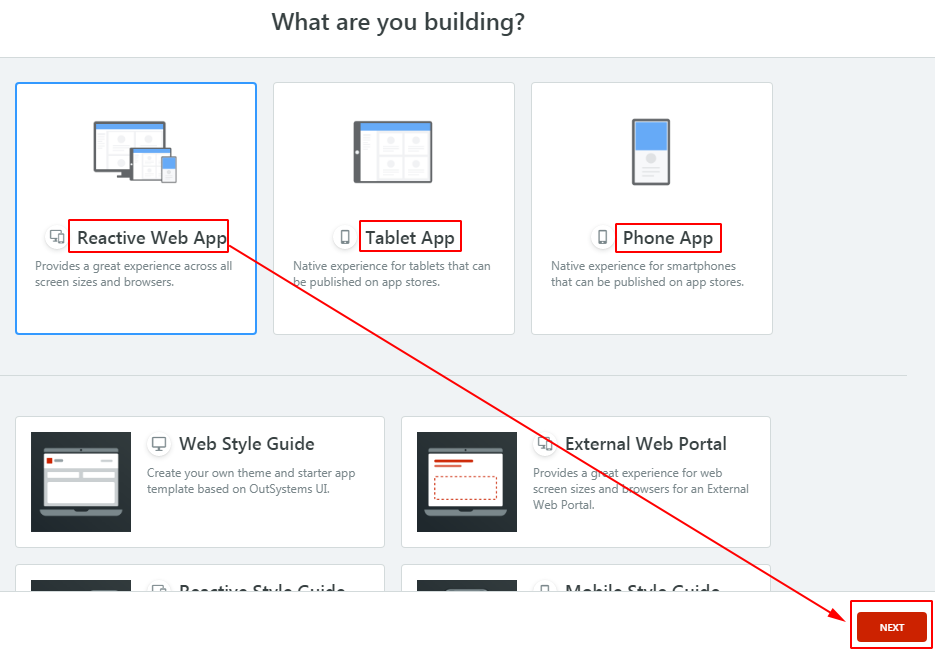

3 Data
3.1 Modeling Data(数据建模)
-
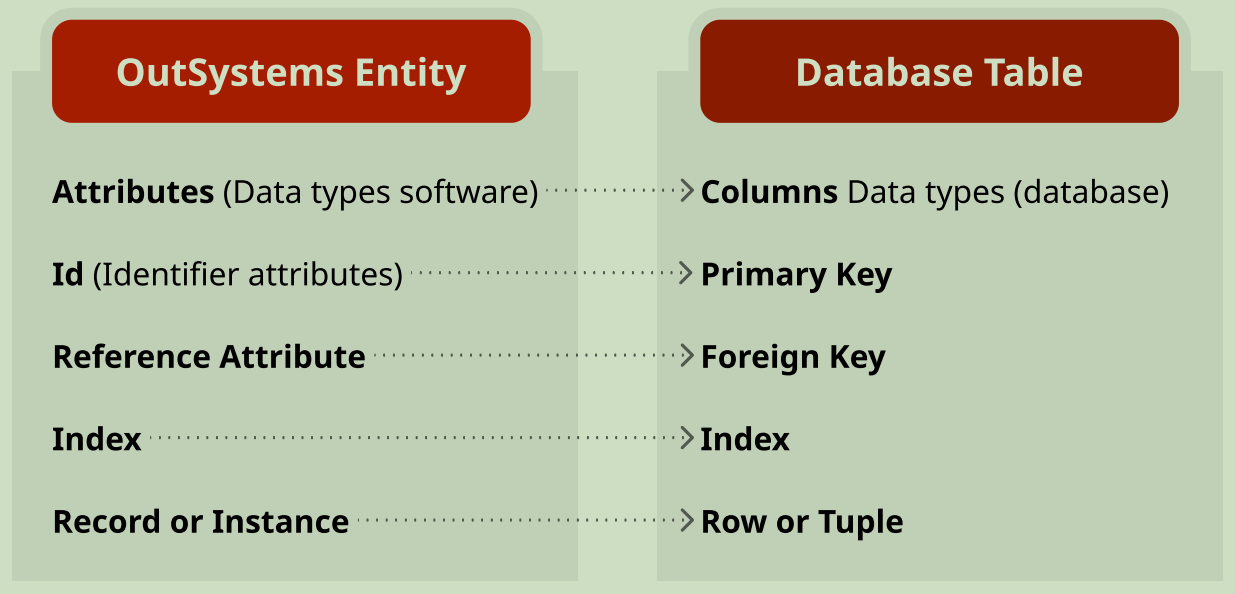
构建实体
构建实体和静态实体
Entity to Database Mapping:
![]()
-
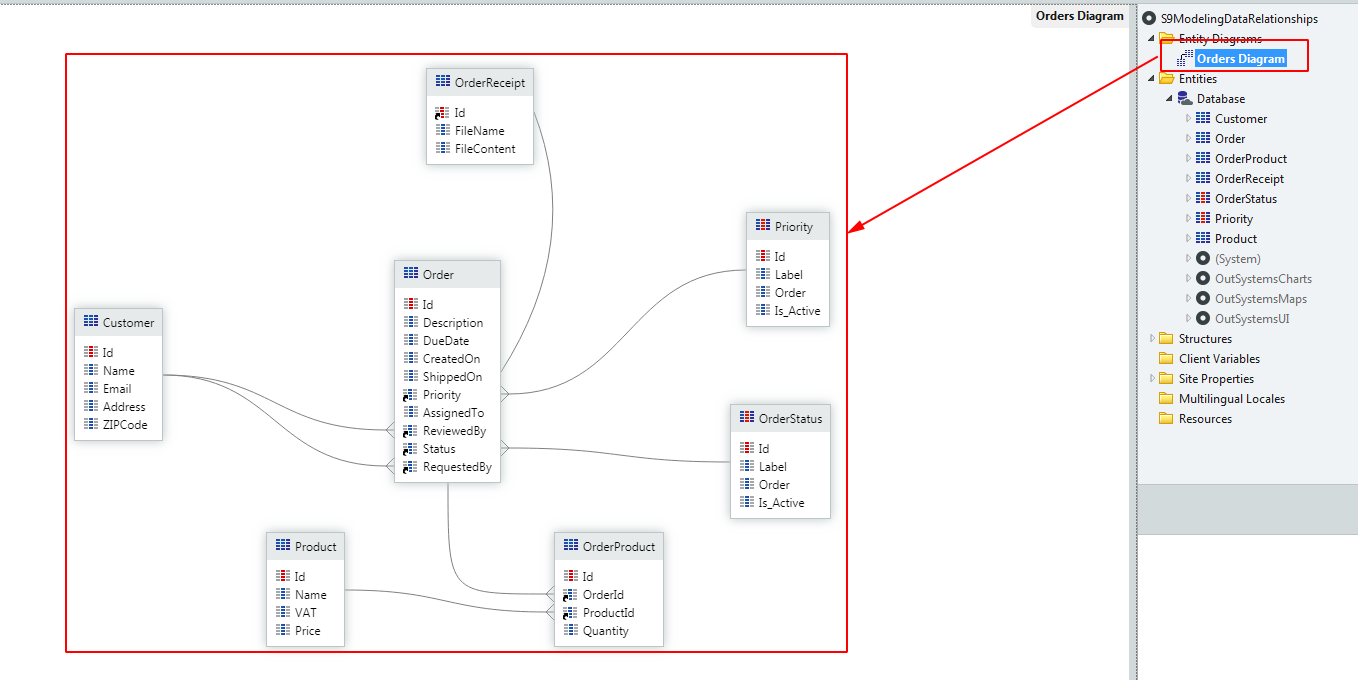
构建实体间关系
构建关系和构建实体同样重要。
![]()
3.2 Aggregates(数据聚合)
-
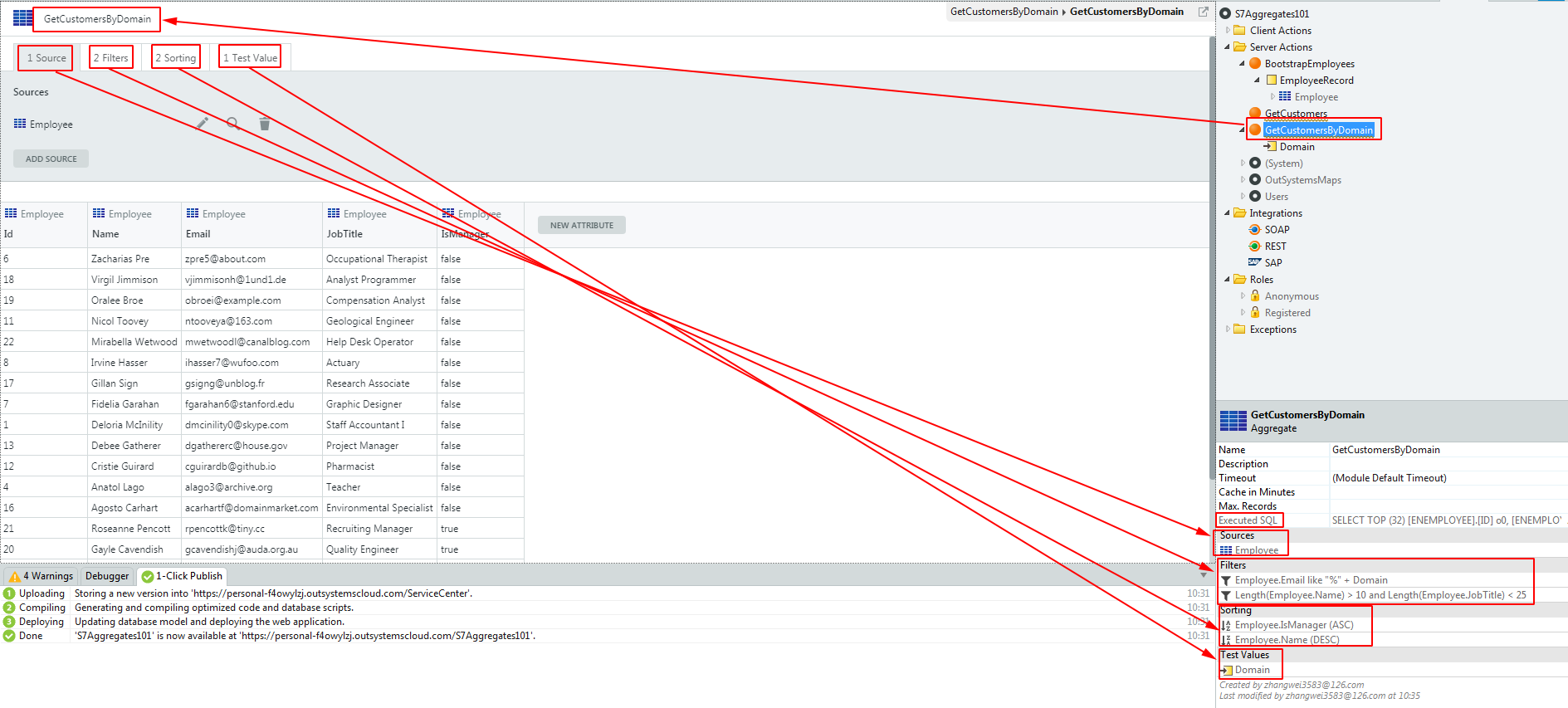
定义
一个可视化元素,该元素定义了一个从实体中抓取数据的查询,该查询可包含数据源、过滤、排序。
An Aggregate is a visual element that allows to define a query to fetch data from entities with sources, filters, and sorting.
![]()
-- Executed SQL SELECT TOP (32) [ENEMPLOYEE].[ID] o0, [ENEMPLOYEE].[NAME] o1, [ENEMPLOYEE].[EMAIL] o2, [ENEMPLOYEE].[JOBTITLE] o3, [ENEMPLOYEE].[ISMANAGER] o4 FROM [PTPMU6015].dbo.[OSUSR_3JX_EMPLOYEE] [ENEMPLOYEE] WHERE ([ENEMPLOYEE].[EMAIL] LIKE (N'%' + @Domain)) AND (((len([ENEMPLOYEE].[NAME])) > 10) AND ((len([ENEMPLOYEE].[JOBTITLE])) < 25)) ORDER BY [ENEMPLOYEE].[ISMANAGER] ASC, [ENEMPLOYEE].[NAME] DESC -
分类:
- Screen Aggregates
- Server Aggregates
3.3 高级数据聚合(Advanced Aggregates)
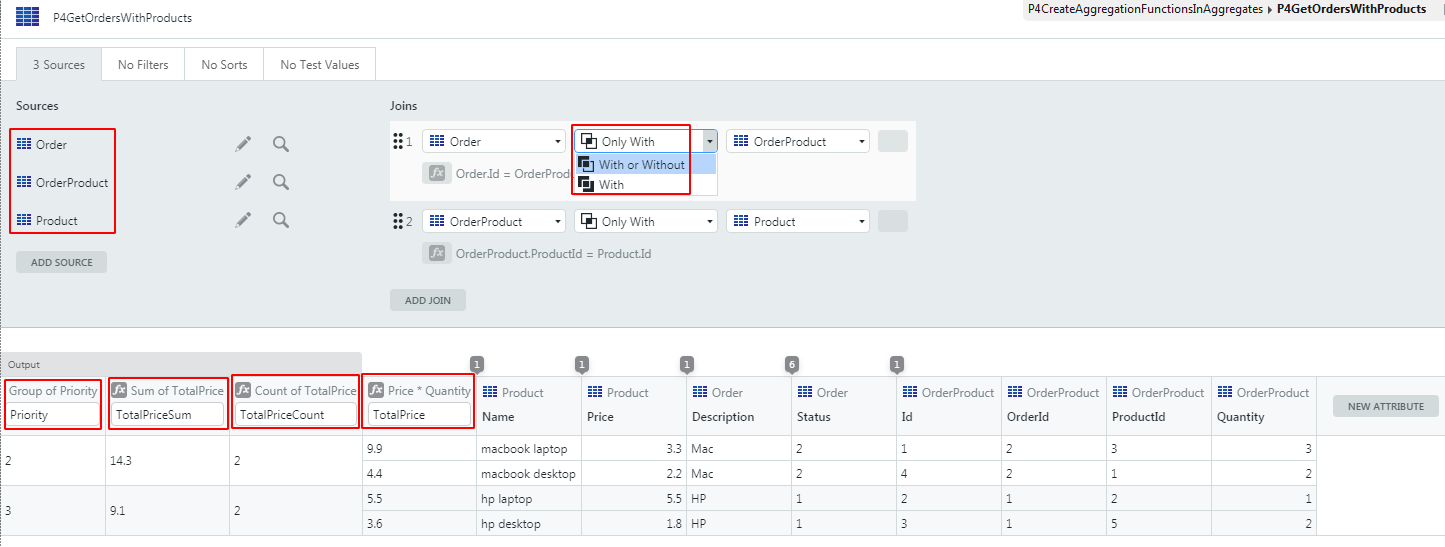
-- Executed SQL
SELECT TOP (27) [ENORDER].[PRIORITY] [PRIORITY], Count(([ENPRODUCT].[PRICE] * convert(decimal(37,8), [ENORDERPRODUCT].[QUANTITY]))) [TOTALPRICECOUNT], Sum(([ENPRODUCT].[PRICE] * convert(decimal(37,8), [ENORDERPRODUCT].[QUANTITY]))) [TOTALPRICESUM]
FROM (([PTPMU6015].dbo.[OSUSR_L0G_ORDER] [ENORDER]
	Inner JOIN [PTPMU6015].dbo.[OSUSR_L0G_ORDERPRODUCT] [ENORDERPRODUCT] ON ([ENORDER].[ID] = [ENORDERPRODUCT].[ORDERID]))
	Inner JOIN [PTPMU6015].dbo.[OSUSR_L0G_PRODUCT] [ENPRODUCT] ON ([ENORDERPRODUCT].[PRODUCTID] = [ENPRODUCT].[ID]))
GROUP BY [ENORDER].[PRIORITY]
3.4 数据模型整合(Data Model Integrity)
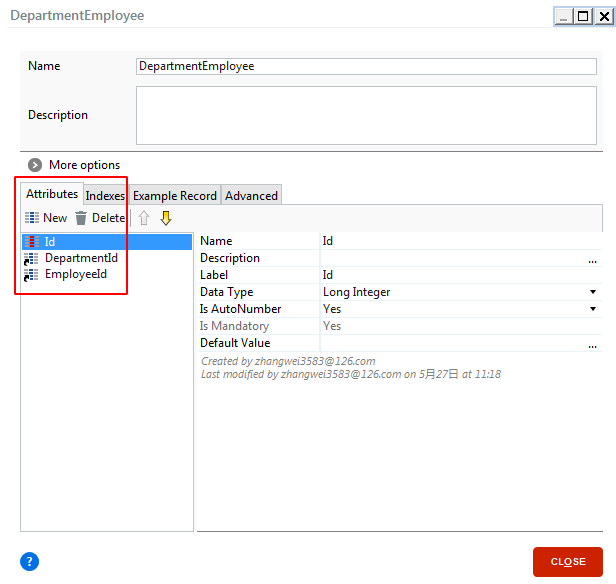
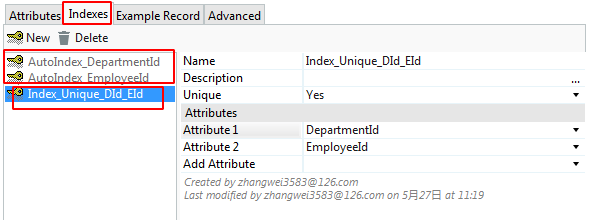
- 索引(Indexs)
![]()
-
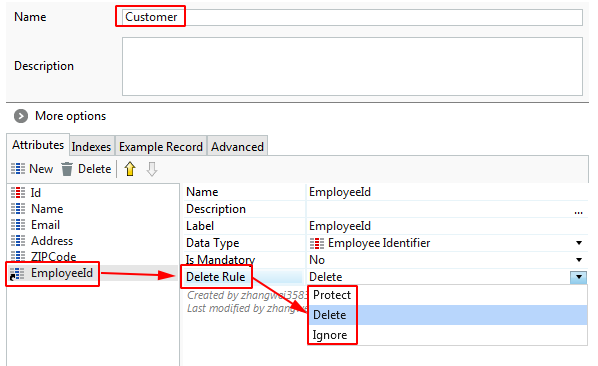
引用整合(Referential Integrity)
Delete Rule属性:Protect, Delete, Ignore.
![]()
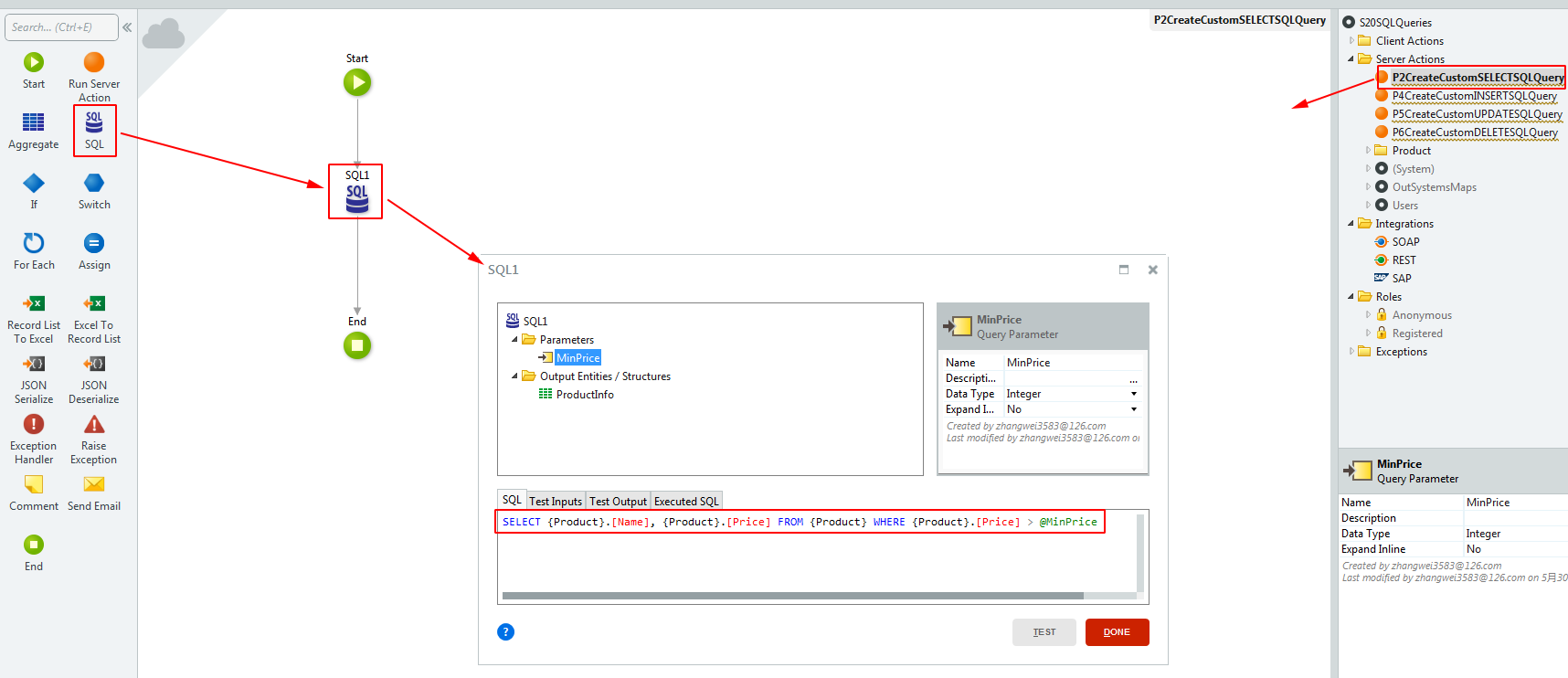
3.5 自定义SQL(SQL Queries)
可用于:
○ Server Actions
○ Screen Data Actions
分类:
-
SELECT Queries
![]()
SELECT {Product}.[Name], {Product}.[Price] FROM {Product} WHERE {Product}.[Price] > @MinPrice -
Non-SELECT Queries
INSERT INTO {Product}
    ({Product}.[Name], {Product}.[VAT], {Product}.[Price])
VALUES (@Name, @VAT, @Price)

UPDATE {Product}
    SET {Product}.[Name] = @Name, {Product}.[VAT] = @VAT, {Product}.[Price] = @Price
WHERE {Product}.[Id] = @Id

DELETE FROM {Product}
    WHERE {Product}.[Id] = @Id
4 用户界面(UI)
4.1 Screen
-
定义
A Screen is one of the building blocks for an interface that is composed of other elements to create rich interfaces.
屏幕是一个界面的构建块,它组合了一些其他元素来构建丰富多彩的界面。
![]()
注:和传统开发的前端页面元素对比。 -
部件(Screen Widgets)
Container, Table, List, ListItem, Expression, If, Switch, Form(Label, Input(Text, Password, Number, Time, Date, Date Time, Phone, Email, Search), TextArea, Dropdown, Checkbox, RadioGroup, Upload, Image, Button, ButtonGroup, Link), ...
![]()
![]()
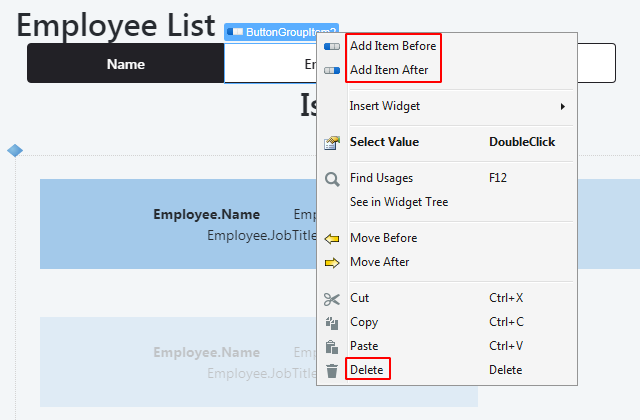
其中,Button Group中可以自行添加和删除button item:
![]()
Both Buttons and Links have On Click Destinations:
- Screen
- External URL
- (Screen) Client Action
- Event
-
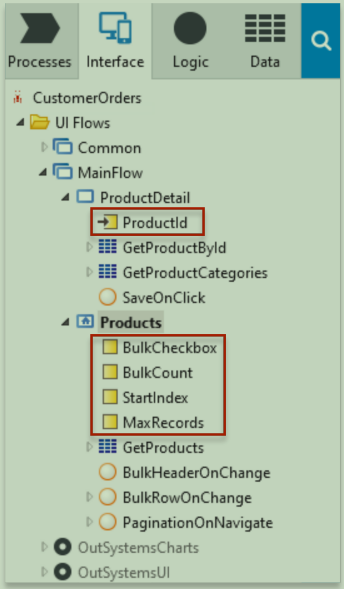
变量(Screen Input Parameters and Local Variables)
![]()
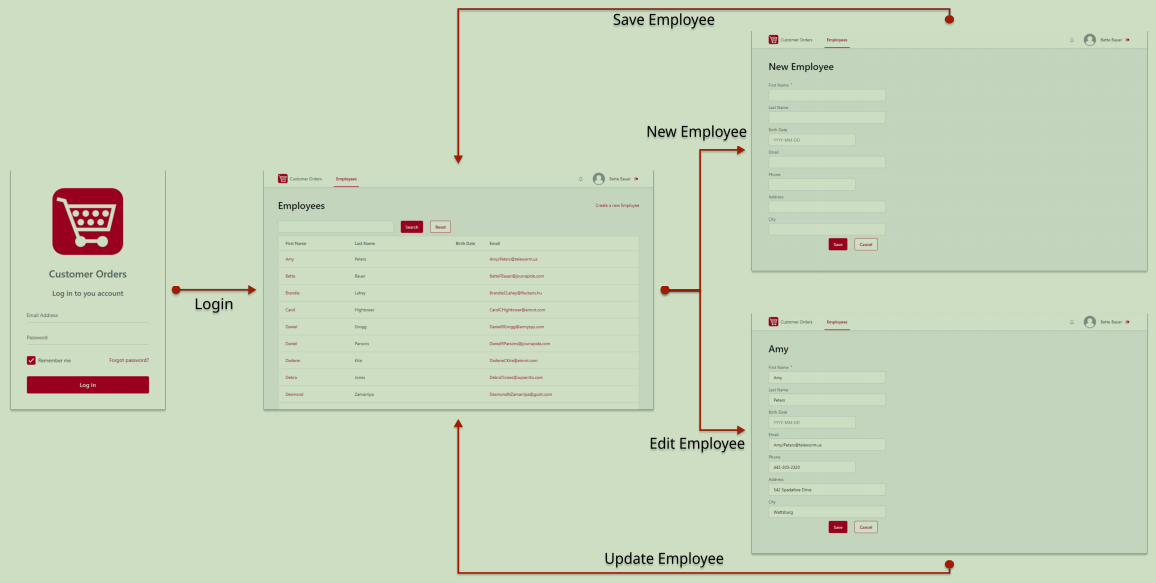
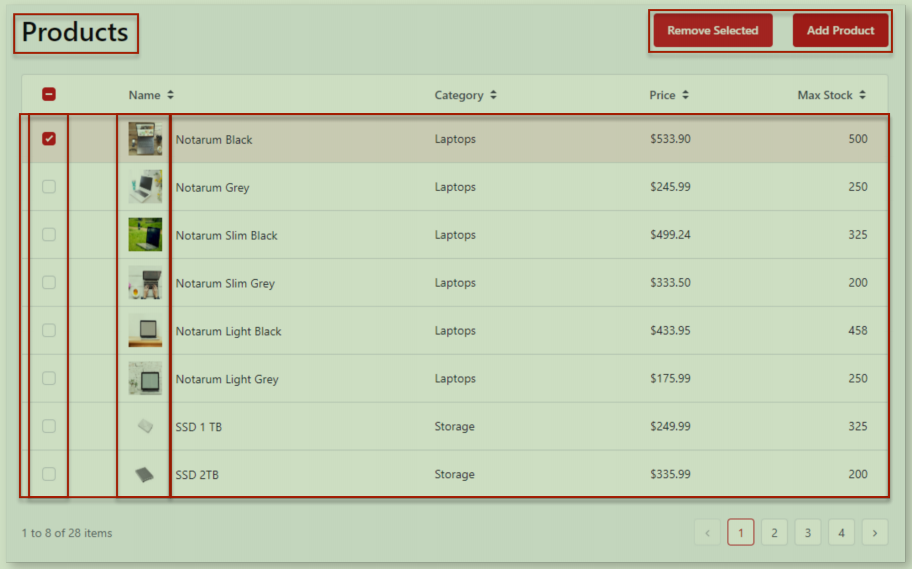
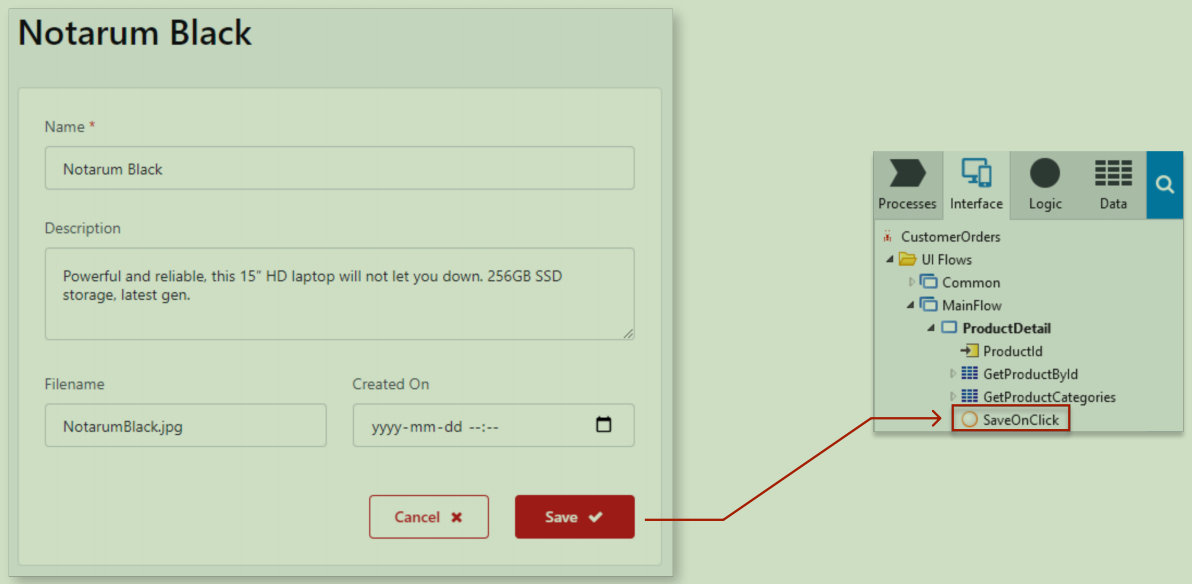
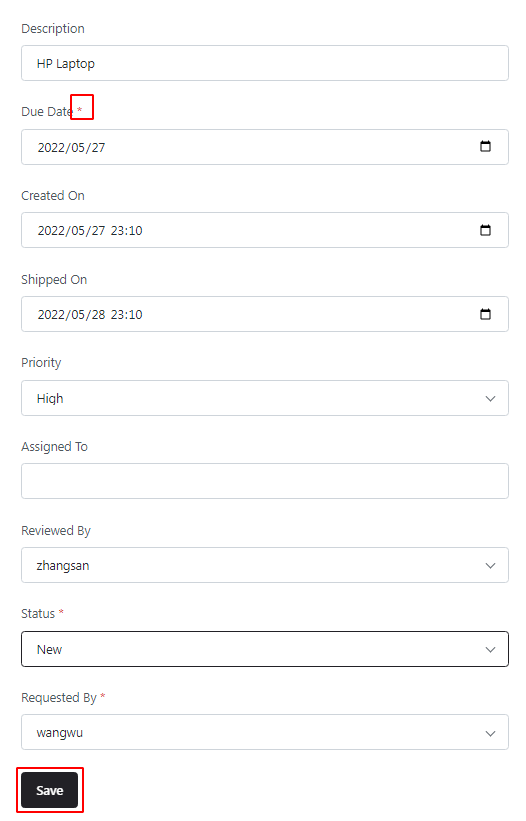
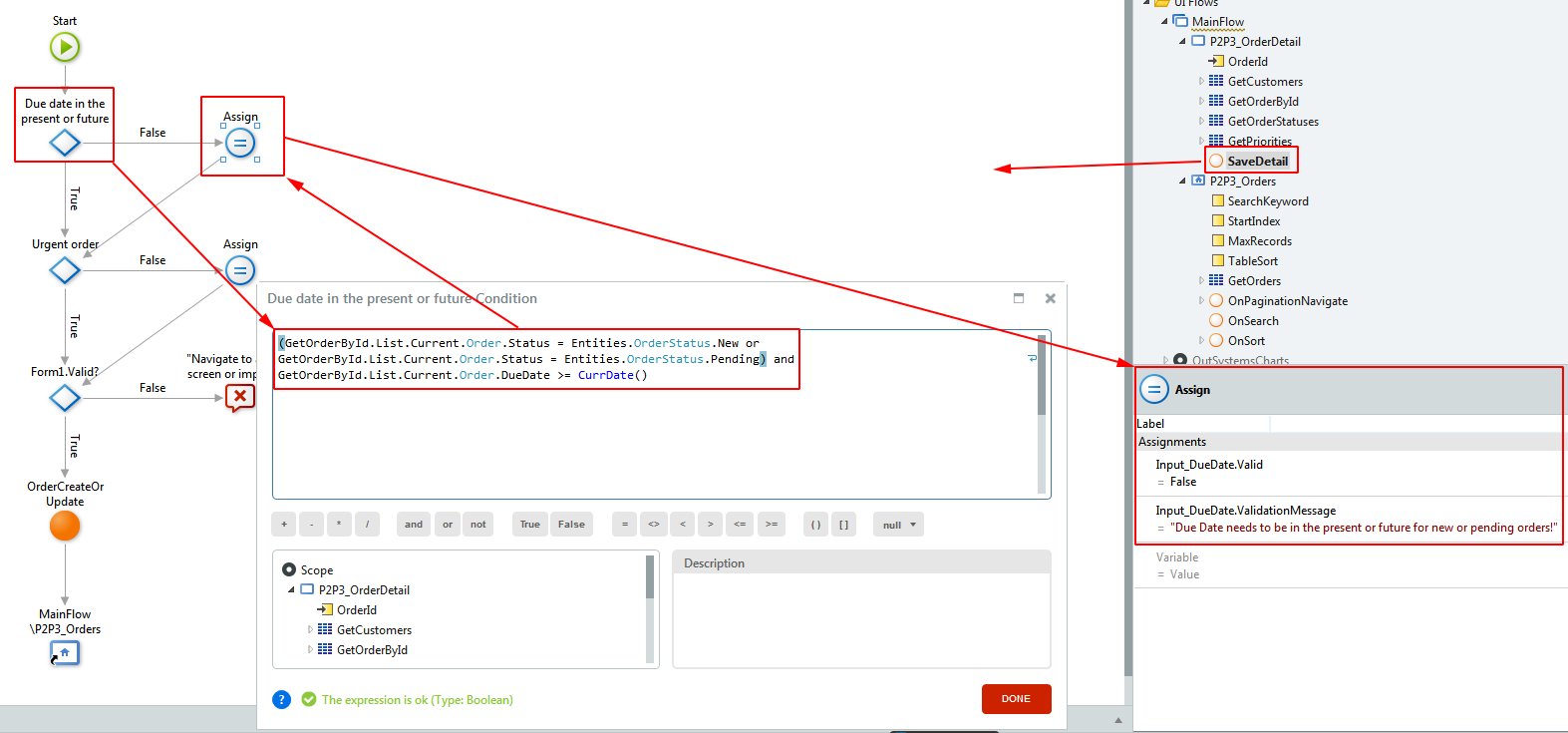
4.3 表单校验(Forms)
4.1.1 构建Widgets
Form, Label, Input(Text, Password, Number, Time, Date, Date Time, Phone, Email, Search), TextArea, Dropdown, Checkbox, RadioGroup, Upload, Image, Button, ButtonGroup, Link, ...
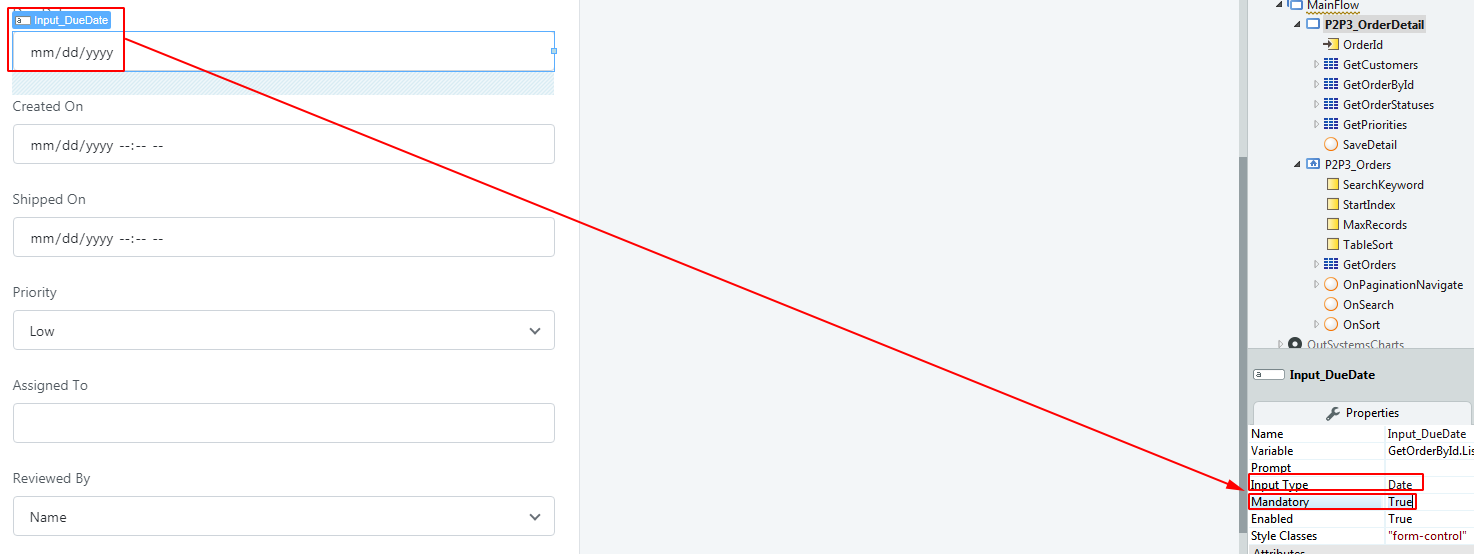
4.1.2 校验
- Built-in validations
![]()

-
Custom Validations
![]()
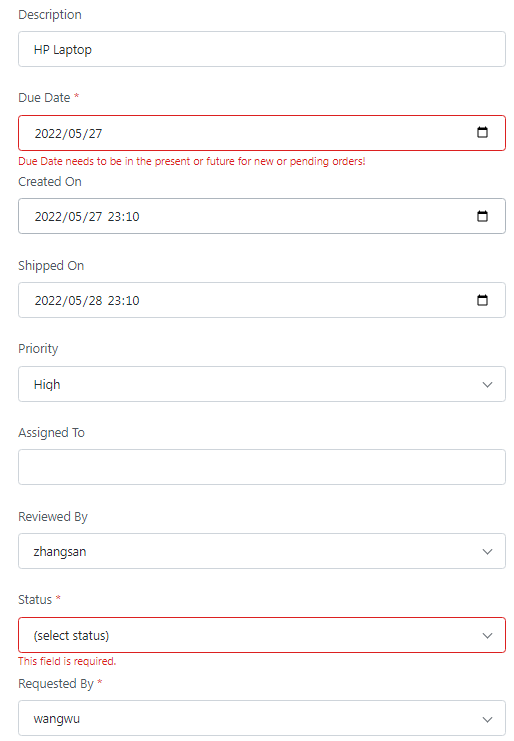
-
校验不通过的页面展示
![]()
5 逻辑(Logic)
5.1 Actions
-
概述
Action是一个元素,该元素允许我们定义运行在客户端或服务端的逻辑流。
-
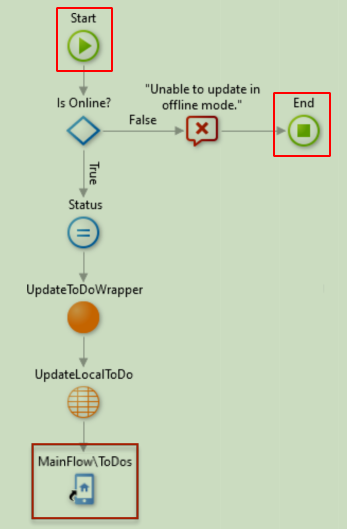
Action流(Action Flow)
-
定义了一个逻辑片段
-
只有一个start节点
-
有多个结束节点:
- End
- Destination (Screen Actions only)
- Download (Screen Actions only)
![]()
-
-
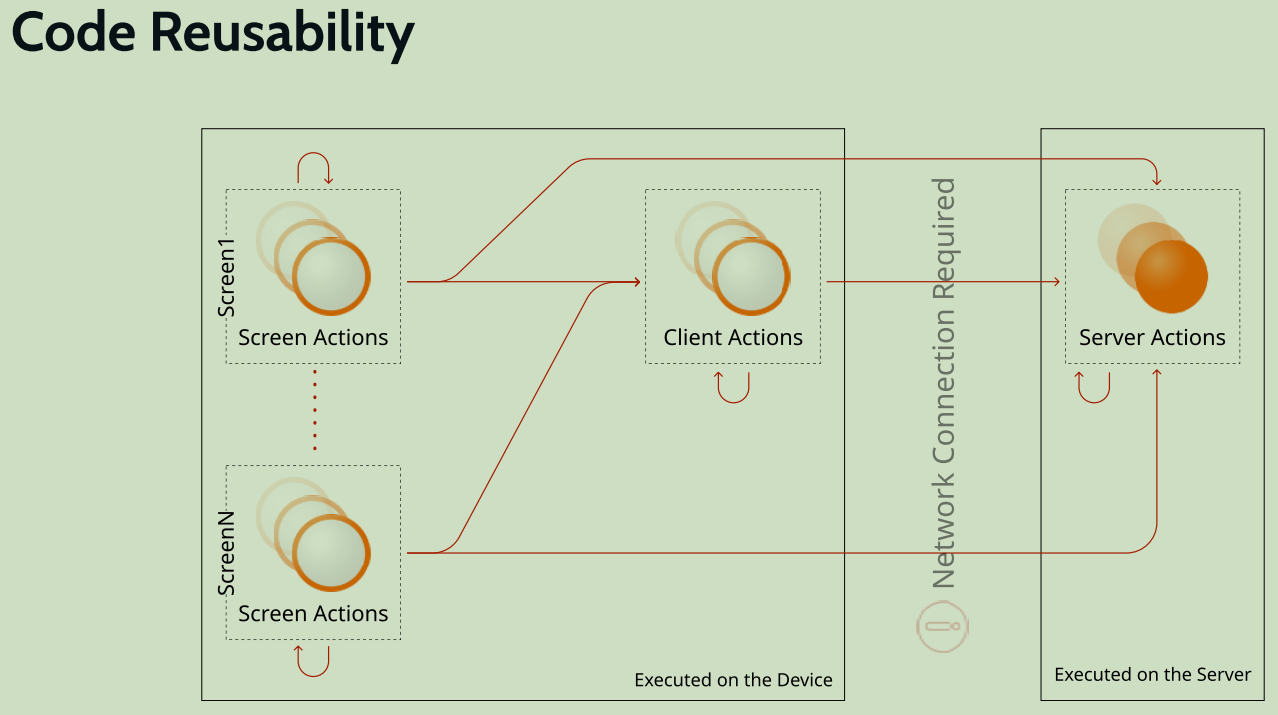
分类
- Screen Actions(JavaScript)
- Client Actions(JavaScript)
- Server Actions(Controller, Service)
- Entity Actions(DAO)
注:和传统开发的前端、SpingMVC对比。
-
可复用
![]()
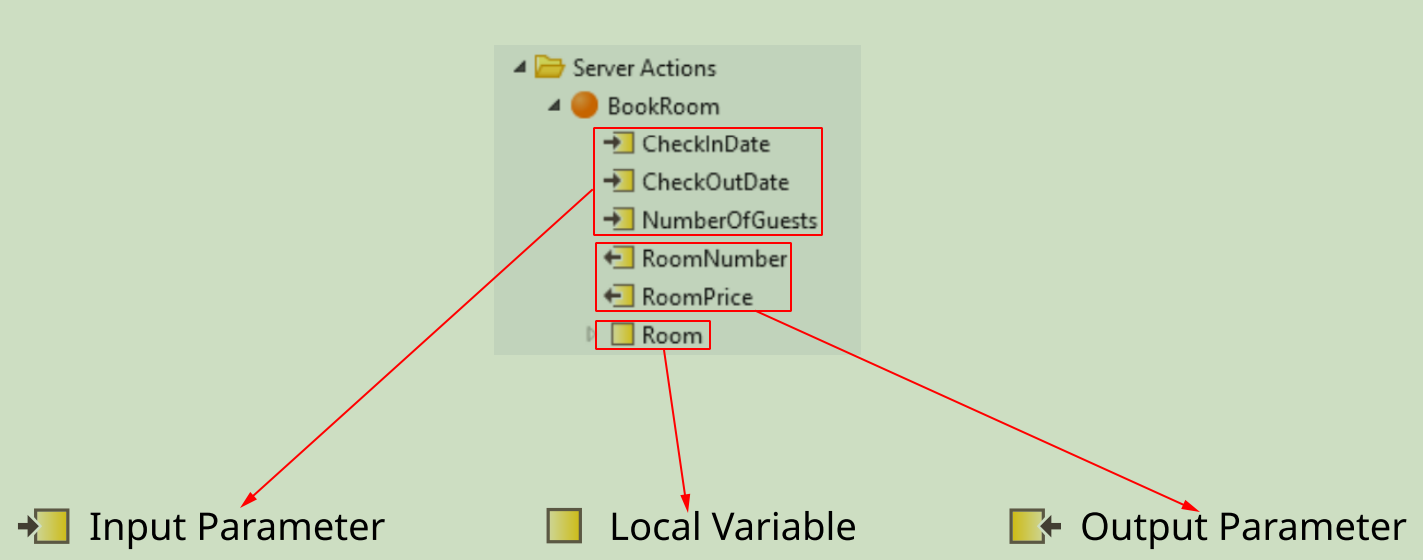
5.2 变量
分类:
- Input: 离开父元素作用域后销毁
- Local: 离开父元素作用域后销毁
- Output: 离开父元素作用域后仍然存在
注:和Java方法中的各种变量对比。
5.3 异常(Exceptions)
-
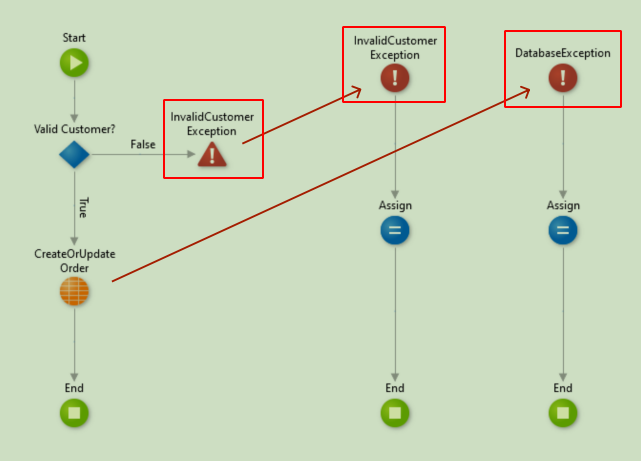
提出异常
在程序运行时,当操作意外失败时,一个异常被抛出。
异常导致流程执行的中断,并且程序执行跳转到异常处理流程中。另外,异常处理流程执行完后,不会返回到原始流程中。- 自动 (eg. Database Exception, User Exception, Security Exceptions, Communication Exceptions, ...)
- 手动(显式) (eg. InvalidCustomer Exception)
![]()
-
处理异常(Exception Handler)
-
一个Action流中,可以包含多个异常处理器流,比如:
- Database Exceptions
- Security Exceptions
- Communication Exceptions
- Custom User Exceptions
-
当一个异常被提出时,由最匹配该异常的处理器来处理;程序的执行也跳转到了该异常处理器中。
-
-
全局异常处理器(Global Exception Handler)
如果匹配的异常处理器在当前执行上下文中不存在,则继续向上查找任何更外围的上下文,直到找到一个匹配的异常处理器。
全局异常处理器模块特性:
- 位于Common UI Flow (default)
- 每个模块最多一个
- 向上查找过程中的最高的可能等级
- 应该能处理所有异常
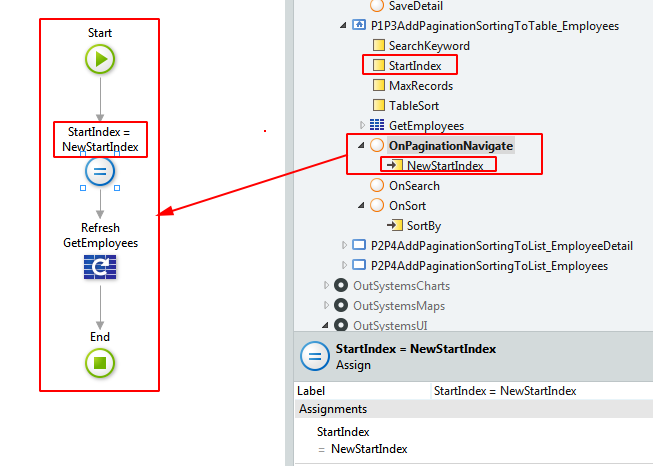
6 分页和排序(Pagination and Sorting)
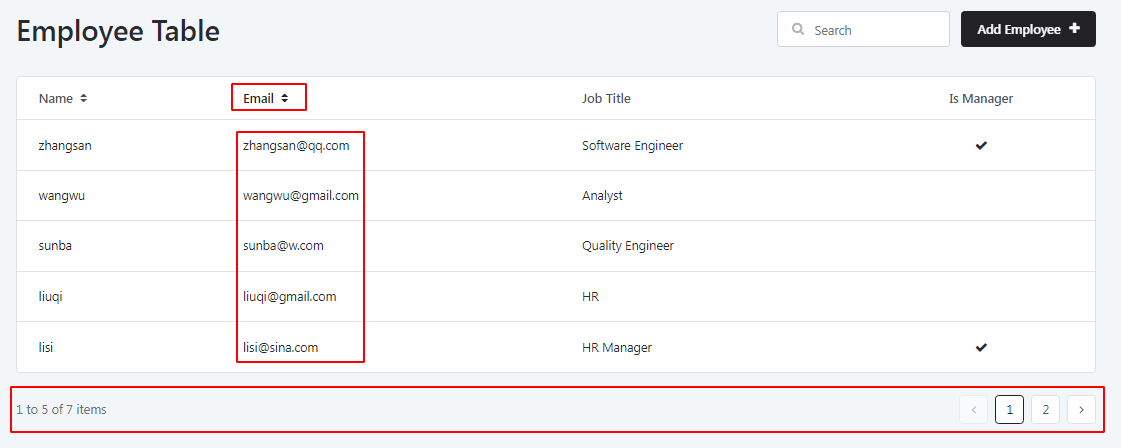
分页:

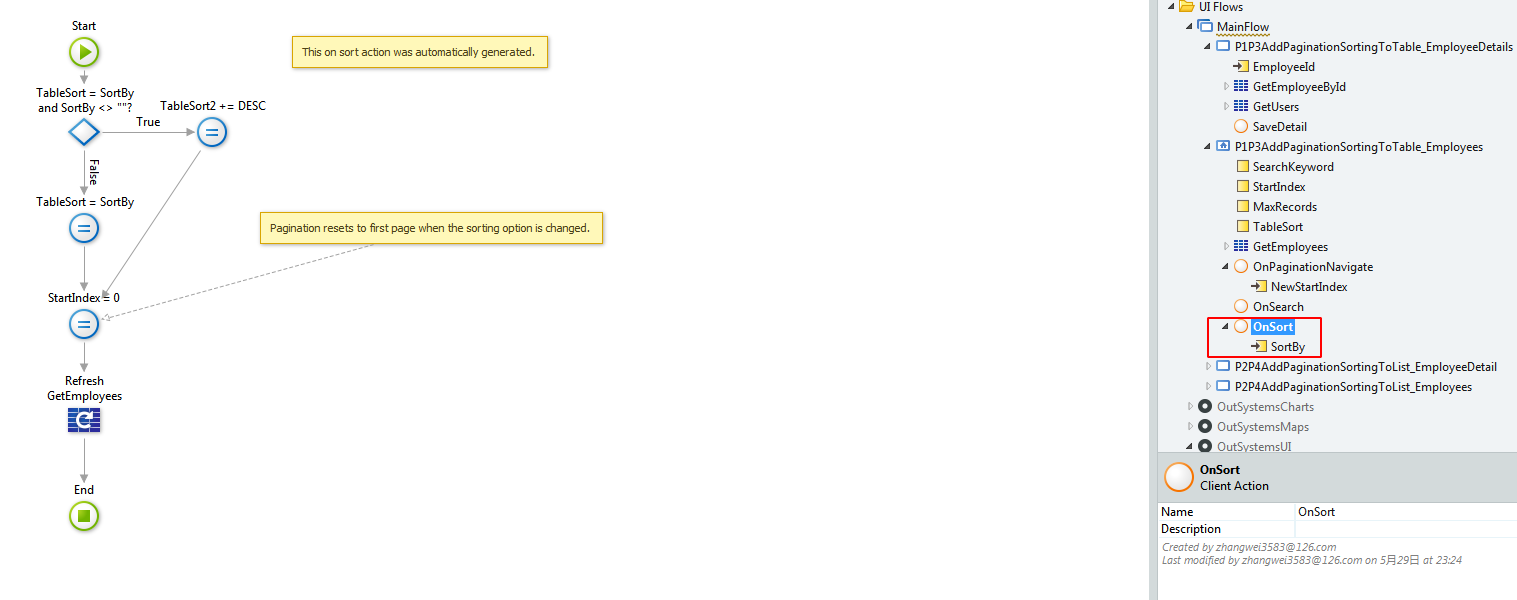
排序:
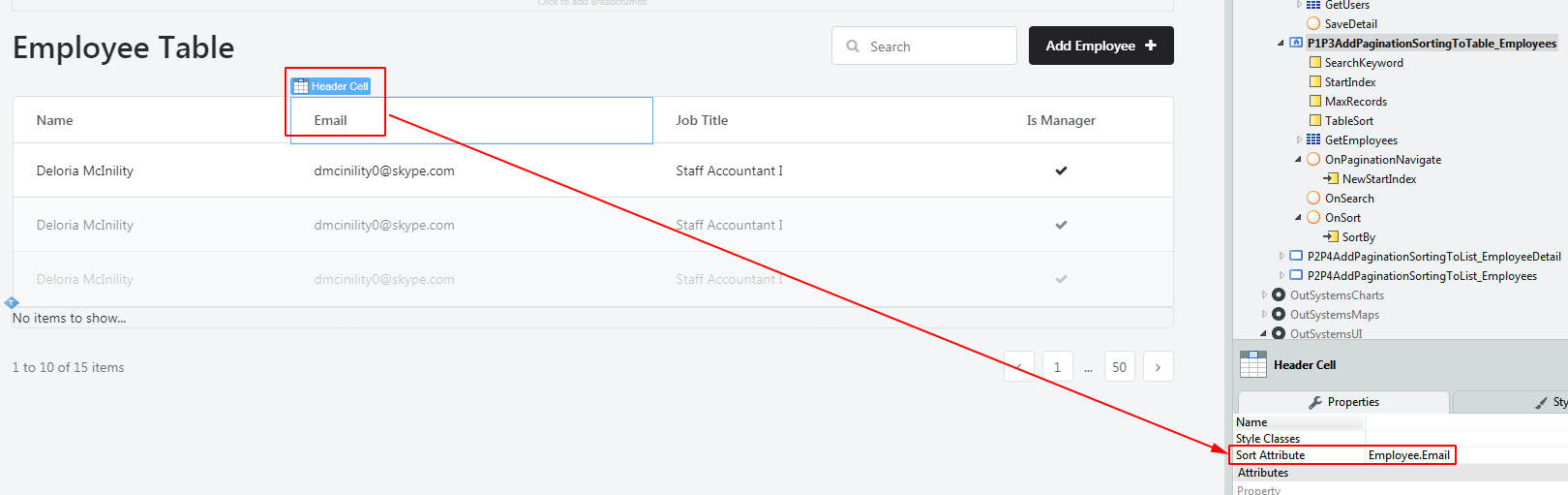
页面效果:
7 Debugging
- 定义
Debugging is a troubleshooting technique that helps finding errors in code.
帮助发现程序中的错误的故障排除技术。
支持在Screen Action,Client Action,Server Action中进行Debug。
-
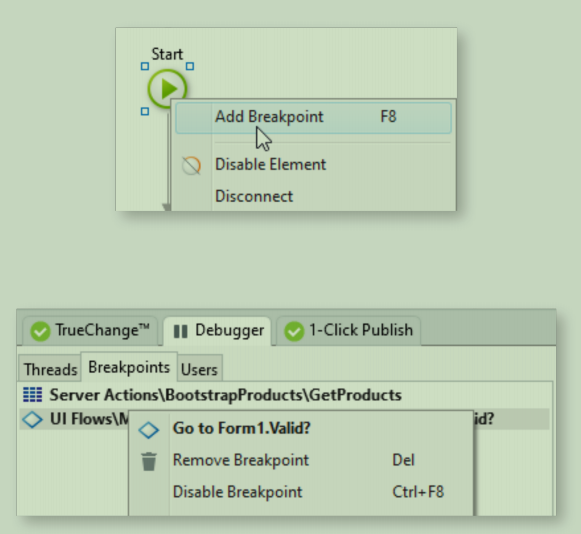
步骤
![]()
-
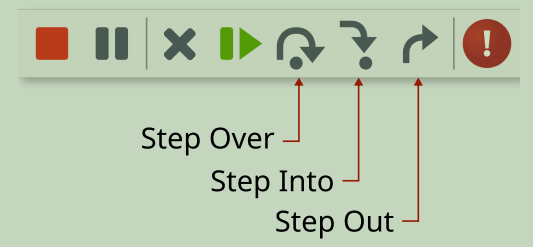
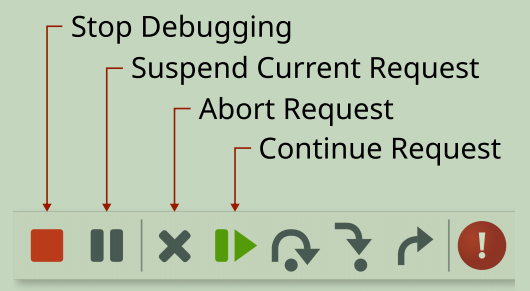
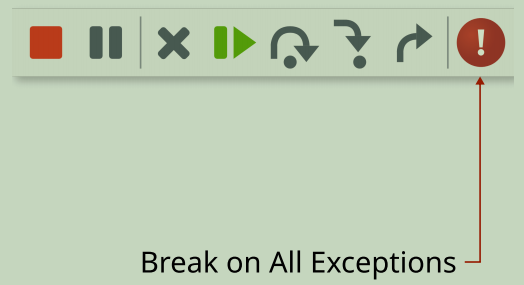
操作
![]()
![]()
![]()
![]()
![]()
查看变量在运行时的值:
![image]()
-
在生产者模块中Debug
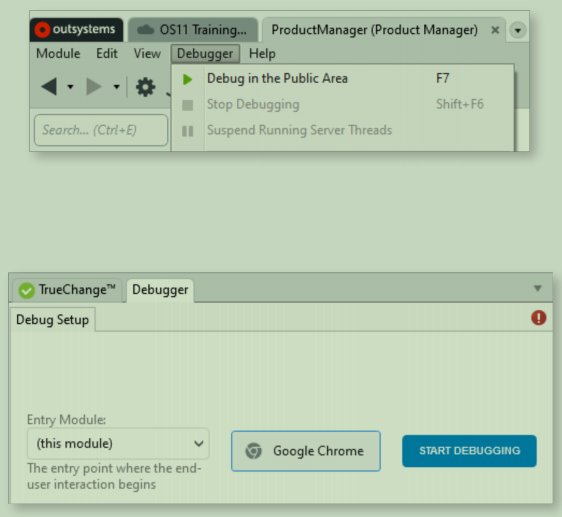
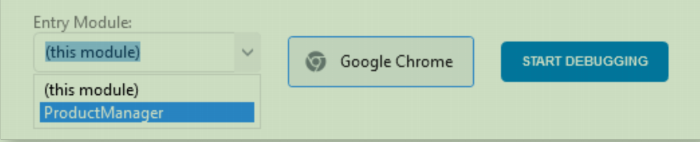
场景:有一个生产者模块(Producer Module)和一个消费者模块(Consumer Module),Consumer中调用了Producer中的元素,现在需要在Consumer中执行Action时,在Producer中的breakpoint处暂停,进行debug。
需要这么做:在生产者模块中,设置“Entry Module”为 消费者模块。
比如下面截图中,“ProductManager” 为 消费者模块(它要调用“Product_Core” 模块中的Action元素):
![]()


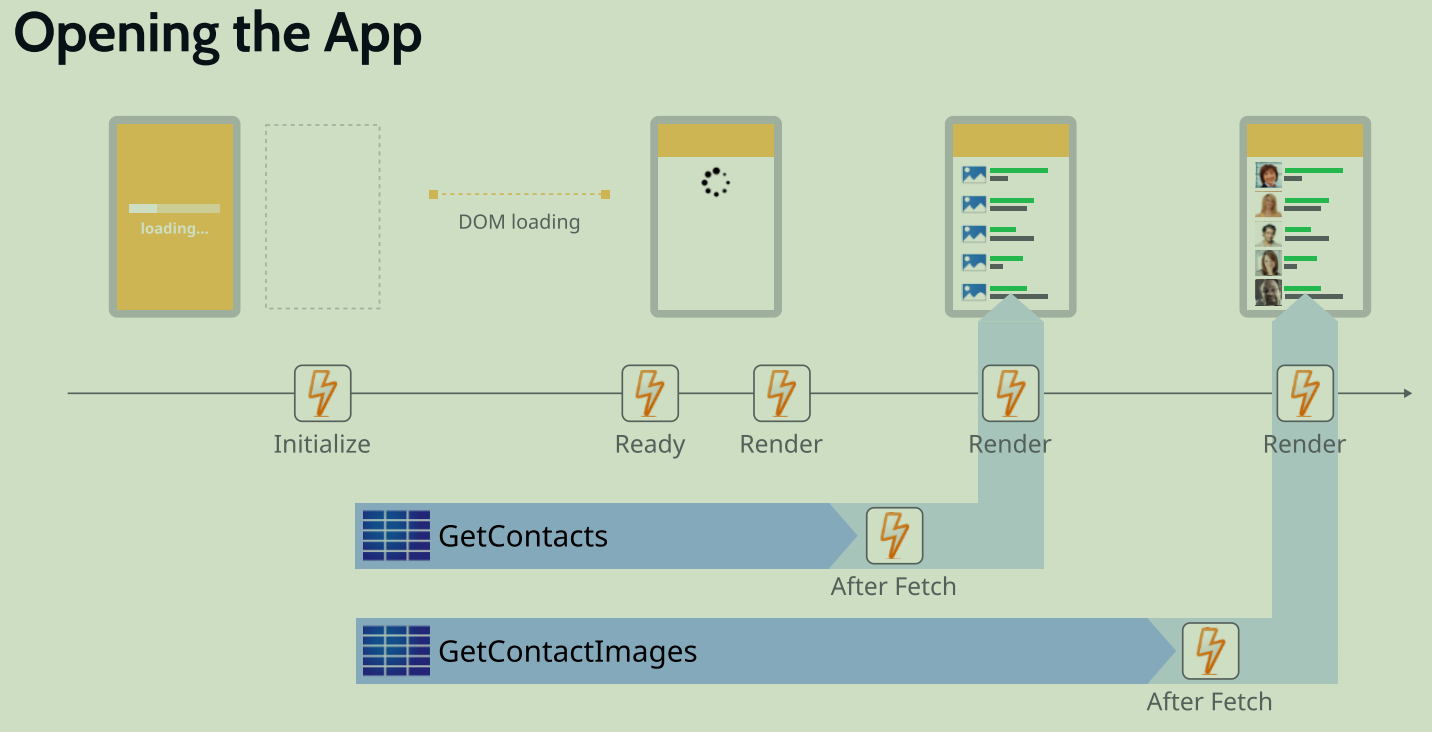
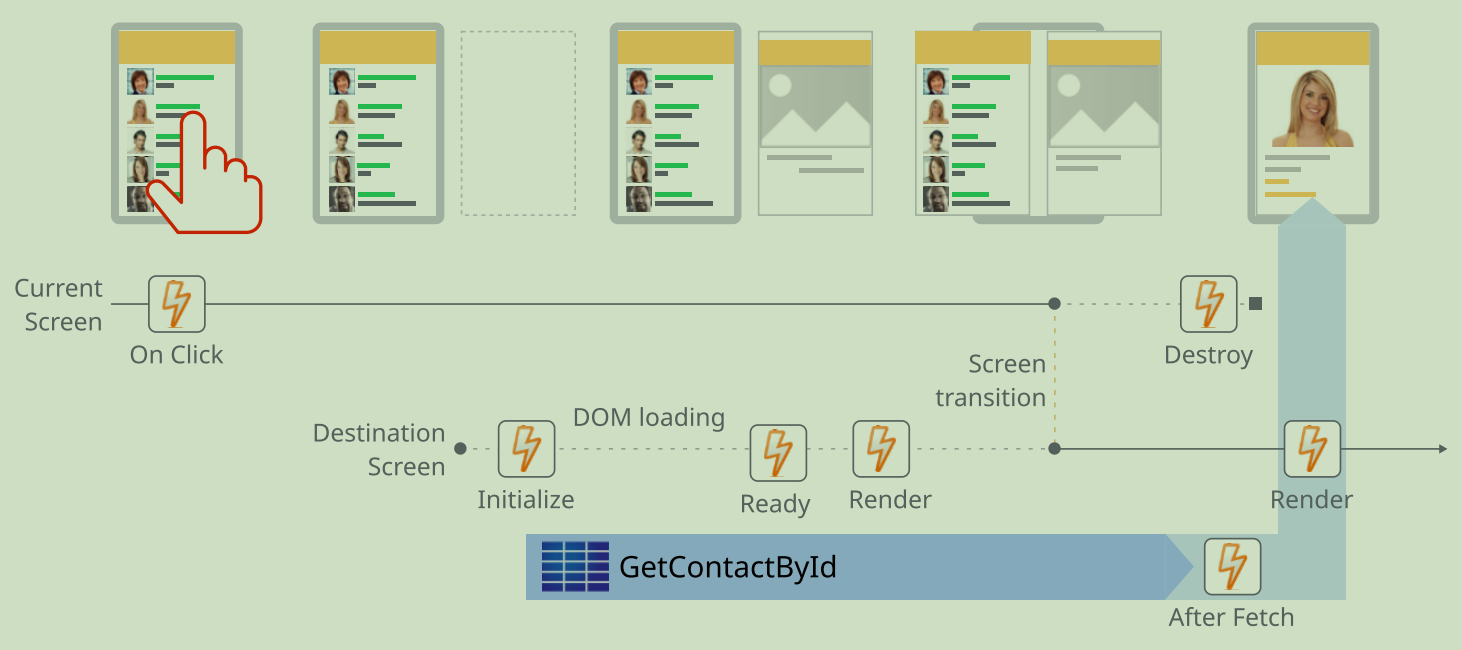
8 响应式编程模型(Reactive Programming Model)
-
Opening the App
![]()
-
Navigating Between Screens
![]()
9 Blocks and Events [高级特性]
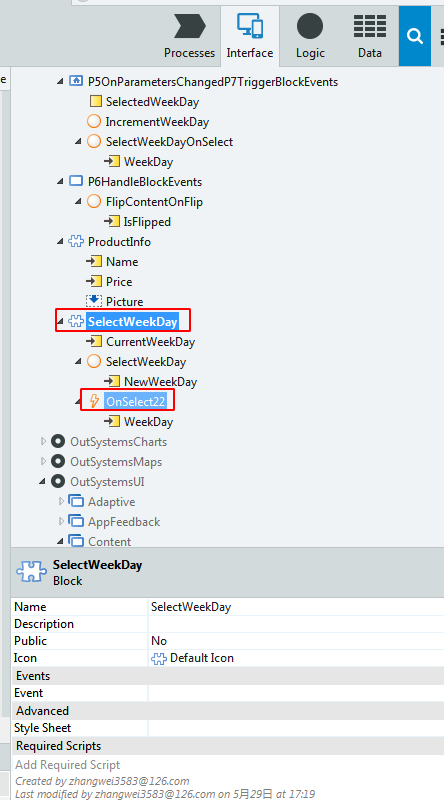
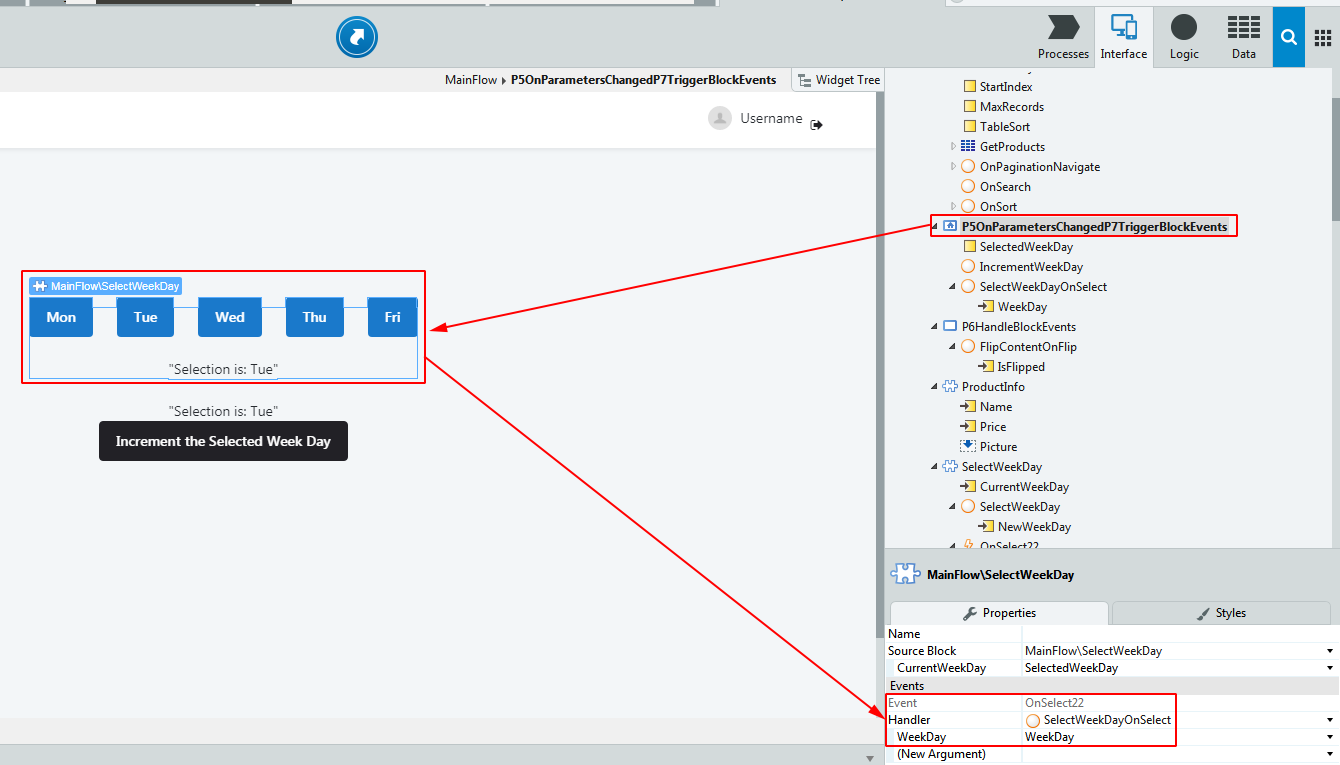
10 安全(Security)[高级特性]
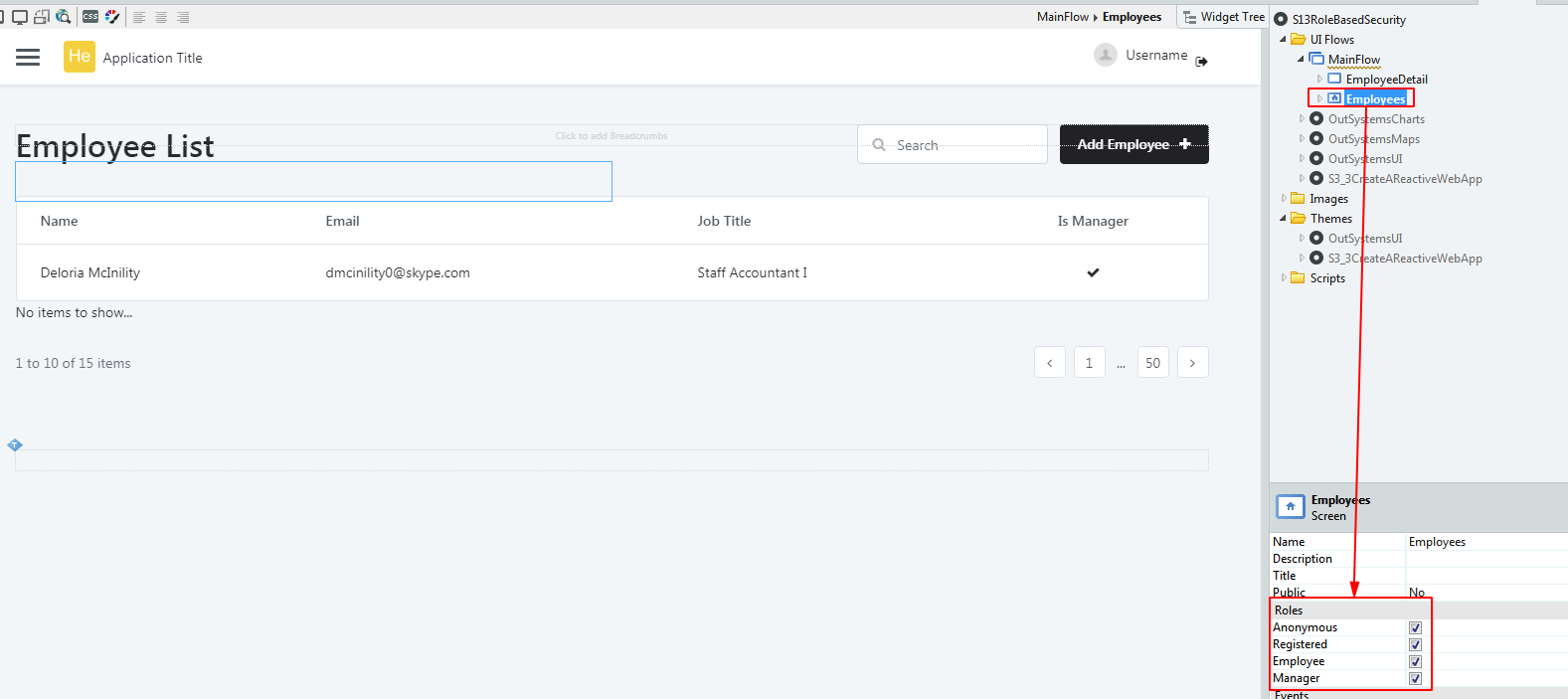
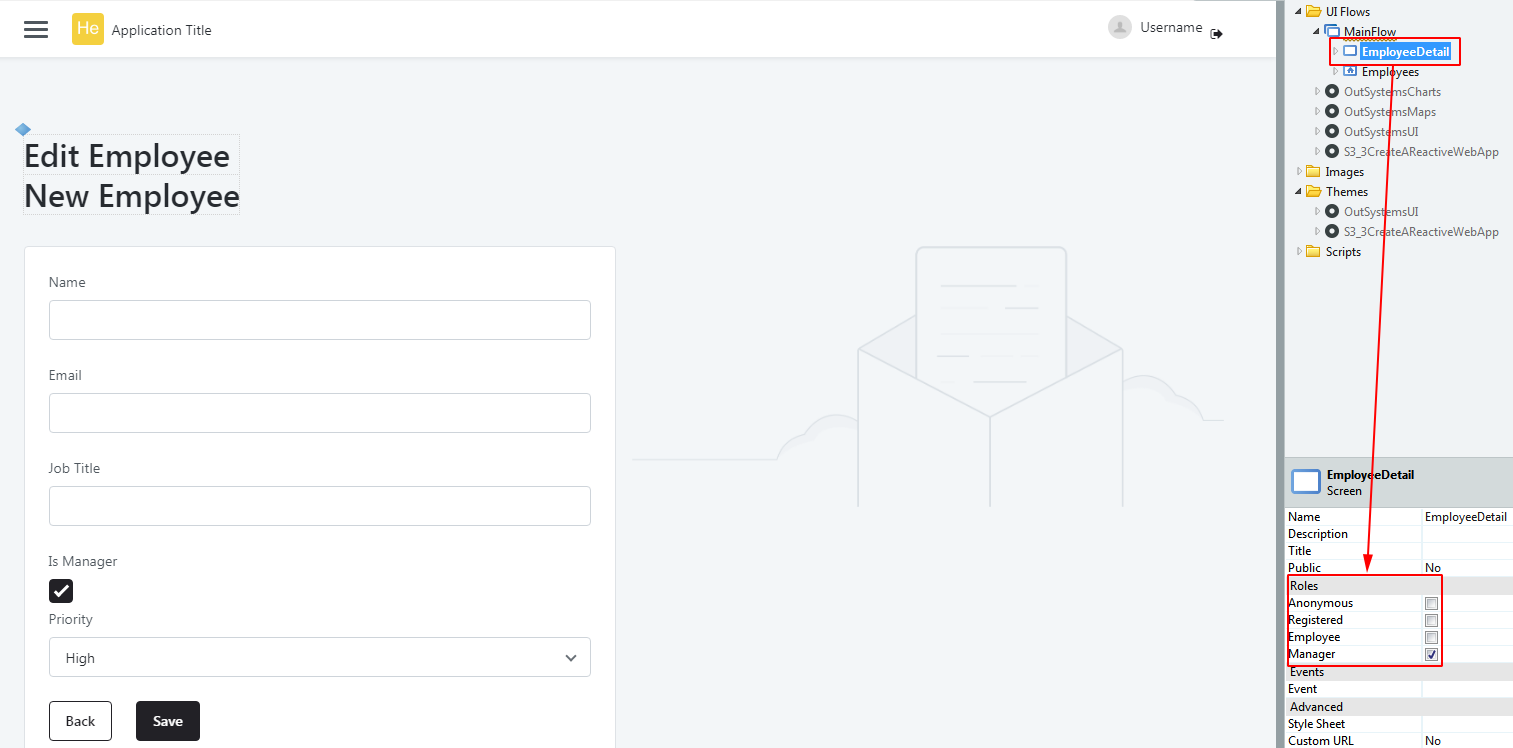
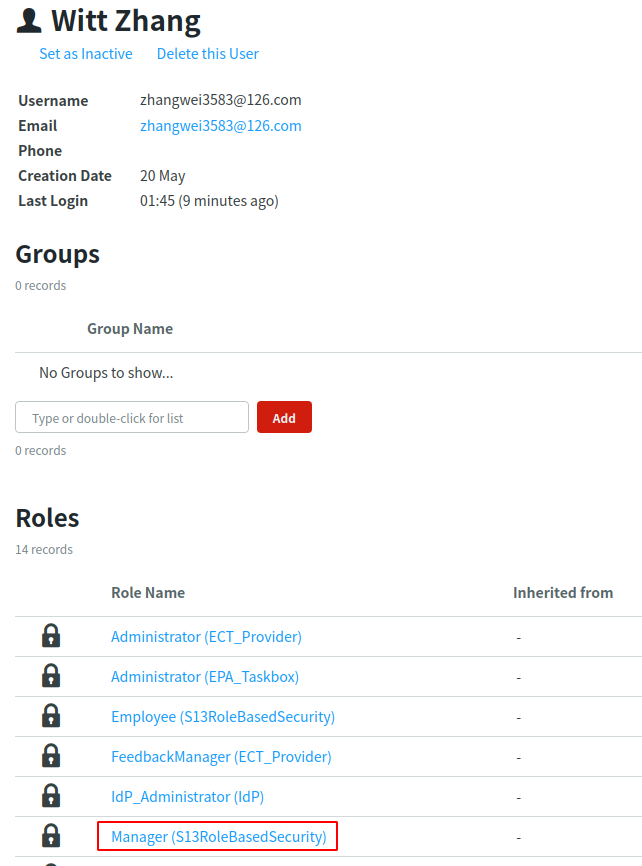
10.1 角色
10.2 第三方认证登录
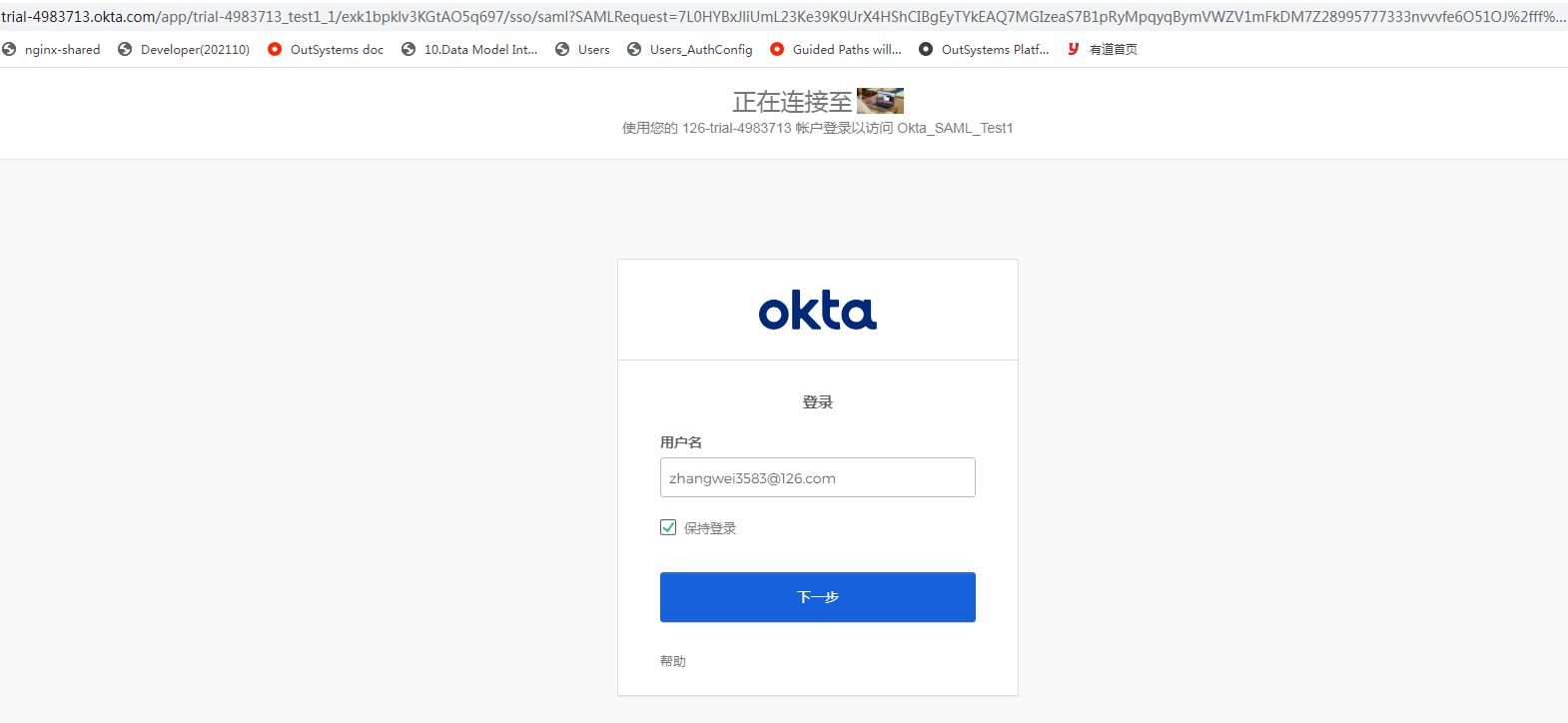
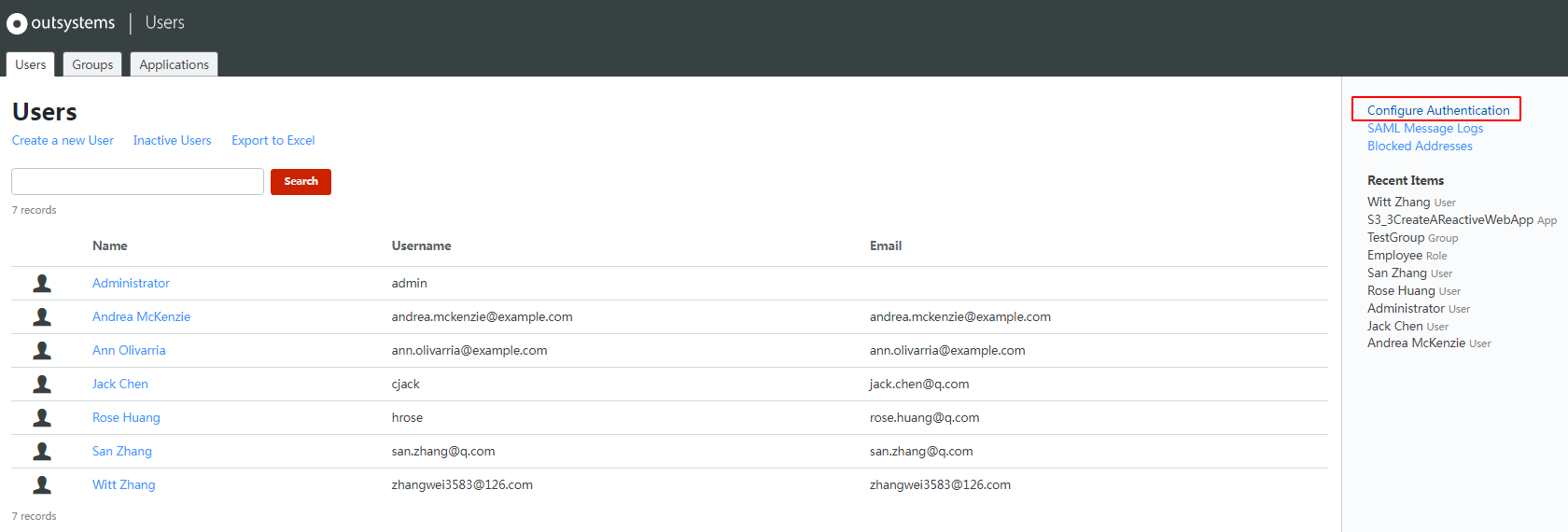
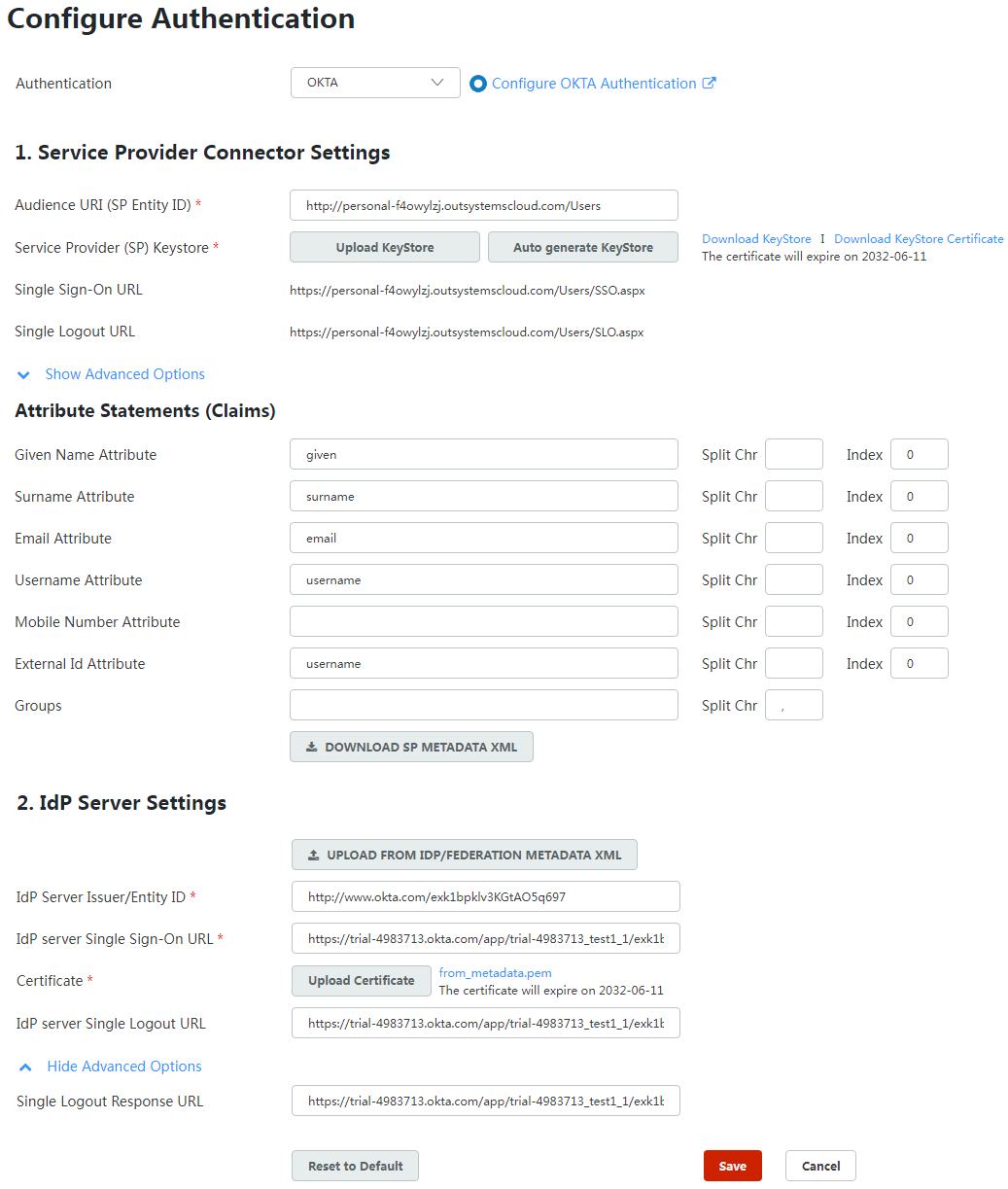
可以整合第三方认证系统(如OKTA, SAML, OAUTH2)等进行认证登录,以下是整合OKTA:
-
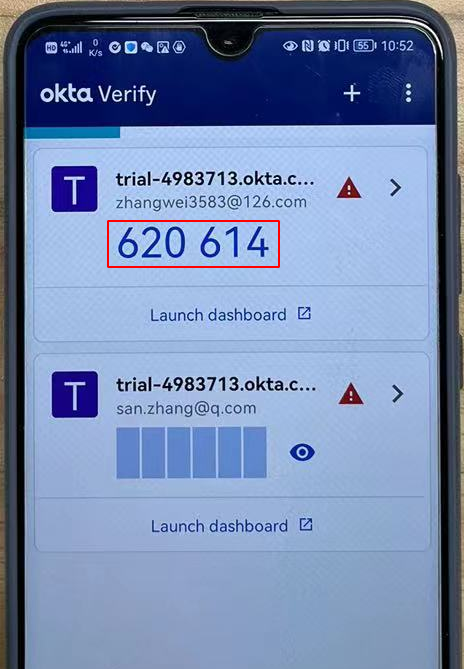
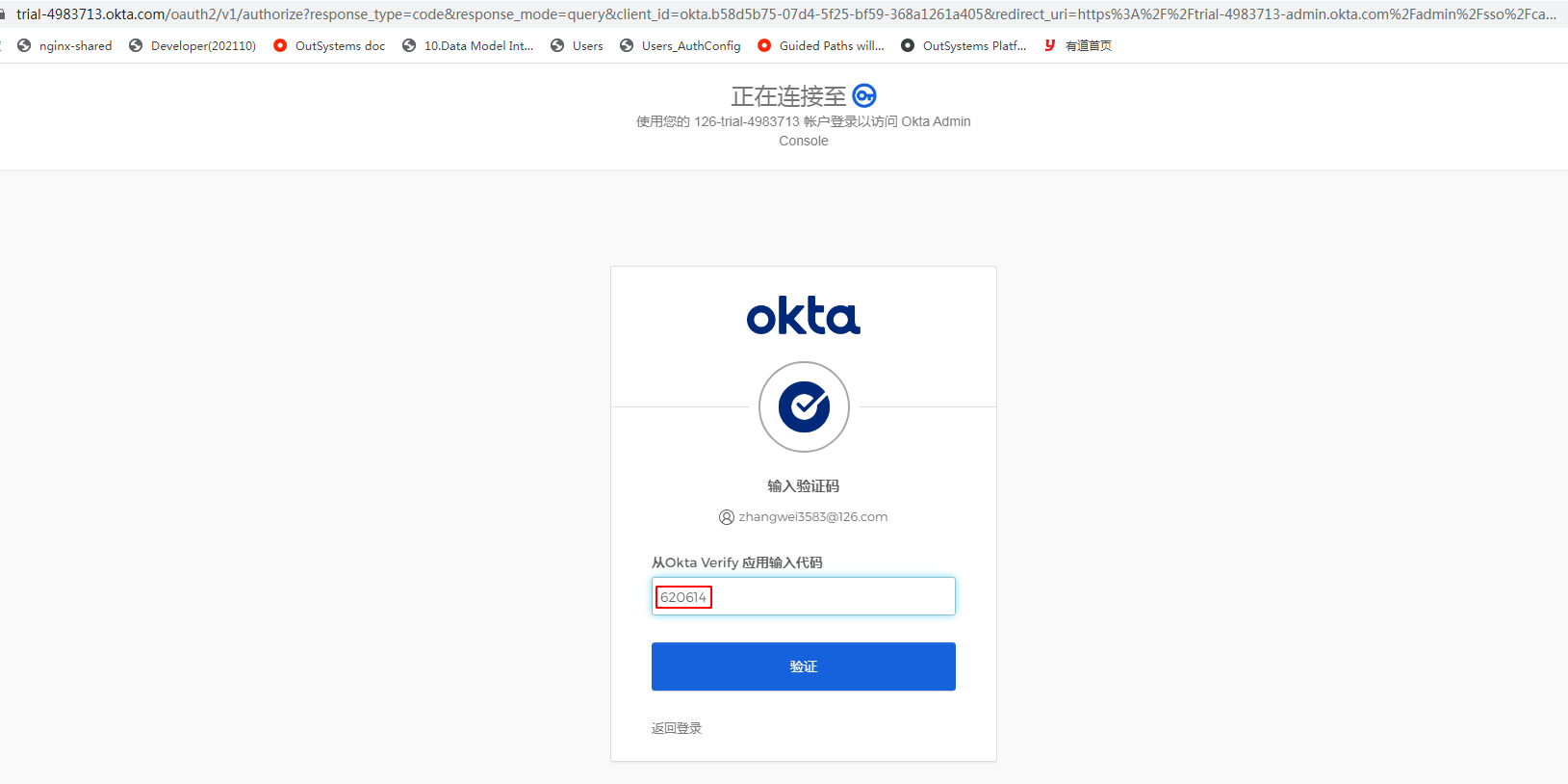
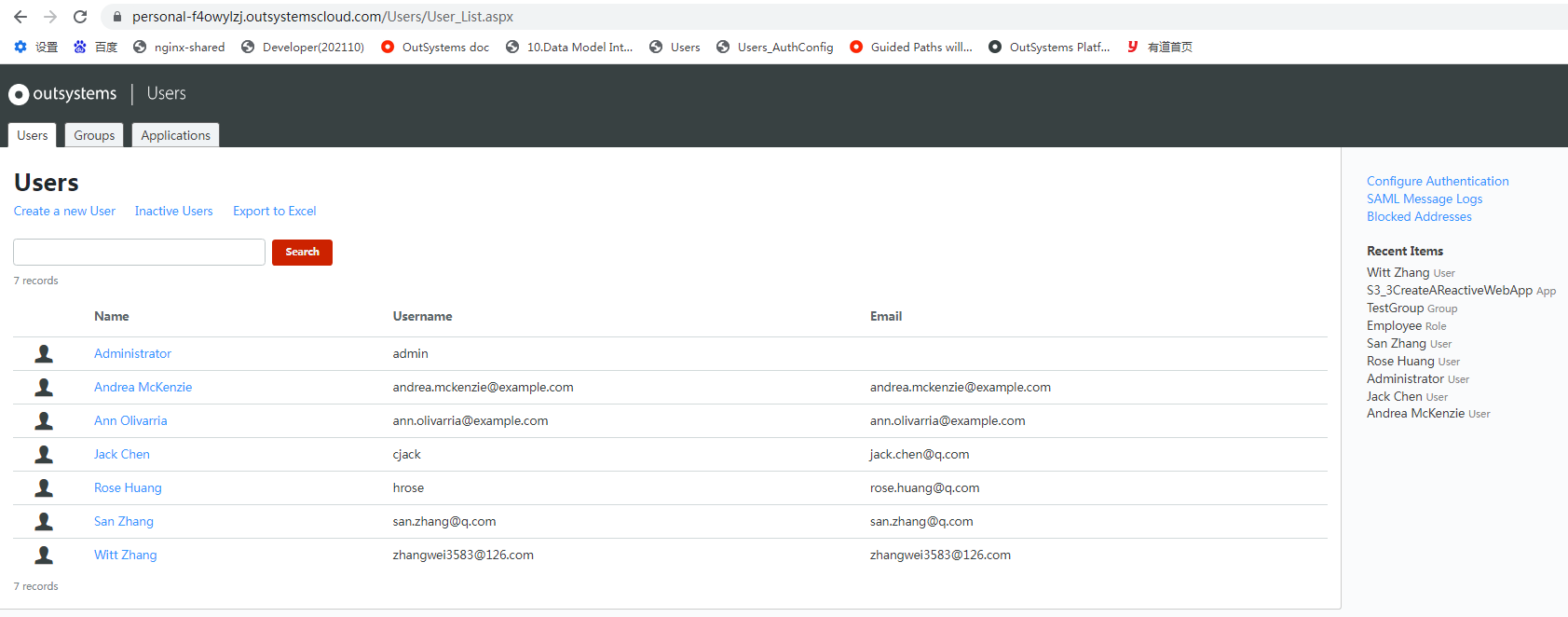
认证登录步骤
![]()
![]()
![]()
![]()
-
配置OKTA
![]()
![]()
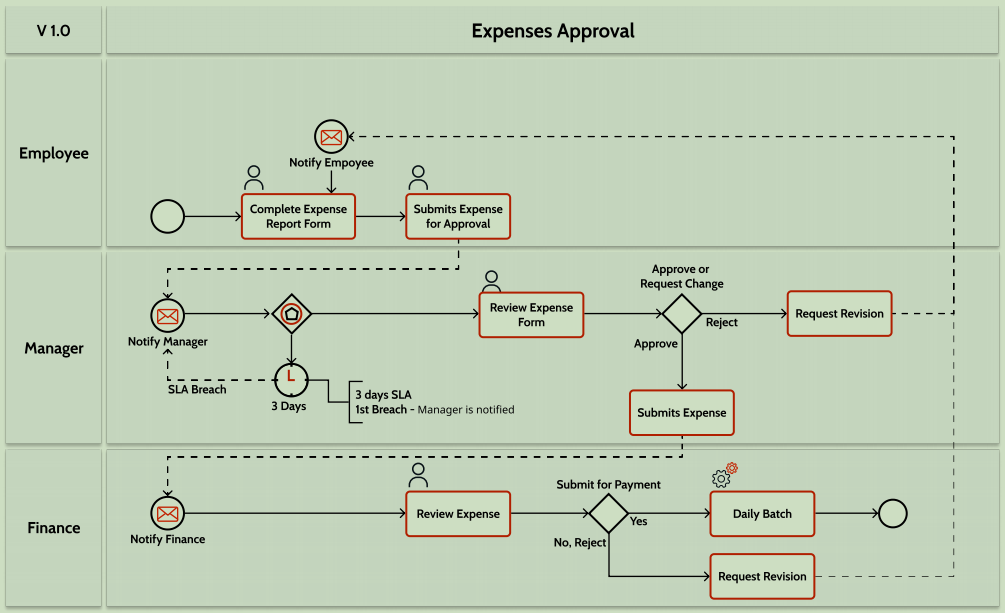
11 工作流(Workflow)[高级特性]


 浙公网安备 33010602011771号